Purchase Request
Used for the procurement request process of items needed in the daily operations of enterprises or organizations. Employees fill in procurement requirements, quantities, and other information. After submission, the procurement department reviews and processes the requests. Multi-level approval can be set up, suitable for various types of enterprises and organizations.
Basic Information
- Monthly Installations: 427
- Monthly Visits: 4455
- Original Text: https://cli.im/template/detail/121463279
Case Tag Image

Usage Instructions
I. Core Value
1. Simplify the Application Process
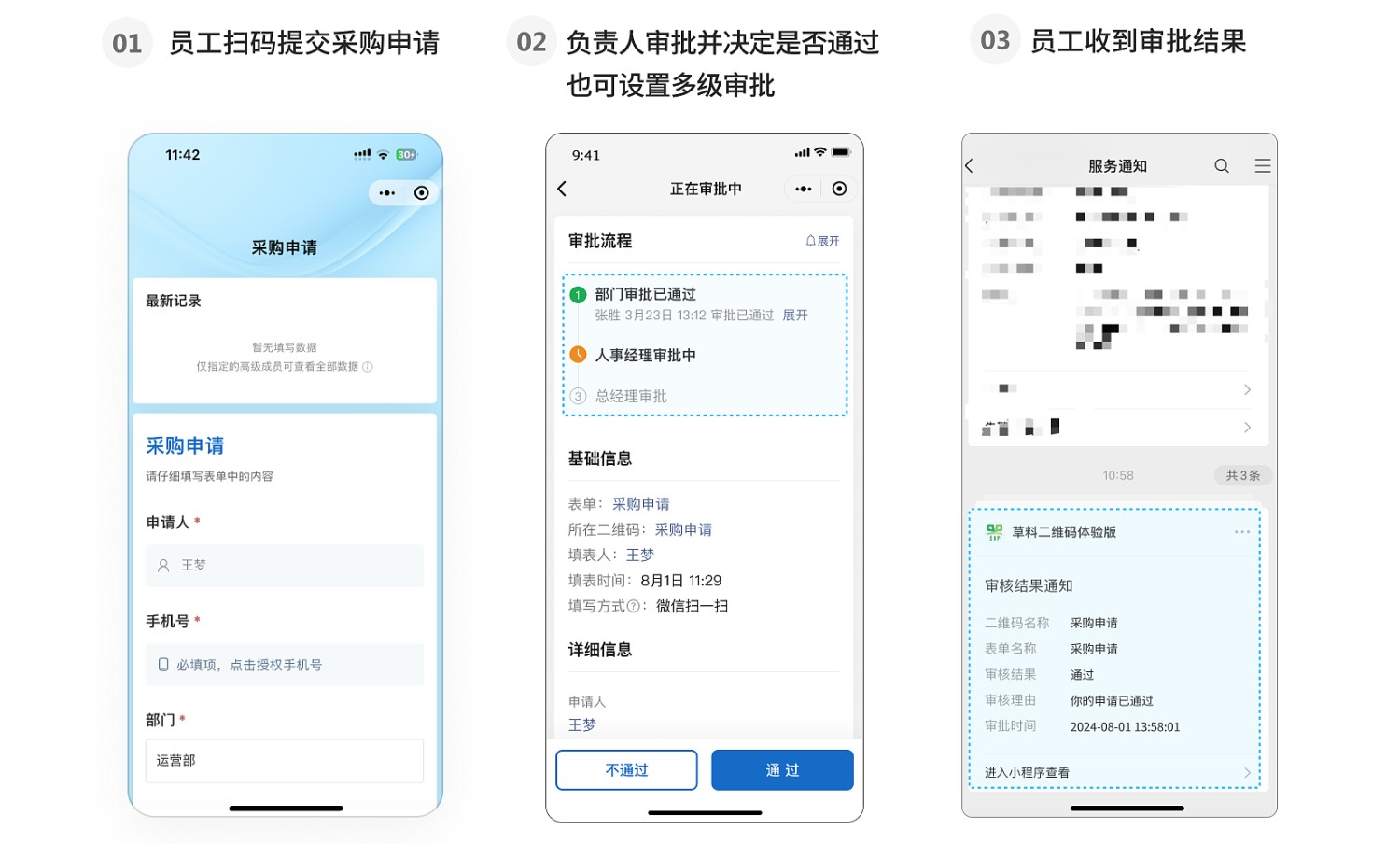
Employees can submit requests by scanning a QR code via WeChat, eliminating the hassle of submitting paper materials and communication.
2. Efficient and Transparent Approval Process
Responsible persons can receive application notifications in real-time, quickly approve or reject requests, and record detailed reasons for approval. The entire approval progress is clearly visible.
3. Optimize Human Resource Management
All application records and approval results are stored in the workbench, facilitating easy querying and statistics, helping enterprises accurately grasp the dynamics of material procurement.
II. Usage Process
1. Generate Purchase Request QR Code
Click [Use Now] to create a QR code and modify the form content according to the application needs.
The template is configured with approval functionality; you can set up responsible persons for single or multi-level approval as needed. Approval Feature Introduction and Operation Guide
2. Distribute Purchase Request QR Code
The application QR code can be printed on A4 paper for posting or forwarded to group chats for everyone to scan and fill out.
3. Manage Application Records
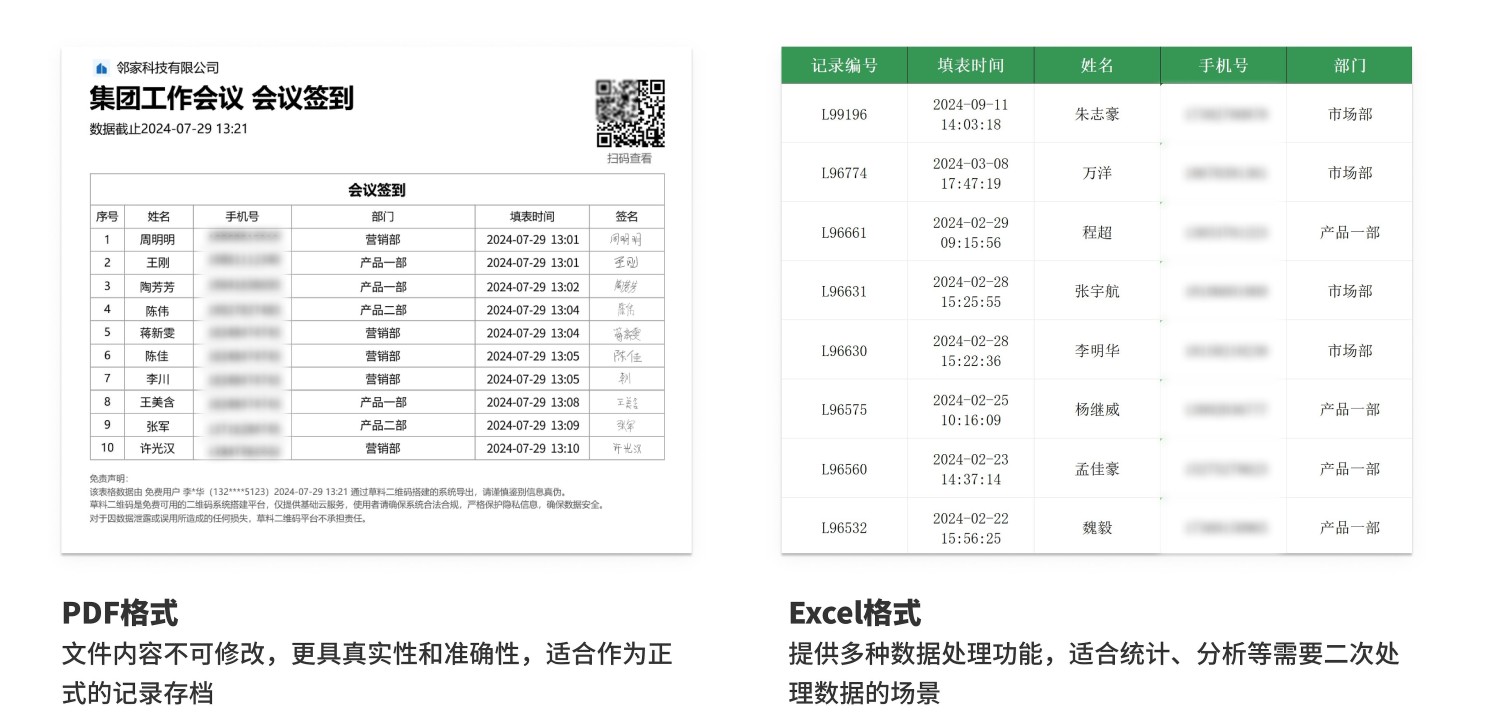
Application records and approval results are automatically summarized in the workbench. Administrators can centrally view or query the collected application information in the workbench. Files can also be exported for archiving, supporting various formats such as Excel and PDF to meet different data processing needs. Data Summary and Statistics Function
III. Frequently Asked Questions
1. Is it free to use? What are the differences between the paid and free versions?
Answer: The free version does not limit the number of applicants or submissions, data is stored long-term, and it meets basic usage needs.
If multiple people need to participate in data management, data approval, or use more advanced data export features, it is recommended to purchase the paid version.
Detailed selection advice can be found at: Version Selection Advice