What's the Difference Between CaoLiao QR Code's Forms and General Form Tools?
Original: https://cli.im/article/detail/2395
In the process of enterprise digitalization, "forms" are almost ubiquitous: equipment inspections, visitor registrations, event sign-ups, satisfaction surveys... Many people's first instinct is to choose an electronic form tool, such as platforms like Jinshuju, MikeCRM, or Tencent Questionnaire. However, if the scenario involves keywords like "equipment," "assets," or "one code per item," conventional form tools often fail to address the core issues effectively. This article uses "CaoLiao QR Code" and mainstream form products as examples to outline the logical differences between these two types of products and provides selection advice based on real-world scenarios to help enterprise users avoid detours.
Designing Forms for "People" or Creating Record-Keeping Tools for "Items"
Most electronic form tools (like Jinshuju, Tencent Questionnaire, WPS Forms) are essentially information collection tools designed to create questions and gather answers. Their default use case involves users submitting information once, with backend centralized management and export. The "subject" of the data is the person filling out the form, not a specific device or item.

CaoLiao QR Code operates on a completely different logic. It isn't designed to create forms for "people" but serves as a record-keeping tool for items. Its core function is to bind each scan to a specific physical object and continuously accumulate data. On the CaoLiao platform, each QR code represents an independent object (an item, person, or event). Scanning the code allows users to view the object's details and add new records. These records—including form submissions, status updates, and updates to sub-code content—are automatically aggregated into the dynamic profile of the object represented by the QR code.
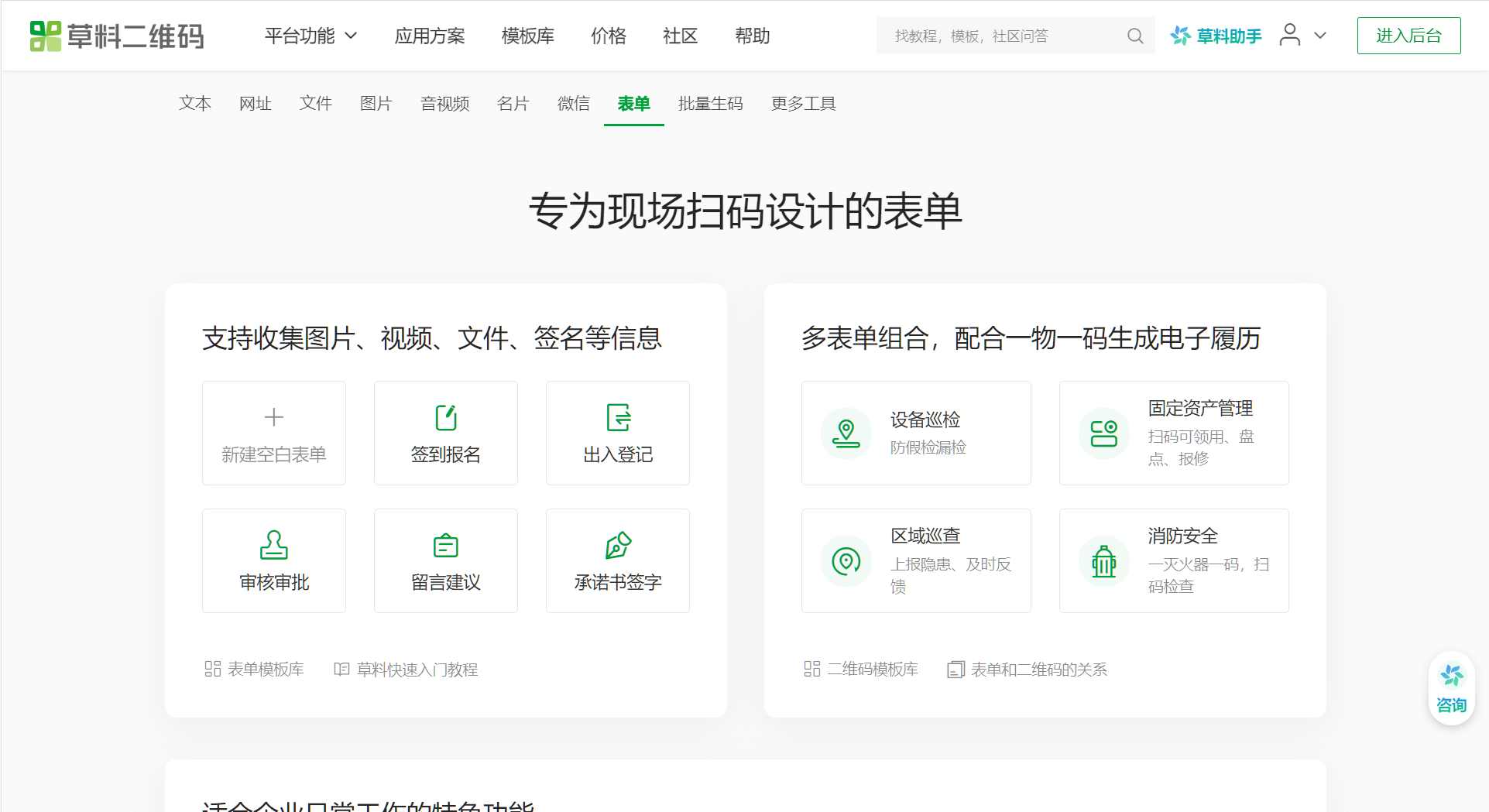
Simply put, other form platforms provide "digitized forms to fill out," whereas CaoLiao QR Code provides "a growth record book for each object." This is the most significant difference between the two.
CaoLiao QR Code: Scan to Record, Record to Archive
CaoLiao QR Code is not a general-purpose form tool. Its design logic revolves around "QR code as object," with forms being just one functional module on it. Users can generate an independent QR code for each item and associate functional modules like forms and statuses with it. For example, after generating a QR code for each piece of equipment, daily recording items (like checks, maintenance, repairs) can be set up as forms linked to it, while also setting equipment status fields (like "In Use," "Under Repair," "Deactivated," etc.).
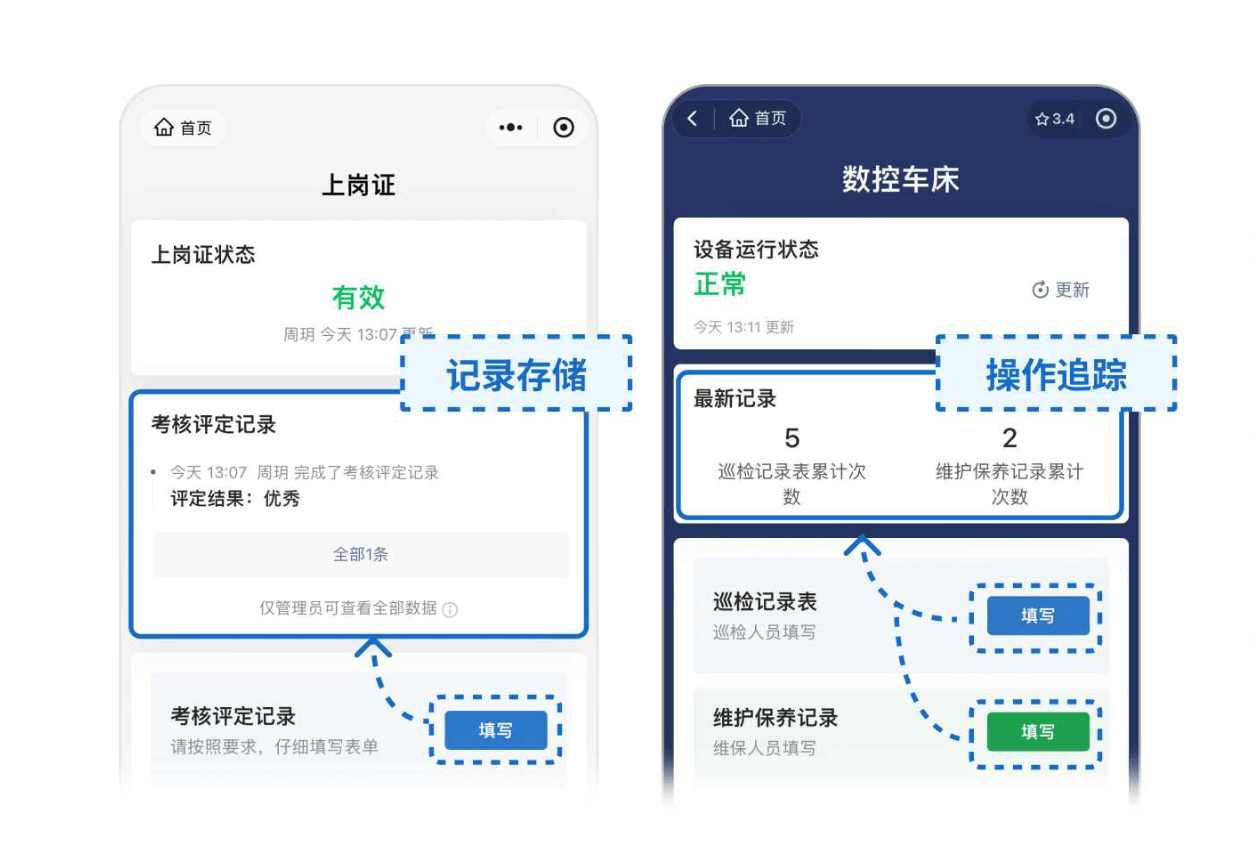
Frontline personnel can scan the code not only to view the equipment's basic parameters but also to fill in information and complete record uploads. Submitted information is automatically organized and filed under that QR code, forming a clear, structured archival view for subsequent review and management.
Multiple forms can be associated with a single QR code, corresponding to different work items, such as inspections, repair requests, check-outs, returns, etc. It also supports status switching functionality, allowing item statuses to be updated with a simple scan. This design is particularly suitable for scenarios requiring tracking of processes and managing usage statuses.
Furthermore, CaoLiao QR Code's free version imposes very few restrictions, with virtually no limits on the number of QR codes generated, form submissions, records collected, or scan counts, making it highly suitable for small and medium-sized teams to implement quickly.
General Form Tools: Better Suited for Collecting Information from "People"
In contrast to CaoLiao QR Code, other electronic form tools are mostly designed around collecting information from "people." Their main advantages lie in flexible form design, rich field types, and powerful logic.
- Jinshuju: Leans towards marketing and event scenarios, suitable for sign-up forms, order forms, etc. It supports field validation, payment interfaces, custom styles, and is a flexible, professional tool ideal for public distribution. Suitable for users needing payments, conditional logic, etc.
- MikeCRM: Functions more like a lightweight CRM system, excelling at linking collected leads with subsequent marketing processes, such as automatic email sending, tagging, etc. It's a highly integrated tool for marketing teams focused on customer conversion and lead management.
- WPS Forms: Positioned for office scenarios, characterized by being lightweight and easy to use, integrated with WPS Spreadsheets. Suitable for administrative reports, internal information registration, etc., with a low barrier to entry, fitting for grassroots communities or administrative units.
- Tencent Questionnaire and Questionnaire Star: Both focus on surveys and data statistics. The former is suitable for large-scale satisfaction surveys, market research; the latter is more professional, applicable for online exams, knowledge assessments in the education sector, featuring auto-grading, question banks, etc.
- FormMaster: A low-cost, easy-to-operate tool suitable for individual users or small teams for simple information registration, voting, etc. Also supports features like facial recognition, SMS verification, suitable for check-ins or anti-cheating scenarios.
Although these tools also support sharing form links via QR codes, their "QR code" is merely an entry point, not a "carrier," and lacks the capability to view historical records or operational status after scanning.
How to Choose Based on Application Scenario?
If you are managing "objects," such as a batch of equipment, a collection of assets, or a set of personnel files, and you want every operation to be traceable and each object's history viewable individually—CaoLiao QR Code is currently the tool that best fits these scenarios. Especially when lacking system development capabilities and having a limited budget, CaoLiao provides an out-of-the-box solution.
If your scenario primarily revolves around collecting information from "people," such as market research, customer questionnaires, satisfaction ratings, or online exams—while CaoLiao QR Code can also handle these—general form tools are more suitable. They offer richer question types, stronger logical controls, and are better suited for complex form design and public dissemination.
There are also hybrid scenarios, like conference check-ins, which require both scan-to-register and the ability to export a complete list and review operation times. In such cases, both CaoLiao QR Code and Jinshuju can meet the need: CaoLiao QR Code can handle both check-ins and displaying conference information, and it's free to use, suitable for internal training or small to medium-sized meetings. If the event requires paid registration or complex information collection (like selecting guest packages, session-specific sign-ups, etc.), Jinshuju would be more appropriate.
Summary: First, Clarify "Who" or "What" You Are Recording
Before choosing a tool, it's advisable to clarify these two questions:
- Are you recording "changes to an item" or collecting "information from a person"?
- Is the submitted data for one-time viewing, or does it need long-term association and archiving?
If you are more focused on equipment history, asset circulation, and process recording, CaoLiao QR Code will be more aligned with your needs. If you prioritize questionnaire design, conditional logic, payment functions, etc., then you should consider general form platforms like Jinshuju, Questionnaire Star, or MikeCRM.
In a nutshell:
- Want to collect "answers from people"? Choose a general electronic form tool.
- Want to record the "process of an item/person"? Try CaoLiao QR Code.
By clarifying the essence of the scenario and then making a choice based on platform capabilities, you take the first step in selecting the right digitalization tool.