Archive Borrowing and Returning Records
Create QR codes as labels for archive boxes. Borrowers can scan the code to view the corresponding archive box directory and register borrowing/returning information. Archive managers can track the circulation status of each archive box from the backend, ensuring orderly borrowing/returning and standardized management.
Basic Information
- Monthly installations: 6,642
- Monthly visits: 22,334
- Original: https://cli.im/template/detail/48994416
Case Label Images

Usage Instructions
Provides simple and convenient registration functionality. When attached to archive boxes, borrowers can scan the QR code with WeChat to fill out borrowing/returning registration forms. Meanwhile, managers can view statistical data in the backend to monitor the borrowing status of each archive.
Note: Currently only supports simple borrowing and returning registration. Does not support restrictions preventing borrowing registration when items are already checked out.
1. WeChat Scan Registration - No Additional App Download Required
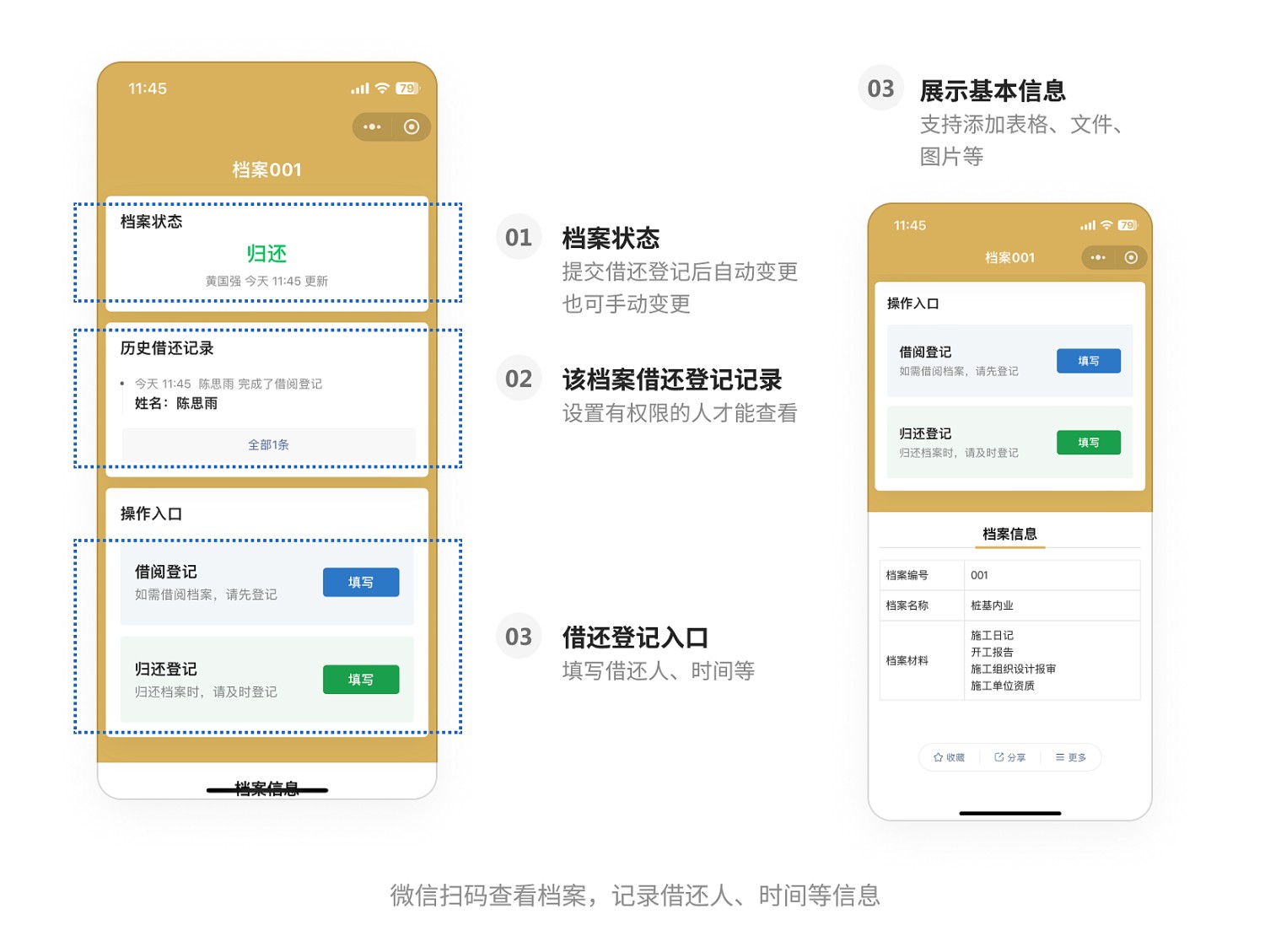
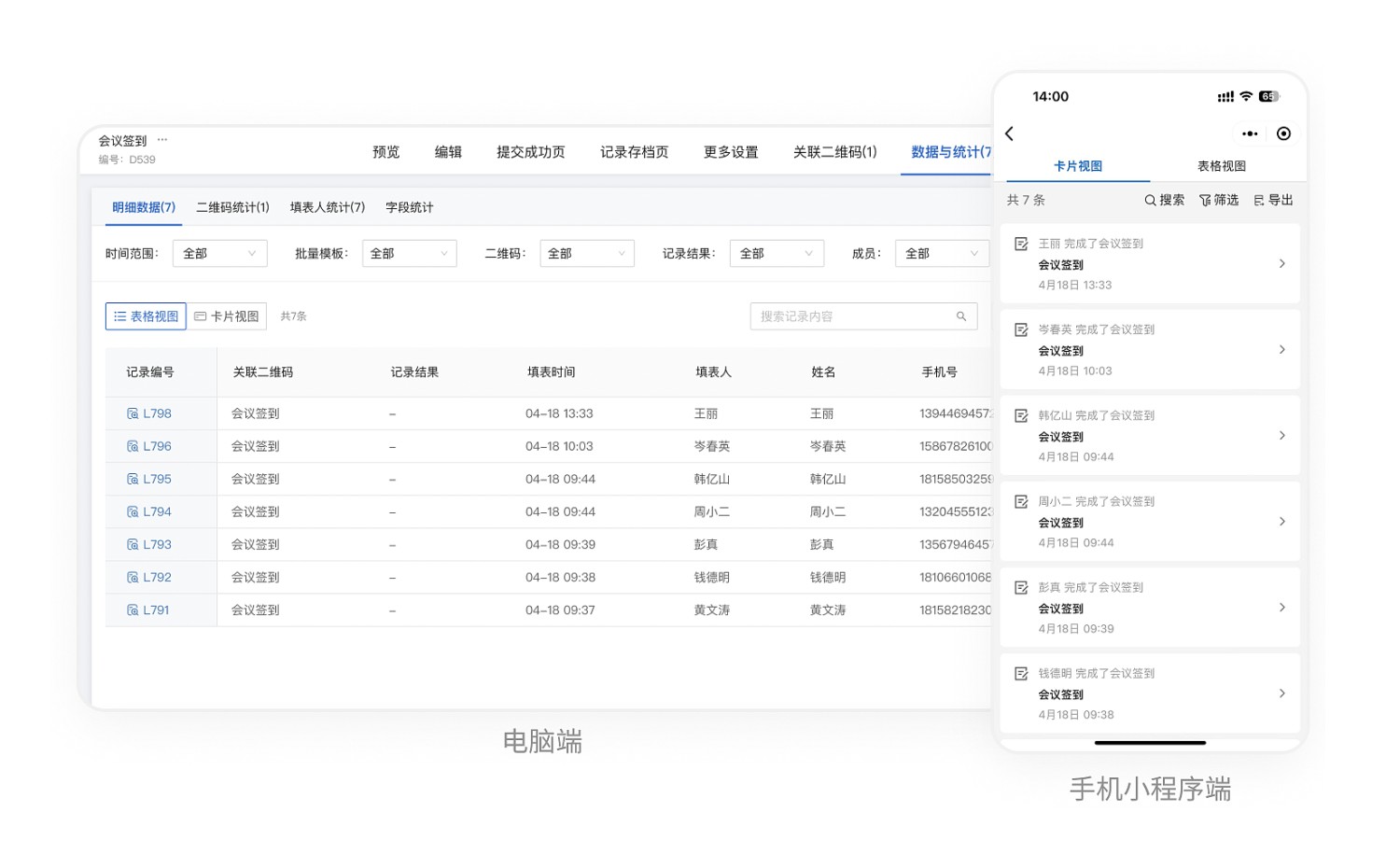
2. View and Export Borrowing/Returning Status Anytime
Administrators can view borrowing/returning records on mobile or desktop devices and export all records at any time.
3. Operation Tutorial
Recommended to use bulk QR codes generation
If you already have an archive ledger, you can upload an Excel file to generate codes. View Tutorial
If you don't have a ledger yet, you can choose to input data using an online spreadsheet. View Tutorial