How to Create Service Guide QR Codes for Free
Original: https://cli.im/article/detail/2336
In the information age, e-government has become a significant hallmark of modern government management. It not only greatly enhances government work efficiency but also profoundly transforms the interaction between the government and the public. Service guide QR codes not only facilitate the public but also alleviate the workload of staff, revolutionizing the public's service experience. This article will provide an in-depth look at the application scenarios of service guide QR codes and guide you step-by-step on how to create one.
1. Applications of Service Guide QR Codes
1.1 Government Services, Instant Access with a Scan
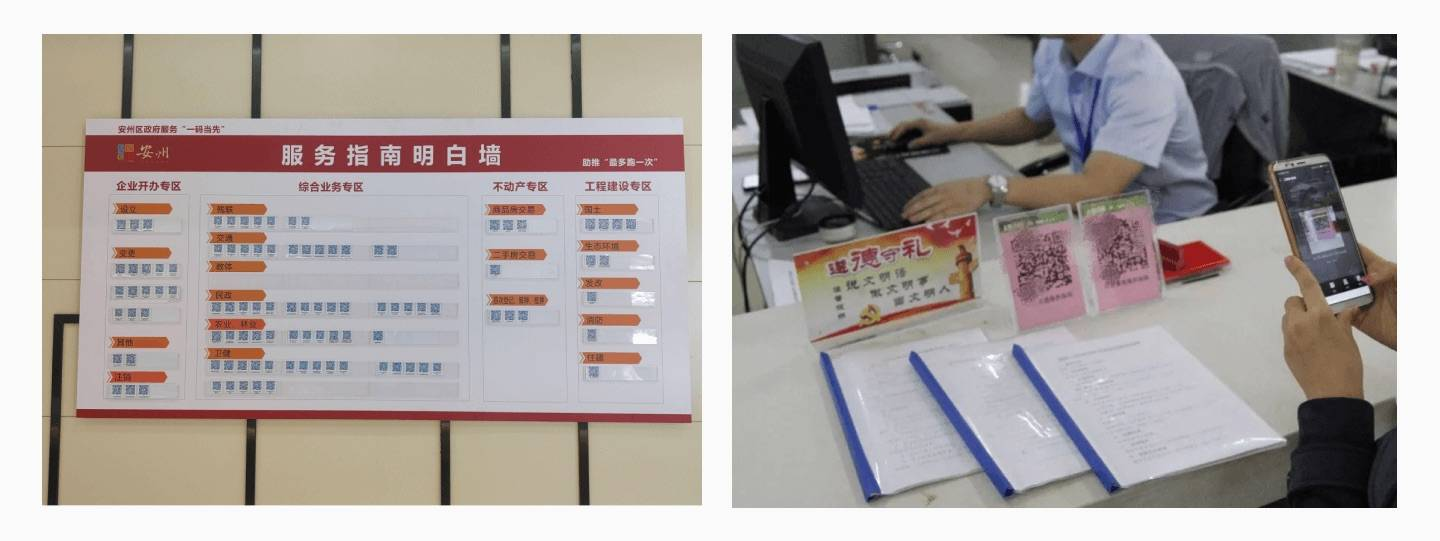
In government services, high-frequency tasks such as certificate processing and registrations often cause public frustration due to complex procedures and extensive documentation. To streamline these processes, many local government service centers have adopted service guide QR codes, enabling the public to quickly access information.
- Taishan District, Shandong: Introduced "scenario codes," consolidating 13 items like "Enterprise Deregistration" and "Newborn Birth" into a single QR code. Scanning the code allows users to view acceptance conditions and required materials, and directly navigate to the online processing page, achieving "instant understanding with one scan, quick handling at your fingertips."
- Xining Citizen Center: Integrated 274 high-frequency service items into one QR code. Scanning the code directly displays the processing location and required materials, preventing the need for multiple trips due to incomplete documentation.
- Xinghe County, Inner Mongolia: Organized and integrated 2,018 high-frequency service guide QR codes, covering areas such as construction project approvals. The content can be updated in real time to ensure the latest information is always available.
1.2 More Efficient Hospital and Community Services
In hospitals, where processes like registration and medication pickup are often complicated, many institutions now post guide QR codes on walls. Patients can scan with WeChat to instantly view instructions, making it more convenient than asking staff and reducing the workload for medical personnel. Libraries and museums have also adopted QR codes for borrowing rules and exhibit introductions, allowing users to quickly find the information they need and significantly improving the service experience.
In communities, QR codes serve as "life assistants" for residents. Some neighborhoods post QR codes on bulletin boards containing service procedures and contact information. Residents can scan to view the details and even share them with neighbors. Others have innovatively added feedback functions to QR codes, enabling residents to submit suggestions easily. For example, one community used this method to gather feedback and promptly adjusted garbage collection schedules, reducing complaints and increasing satisfaction among residents.
1.3 Flexible and Innovative Services
QR codes are more than just images; they can be used to innovate government services. For instance:
- Mengjin District, Henan: Regularly updates QR code content to ensure guidelines align with the latest policies. The system supports categorized searches by department, enabling "instant checks without delays."
- Honghu City: Launched the "Lianxin Ban" digital government service doorplate QR codes, combining 200 high-frequency services with navigation features. Users can scan to view guidelines and use integrated maps to quickly navigate to service counters.
2. Benefits of Service Guide QR Codes
2.1 Quick Updates, Saving Time and Effort
Compared to traditional paper guides, QR code content can be updated more efficiently. When policies change, modifications can be made in the backend, taking effect immediately without the need for reprinting materials. For example, one government center reduced update time from five days to just half an hour after policy adjustments, ensuring the public always sees the latest information when scanning.
2.2 Faster Processing, Minimizing Trips
The use of QR codes directly shortens processing time for the public. In Xinghe County, for instance, the average handling time decreased by 40%, and the rate of supplementary document submissions dropped by 65% after implementing QR codes. This means fewer trips for the public and reduced pressure on service counter staff.
2.3 Broad Coverage, Expanding Service Access
While traditional paper brochures have limited reach, combining them with QR codes significantly expands service coverage. For example, the Ningbo Medical Insurance Bureau deployed QR codes through public accounts and distributed them to village and town staff, rapidly extending services across the city. Residents could scan to view the latest policies, and sharing via WeChat quickly reached nearly 20,000 people in a short time.
3. How to Create a Service Guide QR Code
Creating a service guide QR code is straightforward with ready-to-use tools. Since CaoLiao QR Code is free to use with no restrictions on file or image uploads, we will use its official website as an example. Here are the specific steps:
3.1 Access the CaoLiao QR Code Platform
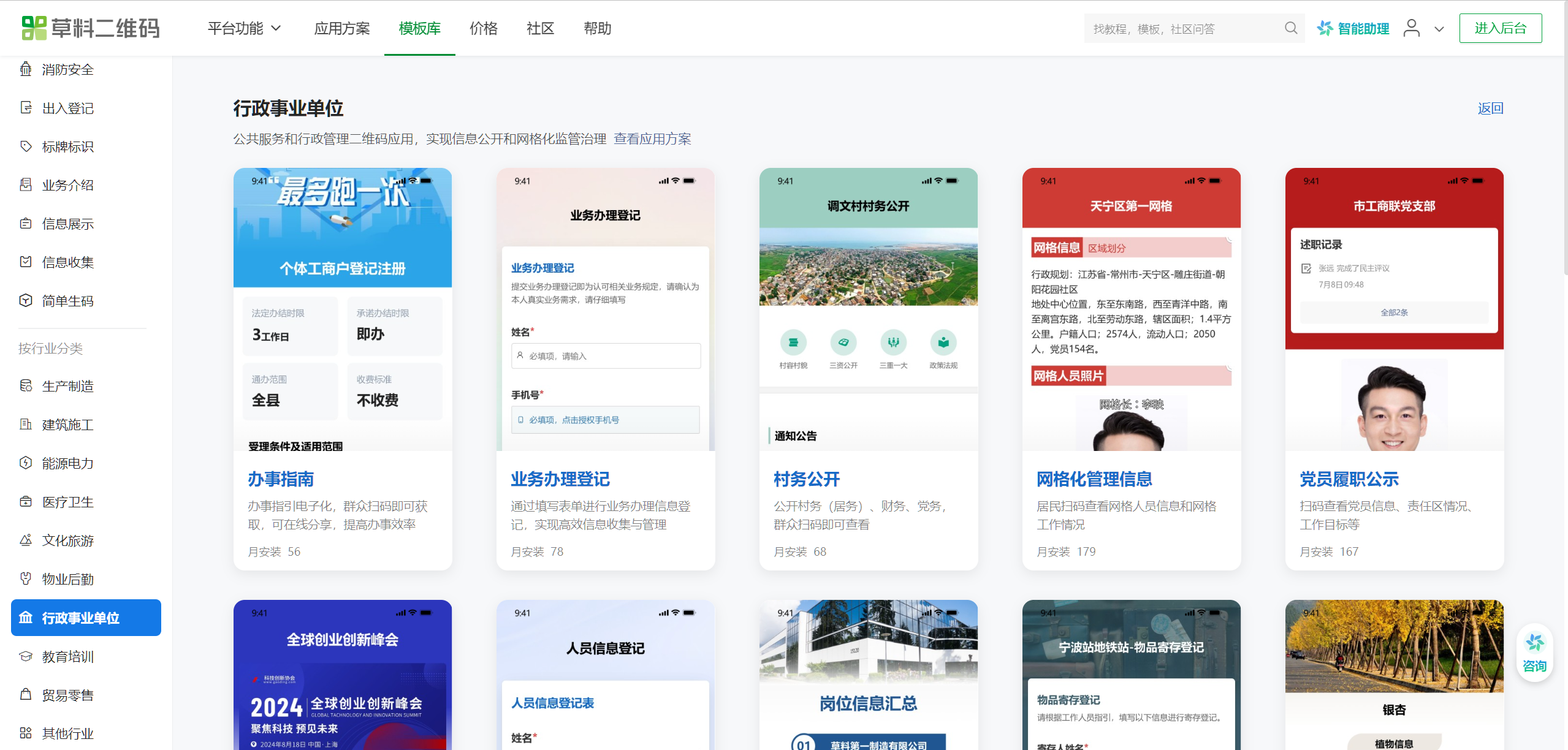
Open a browser on your computer, search for and enter the CaoLiao QR Code official website. Click on the template library, which offers a wide range of free templates. Select the [Service Guide] QR code template to start creating for free.
3.2 Modify the Template Content
Customize the template content based on your guide's requirements. You can add more information, such as service procedures, material checklists, and contact details. The platform also supports adding videos, links, or map navigation.
3.3 Generate the QR Code
After confirming the content, click the [Generate QR Code] button to obtain a downloadable QR code image. You can further beautify the QR code by adding a logo, changing its color, or including text like "Scan to view the service guide." Once beautified, print the QR code and post it in government halls or community bulletin boards. When updates are needed, simply modify the content in the CaoLiao QR Code management backend, and the QR code will sync automatically without requiring regeneration.
4. Advanced Applications
4.1 Create a Summary Code for Service Guides
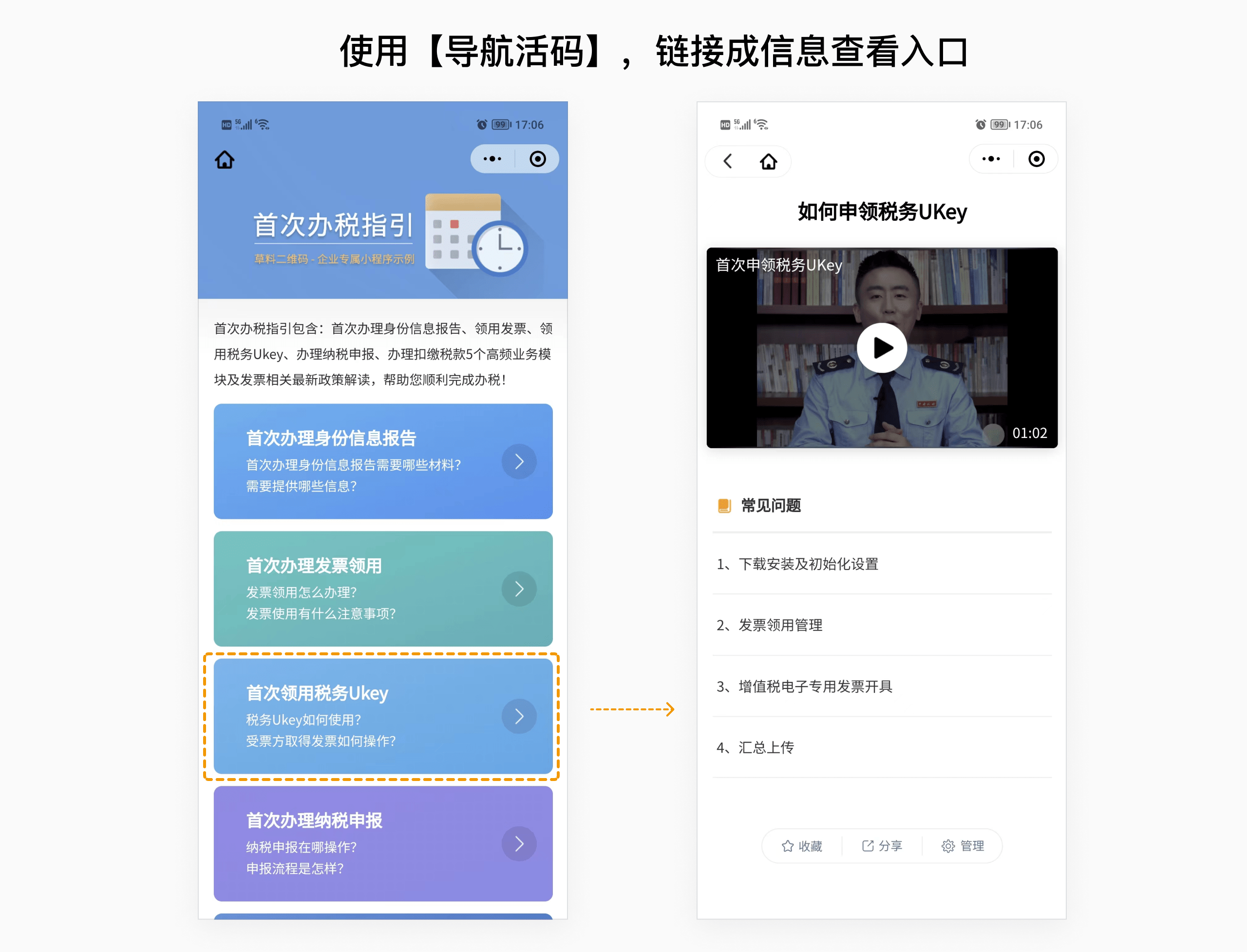
When multiple guide QR codes are involved, use the "Navigation Links" feature to consolidate various contents into a single QR code. This creates a comprehensive service guide directory, making it easier for the public to find information.
4.2 Collect Public Feedback
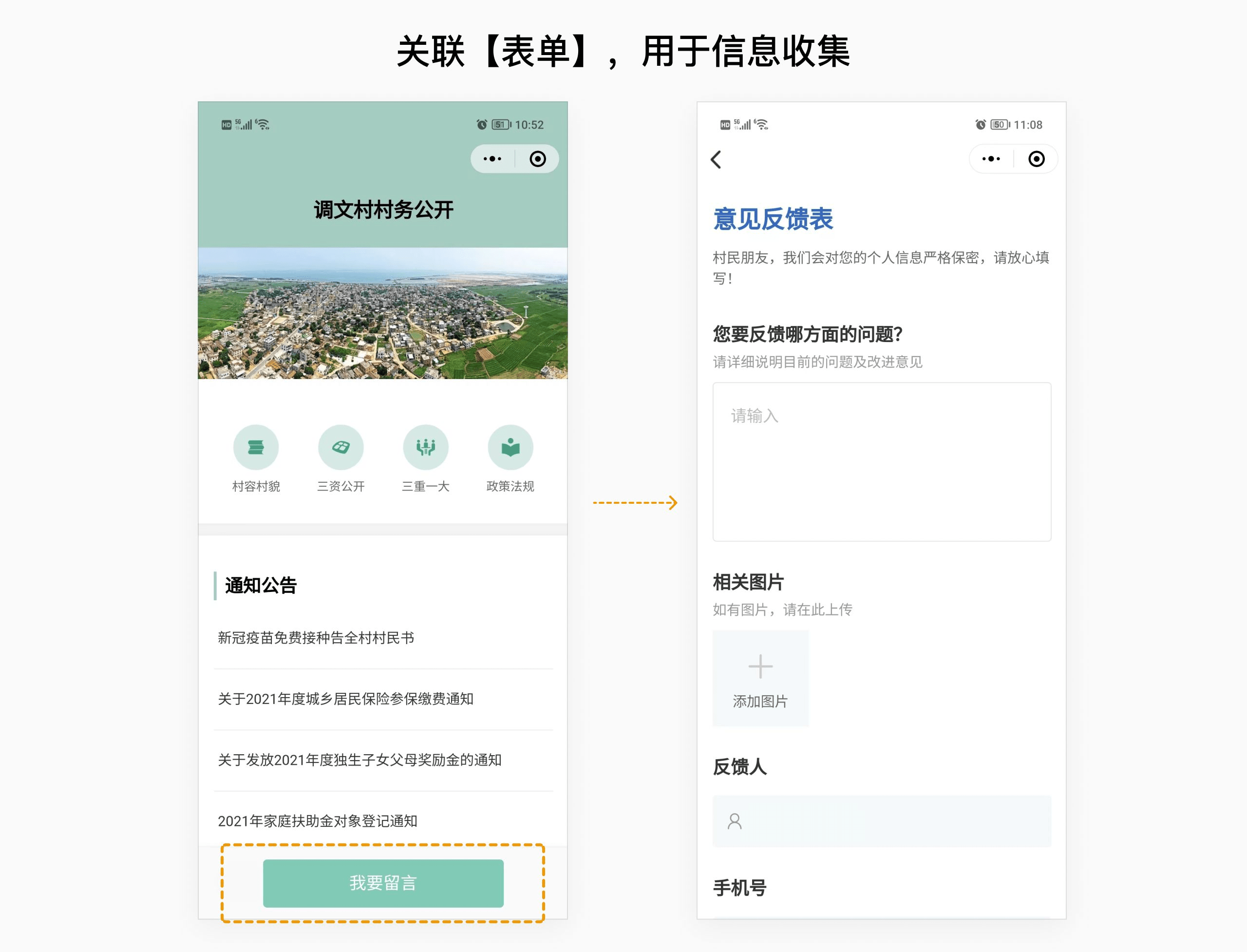
CaoLiao QR Code also offers a "Forms" feature, allowing you to add feedback forms to service guide QR codes. This enables the collection of public opinions and establishes a feedback channel.