Employee ID Cards
One card per person, suitable for creating employee work IDs, access passes, etc.
Basic Information
- Monthly installations: 27,678
- Monthly visits: 88,019
- Source: https://cli.im/template/detail/121462983
Case Study Label Images






Usage Instructions
Create employee ID cards for each staff member. Scan the QR code with WeChat to instantly access personnel information, contact details, etc., enhancing unified enterprise management.
1. Easy Creation, Bulk Generation of Personnel Cards
- Convenient Data Import: Upload personnel Excel spreadsheets or input information online for bulk import.
- Quick Generation & Printing: Generate personnel cards in bulk with one click, providing formatted downloads for direct printing.
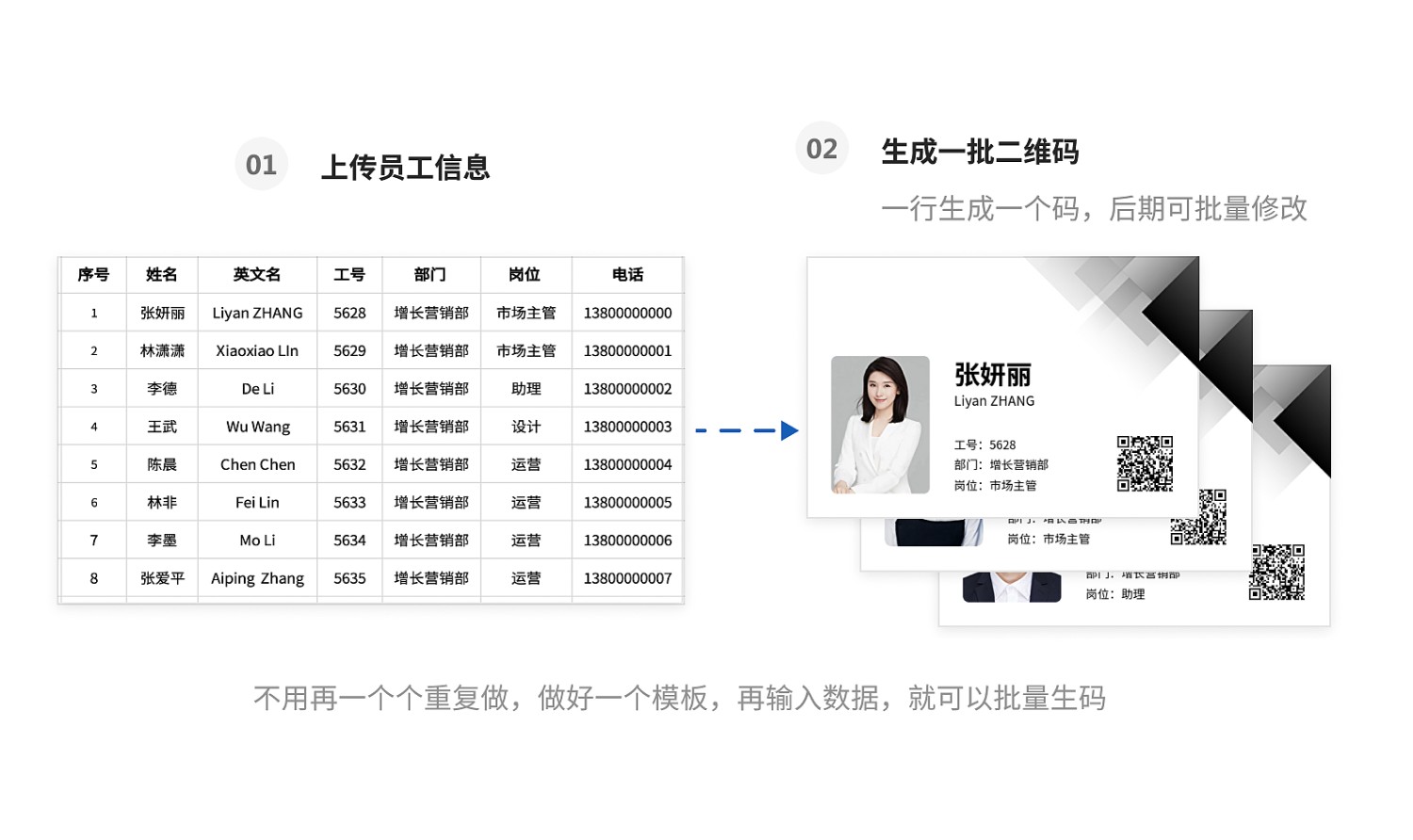
2. Customizable Labels, Showcasing Corporate Image
- Multiple Style Options: Offers various employee ID card styles suitable for different scenarios.
- Customizable Editing: Add company logos, names, etc., to fully present the corporate image.
3. Real-time Content Updates, Static QR Code
All personnel information can be updated in real-time. The QR code pattern remains unchanged after updates, ensuring that scanning printed codes always retrieves the latest information.
4. Setup Tutorial
We recommend using "bulk QR codes generation" to input data, generate codes in bulk, and print them in batches.
1. Import Data to Generate QR Codes
- Excel Import: Click "bulk QR codes generation" -> "Upload Excel to generate codes", upload the personnel ledger to create codes in bulk. View Tutorial
- Online Input: Click "bulk QR codes generation" -> "Online spreadsheet to generate codes", input all personnel information to create codes in bulk. View Tutorial
- *Supports bulk uploading of photos and files, such as personnel photos, training materials, etc. View Tutorial
2. Modify QR Code Style View Tutorial
3. Automatic QR Code Layout, Download, and Printing View Tutorial
5. Frequently Asked Questions
1. Is the template free to use? What are the differences between the paid version and the free version?
All features of the template are available for free use, with no restrictions on the number of codes generated or scan counts.
The paid version allows removal of the watermark on QR codes and supports multi-administrator collaborative editing for code generation. View Details
2. Who handles the printing? Can CaoLiao print them?
After generating the QR codes, you can print them yourself, or engage an advertising company or CaoLiao for printing. View Details