Exhibition Sample QR Codes
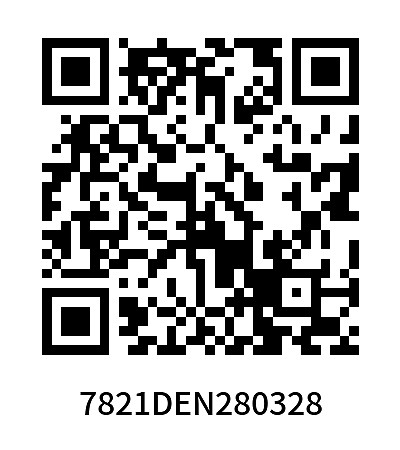
Upload an Excel file or input data to batch generate a set of QR codes. Labels can also be automatically formatted in batches for easy printing. Supports scanning across multiple platforms, allowing international clients to scan and view information anytime.
Basic Information
- Monthly Installations: 1243
- Monthly Visits: 3560
- Original Article: https://cli.im/template/detail/121463568
Case Label Image
Usage Instructions
1. Applicable Scenarios
Suitable for managing samples at various exhibitions such as the Canton Fair. Quickly generate individual QR codes for a large number of samples, with each code displaying detailed parameters for clients to scan and view at any time.
For more comprehensive product information display, it is recommended to use the Product Details Introduction template.
2. Core Uses
- Rapid Batch Generation: Simply upload an Excel file to batch generate QR codes, ideal for quick information display of bulk products.
- Multi-Platform Scanning Support: Scannable by mainstream apps, allowing international clients to view content anytime.
- Real-Time Content Updates: Information modifications sync automatically; no need to reprint QR codes. Scanned codes display the latest content.
3. Usage Tutorial
3.1 Using the Template
Click "Use Template to Generate Codes" and select the generation method:
- If you already have an Excel file, choose "Upload Excel to Generate Codes".
- If not, select "Modify Template". All fields and layouts in the template can be customized. View Tutorial
3.2 Modifying Label Styles
Supports personalized QR code design, such as adding logos and customizing layouts. View Tutorial
3.3 QR Code Settings
Set the period of validity, sharing permissions after scanning, etc. View Tutorial
3.4 Printing and Sharing
Downloaded QR codes can be used for product label printing or online sharing. View Label Printing and Implementation Guide
4. Free Version and Paid Version Benefits
4.1 Free Version
- Commercial use allowed.
- Long-term validity with no limits on the number of QR codes or scan counts.
- Supports uploading images, files, videos, etc., with standard definition display.
4.2 Paid Version (Suitable for high-quality needs and enterprise use):
- Supports high-definition, watermark-free image display.
- Offers personalized logos and Mini Program customization for a more professional appearance.
- Enables team collaboration and role-based permission management.
View Pricing and Detailed Payment Information
5. Frequently Asked Questions
5.1 How can I compile multiple samples for client viewing?
After generating multiple sample QR codes, you can use the directory summary feature to consolidate all sample codes into a single QR code. View Tutorial
You can also layout and create your own product catalog. View Template
5.2 Can foreigners scan the codes without WeChat?
Yes, the codes can be scanned and opened using other apps or browsers.