How We Use QR Codes to Solve Product Information Display Problems
Original: https://cli.im/article/detail/2377
Over the past few years while promoting our products, we repeatedly encountered a seemingly minor but persistent problem: how should we present product information so that customers are willing to look at it, can understand it, and remember it.
We tried many approaches before—from distributing brochures to creating web pages, from WeChat Public Platform articles to short videos and PowerPoint presentations, and even digital catalogs. We tried all sorts of methods, but they all shared a common drawback: either they took too much time to produce, or the maintenance costs afterward were too high.
It wasn't until we were preparing materials for an exhibition that we decided on a whim to use CaoLiao QR Code to generate a batch of QR codes linking to product introduction pages. This decision unexpectedly solved many problems we previously thought were "unsolvable." Below, I'll share how we did it, the scenarios we used it in, the challenges we faced, and the changes it ultimately brought about.
Too Many Products to Introduce?
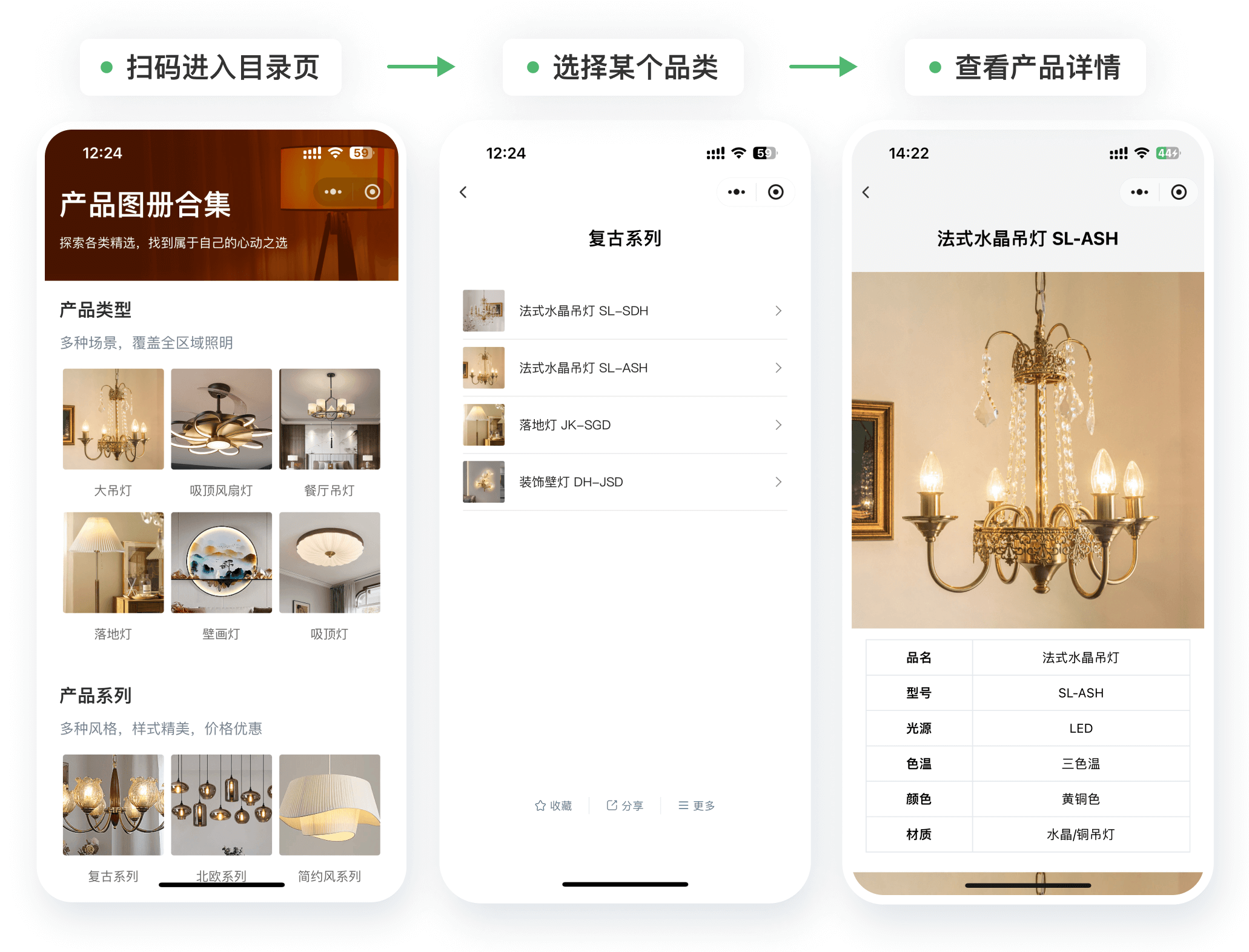
We have a large product lineup, making printed catalogs impractical. Creating dozens of pages would be a headache just to organize the materials, and customers wouldn't read them in detail anyway. Later, we started using "product catalog" type QR codes. We categorized all our products and placed them into a single QR code. Scanning it brings up the entire product list, and clicking on an item shows its detailed introduction. Customers can browse and choose easily, and we noticed they were clearly viewing more information.
Now, when our sales team goes out, they only need to carry a single page with a QR code on it, instead of a thick stack of materials. They report that explanations are more focused, and customers can save or forward the QR code to colleagues after scanning.
Combining Images, Text, Parameters, Videos, and Manuals for a More Intuitive Presentation
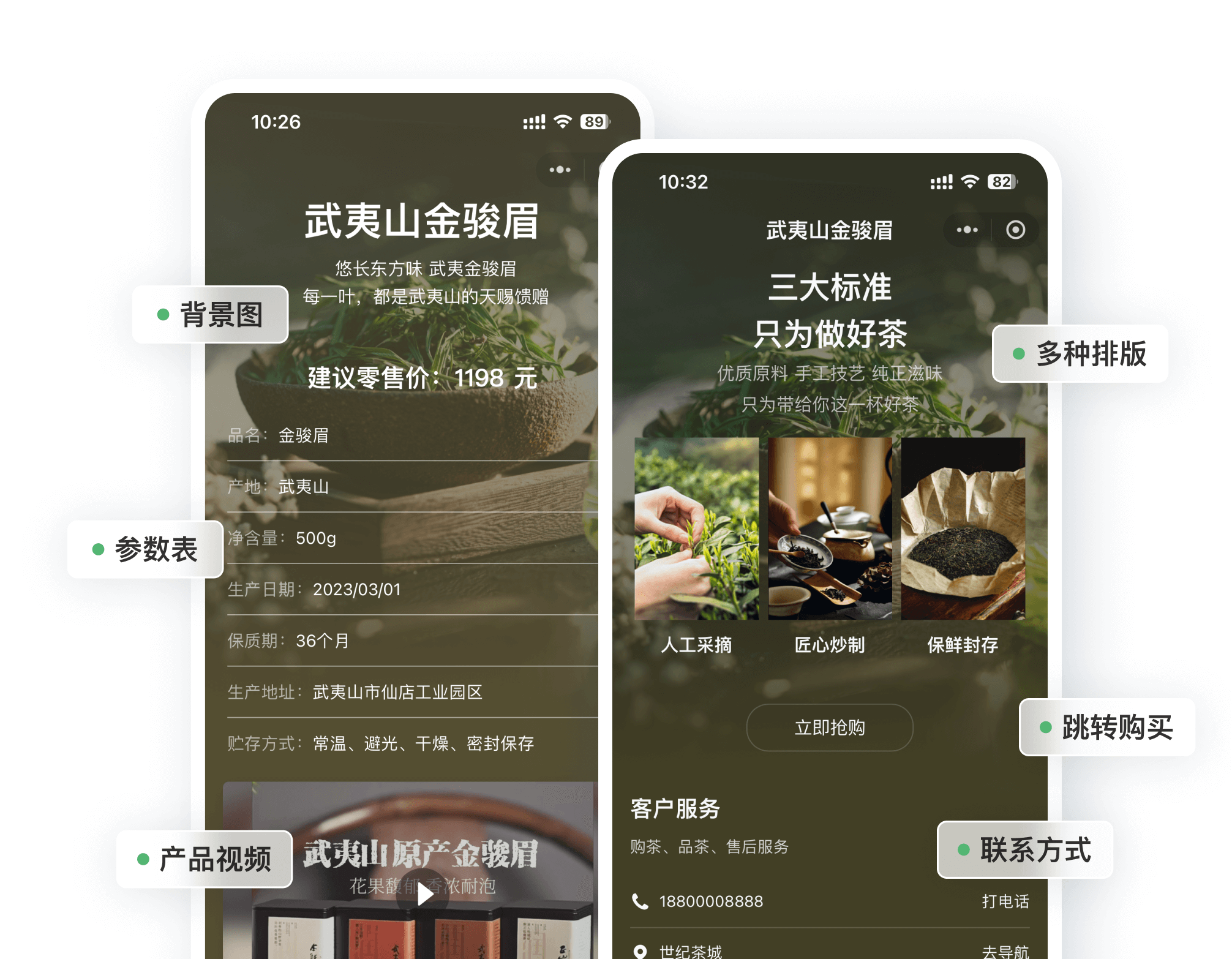
Previously, we used PDFs for product information, but the biggest issue was that they didn't look good. The layout was cramped, images were blurry, and customers weren't impressed. Now, our QR code pages support uploading high-definition images, PDFs, and videos, and allow for custom layouts. Even without design skills, we can create clean, presentable pages.
For example, we created a QR code introduction page for a piece of equipment. The main image shows the full product, followed by core parameters, a demonstration video, and finally the manual PDF. People scanning the code can look at images and watch videos simultaneously; even without a salesperson's explanation, they can grasp about 70-80% of the information on their own.
Content Updates Without Changing the QR Code – This is Crucial
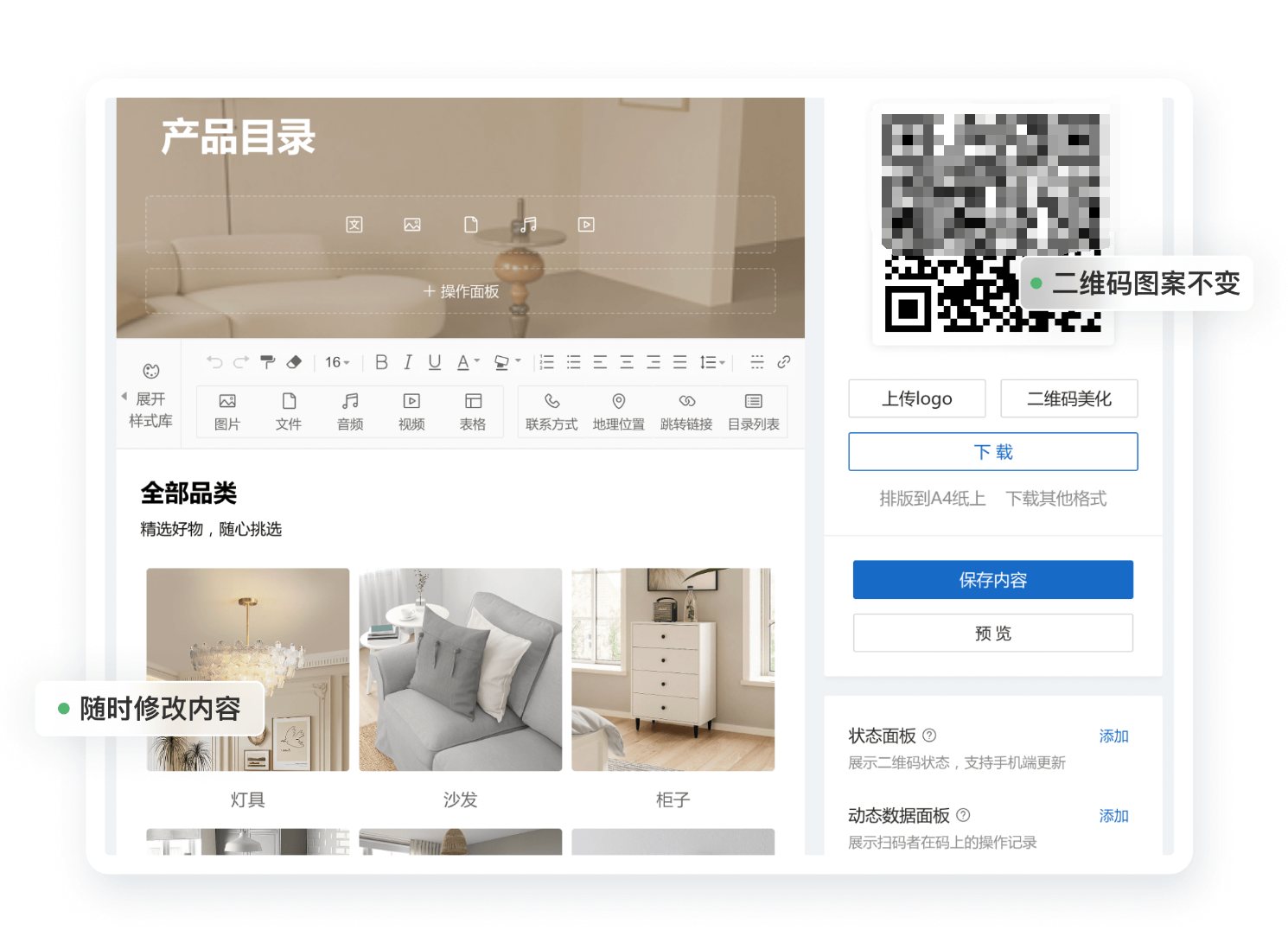
After one product launched, we updated its introductory content twice. Previously, this meant resending PDFs. Now, we just modify the content on the QR code page. When customers scan, they see the latest version, eliminating the awkward "wait, let me fix this and send you a new version" situation.
The QR code pattern itself doesn't change when the content updates, which is a huge relief for us. Whether it's stuck on a product or shared in a group chat, the link remains valid, and we don't have to worry about errors.
One Code Per Item Management: More Than Display, It's a Record
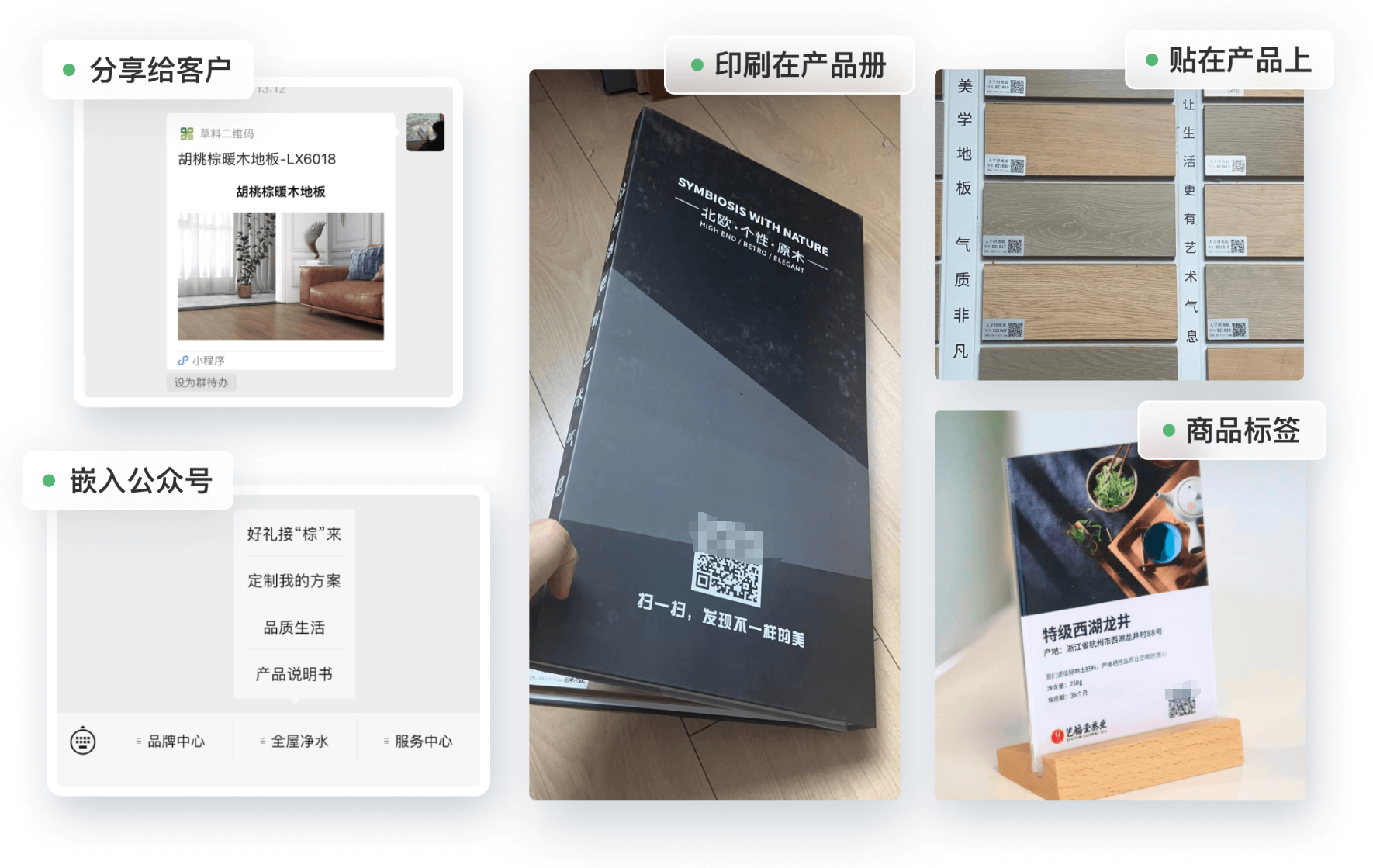
For products shipped in bulk, we also experimented with the "product label" template, generating a unique QR code for each item and attaching it to the product. Scanning reveals its manufacturing information, batch number, quality inspection report, etc., making traceability and after-sales service much easier later on.
We even added customer delivery signatures and maintenance records. The QR code acts like an "electronic file" for that specific product, especially suitable for industries requiring meticulous management.

Versatile Display Scenarios: Usable Offline and Online
Where to use the QR codes might seem like a minor point, but it's actually very flexible.
We print QR codes on exhibition boards at trade shows; stick them on packaging when shipping products; include the link directly during live streams; and salespeople can simply send them via WeChat when customers request information.
Especially for dissemination in WeChat groups and Moments, a single QR code can lead customers to a complete product page—a much better experience than traditional PDFs. Another advantage is that customers can save the QR code, so they don't need to ask us for the information again next time.
Backend Data Tracking for Sales Follow-up
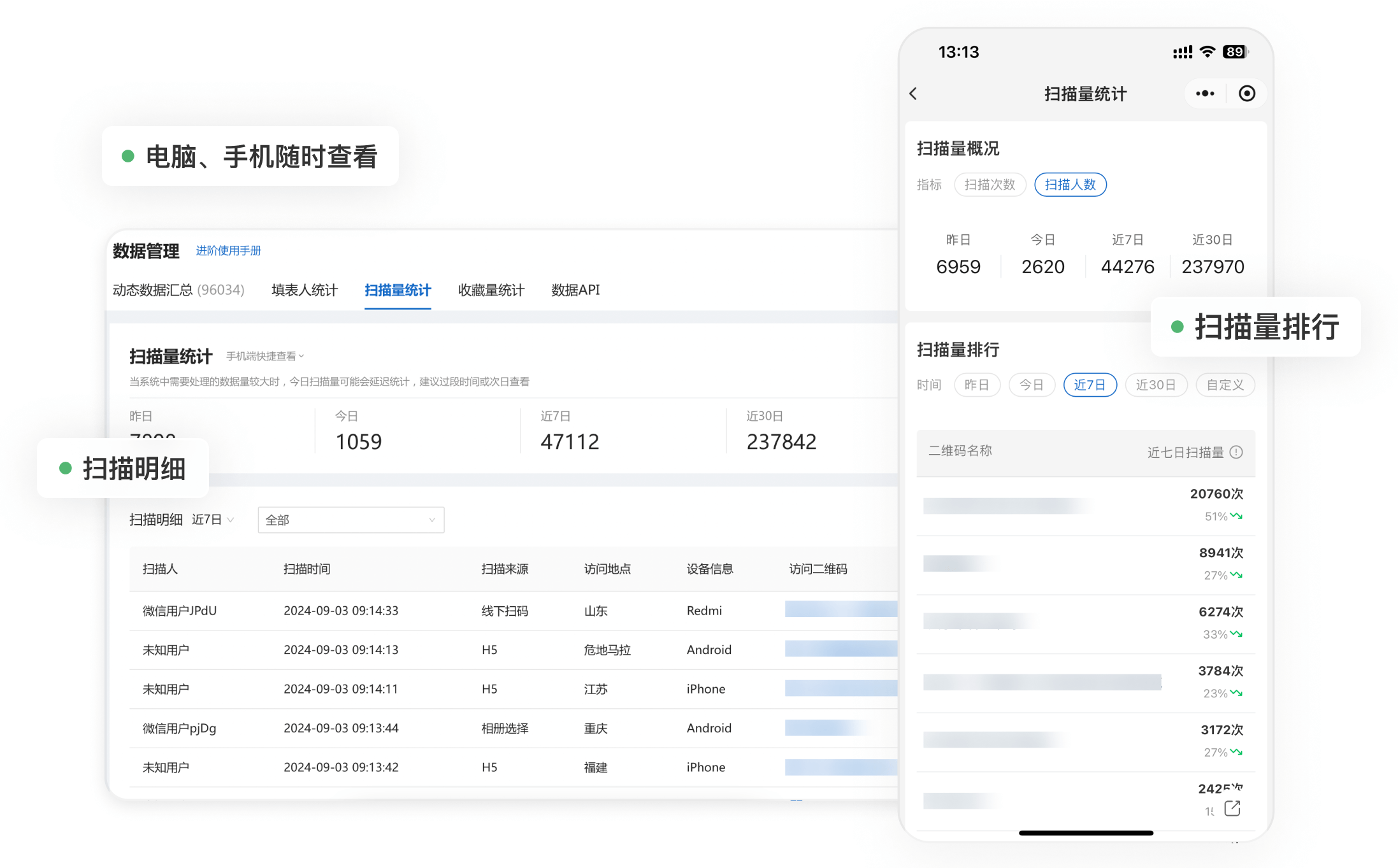
We didn't pay much attention to this feature initially, but later found it quite practical. The CaoLiao QR Code backend shows the number of scans, scan times, and even the region of the users scanning each code.
Once, a customer scanned the same product code repeatedly over several days. Our sales team proactively called them and found they were just about to make a purchase. These kinds of "silent behaviors" were completely invisible to us before.
Operable on Both Mobile and Desktop, Easy for Newcomers
Our sales team can modify the content displayed by the QR codes directly from their phones. For example, if they need to update parameters or add a picture while on a business trip, it takes just five minutes. However, for the initial page setup, we recommend using the CaoLiao QR Code website on a computer—it's more convenient for selecting templates, arranging layouts, and adding label styles.
The desktop version also offers features like batch import, bulk QR codes generation, and batch label export, which are crucial for projects involving dozens or hundreds of product codes.
Free Version is Sufficient for Commercial Use, Flexible Upgrades Available Later
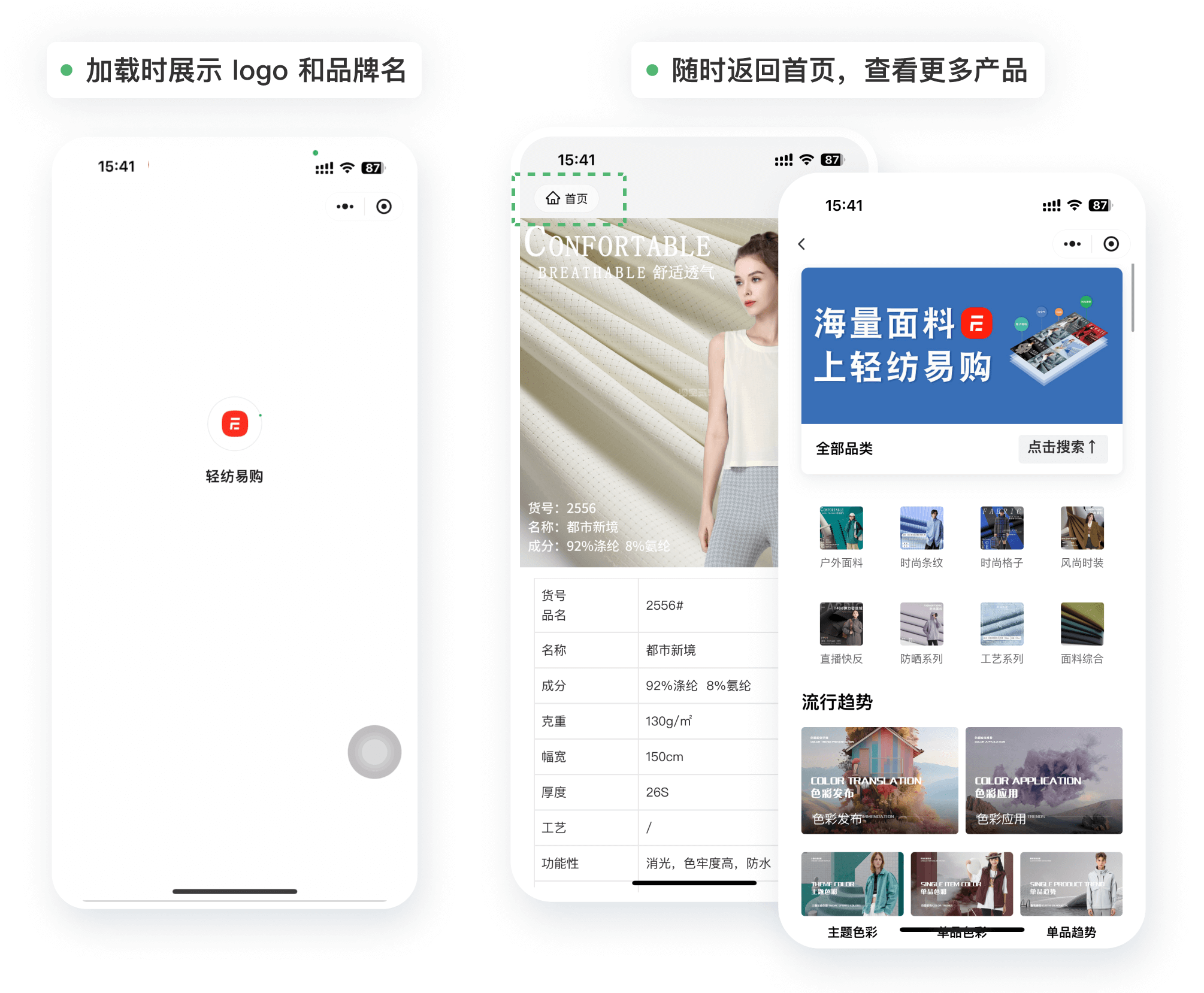
We compared several QR code generators, and overall, CaoLiao QR Code's free version offers the most value and features. Initially, we used the free version to build our pages—it was already very comprehensive, with unlimited scans, unlimited content uploads, and QR codes that don't expire. Later, as the company wanted better presentation, we upgraded to the paid version, gaining access to high-definition display, watermark-free pages, and an exclusive WeChat Mini Program. When customers scan, they see our brand name and logo, which feels more professional.
But if you're just managing materials individually, the free version is actually sufficient.
Final Thoughts
QR codes aren't new, but many people underestimate their practical value in product management and information display. They aren't just a "more advanced file transfer method"; they are a means to make information clearer, more unified, traceable, and shareable.
For teams that don't want to build complex systems or develop apps but still want to present product information clearly and completely, this approach is worth trying. It doesn't involve fancy tricks, but it has genuinely solved many problems we once thought we just had to "make do with."
If your team is also struggling with how to best present product information, why not start by trying out a single QR code?