No More Paper Sign-in Sheets! QR Codes Made Our Event So Much Easier
Original: https://cli.im/article/detail/2383
After organizing events for a while, what I fear most isn't people not showing up—it's the chaos that ensues when too many people arrive and sign-in turns into a mess. Last month, we held an industry lecture expecting 200 attendees, but nearly 300 showed up. The on-site sign-in completely broke down. A long queue formed at the sign-in desk; some filled out the forms slowly, others left entire sections blank. Our volunteers were running around frantically, constantly reminding people: "Please write your phone number clearly!" "Please include your company name!"... It was quite embarrassing.
After the event, it took my colleague and me two whole evenings just to manually enter all the handwritten information from that stack of registration forms into the computer. Honestly, it was exhausting.
Later, we switched to using QR codes for sign-in, and everything became much smoother.
I. One QR Code Eliminated So Many Hassles
We'd heard about using QR codes for sign-in before but never tried it. That changed when the department next door organized an internal training session. They just put up a few posters with QR codes; attendees scanned them, filled in their info, and entered directly—no one crowded the sign-in desk. We glanced at their backend statistics page and saw all the information neatly organized. Right then, we decided to try it for our next event.
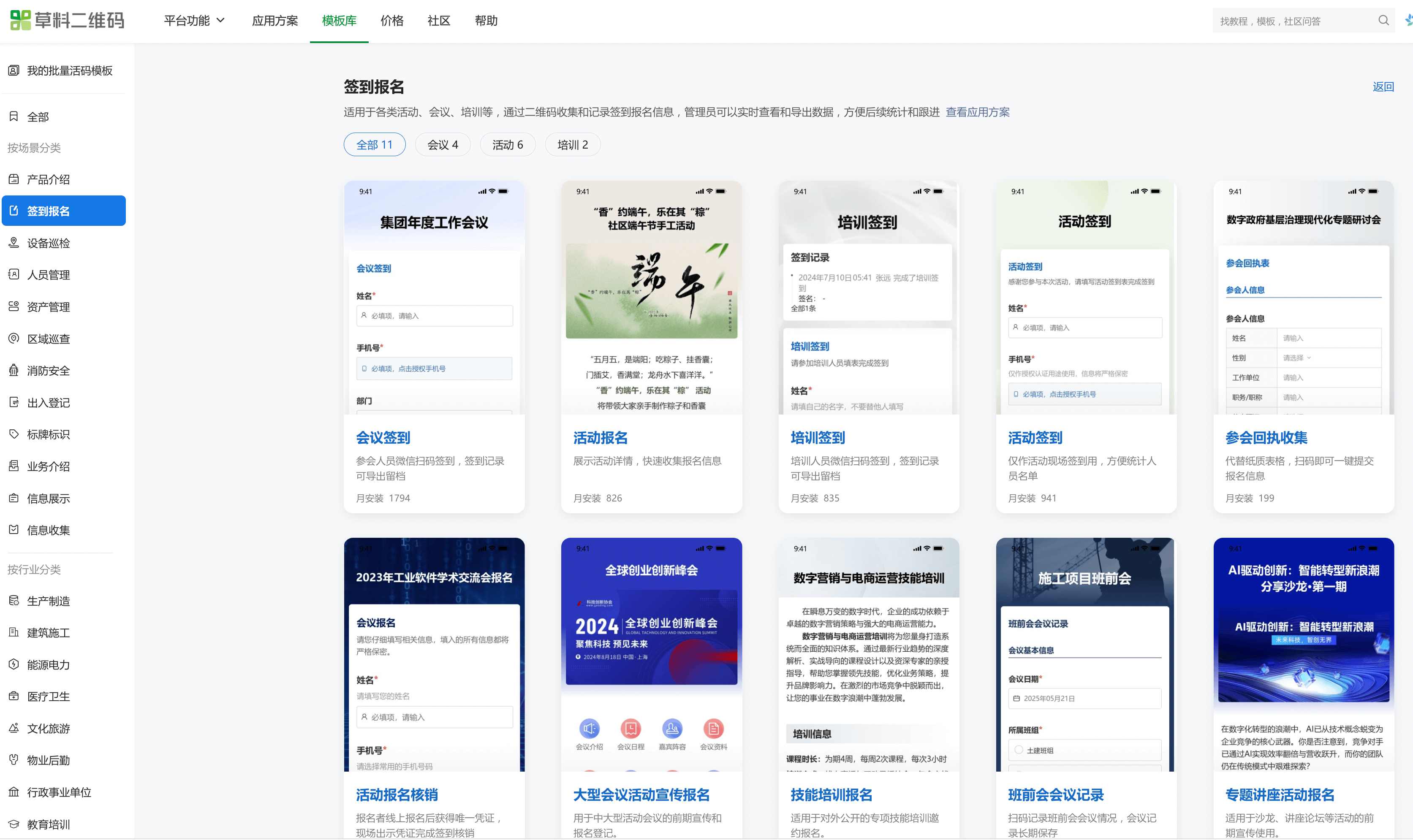
So for this new event, we created a sign-in form in advance using CaoLiao QR Code. We selected a sign-in template and customized a few fields we needed, like name, phone number, and workplace.
After generating the QR code, we printed three copies and posted them near the sign-in desk. On the day of the event, most people simply scanned it with WeChat and completed the process in under 30 seconds. No more crowding at the sign-in desk, and our volunteers didn't have to repeatedly explain the process. The whole experience was effortless.
II. Post-Event Data Export Made Everything More Efficient
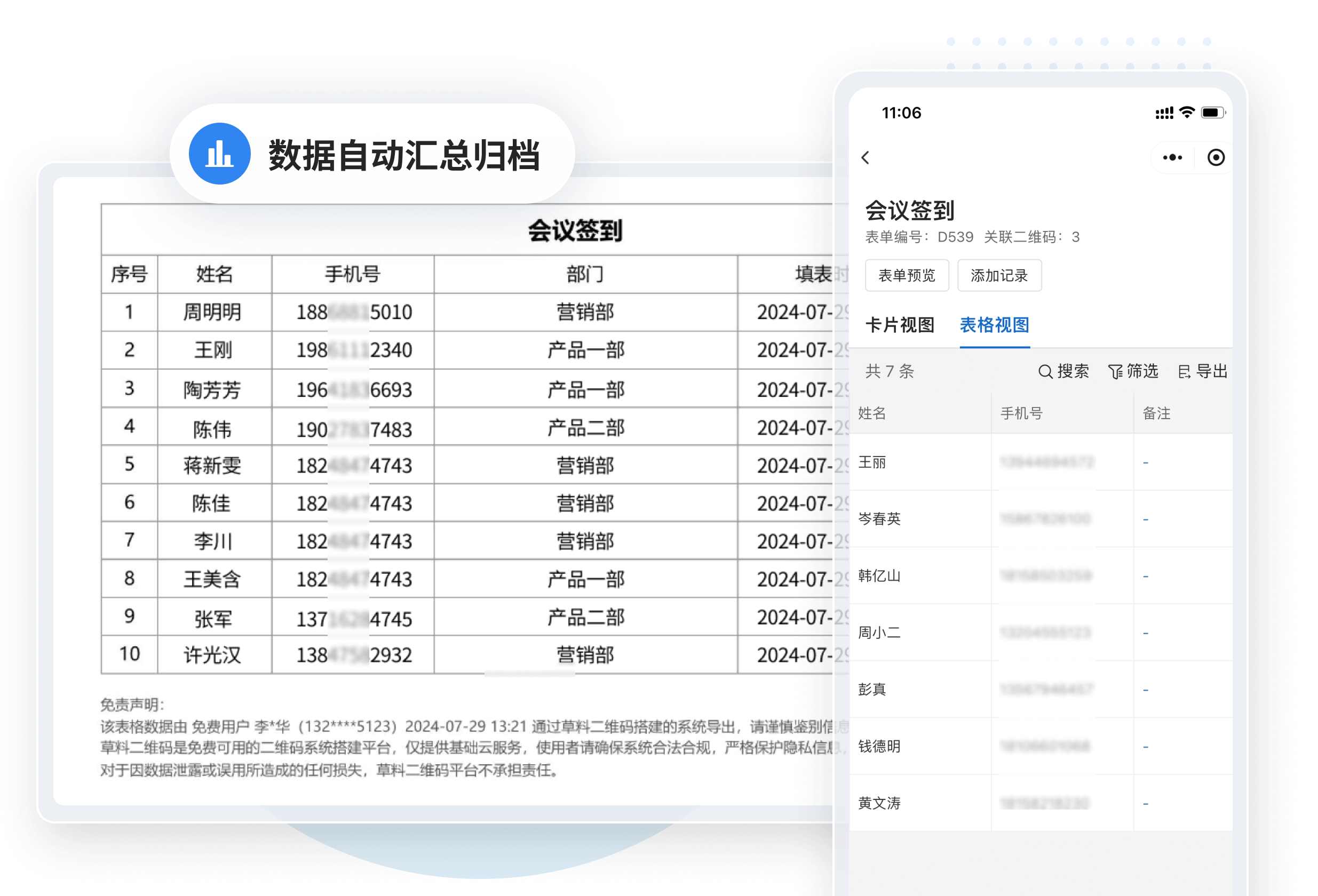
After every past event, I had to take the paper sign-in sheets home and manually enter each entry into Excel. If the handwriting was messy, I had to guess. Now, the backend allows direct export to Excel, ready to use however we need—clear and straightforward.
This time, we even set up several parallel sign-in points, worried about potential queues due to the crowd. But none of the points got backed up—everyone scanned, filled in their details themselves, and the whole process was orderly. Even the venue staff commented on how much more smoothly organized we were compared to previous events.
III. Beyond Sign-in: Combining Registration and Feedback
If QR codes work for sign-in, they can handle registration too. A week before the event, we included the registration QR code in our posters and public account articles. Interested individuals could view the details and register right away.
Even better, towards the end of the event, we asked attendees to scan a code and complete a brief feedback survey. About 70% participated. If we had used paper forms? We'd be lucky to get 30%.
IV. It's Really Simple—No Technical Skills Needed
Some might think this requires a professional team. Actually, I handled everything myself this time. I just picked a template from CaoLiao QR Code's template library, modified a few fields, added some instructions, and had it ready in just a few minutes. No app download needed—just scan with WeChat.
We used the free version, which already meets most event needs. If more advanced features are required later, upgrading is always an option.
Ultimately, QR codes aren't some advanced technology, but they genuinely solve problems like on-site chaos and difficult data collection. If you frequently organize events, give it a try. Less queuing, less late-night data entry—it's a kindness to yourself.