Administrative Experience Sharing: How I Managed Conference Check-ins for Free Without Coding Skills
Original: https://cli.im/article/detail/2350
1. The Chaos Starting with "Who Hasn't Checked In Yet?"
I handle administrative tasks in my organization, managing miscellaneous duties like organizing meetings, sending notifications, purchasing coffee, and preparing sign-in sheets.
Although our company isn't large, managing attendance for every meeting has always been a hassle.
I remember one instance clearly: an internal training session scheduled for 10 AM. By 9:30 AM, I was already stationed at the check-in desk with printed lists and pens, everything seemingly in order. But as people arrived, chaos ensued:
- Some claimed, "I already signed in," yet their names were nowhere to be found on the list;
- Others had illegible signatures, making it impossible to identify them later for record-keeping;
- Even after the training started, a few attendees hadn't signed in, and I had no way of knowing who they were;
- When my supervisor later asked, "Is everyone here? Who's missing?" I could only vaguely respond, "Probably two or three people…"
At that moment, I desperately wanted a solution to make the check-in process error-free, less manual, and more modern.
But I don’t know how to code, nor do I understand systems or databases. Many conference check-in apps felt overwhelming as soon as I opened them. With no budget for an IT system in our department, I wondered—was there a way to handle this that was simple, free, and something I could manage on my own?
As it turned out, I found one.
2. Can You Really Create a Check-in System Without Technical Skills? I Did It with CaoLiao QR Codes
While browsing on my phone one day, I came across a QR code check-in form shared by someone. Clicking on it led me to a simple form asking for name, organization, and phone number—just fill it out and submit. I initially assumed creating something like that would be complicated, but after visiting the CaoLiao QR Code website, I discovered:
- No app download required—everything can be done directly on the web;
- Ready-to-use templates like 【Conference Check-in】;
- By following step-by-step instructions and filling in a few fields, I created a "Conference Check-in QR Code" in under five minutes.
It really wasn’t as difficult as I had imagined. No technical background was necessary—just point, click, and fill in the blanks. If you can use Word, you can handle this.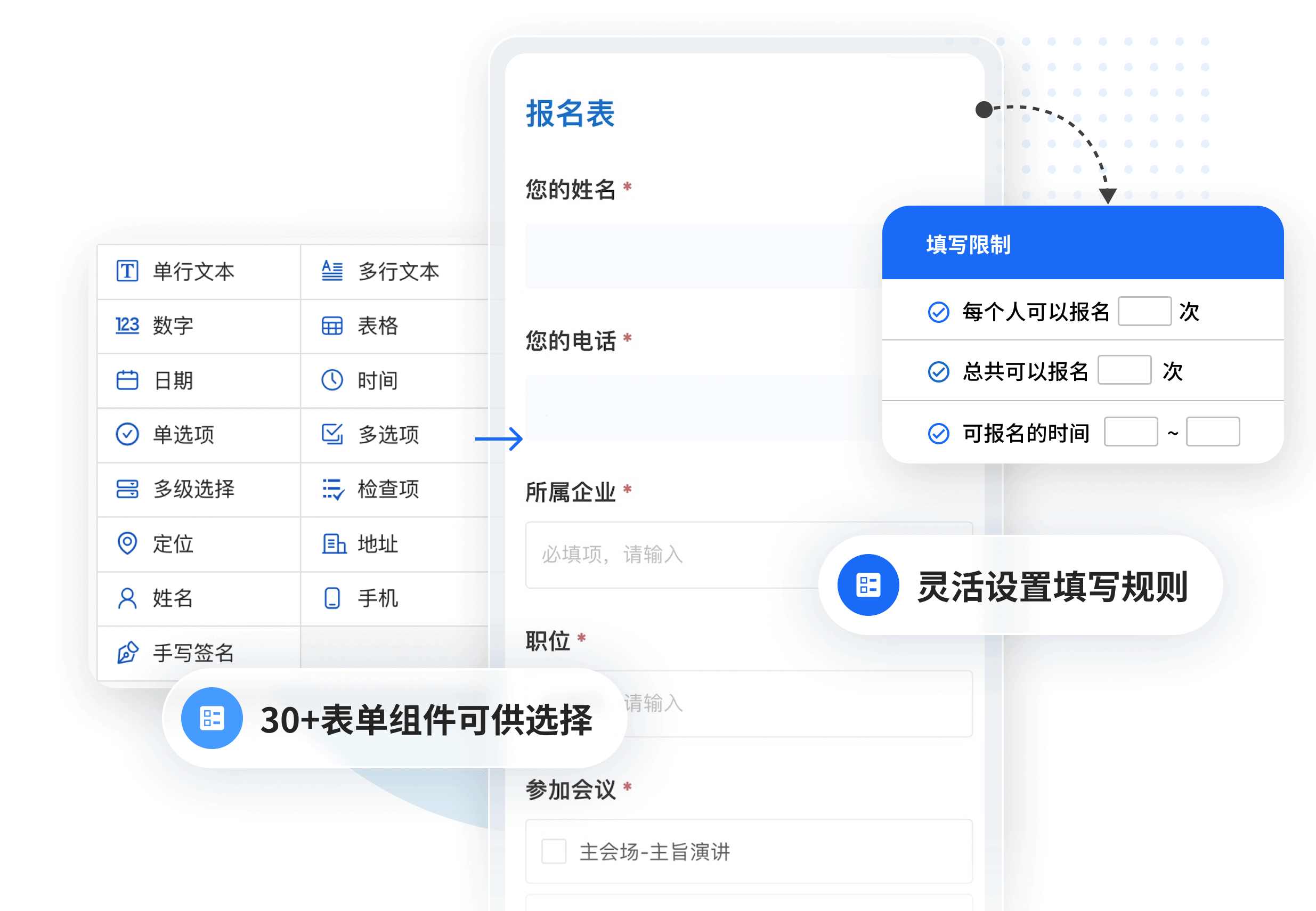
3. On the Day of the Meeting, Check-in Was "Silent and Smooth"
On the day of the actual meeting, I printed the QR code and posted it at the check-in desk, also sharing it in our group chat. As attendees arrived, they simply scanned the code and entered their names—
No queues, no questions like "Did I sign in already?", and no repeated verifications.
Even better, I could monitor the check-in progress in real-time through the backend—seeing who had signed in, at what time, and whether there were any duplicate submissions. Everything was crystal clear. The data could also be exported to Excel, making it effortless to report to my supervisor.
What used to be a "messy check-in process" became "clearer than ever."
4. How Simple Is It to Create a QR Code Check-in Form?
Based on my experience, creating a check-in page on CaoLiao involves just three steps:
- Select a Template: Go to the template library on the CaoLiao QR Code website and choose a suitable template under the "Check-in & Registration" category;
- Customize the Form and Content: Select the information you want to collect, such as name, organization, and contact details—just click to add;
- Generate the QR Code: Create the QR code with one click, ready for printing, sharing, or embedding in meeting slides.
The information submitted by users who scan the code automatically appears in the data backend—no manual entry or statistical work required.
Best of all: these features are free! I’ve been using it without subscribing to any membership—the free features are more than enough.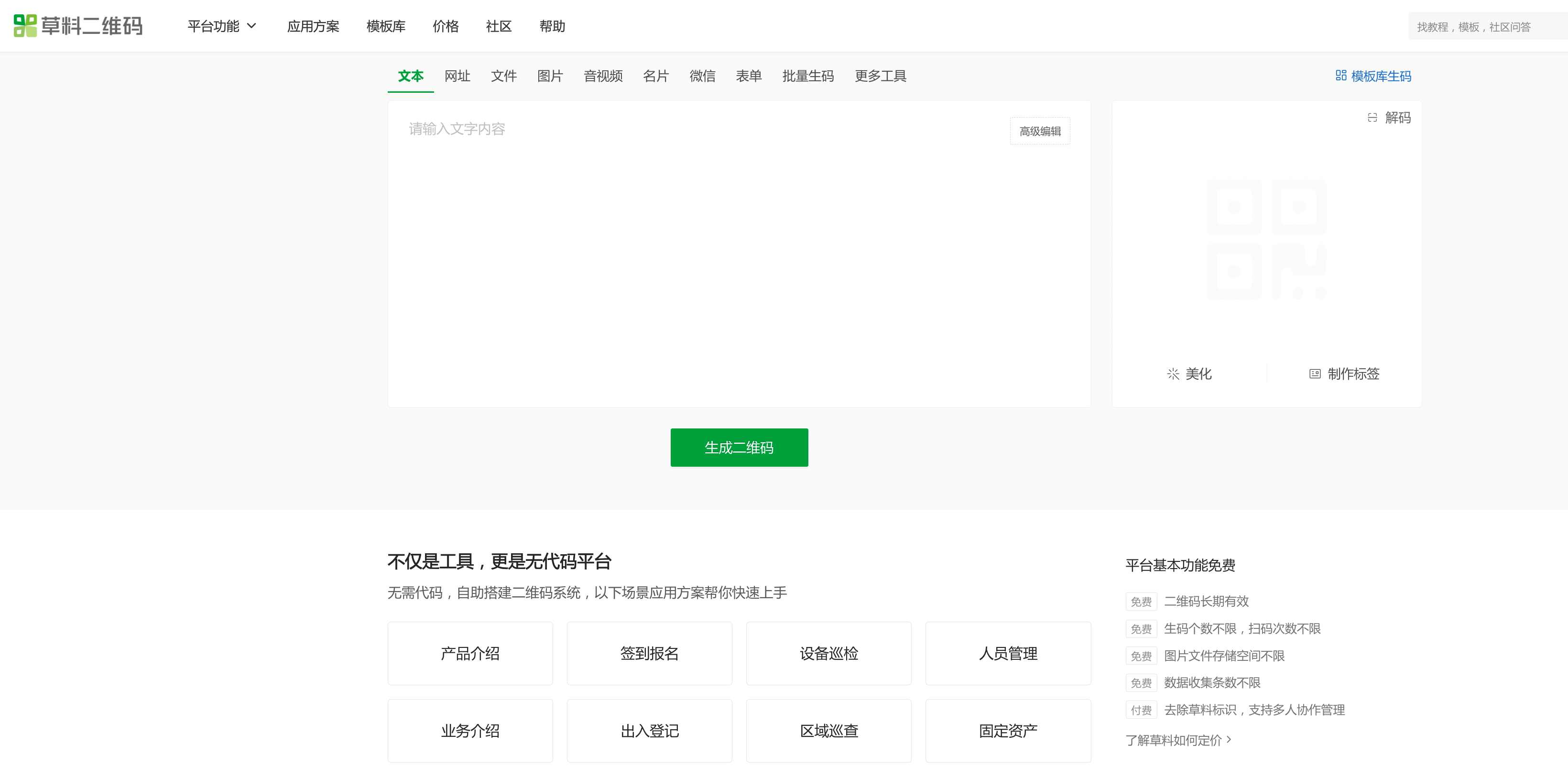
5. Beyond Check-ins, CaoLiao Has Helped Me Solve Many "Miscellaneous Tasks"
As an administrative professional, what we fear most is being expected to "figure things out without guidance, with no time to learn, yet still get the job done." Many systems are so complex that even the registration process feels like solving a puzzle.
But CaoLiao gave me the impression that it wasn’t about changing workflows—it was about making existing tasks smoother.
Since then, I’ve used it not only for conference check-ins but also for:
- Visitor Registration (creating a visitor QR code placed at the front desk);
- Employee Information Collection (using a QR code to gather names and photos before issuing new ID cards);
- Department Book Borrowing and Returns (setting up a scan-to-submit form to track who borrowed which book).
Tasks that previously required group chat announcements and manual tallying can now be handled by me alone, without taking up much time.
6. Conclusion: When You’re Organizing a Meeting Alone, QR Codes Are Your Most Reliable Partner
Our department has since rotated through several administrative staff—some used spreadsheets, others relied on DingTalk check-ins, and some still used paper sign-in sheets. In the end, everyone agreed—QR code check-ins are the most hassle-free.
You don’t need technical knowledge, system deployment, or to worry about budget constraints. As long as you know what information you need to collect, CaoLiao QR Codes can help you quickly set up a "lightweight check-in system."
It’s not as complex and unapproachable as some tools, nor is it a flashy product that "looks good on paper but fails in practice."
It’s a practical, user-friendly tool perfectly suited for "small-scale, high-frequency, small-team" scenarios like ours. For me, CaoLiao QR Codes feel like the most reliable partner before a meeting—reducing anxiety, minimizing errors, and saving time.
The next time someone asks me, "How do you handle check-ins for your meetings?" I’ll simply say:
"Just scan the code—one QR code is all it takes."