Notice Acknowledgment and Sign-off
Suitable for sign-and-read scenarios of notification documents. Users can scan the QR code to read the content and sign. All signature information is stored using blockchain notarization to ensure users have read and confirmed important information.
Basic Information
- Monthly installations: 1825
- Monthly visits: 9317
- Original: https://cli.im/template/detail/121463003
Case Label Image

Instructions
1. Core Value
1.1 Convenient Signing Experience
Replaces traditional paper-based notices. Users can scan the QR code via WeChat to read the commitment letter content and complete the signing, eliminating the hassle of submitting physical documents.
1.2 Legally Secured Data Notarization
Signing records are notarized using Ant Blockchain technology, ensuring the authenticity and immutability of the signing records.
2. Usage Process
2.1 Generate Notice Signing QR Code
Click [Use Now] to create a QR code and upload the notice content.
You can also set restrictions such as the number of times each person can sign and the allowable signing time period. Set Filling Restrictions
2.2 Distribute Notice Signing QR Code
The notice signing QR code can be directly forwarded to group chats for everyone to scan and fill out.
2.3 Signing Information Management
All signing information is automatically aggregated in the workbench, where it can be viewed online or exported for statistics. Data Summary and Statistics Function
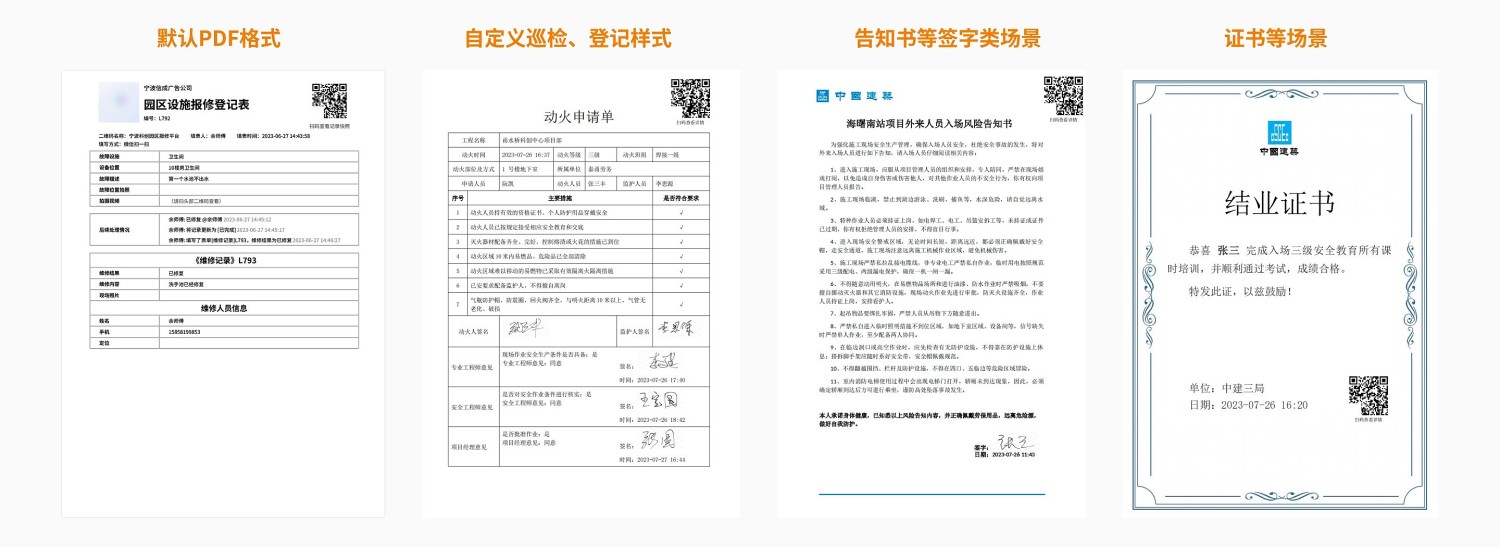
You can also customize the export format to export file signing records in styles such as notices, application forms, registration forms, etc. Data Export Format Settings
3. Frequently Asked Questions
3.1 Is it free to use? What are the differences between the paid and free versions?
Answer: The free version does not limit the number of readers or signers, nor the number of signings. Data is stored long-term, meeting basic usage needs.
If you require multi-user collaborative management or more advanced data export features, it is recommended to purchase the paid version.
For detailed selection advice, see: Version Selection Advice