Electronic Manuals
Display installation guides, user manuals, videos, etc. Create them as tags or hang tags attached to products, allowing customers to scan and view anytime.
Basic Information
- Monthly Creations: 28,436
- Monthly Scans: 19,543
- Original: https://cli.im/template/detail/9802449
Example Label Image

Usage Guide
Use QR codes for electronic manuals. Customers scan the QR code on the product to view installation and usage tutorials, eliminating the need to contact customer service and allowing access anytime.
1. Core Uses
1.1 Access Anytime, Compatible with Various Scanner Apps
Customers can scan the QR code to view product installation and usage tutorials. It's compatible with various mobile scanner apps, making the process simple and straightforward.
1.2 Reduce Customer Inquiries, Lower Costs
Providing electronic manuals via QR codes avoids frequent customer service inquiries, saving time and associated costs.
1.3 Content Updates in Real-Time, QR Code Remains Unchanged
Content can be updated freely (e.g., modifying contact information). The QR code pattern itself does not change; customers always see the latest content when they scan, eliminating the need for reprinting.
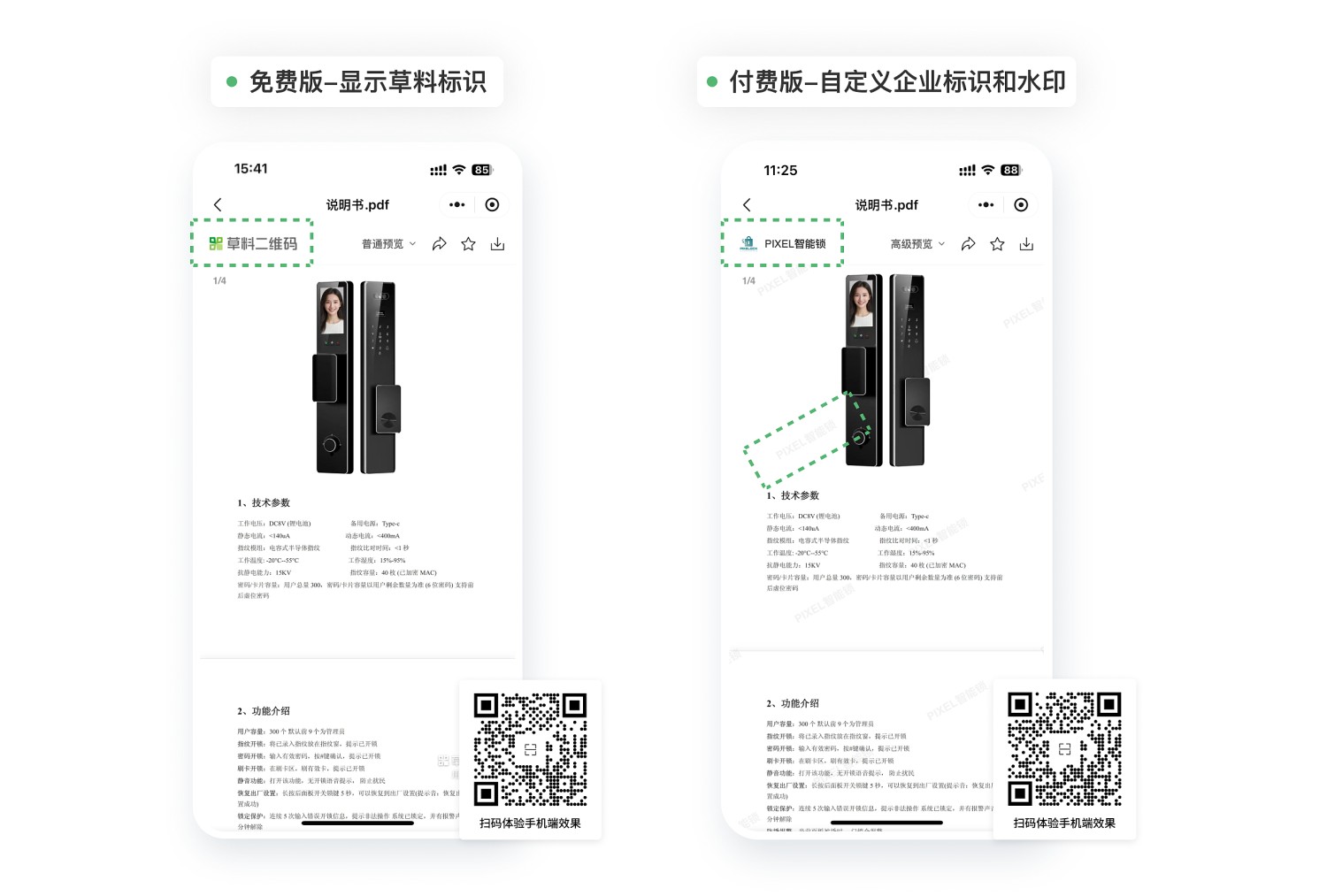
1.4 Enhance Brand Image, Prevent Unauthorized Screenshot Leaks
- Unified Visuals: The enterprise logo is fixed at the top of the page for easy user source verification.
- Copy Prevention: Diagonal watermark patterns overlay the page, reducing the risk of unauthorized copying or sharing.
- Genuine Product Verification: The presence of the brand logo and watermark upon scanning helps users verify product authenticity.
This feature is available in the paid version. Learn more
2. Usage Tutorial
2.1 Create QR Code
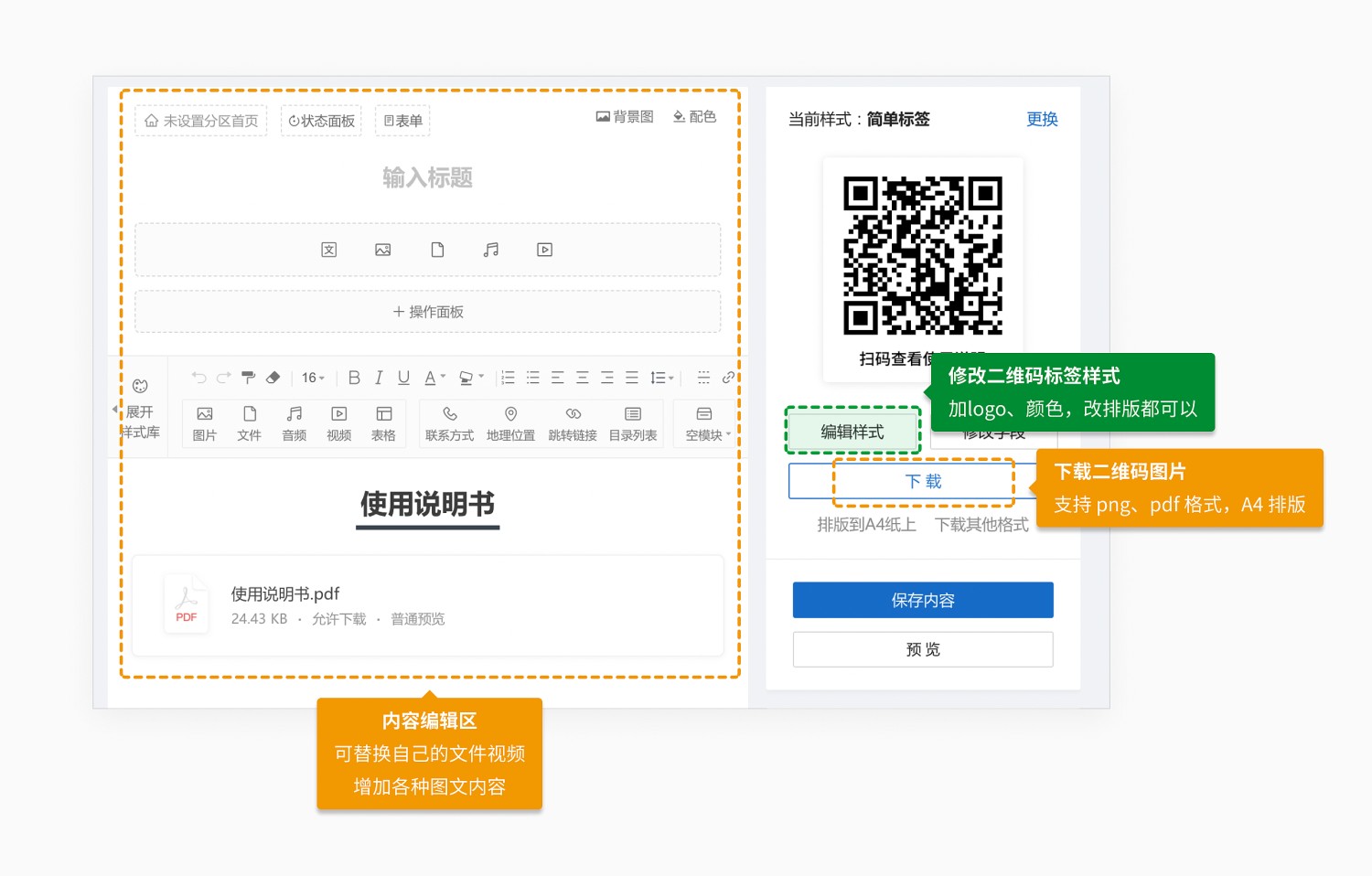
Click "Use Template to Generate Code" on the right, replace files/videos, modify the content and QR code label, then click "Generate QR Code". View Tutorial
2.2 Download and Print
After generating the QR code, click "Download" to get the QR code image in various formats.
The QR code image can be printed directly onto product packaging or provided to an advertising company for printing as adhesive labels to be attached to products. View Printing Guide
3. Frequently Asked Questions
3.1 Is it free to use? What are the benefits of paying?
Yes, it's free to use. The QR codes are valid long-term, with no limits on the number of codes generated or scans. View Details
With a paid plan, video playback restrictions are removed, and watermarks are removed from image/file previews. You can also add enterprise branding and anti-screenshot watermarks to file previews. View Details
3.2 How can I consolidate all product manuals in one place?
Generate a master directory QR code for your product manuals with one click. When individual manual QR codes are updated, the directory code updates automatically. View Tutorial