State-Owned Asset Cards
Quickly generate asset QR code labels in bulk with various fixed asset label styles available. Scan the code with a mobile phone to view and edit asset information anytime, supporting later updates without the need to reprint labels.
Basic Information
- Monthly Installations: 695
- Monthly Visits: 1039
- Original Text: https://cli.im/template/detail/121463641
Example Label Image

Usage Instructions
I. Applicable Scenarios and Industries
- Administrative Institution Asset Management: Suitable for fixed asset management in government agencies, schools, hospitals, etc., creating physical asset cards to scan and view asset status and other information.
- State-Owned Enterprise Asset Management: Meets the daily management needs of central and local state-owned enterprises for electronic equipment assets.
- Standardized Classification Management: Asset categories are set according to "GB/T 14885—2022 Fixed Asset Classification and Codes", complying with state-owned asset management standards.
II. Core Features
1. Dynamic Asset Status Management
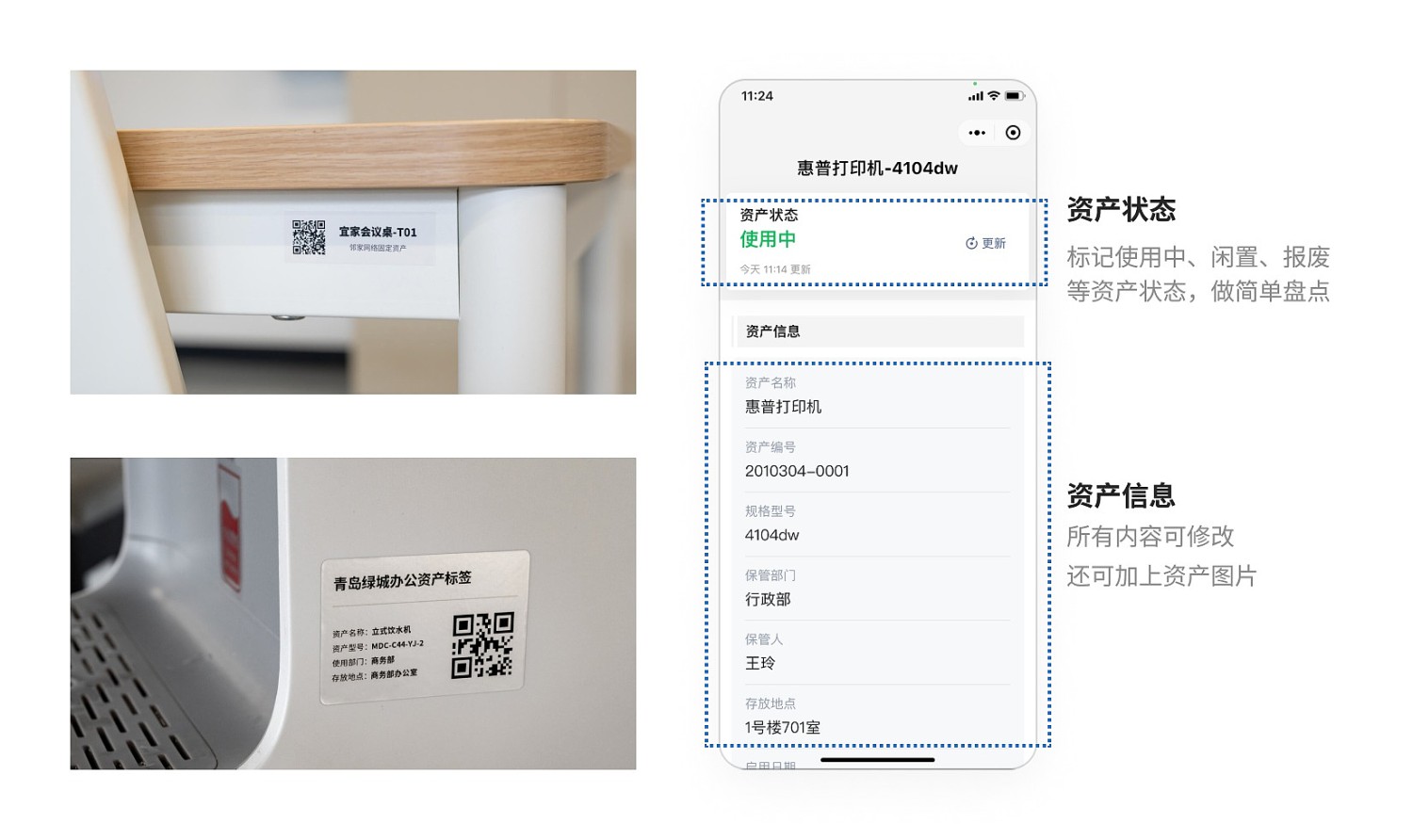
- Supports scanning codes to change 7 standard asset statuses such as in-use, leased/loaned, idle, etc.
- Status changes automatically record time and operator information, forming a complete asset lifecycle record.
2. Real-time Electronic Ledger Updates
- Scan codes to view 23 core fields including original asset value, depreciation, storage location, etc.
- Management personnel can update changing information such as using department and storage location online.
3. Standardized Data Integration
- Exported Excel includes complete field structure, suitable for importing into relevant state-owned asset management systems.
III. Usage Process
1. Template Field Configuration
Modify the fields to be displayed according to your unit's state-owned asset management system requirements, matching the system management requirements, and generate bulk templates.
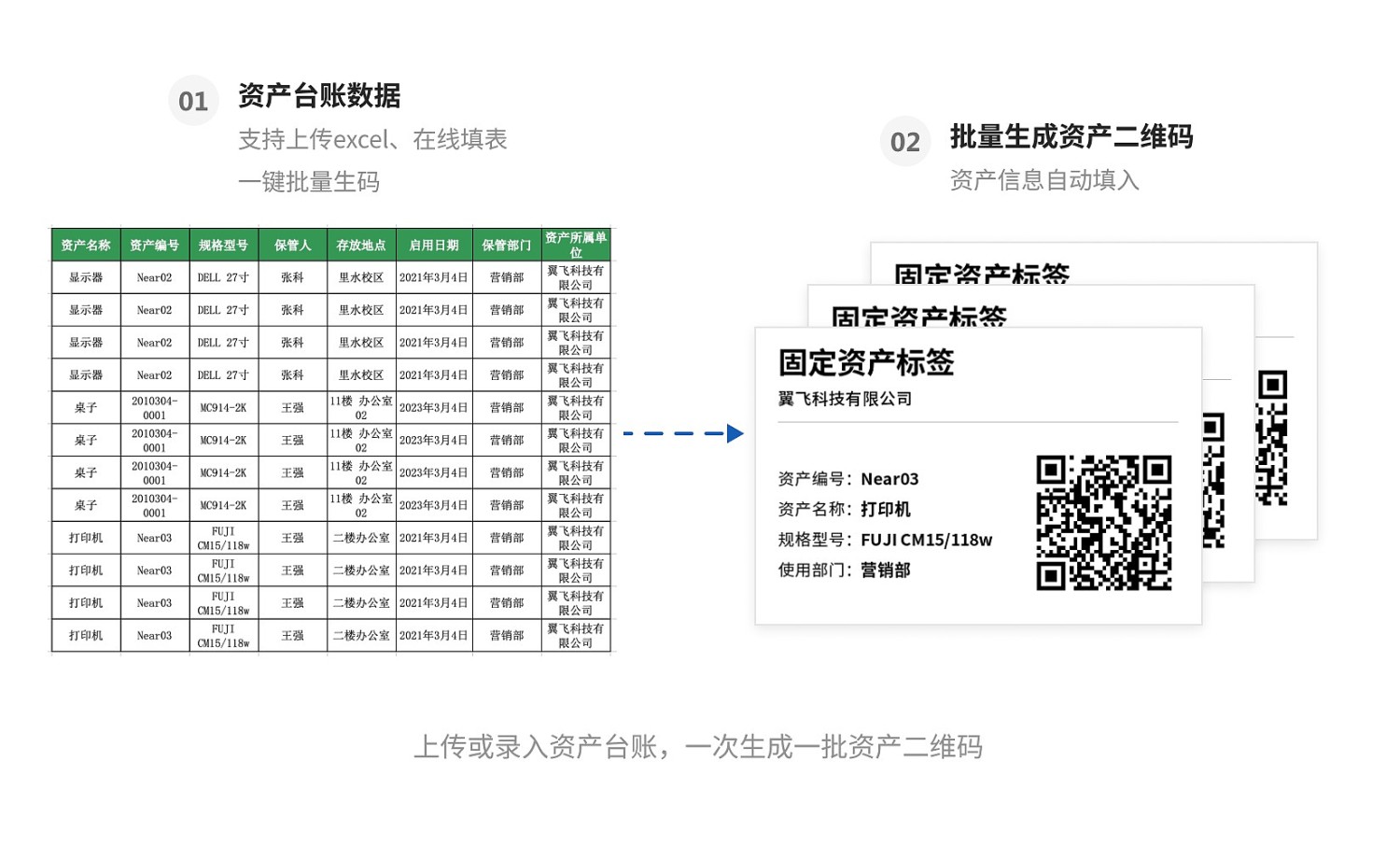
2. Bulk Generation of Asset Cards
Use the Online Form Filling or Excel Bulk Import function to generate a large number of asset QR code cards at once.
3. On-site Posting and Management
Post the printed QR codes in prominent locations on assets. Scan the codes to maintain daily asset usage status, storage location, user information, etc.
Frequently Asked Questions
Q1 How to modify preset options in asset categories?
A: Asset categories are set according to "GB/T 14885—2022 Fixed Asset Classification and Codes", complying with state-owned asset management standards. Modification is not recommended.
Q2 Can the exported Excel be directly imported into a fixed asset management system?
A: Supports exporting in standard XLSX format, with fields including items required by asset management systems. You can also modify fields in the template according to different asset management system requirements.
Q3 How to set permissions for multi-person management?
A: By setting Mobile Editing Sub-code Permissions, you can designate asset manager permissions and restrict unauthorized personnel from modifying sensitive fields such as financial entry status.