River Outfall Public Display
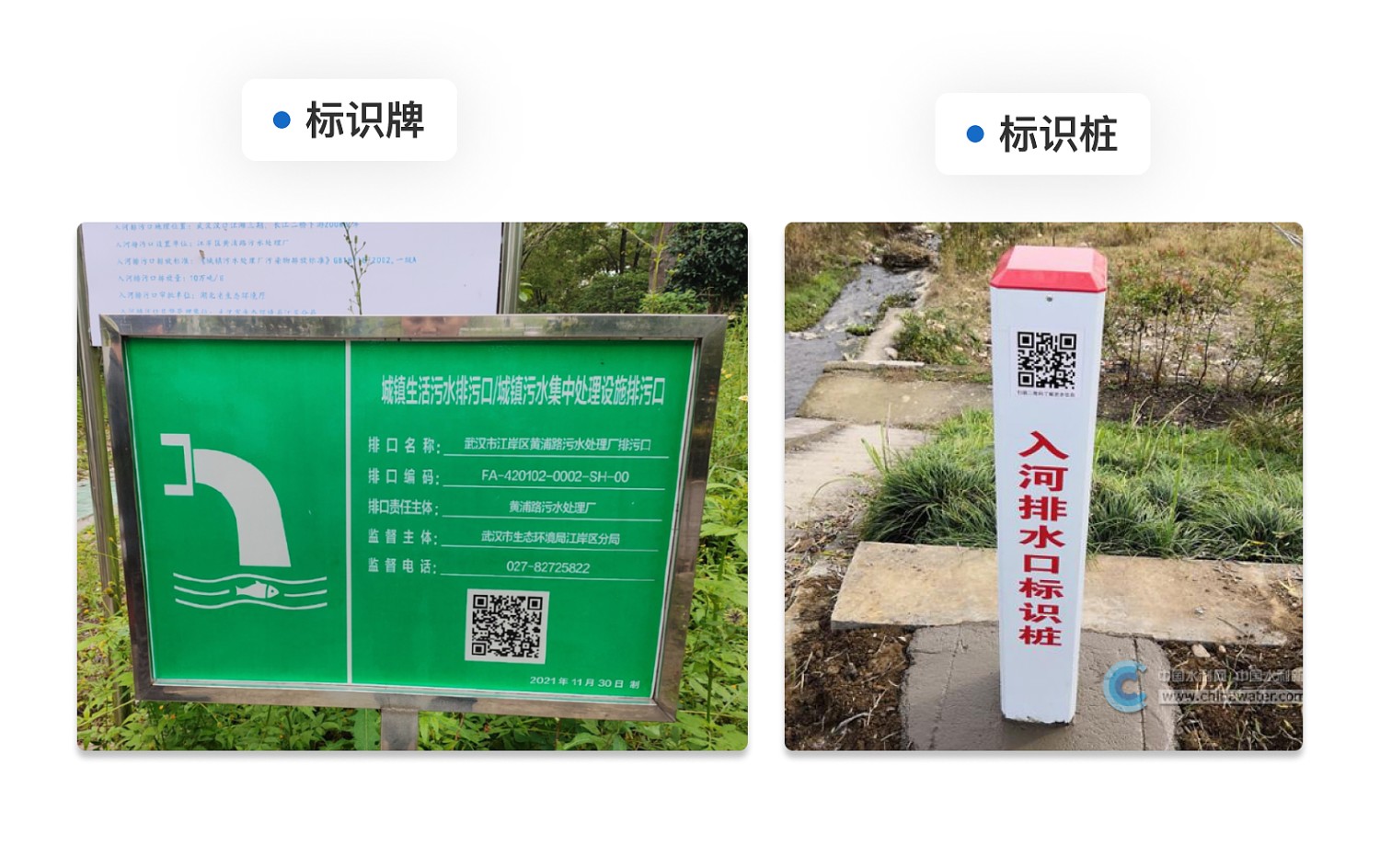
Can batch generate QR codes for river and sea outfall public display signs, compliant with the "HJ1314—2023 Technical Guidelines for the Supervision and Management of River and Sea Outfalls" document requirements.
Basic Information
- Monthly Installations: 388
- Monthly Visits: 550
- Original: https://cli.im/template/detail/121463671
Case Label Image
Usage Instructions
This template complies with the specifications of the "HJ1314—2023 Technical Guidelines for the Supervision and Management of River and Sea Outfalls" issued by the Ministry of Ecology and Environment. It is suitable for various river outfall responsible units to manage outfall information and conduct on-site public displays, facilitating regulatory inspections and public QR code scanning for information access.
I. Core Uses
1. Upload Outfall Records, Automatically Generate Batch QR Codes
Supports uploading Excel files or using online forms to input information for multiple outfalls (such as name, code, type, coordinates, emission limits, responsible unit, etc.) in one go. The system automatically generates corresponding QR codes.
2. Content Can Be Modified Anytime, QR Code Remains Unchanged
QR code content can be updated in the backend at any time to accommodate changing information needs (e.g., adjustments to water quality targets, updates to the responsible unit), without needing to replace the QR code itself.
3. Achieve Electronic Record Management for Outfall Information
Supports exporting all QR code content from the backend at any time, forming a fixed outfall record.
II. Setup Tutorial
Based on actual usage scenarios, the following two generation methods are recommended:
- Online Form QR Code Generation: Suitable for manually entering information for a small number of outfalls, supports editing and modifying entries one by one.
- Upload Excel for QR Code Generation: Suitable for batch importing existing outfall records; the system will automatically generate a QR code for each row.
After completion, QR code labels can be downloaded in bulk for on-site posting and public display.
III. Frequently Asked Questions
1. Is the template free? Can the generated QR codes be used long-term?
The template can be used for free to generate QR codes, with no scanning limit, and the codes remain valid long-term. Paid versions allow removal of the CaoLiao logo and addition of your own enterprise logo to enhance the image of the management department.
2. Does the original QR code become invalid after content changes?
No, it does not become invalid. The QR code supports real-time content modification; the original QR code remains unchanged, and scanning it will display the latest updated information.