Travel Route Introduction
Create a QR code containing itinerary details, scenic photos, travel guarantees, and route highlights. Place this QR code on route posters for clients. Clients can long-press to identify the QR code to view route details, and they can also save or share it with others.
Basic Information
- Monthly Installations: 46,246
- Monthly Visits: 43,061
- Original: https://cli.im/template/detail/128101
Case Tag Image

Usage Instructions
You can click the link above or scan the QR code with your phone to view the actual dynamic effects on the mobile end. Click to Experience
Problems Solved
Expanding Promotion Formats: Printed promotional materials have limited space and cannot contain too much information. Clients are also reluctant to read through pages of offline materials. This template helps you create rich online promotional pages for travel services, enhancing promotion efforts and diversifying promotion channels. Attach it to offline posters as extended details, share it in client social media feeds, or forward it directly to target clients. Clients can scan the code to view anytime.
Easy Setup: No need for professional technical skills. Simply modify it like using a PowerPoint template to create aesthetically pleasing online promotional pages.
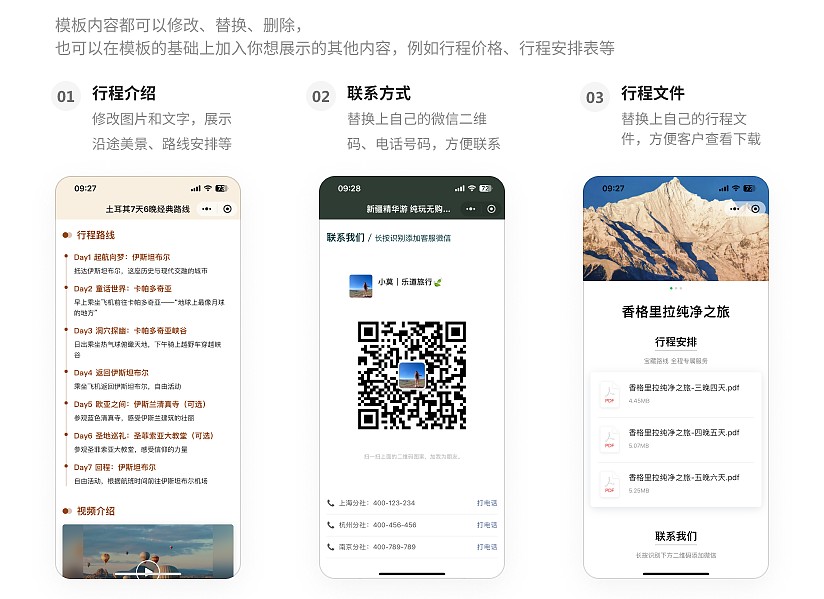
Application Scenarios
Promotional Materials: The QR code can be attached to travel promotion posters, shared by sales staff with captions in social media feeds, or scanned directly by clients offline.
Forwarding and Browsing: Directly forward the QR code page to target clients or client groups. Clients can open and browse directly within WeChat.
Public Account Sections: If your company has a WeChat Public Account, you can also embed the page into the public account to enrich its promotional content.
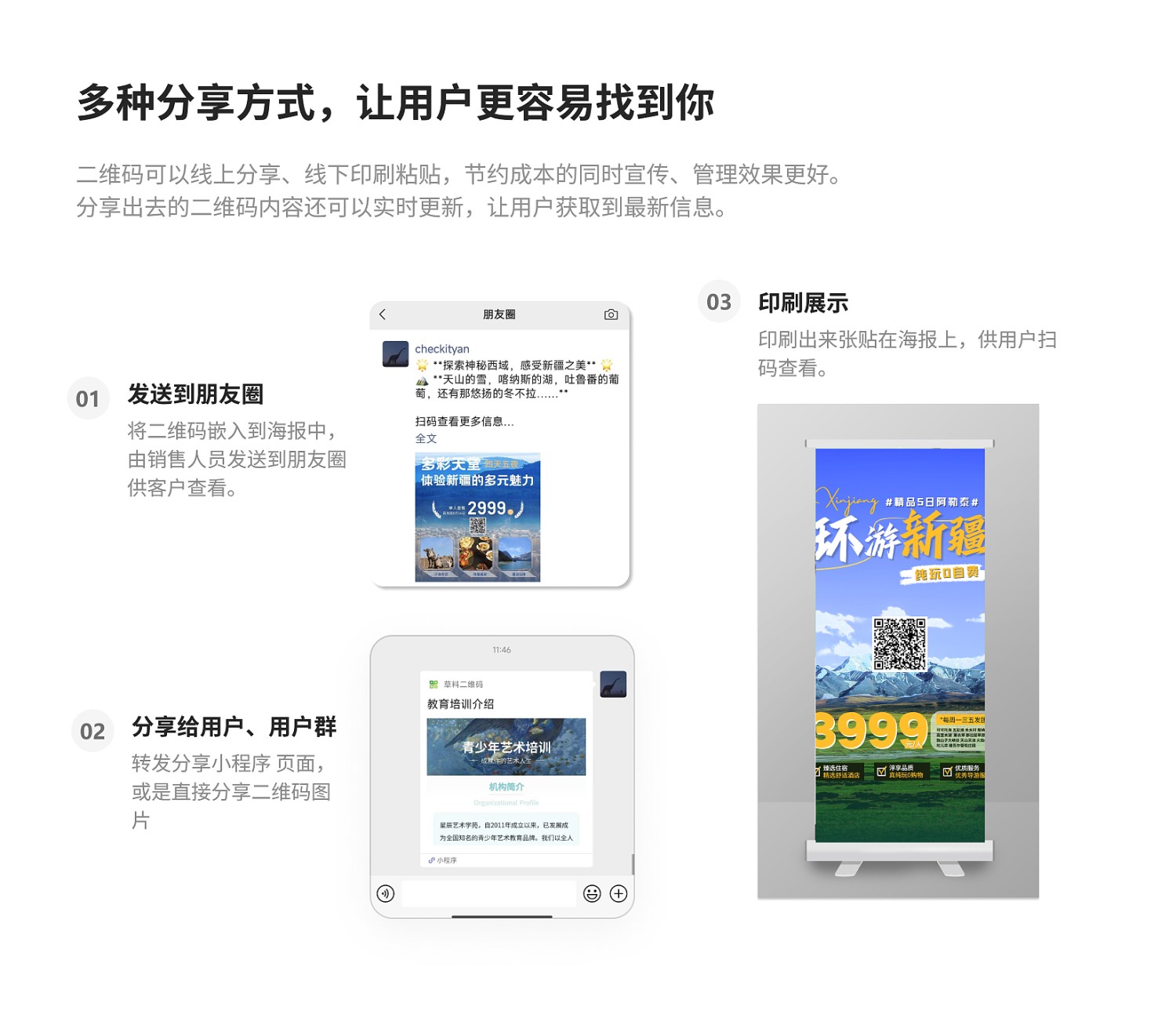
Core Features
Content Can Be Updated Anytime: Unlike printed posters, which cannot be modified after printing, the business information on the QR code page can be updated anytime based on business adjustments or pricing changes. The QR code pattern remains unchanged, ensuring clients always get the latest itinerary details when scanning the same code.
Aesthetically Pleasing Design: Combine images and various styles to create professionally designed poster effects.
Rich Promotion Formats: Display audio and video content that cannot be shown in printed materials, such as travel videos or promotional videos, to attract more client attention.
Brand Image and Anti-Screenshot Protection: After payment, the company logo and watermark can be displayed during file previews, reducing the risk of unauthorized use of materials. Learn More
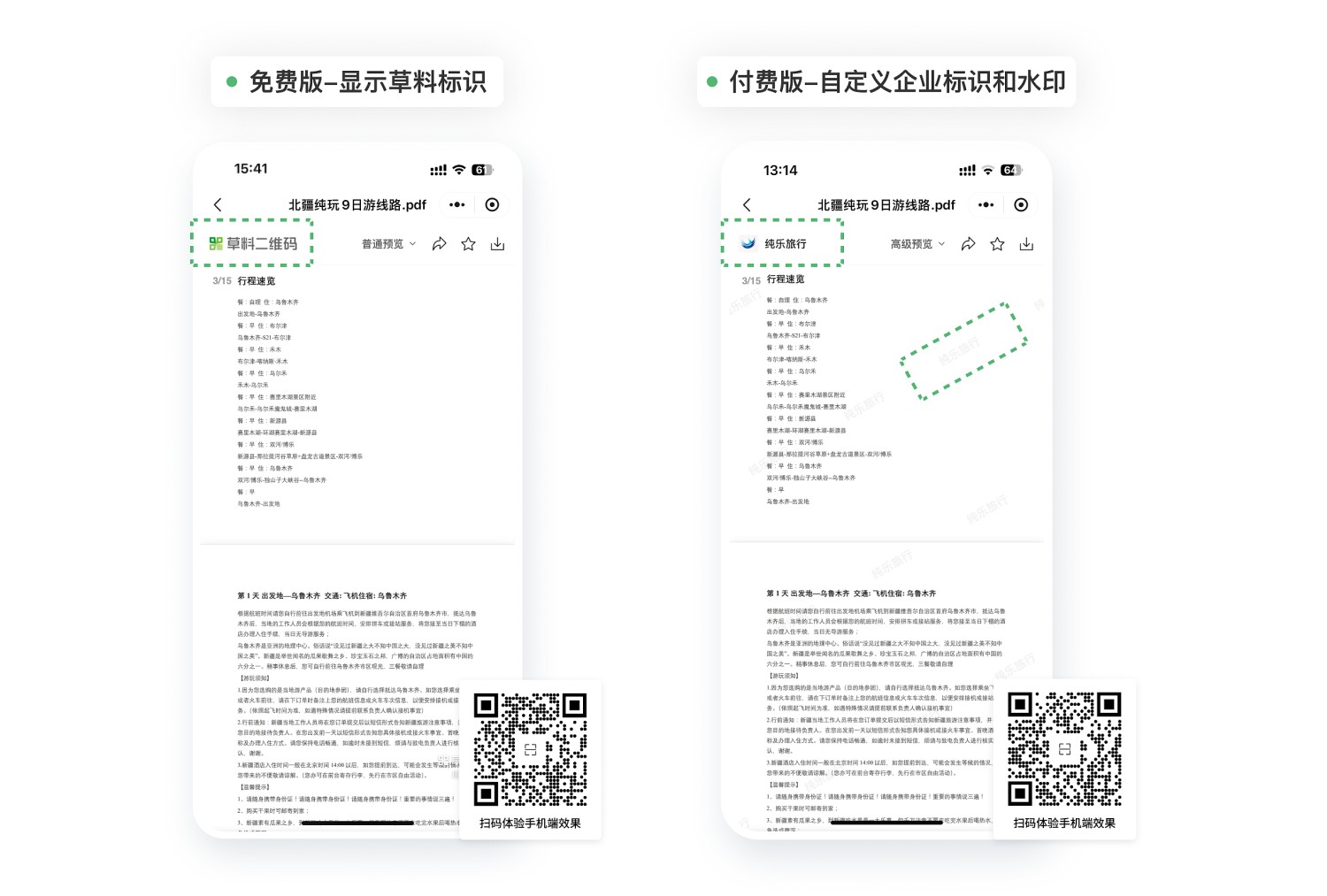
Setup Process
Step 1: Modify Business Information: Open the template and replace the introduction content (such as images, itinerary details, travel videos, etc.) with information about your own route.
Step 2: Update Contact Information: Replace the contact details in the template with those of your own company or organization.
After completing these two simple steps, click 【Generate QR Code】.
Forward and Share: Forward the poster image; or scan the completed QR code, click the "···" in the upper right corner, and select to forward it to clients or group chats.
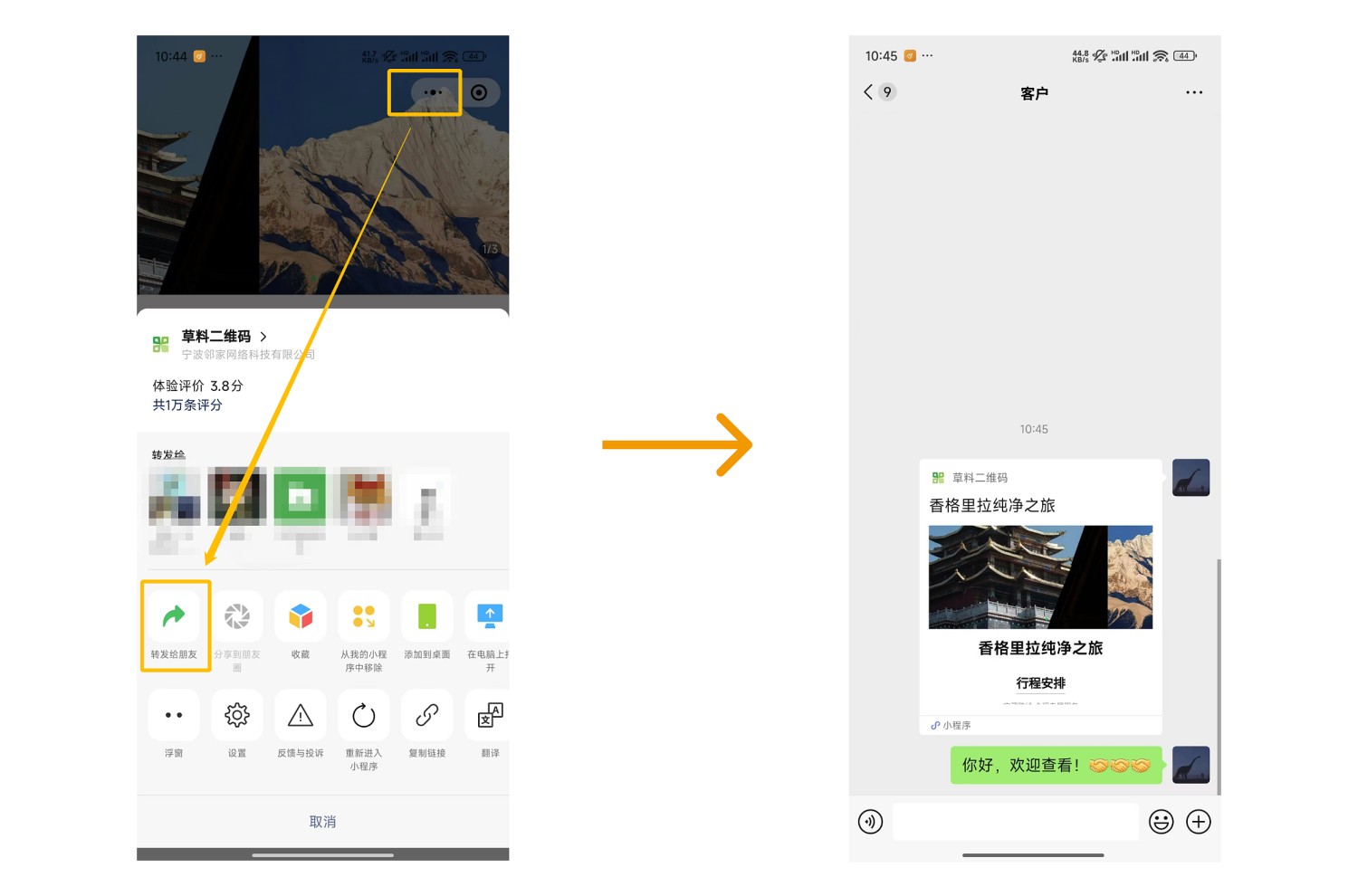
Related Templates
Simple Itinerary Introduction: Convenient and fast with a simple style. Just upload files and images to quickly create an itinerary introduction code.
International Travel Itinerary: Suitable for international travel products. Display route highlights, visa application instructions, etc. Clients can scan the code to view itinerary details and download necessary documents.
Travel Route Summary: After creating itinerary introduction codes for each route using this template, use the Travel Route Summary template to aggregate all your itinerary introduction codes. Build a page like a store homepage where clients can scan one code to browse all route information and make selections.