Event Check-in
Designed for various offline events, participants can check in by scanning a QR code. Organizers can monitor attendance in real-time through the workbench and export the participant list and check-in data with one click after the event.
Basic Information
- Monthly Installations: 38,075
- Monthly Visits: 25,921
- Original Text: https://cli.im/template/detail/12214950
Case Label Image

Instructions
1. Applicable Scenarios
Applicable: Events requiring simple check-in and data archiving.
Not Applicable: Events requiring automatic attendance statistics based on a pre-defined list.
2. Core Advantages
1. WeChat Scan to Check-in
No need to download additional apps; participants can check in by scanning the QR code with WeChat, enhancing the event experience.
2. Support for Multiple Customization Options
Freely customize the check-in interface content and check-in rules to suit different event needs.
3. Real-time Data Monitoring and Analysis
Organizers can monitor check-in status in real-time. Supports multi-dimensional data analysis and various archive formats, helping organizers optimize event arrangements and resource allocation.
4. Comprehensive Security
Backend data is encrypted for storage. Multi-level permissions management can be configured according to management requirements to ensure information security.
3. Usage Process
1. Generate Check-in QR Code
Click [Use Now] to create a QR code. Modify the QR code and check-in form based on the event content.
You can also configure allowable check-in times, locations, and frequency limits based on event management requirements. Set Filling Restrictions
2. Display the Check-in QR Code
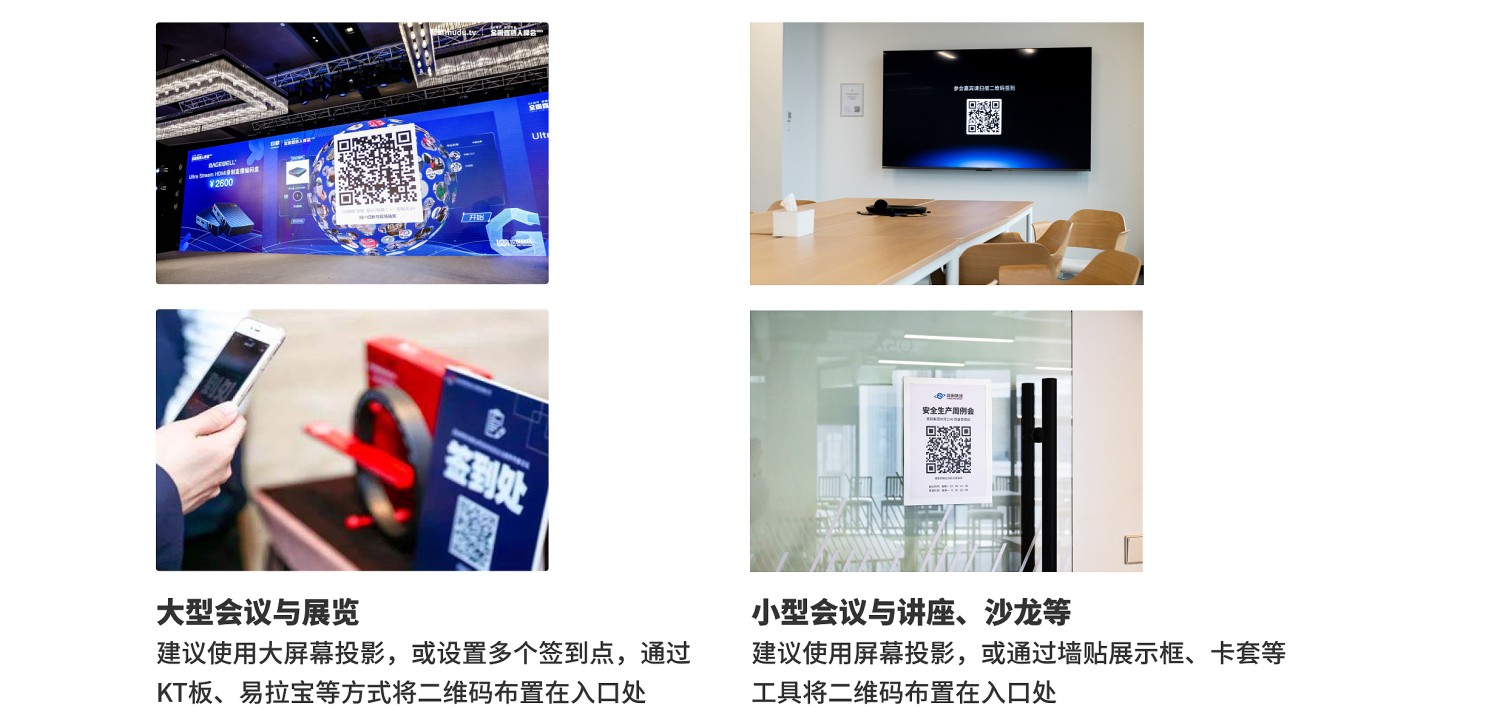
Download and print the QR code label. Choose an appropriate display method based on the event format and scale.
3. Manage Check-in Data
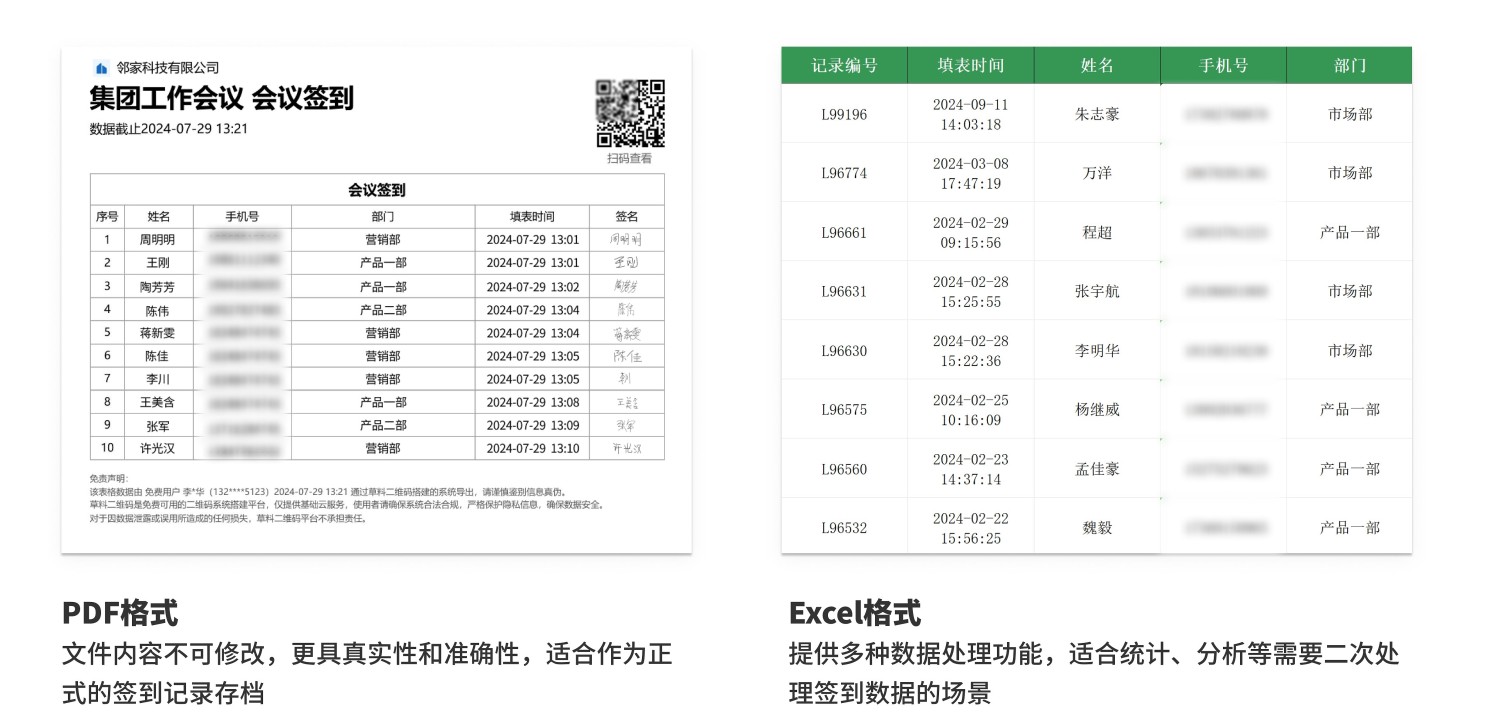
Event organizers can monitor on-site check-in status in real-time through the workbench. After the event, check-in data can be exported for attendance statistics and analysis.
Supports exporting data in various formats including PDF and Excel. Data Summary and Statistics Features
4. Frequently Asked Questions
1. Is it free to use? What are the differences between the paid and free versions?
Answer: You can choose according to your needs.
- Free Version: No limit on the number of check-ins or participants. Check-in data is stored long-term and can be viewed anytime. Offers stable, long-term use for basic check-in needs.
- Flagship Version (¥2,680/year): Supports more users to view and manage check-in data. Provides advanced data export and processing features, suitable for enterprise organizations requiring in-depth data handling.
Detailed selection advice: Version Selection Advice
2. Is data storage in CaoLiao safe?
Answer: User data security is our top priority. CaoLiao has passed the Ministry of Public Security's Level 3 Cybersecurity Classification Protection certification and Alibaba Cloud security penetration tests, with security capabilities recognized by the industry.
Since 2012, we have provided stable and reliable services to over 10 million users and major projects like the Beijing Winter Olympics and the Zhejiang Provincial Government Office in Beijing. We will continue to strengthen security measures to ensure your data is always strictly protected. View Detailed Data Security Information
3. Can it automatically identify who attended and who didn't based on a list?
Answer: We currently only provide basic check-in functionality and do not support automatic identification of non-attendees. You can use Excel to manually calculate attendance statistics. Operation Tutorial
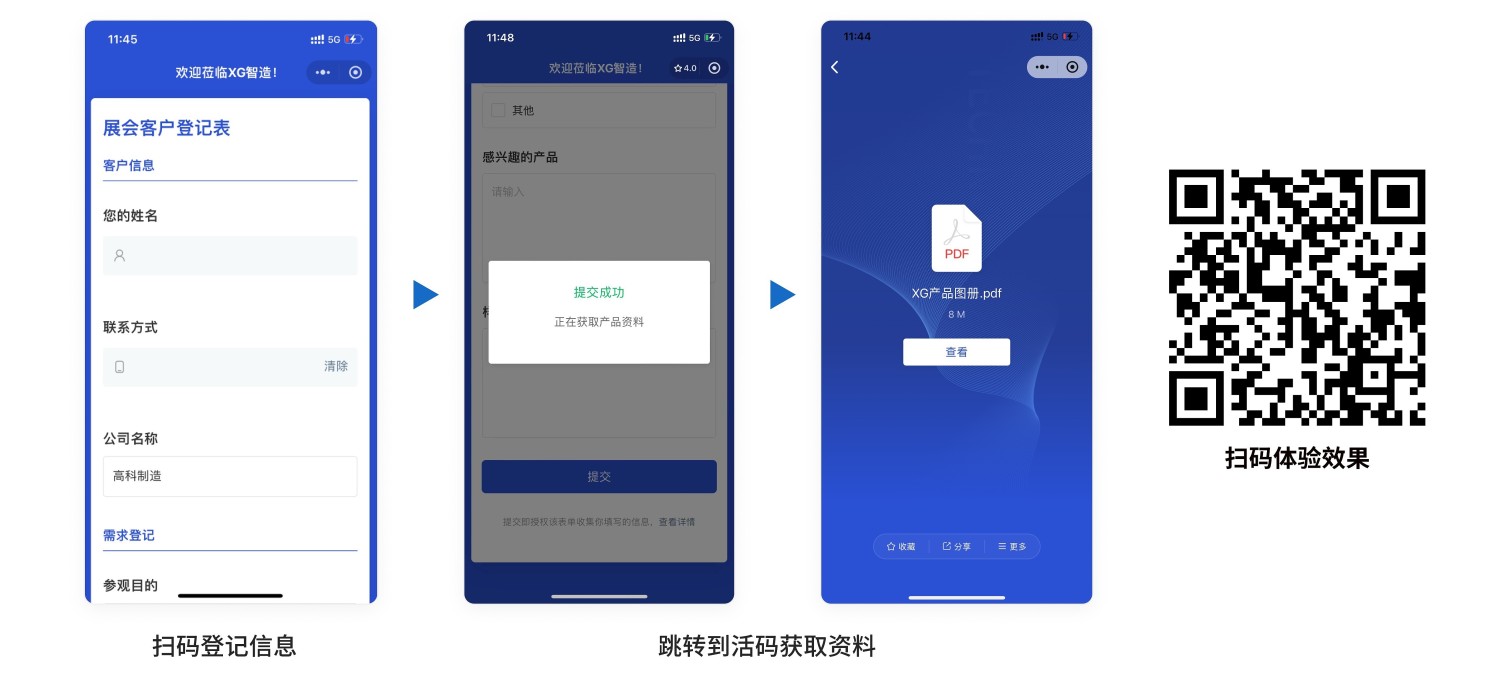
4. How to distribute event materials after check-in?
Answer: Create a dynamic QR code containing the materials. In the [Forms Settings - Submission Success Page Settings], set the page to redirect to this dynamic QR code after form submission. Operation Tutorial