Electrical Room Inspection
Suitable for daily inspections and closed-loop fault management in electrical rooms and distribution areas of factories, mines, parks, and buildings. Pre-configured with an inspection form (modifiable), photo documentation, and temperature/humidity data recording. Inspection schedules can be set with reminders before deadlines to prevent missed inspections; equipment records and inspection logs can be exported for printing and archiving. Before getting started, it is recommended to prepare electrical room information (ID, location, responsible person).
Basic Information
- Monthly Installations: 574
- Monthly Visits: 1038
- Source: https://cli.im/template/detail/121463684
Case Label Images



Usage Instructions
I. Scope of Application and Benefits
1. Scope of Application
This template is suitable for daily inspections and closed-loop fault management in electrical rooms/distribution rooms/electrical distribution areas. After modifying the template content, it can be used for equipment management in various high and low voltage electrical rooms.
2. Personnel Benefits
- For Inspection Personnel: Scan the QR code with WeChat to perform inspections. Easy for older employees to use.
- For Maintenance Personnel: Maintenance records are linked to fault records, clarifying workload and responsibilities, forming a closed loop.
- For Management Personnel: Gain an overview of equipment operation status. Inspection records can be further used for statistical analysis, improving digital management levels.
Tip: All forms in the template can be freely added, modified, or deleted.
II. Preparation Before Use
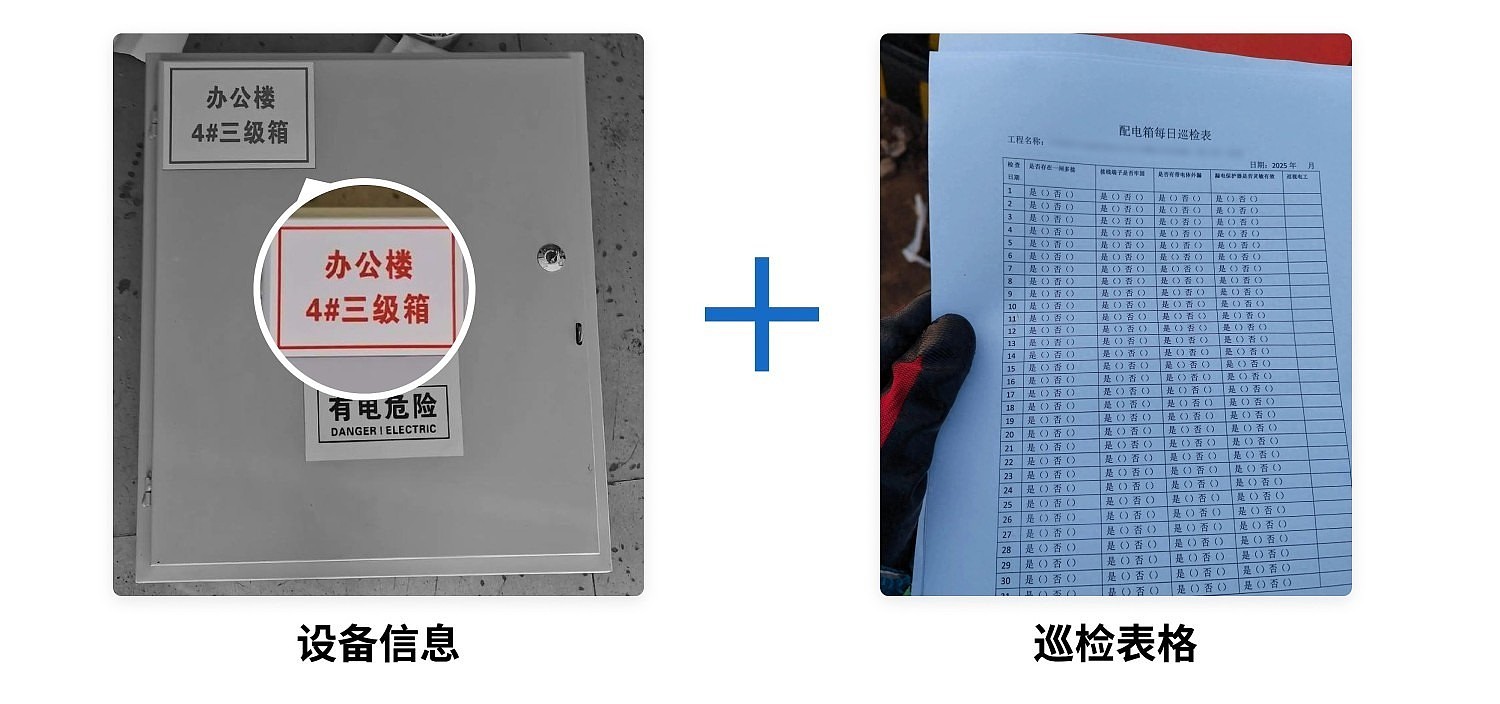
1. Equipment Information: Includes ID, location, responsible person, etc. If unavailable temporarily, start with one and add others later.
2. Existing Inspection/Maintenance Forms: Use these to modify the template forms according to your organization's current requirements to comply with existing standards. If none exist, you can use the template forms directly.
III. Getting Started in Three Steps
1. Generate Equipment QR Codes
Choose a generation method:
- Single QR Code Generation: Suitable for electrical rooms with different inspection requirements, e.g., high-voltage vs. low-voltage rooms. Click to view the tutorial
- Bulk QR Codes Generation: Suitable for similar electrical rooms with identical inspection requirements, e.g., all 0.4kV electrical rooms. Improves efficiency and enables unified management. Click to view the tutorial
2. Label Download and Posting
Trial Phase: After generating codes, print them on A4 paper and affix them on-site with transparent tape for testing.
Formal Use: Before formal use, refer to detailed label material recommendations: Recommended QR Code Label Materials by Environment, Recommended QR Code Label Materials for Equipment Inspection
3. Personnel Training
Training materials for inspection personnel: Inspector Operation Guide
Training materials for maintenance personnel: Maintenance Personnel Operation Guide
IV. Frequently Asked Questions
1. How can I modify the content/inspection form of an already generated QR code?
Answer: You can find and modify your generated QR codes from the workbench. For details, see: Edit and Modify QR Codes
2. How do I export equipment inspection records for paper archiving?
Answer: In the workbench, click 【Forms】, find the corresponding equipment inspection record form, and click 【Export Data】 in the Data & Statistics section to export. For details, see: Form Data and Statistics
3. What is the difference between the Free Version and the Paid Version?
Free Version: Allows completion of the basic process for equipment inspection using QR codes, with no limits on the number of devices, inspection records, or number of scans.
Paid Version: If you plan to implement this within an enterprise, the paid version helps achieve better implementation results, including but not limited to:
- Assign different responsible persons for managing each device
- Real-time notifications for equipment anomalies sent to the maintenance team; administrators can view as needed without excessive disturbance
- Unlimited viewing of original, high-resolution inspection photos
For a detailed version comparison and purchasing advice, see: Version Selection Guide
4. Is there a complete system setup tutorial available?
Answer: For a complete tutorial on setting up an equipment inspection system, see: Equipment Inspection System Setup Tutorial