Personal Business Card
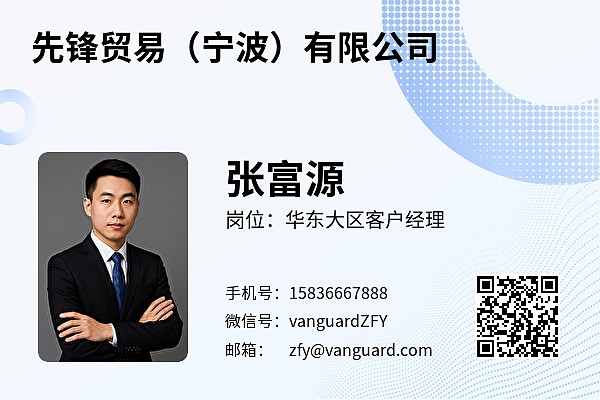
Includes personal name, position, company name, mobile number, telephone number, WeChat ID, email address, navigation address, etc., for quickly generating a digital business card. Supports one-click saving of contact information to the mobile phone's address book.
Basic Information
- Monthly Installations: 4264
- Monthly Visits: 8171
- Original Source: https://cli.im/template/detail/121463654
Case Label Images

Usage Instructions
I. Core Value
1. Supports Bulk Generation for Easy Management
Supports bulk QR codes generation, allowing unified creation of exclusive personal business cards for multiple sales representatives. Information format remains consistent for a more professional presentation, and subsequent maintenance and distribution are more efficient.
2. One-Click Contact
Configurable functions such as phone calls, emails, and redirect links enable customers to make calls with one click, add WeChat contacts, quickly send emails, or browse more product information, facilitating business opportunity conversion.
3. Content Updates Anytime
Content can be edited and adjusted at any time without the need to reprint physical business cards, ensuring customers receive the latest information promptly.
II. Usage Tutorial
1. Generate QR Code
Click 【Use Template to Generate QR Code】
- If you only need to generate a business card for one person, select "Generate Single Code", modify the information, then generate and download the code for use.
- If you need to generate business cards for multiple people simultaneously, select "Modify Bulk Template", modify fixed content such as the company name and introduction, save the template, and then fill in the contact details for each sales representative.
2. Modify Label
You can add your company logo to the label or choose other label styles. View Tutorial
3. Download Label for Printing or Online Distribution
Download the required QR code format. You can directly scan and share the code, or download the image and print it directly on business cards. View Tutorial
III. Frequently Asked Questions
1. Can the business card content be modified?
Yes, you can log in to the workbench at any time to update personal information or company introductions. Changes take effect immediately without the need to recreate the QR code.
2. Can multimedia materials like videos or product manuals be added?
Yes, it supports various material formats. Videos, graphic introductions, PDF documents, etc., can be embedded to provide customers with a richer browsing experience.
3. How to track business card view data?
The workbench allows you to view scan counts, frequency trends, and detailed data for different business card codes. Currently, tracking communication efficiency across different channels is not supported. View Instructions
4. Can information be modified directly on a mobile phone if changes occur?
Yes, you can enable mobile editing, allowing authorized individuals to directly modify contact information. View Instructions