Assessment Questionnaire
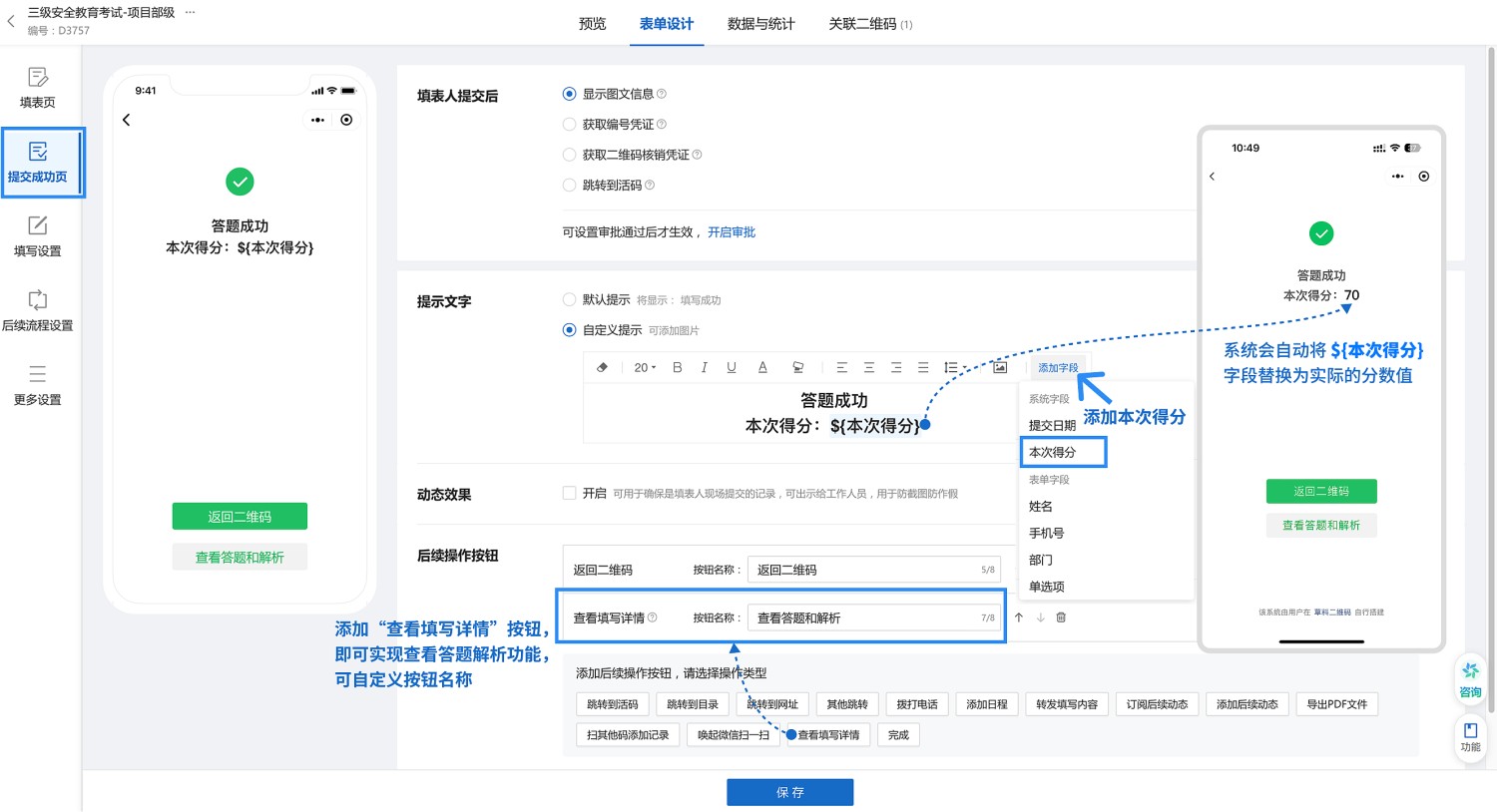
Suitable for various simple online assessments and evaluations, such as educational assessments, psychological tests, etc. Scan the QR code to participate. After completion, the system automatically scores and generates corresponding analysis results based on the score range.
Basic Information
- Monthly Installations: 310
- Monthly Visits: 33
- Original Article: https://cli.im/template/detail/121463620
Case Label Image

Instructions
1. Usage Scenarios
Suitable Scenarios:
- Competency assessments, evaluation of knowledge retention from training
- Assessments on behavior habits, mental health, self-awareness, etc.
Unsuitable Scenarios:
- Assessments containing complex question types like subjective questions, multiple-choice questions, multiple-answer questions, etc.
- Formal assessments requiring a controlled testing environment or mandatory authenticity verification.
2. Key Features
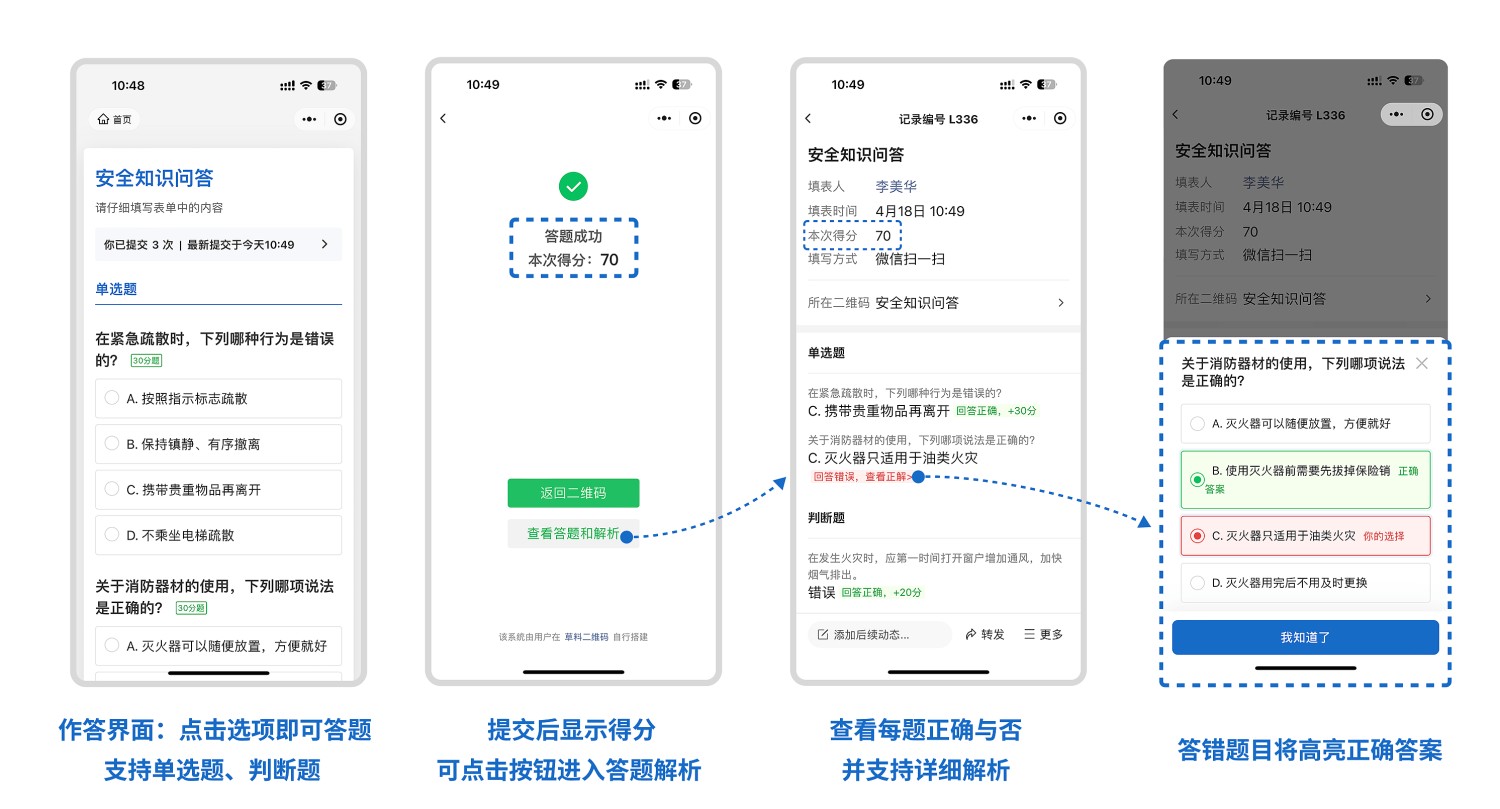
- Scan to Test: Access the assessment via WeChat scan, no app download required, convenient for answering.
- Automatic Scoring: System automatically scores and provides real-time score and evaluation feedback.
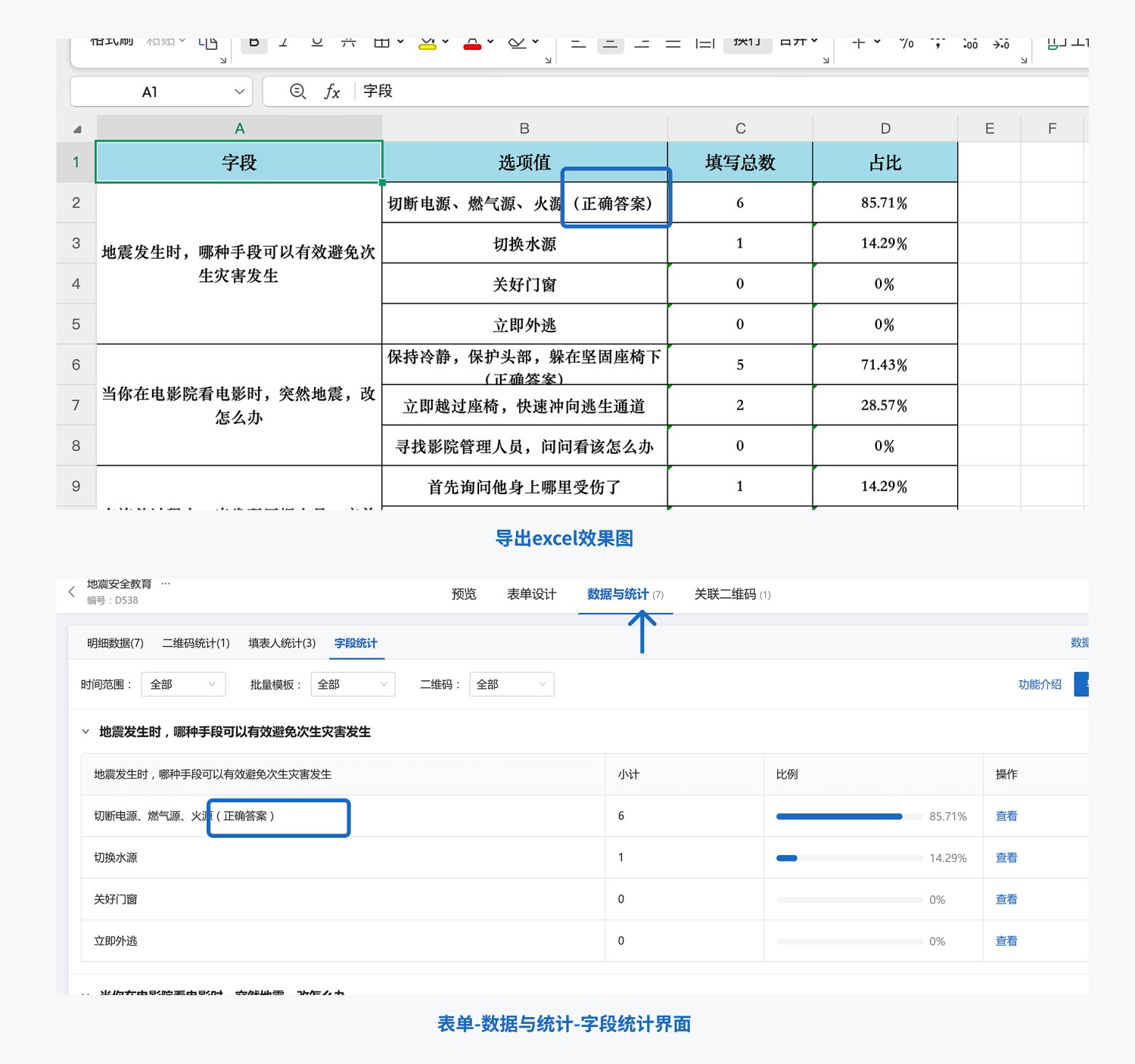
- Data Summary: Export scores from the management end, supporting subsequent analysis and record archiving.
- Permission Management: Set restrictions such as allowing repeated assessments, viewing results after submission, etc.
3. Usage Process
1. Create Assessment QR Code
- Enter the template editor interface, set question types (supports single-choice questions, true/false questions), and point values.
- Configure restrictions like assessment time limits, eligible participants, whether to allow multiple submissions, etc. Filling Restrictions
2. Publish QR Code
- Distribute the generated assessment QR code to participants via WeChat, email, or printed copies.
- Participants can scan the QR code with WeChat to answer questions and complete the assessment, no other app download needed.
3. View and Manage Assessment Results
- Participants see their score and corresponding analysis feedback immediately after completing the assessment.
- Administrators can view all response data in "Data & Statistics".
- Export the score sheet with one click for archiving or further analysis.
4. Frequently Asked Questions
1. Is it free to use?
Answer: You can choose the version that fits your actual needs.
- Free Version: Supports creating assessment forms, unlimited number of participants, long-term storage of assessment data, meeting the needs of simple assessments.
- Flagship Version (¥2680/year): Supports advanced features like multi-user collaboration for managing assessment data, suitable for large-scale projects like teaching/training, assessment inspections, etc.
View details: Version Selection Guide
2. How does CaoLiao ensure my data security?
Answer: We employ industry-leading security protection technologies to ensure the data security of every user.
- Certified by the Ministry of Public Security with Level 3 graded protection, passed Alibaba Cloud security penetration tests.
- Served over 10 million enterprises and organizations, including the Beijing 2022 Winter Olympics Organizing Committee, various provincial/municipal governments, and large central state-owned enterprises.
- Stable and reliable data storage, with configurable access permissions and encryption protection.
View details: Data Security Statement
3. Can I modify the exam/assessment myself?
Answer: Yes, question types, number of questions, and point values can all be adjusted as needed. For a detailed tutorial, see Modifying Forms
4. How to set the assessment results corresponding to scores?
Answer: You can configure corresponding analysis text for different score ranges in "Form Settings - Submission Success Page" (e.g., "0–60 points: Further learning needed, recommended intensive training").