Stop Relying on Stacks of Flyers for Real Estate Promotion
Original: https://cli.im/article/detail/2437
Many real estate marketers have likely experienced this: right after a project launch, thousands of flyers, floor plan brochures, and price lists are printed in one go. Sales staff are busy posting on social media, sending long images in group chats, and constantly explaining information already displayed on walls at the sales office.
But as soon as there's an adjustment—price fluctuations, filing progress changes, promotional policy updates—all previously printed materials become obsolete. Not only is this a waste of cost, but it also confuses clients: they might see a post claiming "only two units left," only to find out at the sales office that it's "still under initial review"; Consultant A quotes one price, while Consultant B gives another.
The issue isn't a lack of information, but rather that the information is too fragmented.
What we did later was consolidate all the content needed for clients into a single QR code page—from the model area and sample unit entrances to sales business cards and social media posters, all using just one entry point. This is what we call the "Project Introduction QR Code."
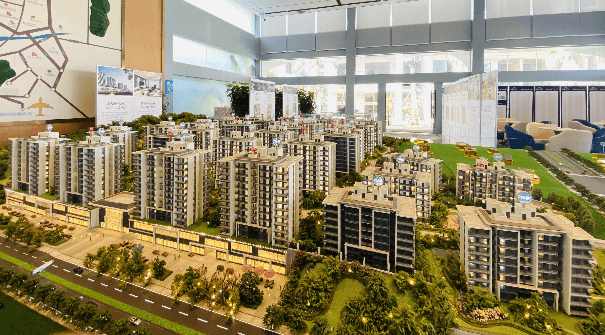
Replacing Traditional Property Brochures with QR Codes
Place promotional materials on a QR code page, organized into clear sections. Clients can scan the code to view core project information, including:
- Basic project introduction and aerial renderings;
- Floor plans and parameter tables for each building;
- Real estate photos and introduction videos;
- Pre-sale permits and public filing documents;
- Sales staff contact information;
If promotional images need adjustments or the marketing message changes, simply update the content once in the backend. All sales QR code pages synchronize immediately. The QR code itself remains unchanged, eliminating the need for reprinting and redistribution.
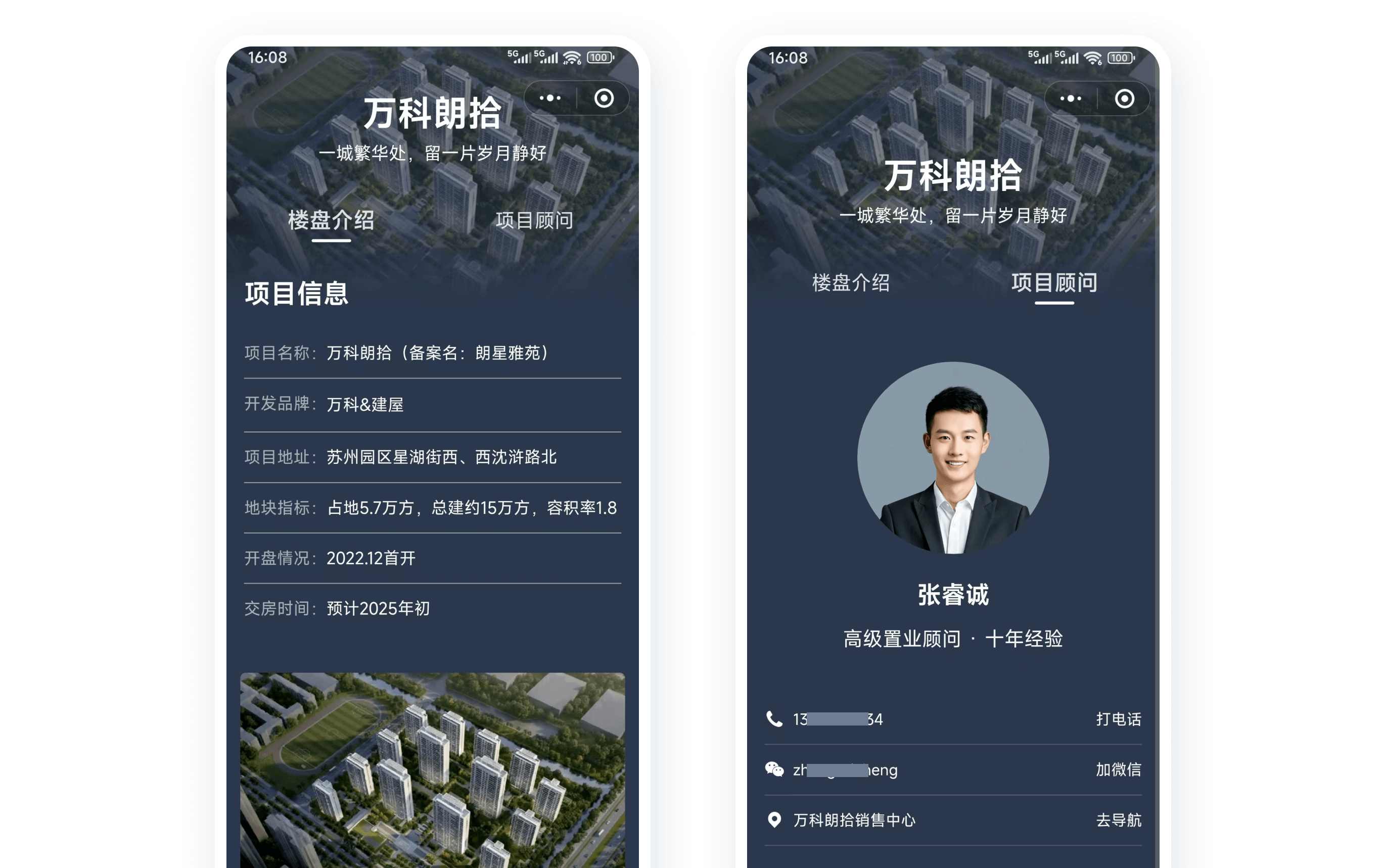
One QR Code for Multiple Promotional Scenarios
The flexibility of QR codes allows them to appear in almost every client touchpoint, truly achieving "one code, multiple uses":
1. Sales Staff Personal Business Cards
Using CaoLiao QR Code's bulk QR codes generation feature, generate a unique QR code for each salesperson. The project introduction content remains consistent, with only the contact advisor section differentiated. Sales staff share their QR codes on social media and in group chats. When clients scan, they see that specific advisor's page, facilitating lead attribution to the corresponding salesperson, effectively boosting sharing willingness and performance.
2. Printed on Project Flyers
Print the QR code prominently on flyers, with copy emphasizing "Dynamic Pricing / Filing Progress / Latest Updates Always Available," avoiding negative feedback from outdated information. This also solves issues like paper flyers becoming obsolete, cumbersome updates, and portability problems.
3. Placed on Model Displays / Sales Offices
Create a master project introduction QR code displaying the full project overview, including project certificates/filings, location and amenities, planning and layouts, construction milestones, parking and viewing routes, latest announcements and FAQs, policies, and purchase guidelines. Suitable for uniform placement near model displays, on walls, stands, and at exhibition hall entrances in sales offices.
4. Building and Unit Specific Codes
For projects with numerous unit types, set up independent QR codes for each building and unit type. Clients scan to view details like lighting and ventilation, delivery standards, design specifics, and comparisons with similar units. This facilitates self-service viewing for clients and significantly reduces the explanatory burden on sales staff.
Unified Messaging, Reduced Internal Sales Friction
Previously, updating numerous materials led to inconsistent sales pitches. Now, whether clients scan a code from a flyer or click one from social media, they see the same page with the same updated content—unified version, consistent messaging.
Additionally, CaoLiao QR Code's backend allows viewing access counts, source channels, access regions, etc., for each code. If you set up different QR codes for various promotion channels, you can clearly identify: which channel brought the most clients this weekend? Which unit page was viewed the most? Which advisor's QR code had the highest conversion rate? Even without complex analysis, simply observing trends provides valuable references for daily adjustments.
How to Create a Real Estate Introduction QR Code
CaoLiao QR Code offers ready-made templates, making the process straightforward. Simply replace the images and text in the template to quickly generate your code:
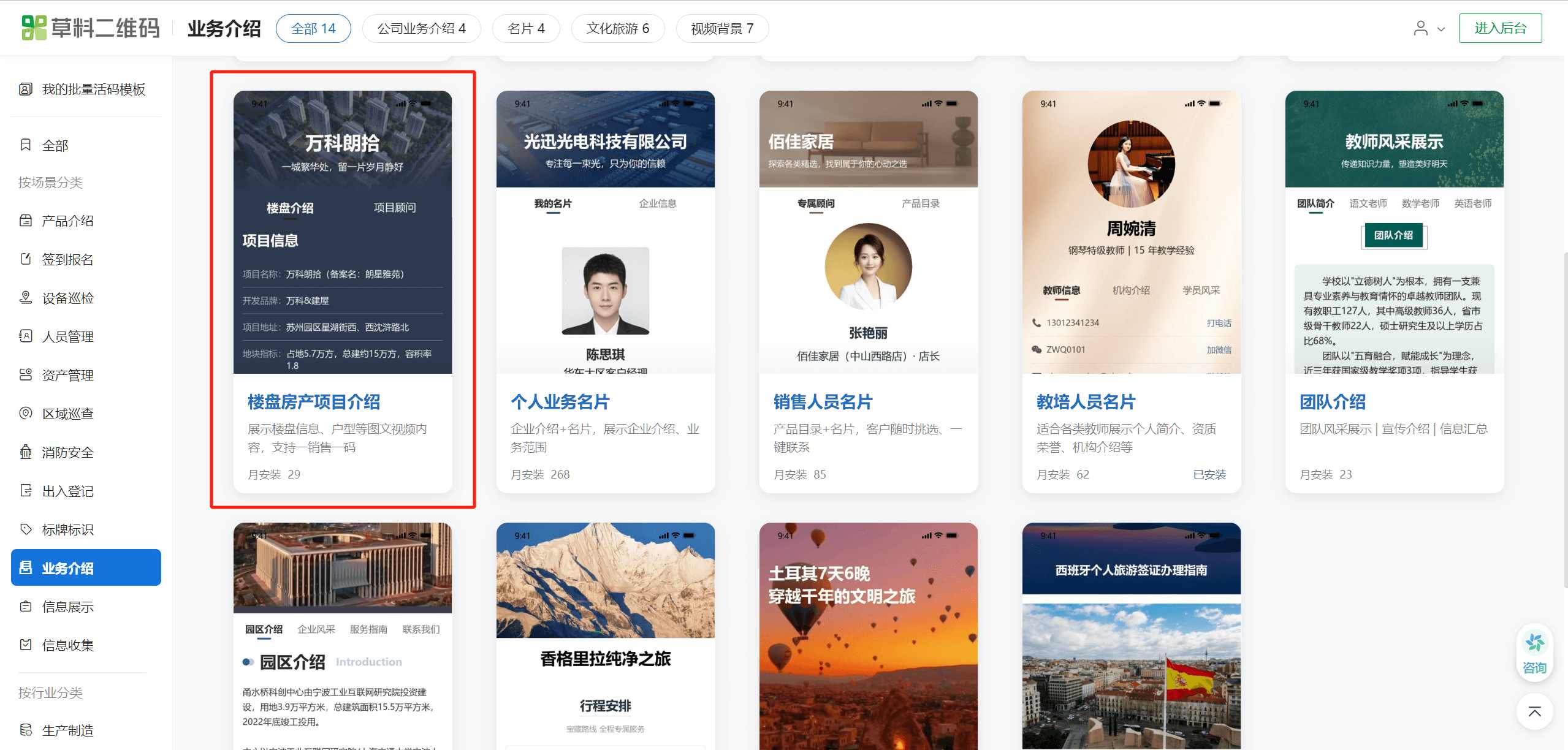
- Step 1: Generate the Code. Go to the template library on the CaoLiao QR Code official website, select the "Real Estate Project Introduction" QR code template. Replace the template content—such as floor plans, project descriptions, amenity explanation videos—and generate the code for download and use after modifying the information.
- Step 2: Download the QR Code. You can add your company logo to the QR code or choose other label styles. Download the QR code label for printing on flyers, business cards, or directly copy the link to share on social media or in client groups.
If you want each salesperson to have their own exclusive QR code, you don't need to create them manually one by one. Use the "bulk QR codes generation" function: fill an Excel spreadsheet with details like names, phone numbers, responsible buildings, etc., and the system can generate multiple QR codes with one click, ready for sales staff to use immediately.
Practical Tips from Real-World Use
These suggestions are based on lessons learned from our promotion efforts, shared for those also considering using QR codes for real estate introductions:
- Place key content—like highlight images, main unit types, and contact information—on the first few screens of the page to prevent clients from closing it halfway through scrolling.
- Keep video length under 1 minute, and avoid overly large image sizes to prevent slow loading times that impact user experience.
- If adding attachments like electronic brochures or filing documents, try to keep them under 10MB.
- Regularly check the backend access data. High page views indicate client interests, which can help optimize sales pitches and material content.
The key to promotion isn't necessarily complex packaging, but delivering the right content to the right people promptly. If you're struggling with frequent promotional material updates, unclear client understanding, or inconsistent sales explanations, try creating a real estate introduction QR code.
It might just save you a whole set of materials and bring along a much smoother sales process.