Market Research Questionnaire
Suitable for product/service surveys across various industries. Replaces traditional paper questionnaires with QR codes and forms to quickly collect consumer preferences and evaluations of products/services. Collected data is automatically aggregated in the workbench, where it can be viewed or exported for statistics.
Basic Information
- Monthly Installations: 1483
- Monthly Visits: 1424
- Original Text: https://cli.im/template/detail/121463508
Case Label Image

Usage Instructions
1. Core Value
1.1 Improve Questionnaire Distribution and Collection Efficiency
The questionnaire supports distribution in various formats, enabling quick and easy reach to the target audience. Users can complete the form in less than half a minute, making survey data collection more convenient and efficient.
1.2 Flexible Setting of Filling Rules and Restrictions
Flexibly set the filling period, frequency, and rules to adapt to different research needs.
1.3 Reduce Manual Data Processing Costs
After questionnaire submission, all information is automatically categorized and aggregated into the workbench system. Administrators can directly view or export statistical data without manual sorting and summarization.
1.4 Ensured Data Security
CaoLiao QR Code implements strict data protection measures to ensure user privacy and information security, preventing the leakage or loss of customer information and survey records.
2. Setup Steps
2.1 Create the QR Code
Install the template to generate the QR code. You can modify the questionnaire content according to your usage needs.
2.2 Set Questionnaire Filling Rules and Restrictions
Based on the survey requirements, set the number of times each person can fill out the form, the submission deadline, etc. Set filling restrictions.
You can also set different content to appear based on responses. For example, if "Dissatisfied" is selected, a field for specifying the reason can be shown. Visibility Rules Setup Tutorial.
2.3 Assign Data Viewing Permissions
Assign data viewing permissions to those who need to see the questionnaire results. You can also restrict form filling to specific individuals. Member Permissions Setup Tutorial.
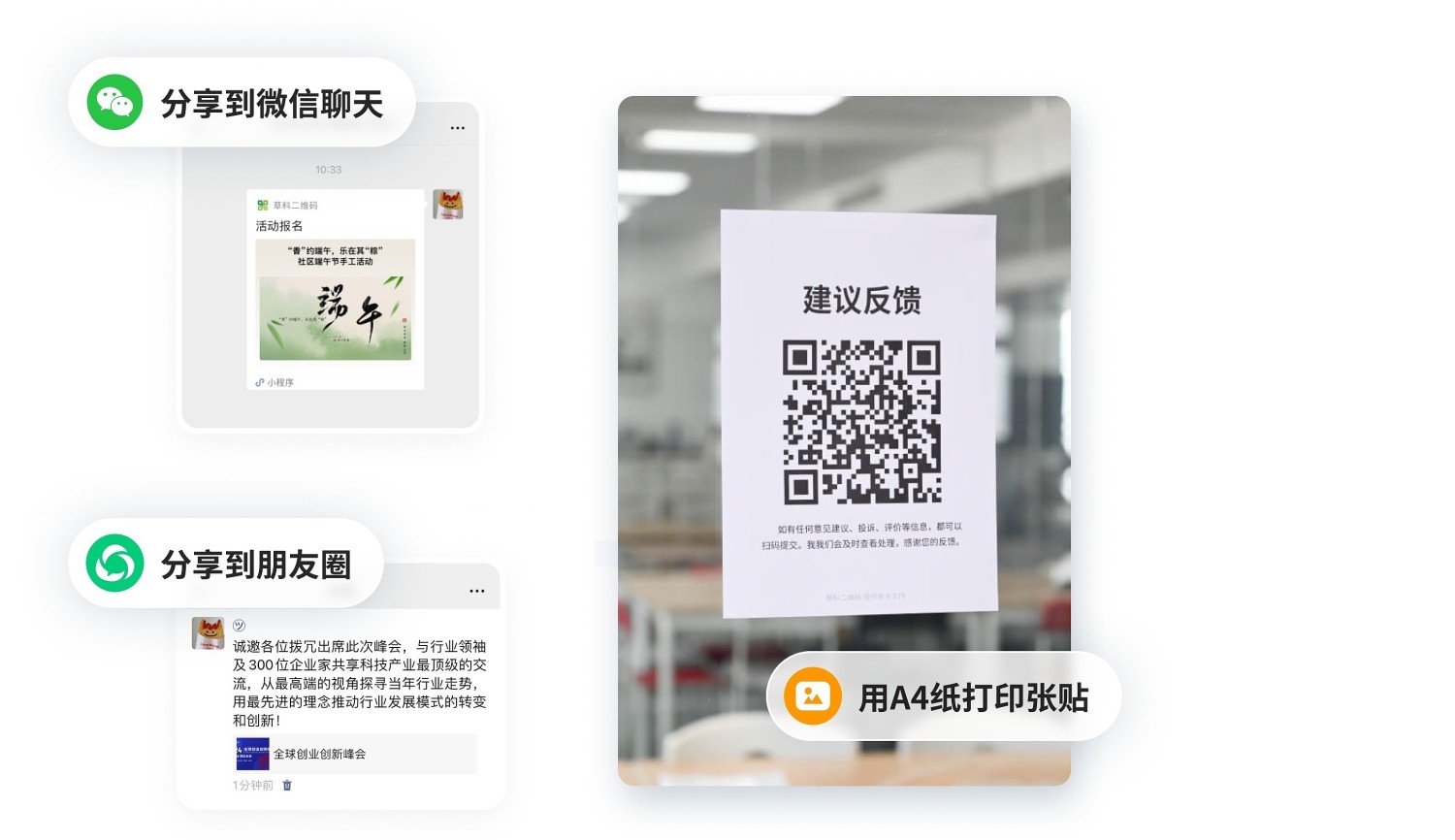
2.4 Distribute the Survey Questionnaire
It can be shared online or printed and posted.
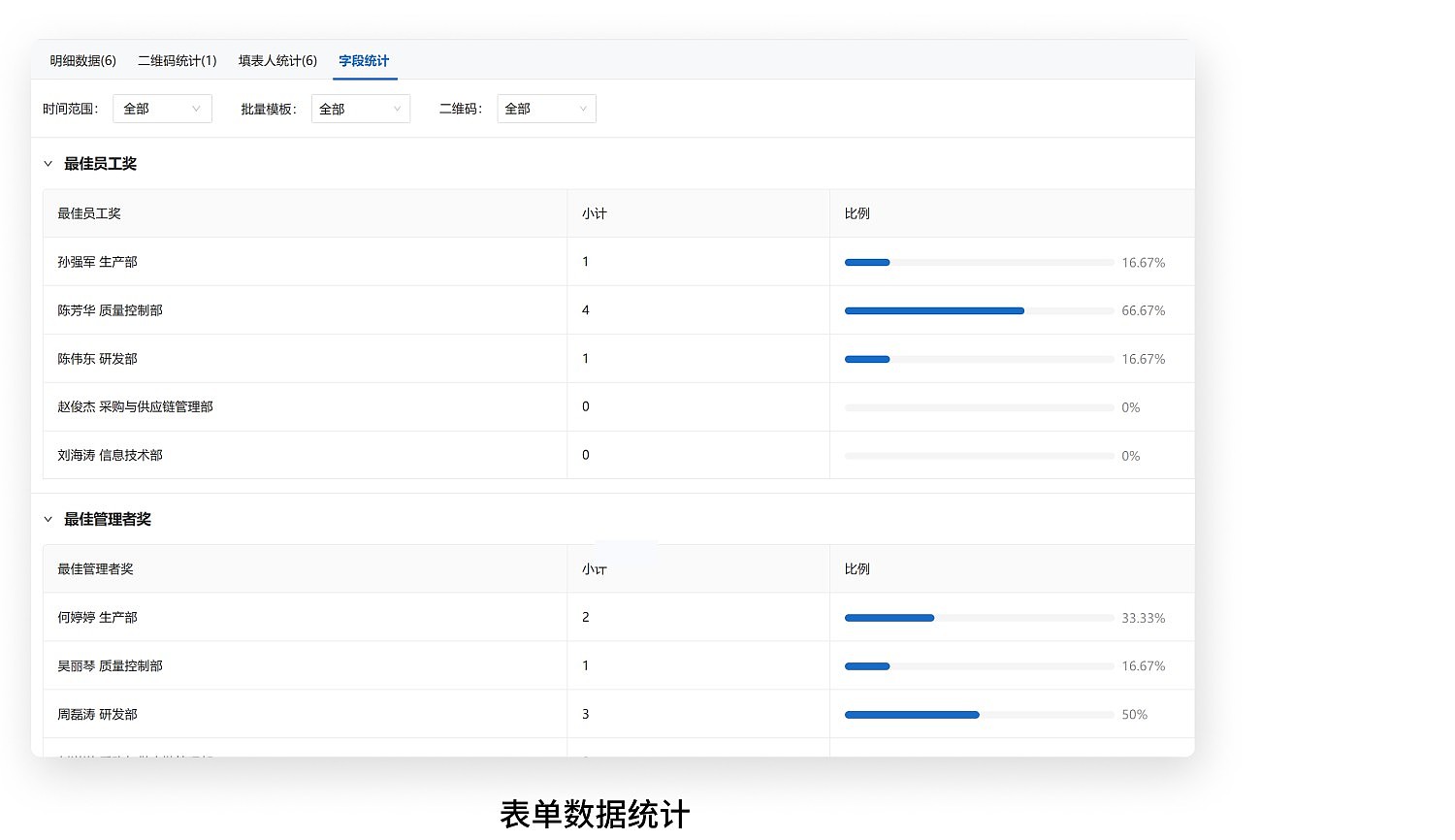
2.5 Tally Questionnaire Results
Authorized personnel can view statistical results in the workbench or export them to an Excel file. Data Summary Function

3. Frequently Asked Questions
3.1 Is it free to use?
Answer: The free version meets basic usage needs, with no limits on the number of voters or submissions. Voting data is stored long-term.
3.2 Which features require payment?
Answer: If you need to grant data viewing permissions to other individuals, you can choose the Advanced version (1280 RMB/year).
For a more detailed explanation of paid features, see: Edition Selection Advice
3.3 How does CaoLiao ensure my information security?
Answer: User data security is our top priority. CaoLiao has passed the Level 3 certification of the Multi-Level Protection Scheme (MLPS) from the Public Security Bureau and Alibaba Cloud's security penetration tests, with its security capabilities recognized by the industry.
Since 2012, we have provided stable and reliable services to over 10 million users and major projects like the Beijing Winter Olympics and the Zhejiang Provincial Government Office in Beijing. We will continue to strengthen security measures to ensure your data is always strictly protected. View Data Security Protection Measures