Travel Route Collection
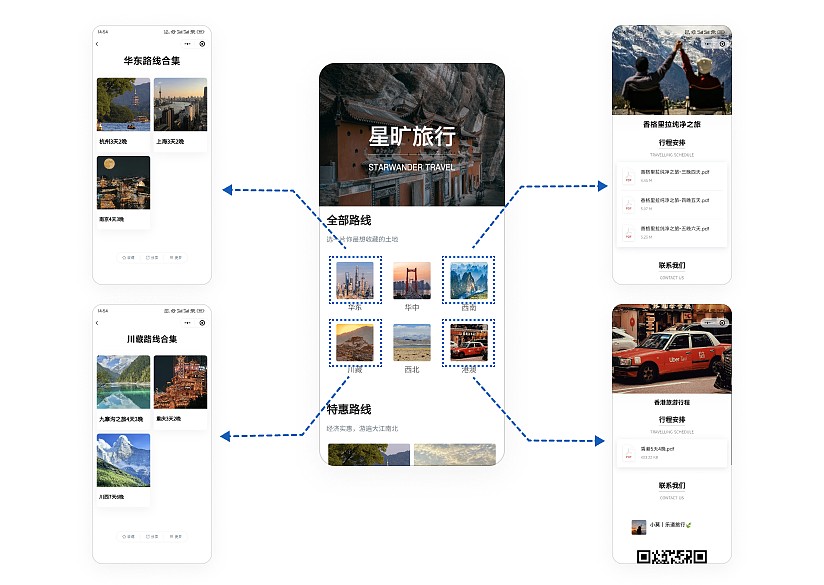
Consolidate all existing itinerary descriptions into one QR code, allowing customers to scan and select their preferred trips, save them, and view anytime. Routes are updated in real-time while the QR code pattern remains unchanged, enabling customers to access the latest content instantly.
Basic Information
- Monthly Installations: 9,714
- Monthly Visits: 25,327
- Original: https://cli.im/template/detail/121462976
Case Label Image

Usage Instructions
Problems Solved
1. Consolidate Travel Route Information: Companies with numerous travel routes find paper brochures insufficient. Customers dislike flipping through pages. This template aggregates travel route information, functioning like a digital brochure.
2. Easy Creation: No technical expertise required. Modify the template as easily as using a PowerPoint template to create an aesthetically pleasing online promotional page for your company.
Application Scenarios
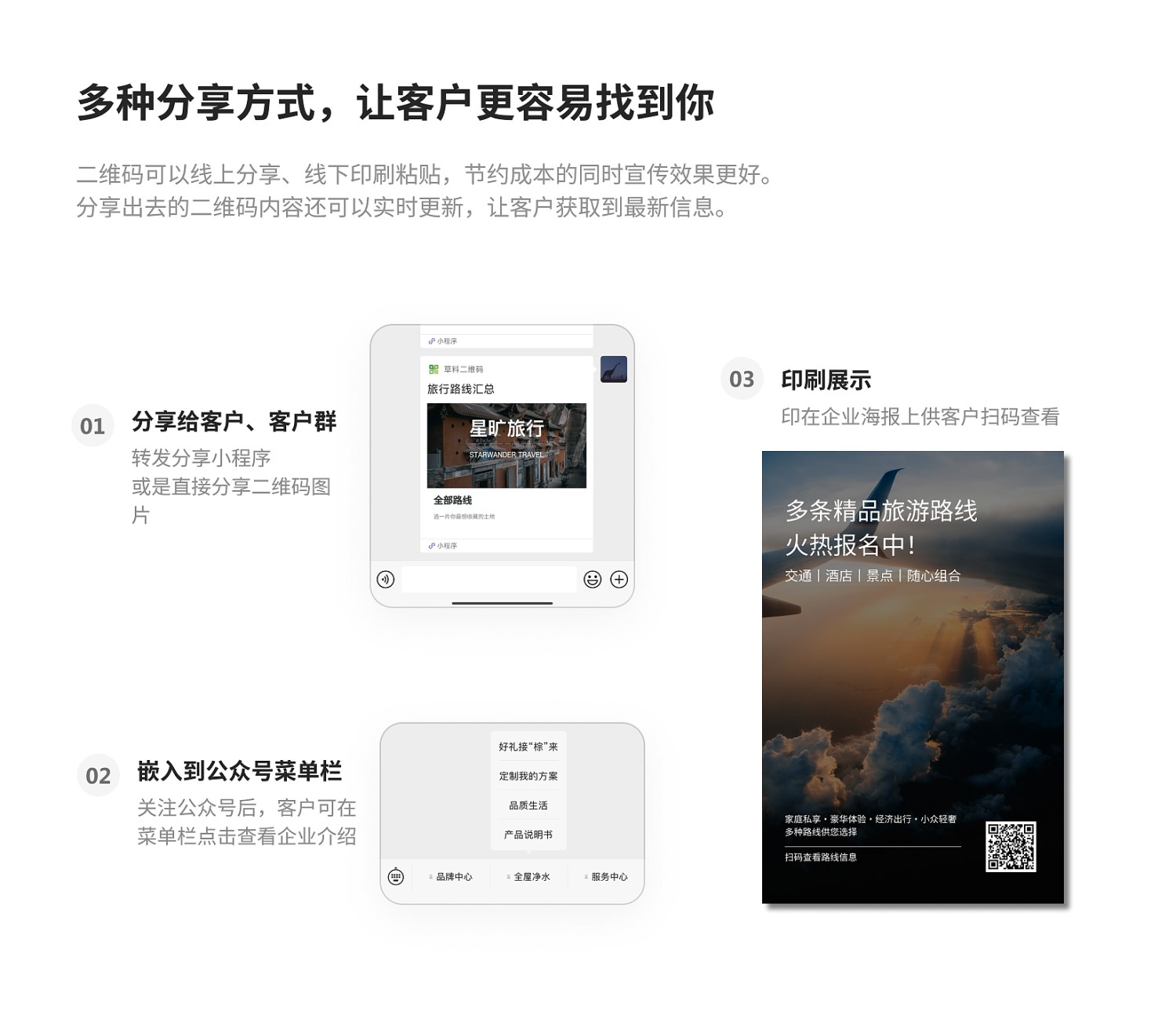
1. Poster Promotion: Attach the QR code to company travel product posters to provide detailed route information. Share posters on social media or allow customers to scan directly offline.
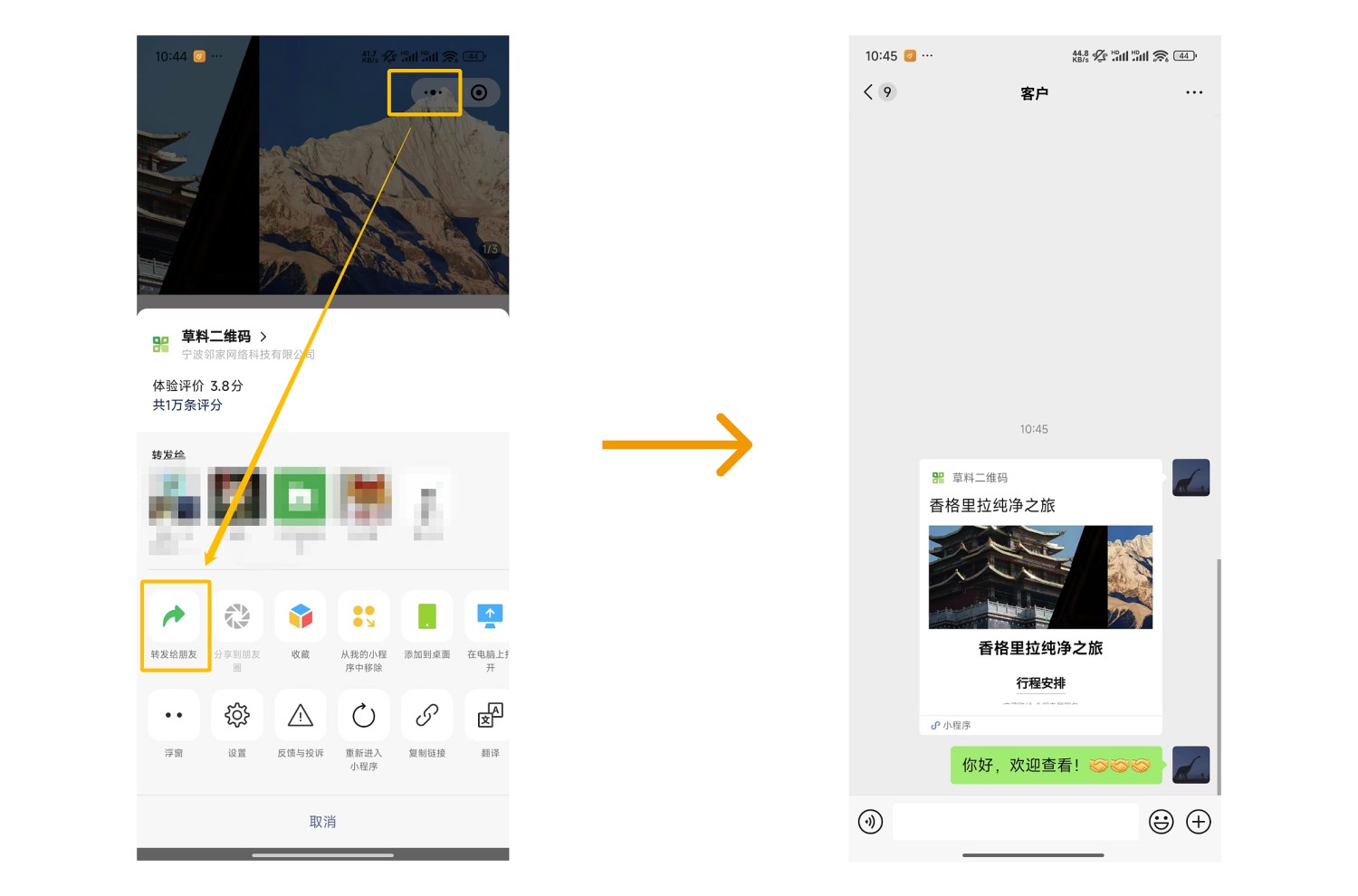
2. Forwarding and Browsing: Account managers can directly forward the mini-program page to target customers, who can open and browse within WeChat.
3. Public Account Section: If your company has a WeChat Public Account, embed the page into a section to enrich promotional content.
Core Features
1. Dynamic Content Updates: Travel route information can be updated anytime based on seasons, promotions, or business changes, while the QR code pattern remains constant. Customers always access the latest details by scanning the same code.
2. Centralized Route Information: Similar to a Taobao store homepage, use redirect links to aggregate all company travel routes on one page. Customers can click on individual routes to view details, akin to shopping online.
3. Aesthetically Pleasing Design: Combine background images with various card styles to create professionally designed travel product posters.
Setup Process
Step 1: Modify Route Information: Open the template and replace the sample travel product information with your company's route details.
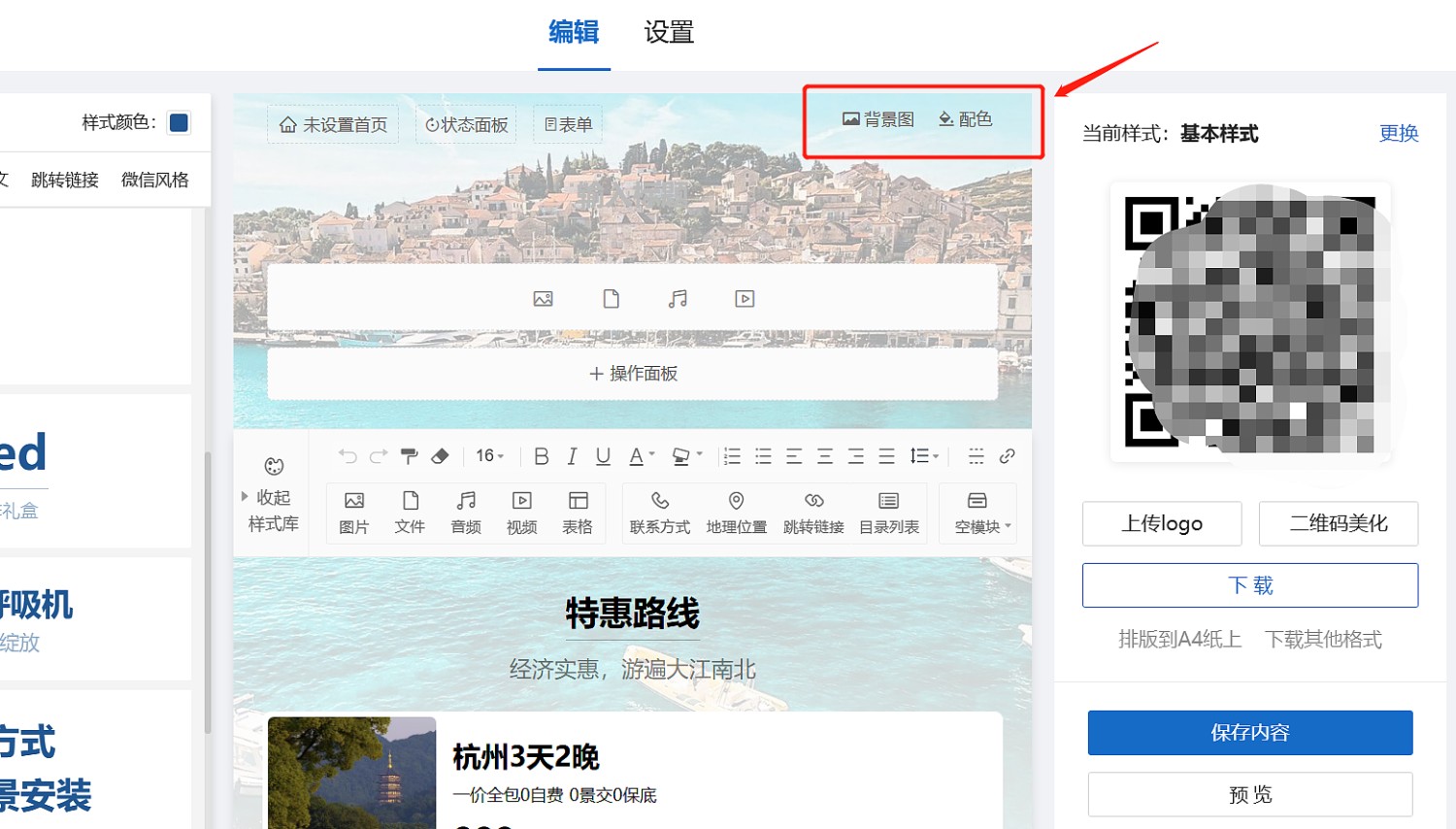
Step 2: Update Background Image: Customize the page background image according to your design preferences or branding.
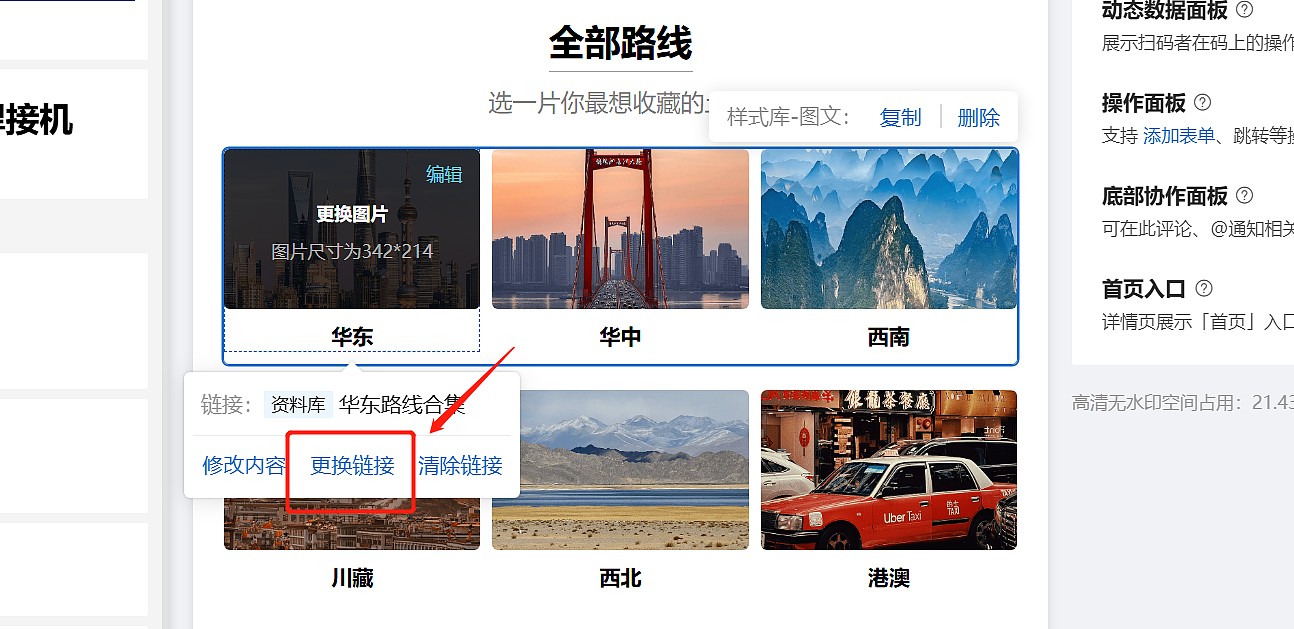
Step 3: Set Links: Integrate with the Travel Itinerary Introduction Template. In the editor, link your company's individual travel itinerary pages to this collection page.
Step 4: Add Contact Information: Replace the template's contact details with your company's own.
After completing these four simple steps, click 【Generate QR Code】.
Sharing and Forwarding: Share the poster image; or scan the completed QR code, click the "···" in the upper right corner, and choose to forward to customers or group chats.
Related Templates
Travel Itinerary Introduction Template: Showcase your company's travel route business information comprehensively using images, text, audio, video, and more. After creation, use the Travel Route Collection Template (this template) to aggregate all your itinerary codes. Customers scan one code to browse all route information, select, and save favorites.
Simplified Itinerary Introduction Template: Quick and convenient. Simply upload files and images to rapidly create an itinerary introduction code.
International Travel Itinerary and Instructions: Suitable for international travel products. Display route features, visa application instructions, etc. Customers can scan to view itinerary details and download necessary documents.