Food Labels
Bulk generate digital food label QR codes that comply with food safety standards, displaying parameters, ingredients, and consumption suggestions. Customers no longer need to search for product information in the fine print on the packaging; scanning the code to view on their phone is more convenient.
Basic Information
- Monthly Installations: 1234
- Monthly Visits: 3828
- Original Text: https://cli.im/template/detail/121463570
Example Label Image
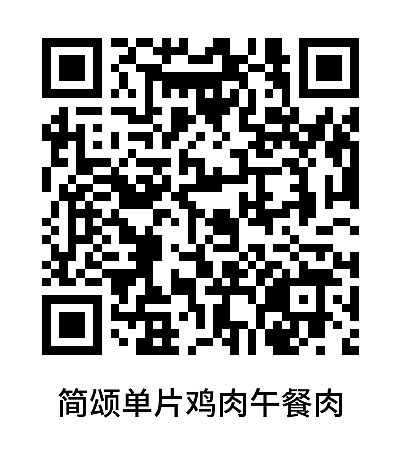
Instructions
Complies with the "National Food Safety Standard for General Rules for the Labeling of Prepackaged Foods" (GB 7718-2025), used for creating digital food label QR codes.
Simply upload various food information to generate a compliant food label.
I. Core Uses
Easy to Use: No development required; quickly generate codes by entering your food data.
Multiple Content Combinations: Supports various display formats including text, images, videos, and PDFs for richer presentation effects.
Compatible with Various Apps: Whether using WeChat, DingTalk, Douyin, or other apps, users can easily scan the code to view.
Blockchain Notarization for Sub-codes: Retains blockchain records for each product's information, making data more credible and tamper-proof. Learn more
II. Setup Tutorial
1. Using Templates
Click "Generate Code Using Template". You have two options:
- Single Code Generation: Suitable for creating a small number of product codes.
- Modify Template: Ideal for creating many product codes with a consistent structure. Modify the template and then enter data for bulk QR codes generation.
2. Modifying the Template
All content in the template can be modified. View Tutorial
3. Modifying Label Styles
Customize QR code labels, supporting adding logos, changing layouts, etc. View Tutorial
4. Printing/Sharing
Download the QR code to affix to product packaging or share online. View Label Printing and Implementation Guide
5. Managing and Viewing Data
Easily find and modify QR codes in your account workbench at any time; the QR code pattern remains unchanged. You can also view scan data in the workbench. View Tutorial
III. Free Version vs. Paid Version Benefits
1. Free Version
- Commercial use allowed
- QR codes are valid long-term
- Unlimited QR code generation
- Unlimited number of scans and users
- Upload images, files, videos supported; standard definition display
2. Paid Version (Suitable for higher requirements and team collaboration)
- Remove the "CaoLiao QR Code" logo; supports watermark-free, high-definition images and video playback
- Set personalized logos and exclusive WeChat Mini Programs for a more professional presentation
- Supports multi-user collaboration and permission-based management (available in Advanced edition and above)
View Pricing and Detailed Payment Information
IV. Frequently Asked Questions
1. How can multiple product codes be combined into one code?
After generating multiple product introduction QR codes, you can use the directory summary function to consolidate products into a single QR code. View Tutorial
You can also layout and create your own product directory. View Template
2. Can website links be added, for example, so customers can click to jump to a purchase page?
Yes. After adding a redirect link, select 'Redirect to URL' and paste the website address. View Tutorial