Visitor Appointment and Approval
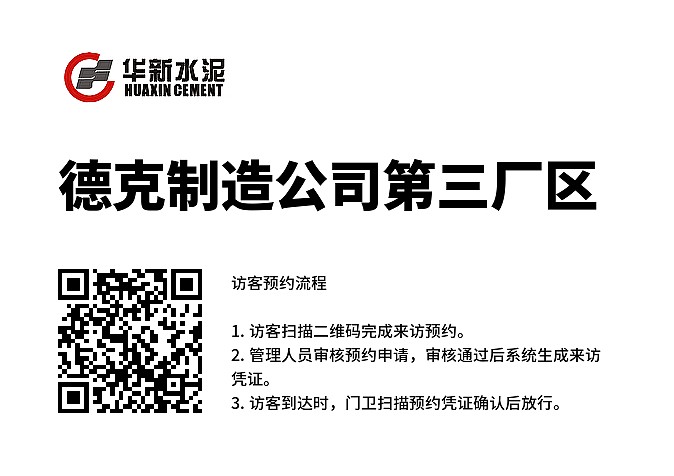
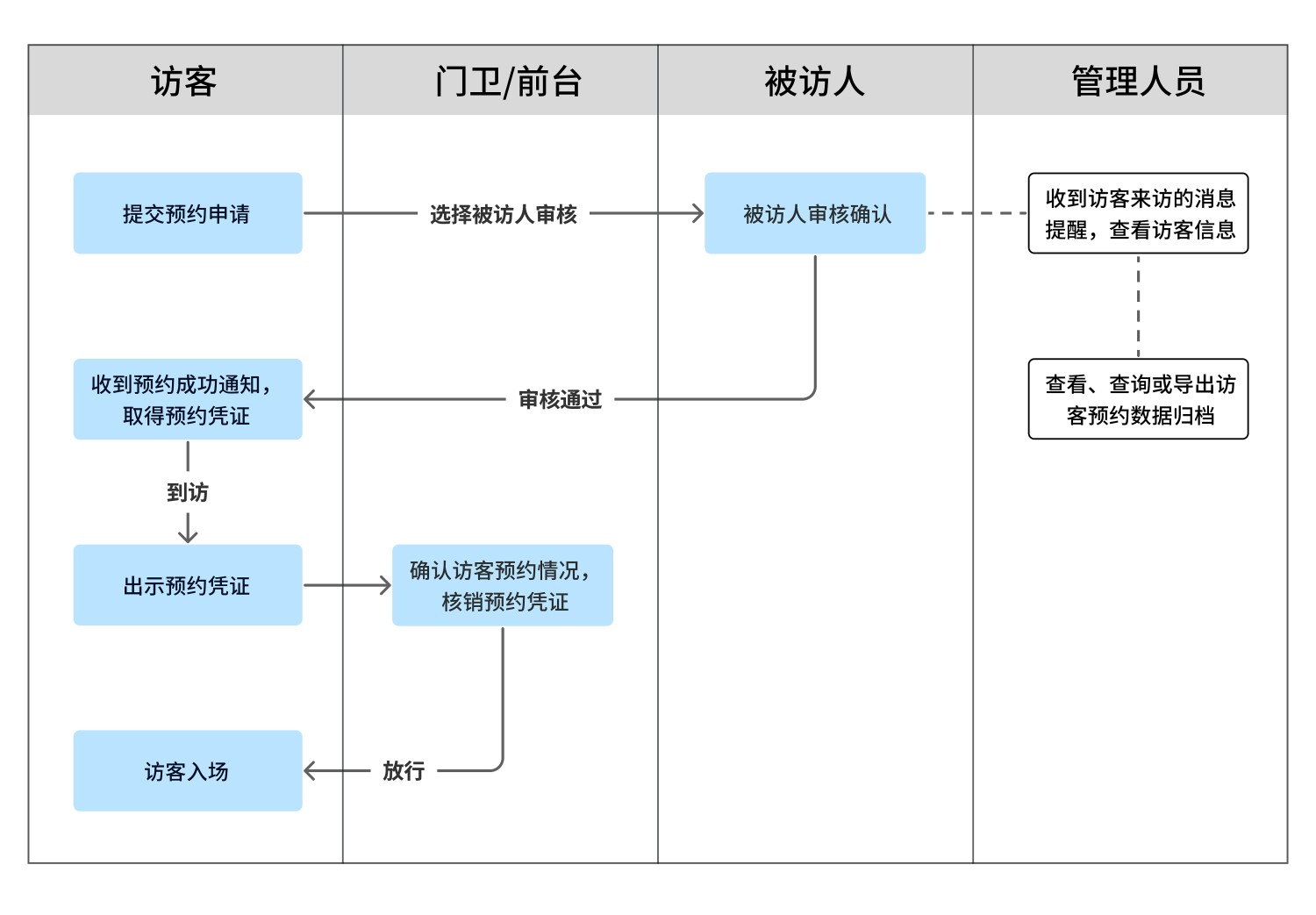
Visitors scan a QR code to submit an access request. After management approval, a visitor pass is automatically generated. Guards can scan the visitor pass for confirmation, enabling quick entry.
Basic Information
- Monthly Installations: 8068
- Monthly Visits: 41360
- Original Text: https://cli.im/template/detail/121462986
Case Label Images






Usage Instructions
I. Advantages of Using QR Codes
Compared to traditional appointment methods, using QR codes offers the following advantages:
Benefits for Visitors
- Faster Appointments: Complete appointments by scanning a QR code with WeChat. You can also check appointment status and receive notifications about progress updates anytime, eliminating the hassle of repeated communication.
Benefits for Reception/Security Personnel
- More Efficient Visitor Management: Quickly confirm visitor appointments and grant entry without needing phone confirmation from the person being visited.
Benefits for Enterprises/Management
- More Convenient Information Management: Receive real-time updates on visitor appointments and arrivals. Digital visitor records can be viewed, queried, and exported at any time.
- Enhanced Professional Image: An information-based visitor management system showcases modern, professional management standards.
Benefits for Overall Business Operations
- Improved Management Efficiency: Simplifies the visitor management process and ensures smoother information flow.
- Reduced Labor Costs: Automated processing reduces the workload for reception and management staff, lowering labor costs.
II. Visitor Appointment Process
III. Features Provided by the Template
Visitor Appointment and Review
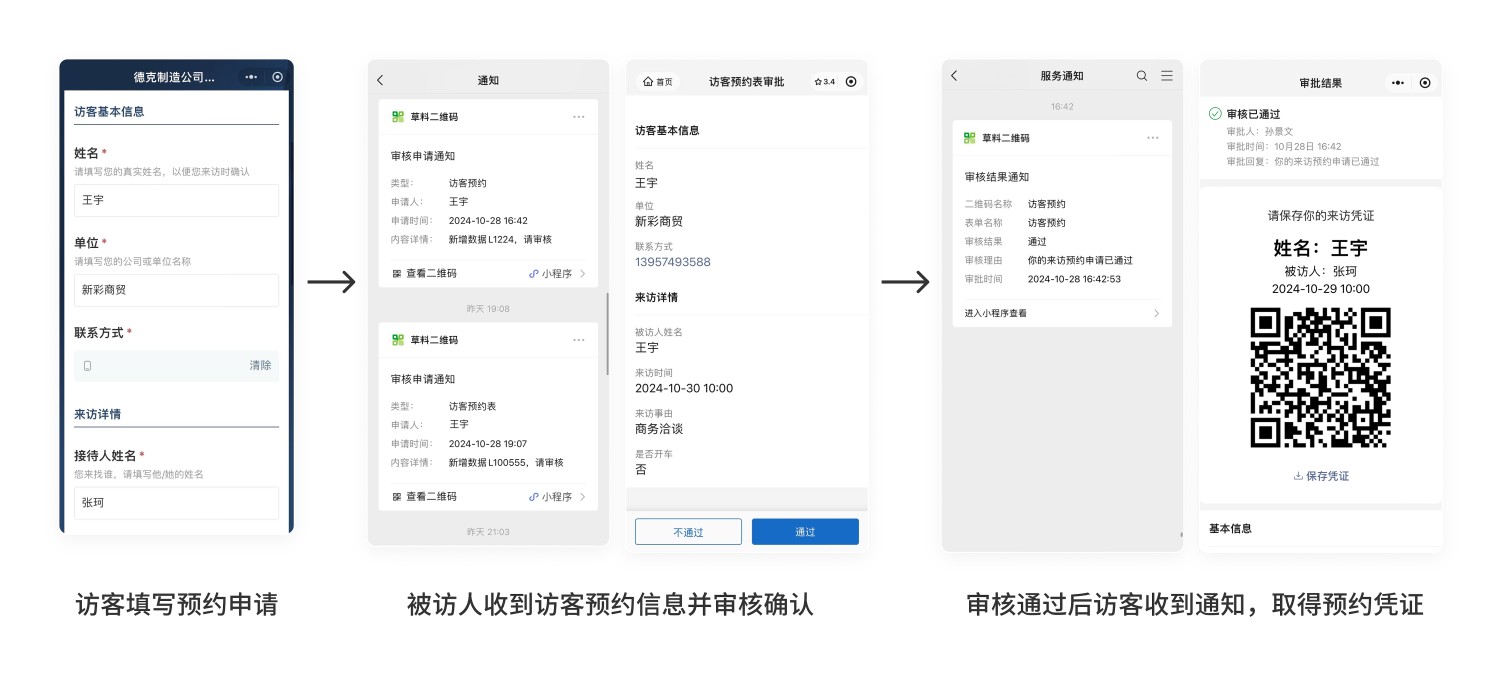
1. Visitor Submits Appointment Request
Visitors can complete appointments directly via the WeChat Mini Program, eliminating the need for phone calls or online chats.
2. Visitor Appointment Review
After submission, the person being visited or an administrator receives a notification. They can confirm the appointment details and approve or reject the request.
The system supports single-level or multi-level review, flexibly meeting different management needs. Data Approval Feature Introduction and Setup Tutorial
3. Appointment Result Notification
After the review is complete, visitors are informed of the result via WeChat's [Service Notifications].
Approved visitors can download and save the electronic visitor pass for use upon arrival.
Visitor Check-in and Management
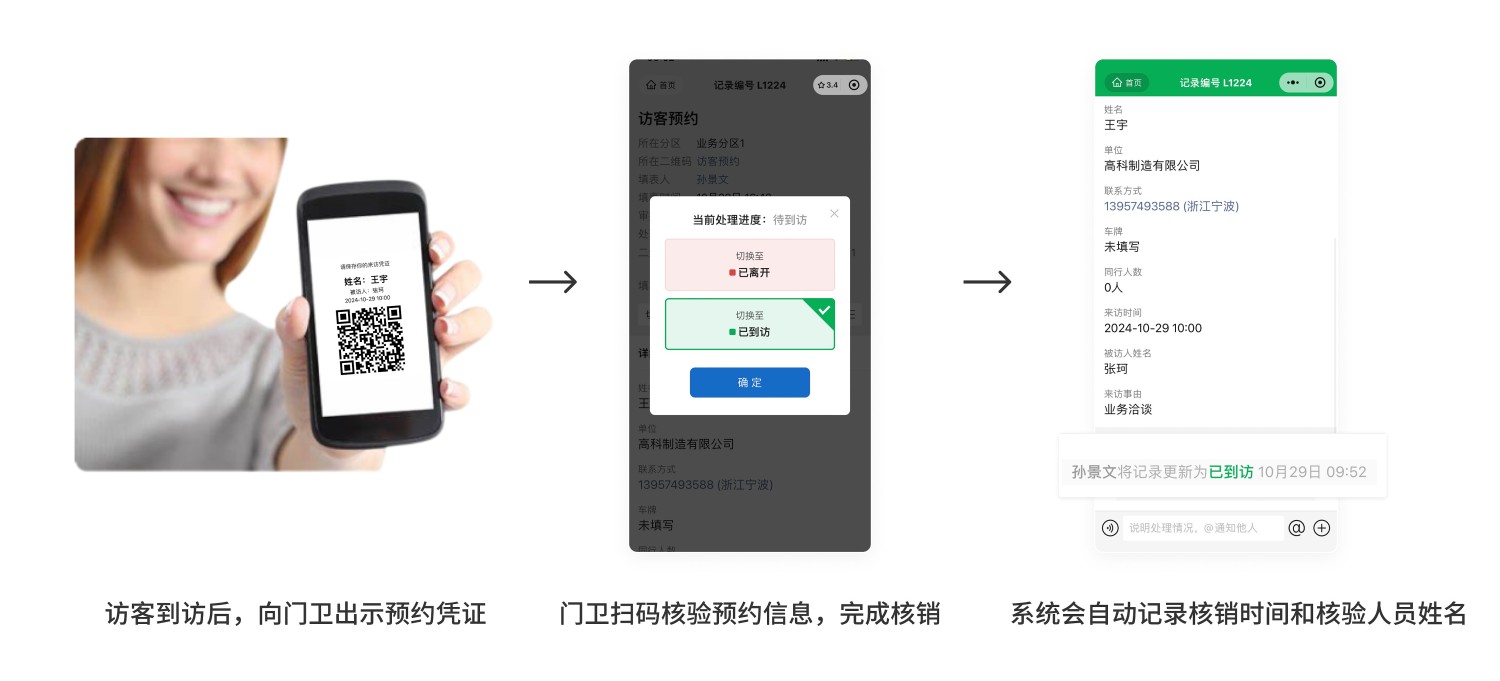
1. Visitor Pass Verification
Upon arrival, visitors present their visitor pass QR code to reception or security personnel.
Reception or security personnel scan the QR code to verify the appointment information and complete the check-in. The system automatically records the visitor's arrival time and the name of the staff member performing the verification. Pass Verification Feature Introduction
Permission Assignment and Data Management
1. Operation Permission Management
Permissions for each functional module can be set individually. Different operational permissions can be assigned to different management roles according to actual needs, ensuring secure system usage. QR Code Operation Permission Settings
2. Visitor Data Archiving and Analysis
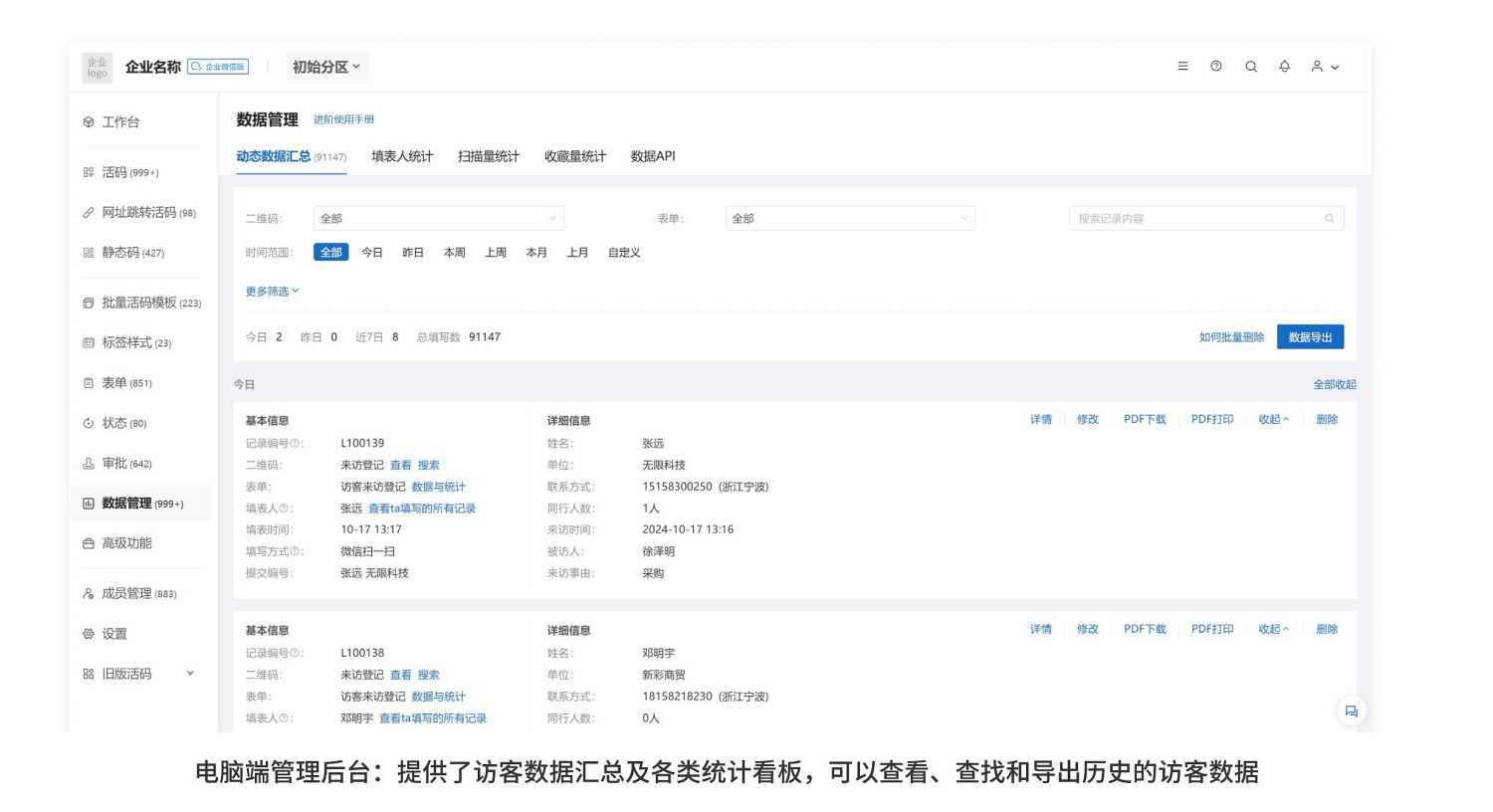
The system automatically aggregates complete records of visitors from appointment to arrival, facilitating export, archiving, or querying by management personnel, enabling real-time tracking of each visitor's status. Data Summary Function
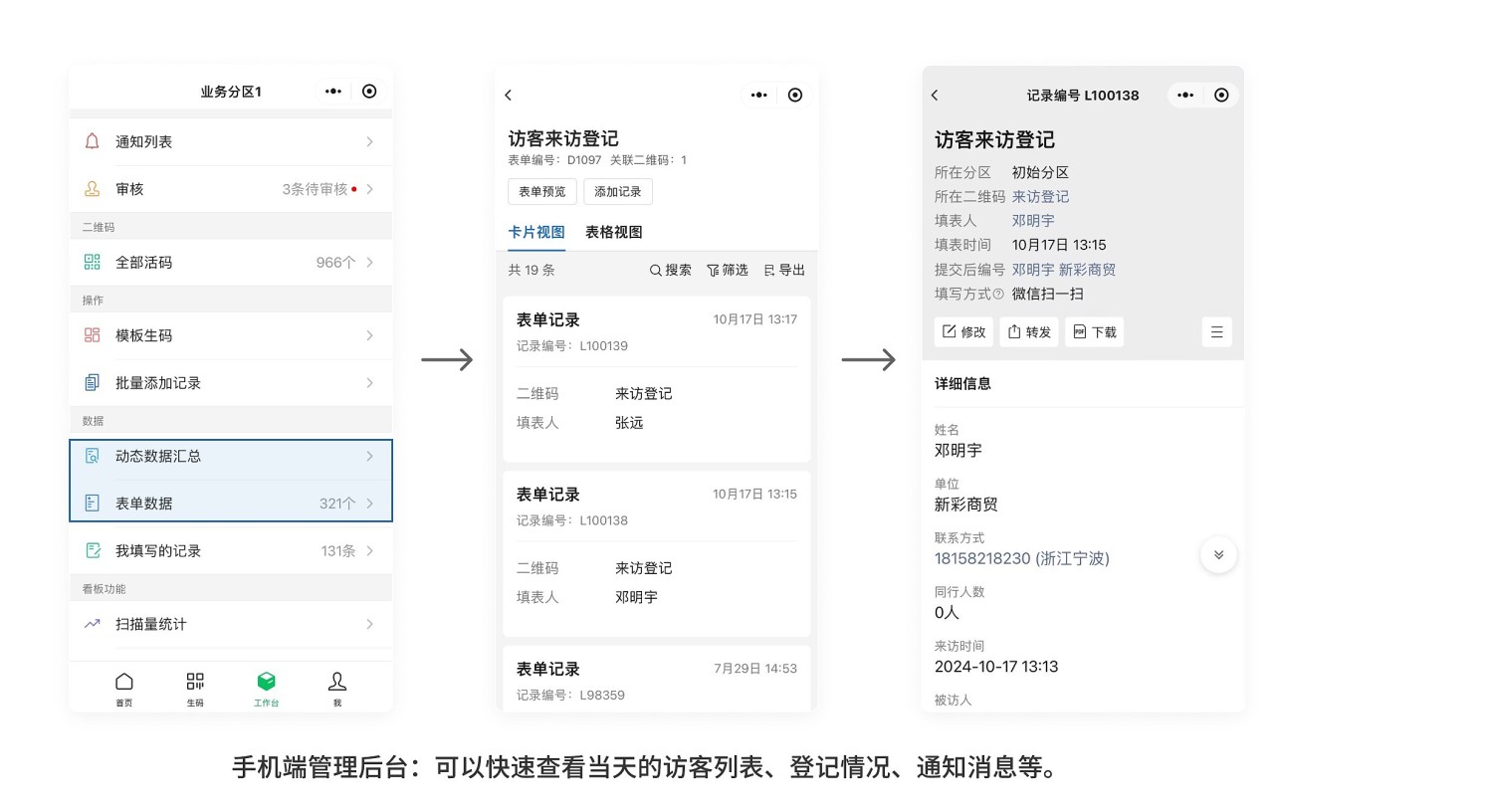
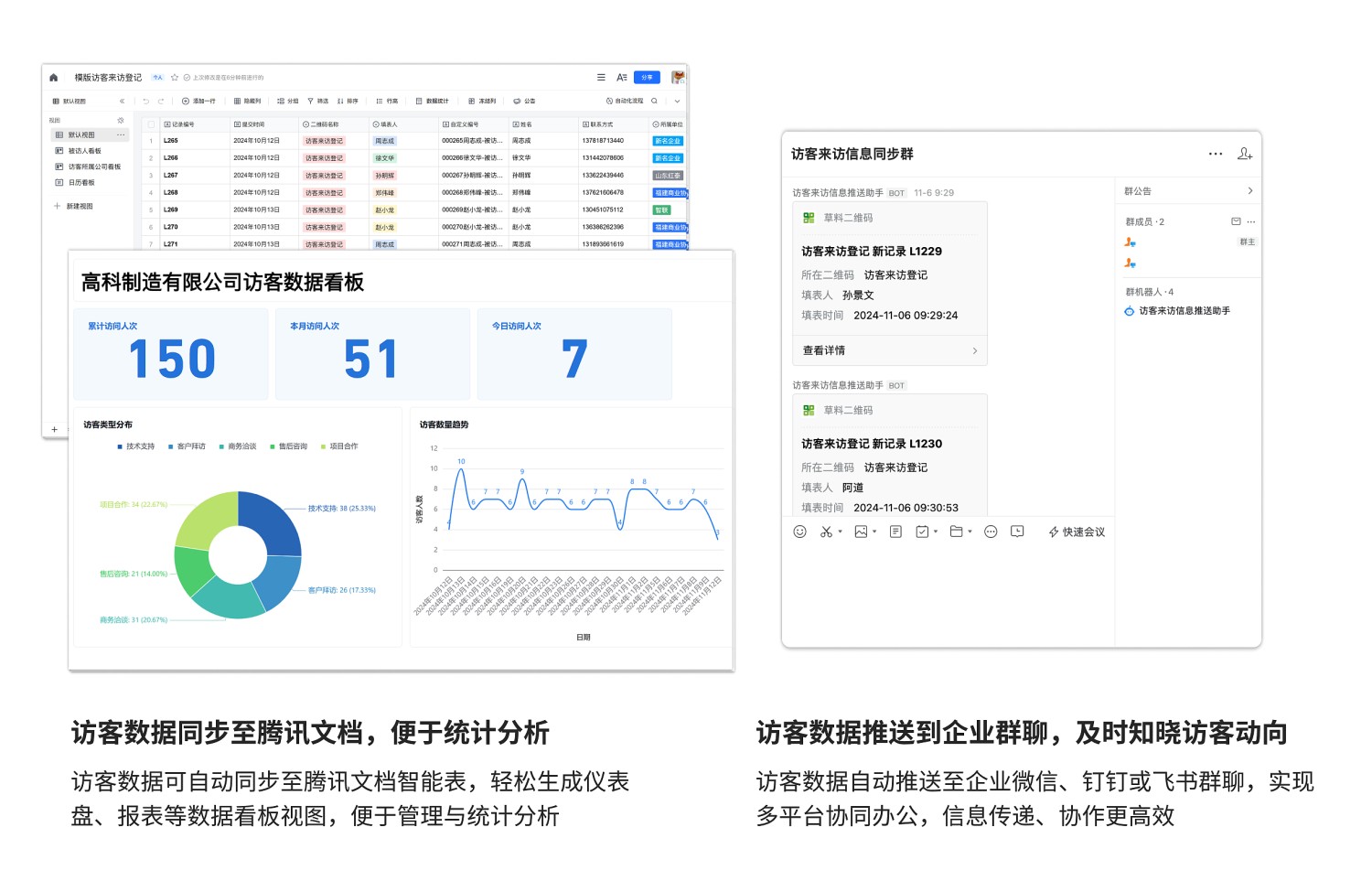
Additionally, messages can be automatically pushed to enterprise group chats to notify relevant personnel when a visitor makes an appointment.
It also supports synchronizing visitor data to platforms like Tencent Docs or Baidu Sugar for analysis and display, enabling more efficient and refined management.
Data API Feature Introduction and Effect Display Form Data Integration with Tencent Docs
IV. Using the Visitor Appointment QR Code
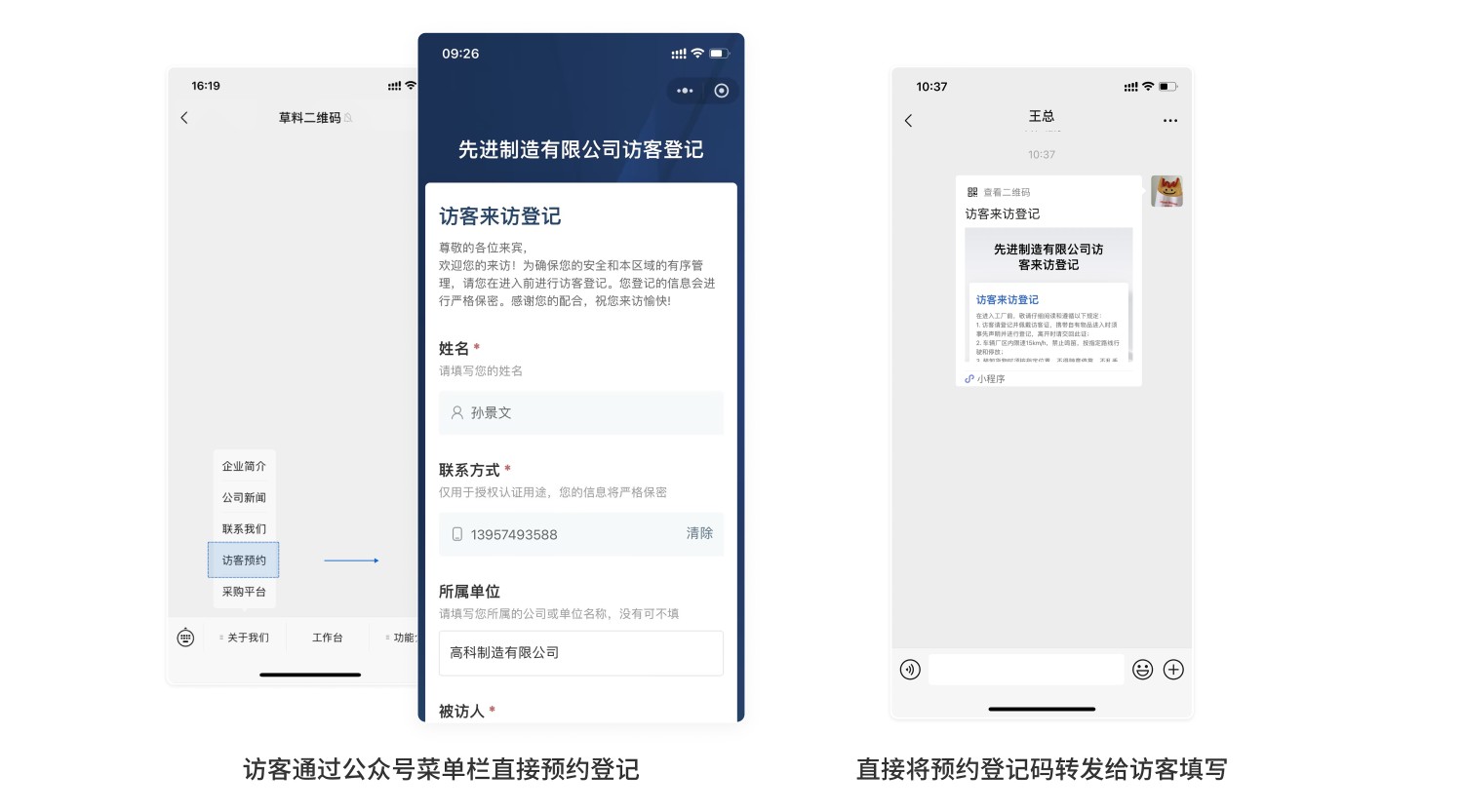
The visitor QR code can be embedded in the enterprise's WeChat Public Platform account or directly forwarded to visitors for online appointments before their visit.
Tutorial for Embedding QR Code into Public Platform
V. Frequently Asked Questions
1. The appointment form has multiple time slots to choose from. Can I limit the number of appointments per time slot?
Answer: Currently, limiting the selection count for different options within a single form is not supported. It is recommended to split each time slot into a separate appointment form and set a submission limit for each form to control the number of appointments. Submission Limit Setup Tutorial
2. How much does it cost to set up such a system?
Answer: You can choose based on your needs.
- Free Version: No limit on the number of people or times for scanning to make appointments. Visitor data is stored long-term and can be viewed anytime, meeting basic visitor appointment needs.
- Advanced Version: Provides more advanced collaboration and approval features, suitable for scenarios requiring multiple people or departments to participate in visitor appointment approval and management.
- Enterprise Version: Supports more participants in collaboration and offers more advanced data export and processing functions. Suitable for organizations with complex structures, large volumes of visitor data, or those requiring in-depth data processing.
Detailed selection advice can be found here: Version Selection Advice
3. Is data stored in CaoLiao secure?
Answer: CaoLiao has implemented strict measures to ensure user data security. View Data Security Related Materials