Training Check-in
Suitable for training activities such as corporate internal training or organizational training. Participants can complete check-in by scanning a QR code. The training organizer can view attendance statistics in real-time via the workbench and export the check-in list.
Basic Information
- Monthly Installations: 20610
- Monthly Visits: 34112
- Original Text: https://cli.im/template/detail/121463010
Case Label Image
Instructions
1. Applicable Scenarios
Applicable:
- On-site QR code scanning for quick headcount statistics
- Recording information such as name, employee ID, department, etc., and exporting data to Excel/PDF files for archiving
- Setting features like "scan-only on-site" to prevent proxy check-ins
Not Applicable:
- Scenarios requiring full training features like recording study duration and progress
- Scenarios requiring advanced anti-fraud verification such as dynamic QR codes or facial recognition
2. Setup Cost
- Time: Creating the QR code takes about 5 minutes; printing the check-in code or embedding it into a PPT takes about 5 minutes.
- Manpower: Can be completed by 1 person; no technical background required.
- Cost: Basic features like check-in and data collection are free. Printing materials + display stands/frames cost approximately 5 - 100 RMB.
3. Usage Process
Step 1: Pre-Meeting Preparation
1. Configure the Check-in Form and Generate the QR Code
Supports configuration of common fields such as name, phone number, handwritten signature, employee ID, department, etc.
Recommended Settings:
- Allow only one check-in per person to avoid duplicates
- Set time limits for check-in and restrict access to "scan-only" to prevent proxy check-ins and late check-ins
- For strictly managed scenarios, require participants to take an on-site photo
Tutorial on Setting Fill Restrictions
2. Choose How to Display the Check-in QR Code
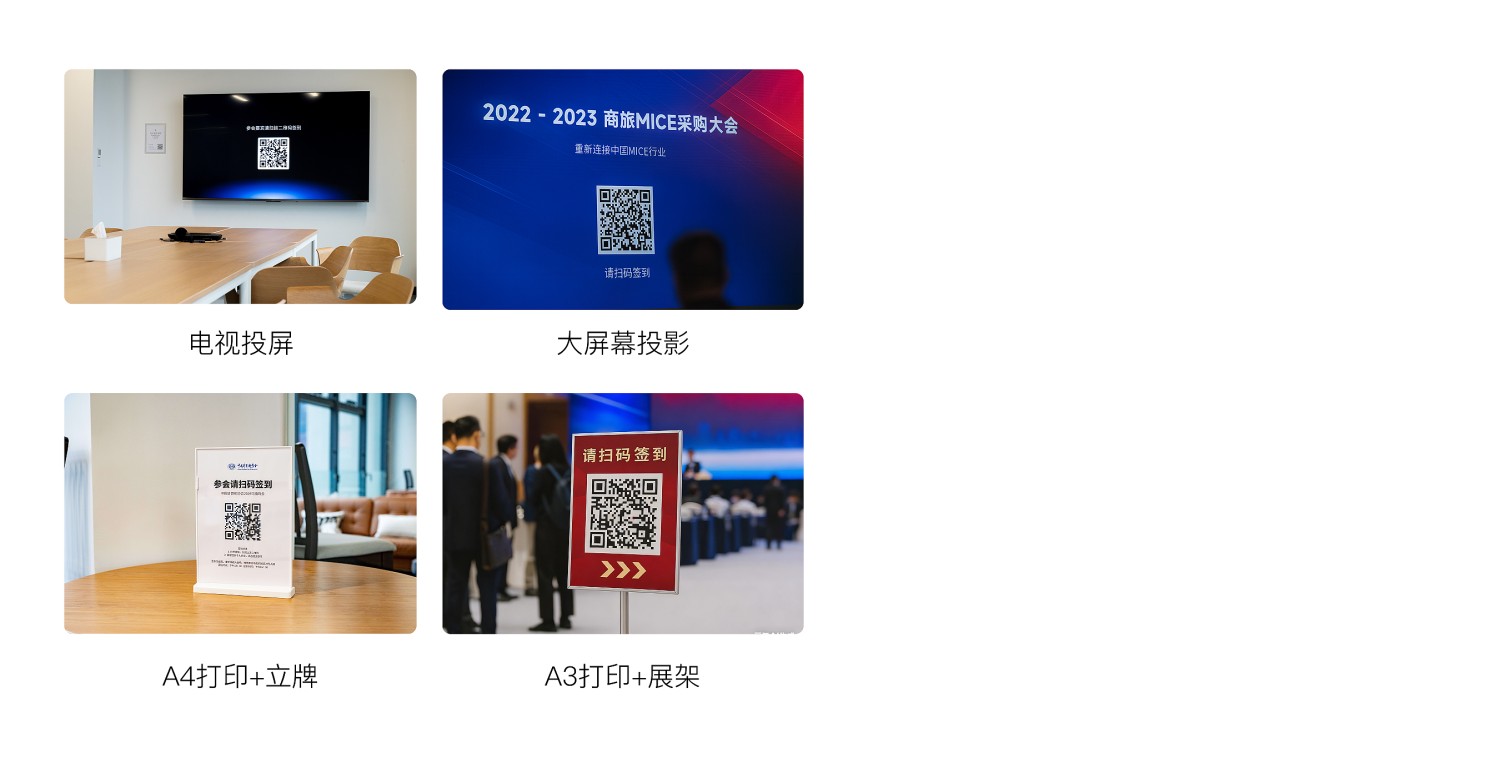
If the venue has projection equipment: Display the QR code on screen or embed it into a PPT. Download Style Template Here
If the venue lacks projection equipment: Print the QR code and place it at the venue entrance. Download Style Template Here
- Small-scale meetings: A4 print + acrylic stand or card holder
- Medium to large-scale meetings: A3 print + stand or display frame
Step 2: During the Meeting
Meeting Organizer / Host
- Guide participants to scan the QR code posted at the entrance or displayed on screen to check in
- Monitor check-in status in real-time via the workbench/dynamic data panel and remind those who haven't checked in
*You can share these instructions with others responsible for on-site check-in to help them quickly understand the process: Download Check-in Code Instructions Here
Participants
- Scan the code, fill in fields like name and employee ID to complete check-in; the system provides real-time feedback ("Check-in Successful")
Step 3: Post-Meeting Management
Meeting Organizer / Host
- View check-in results in the workbench and export the check-in record (Excel/PDF) with one click for archiving. Introduction to Data Management Features
- Filter the list of absent participants. View Operation Tutorial
4. Advanced Usage
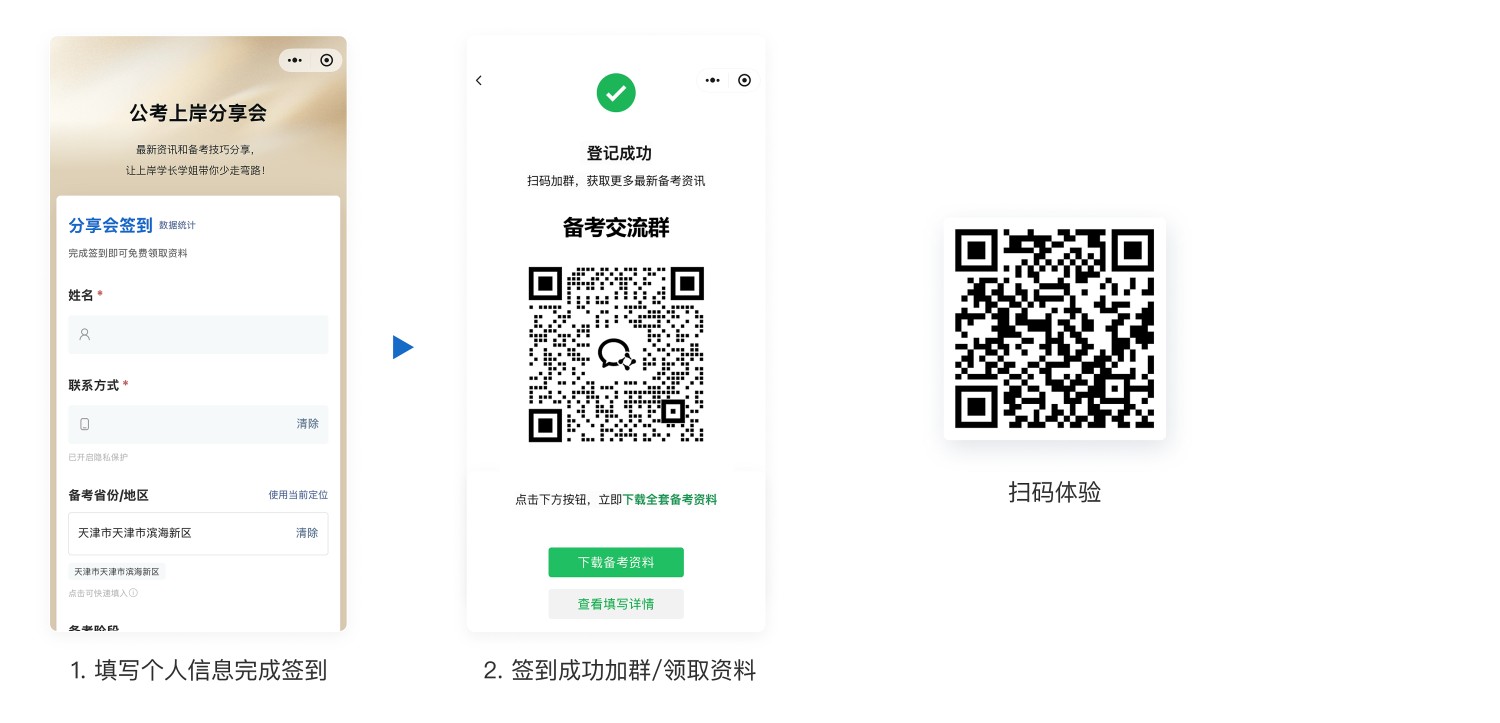
1. Distribute Training Materials / Add Group Chats / Add Personal WeChat After Check-in
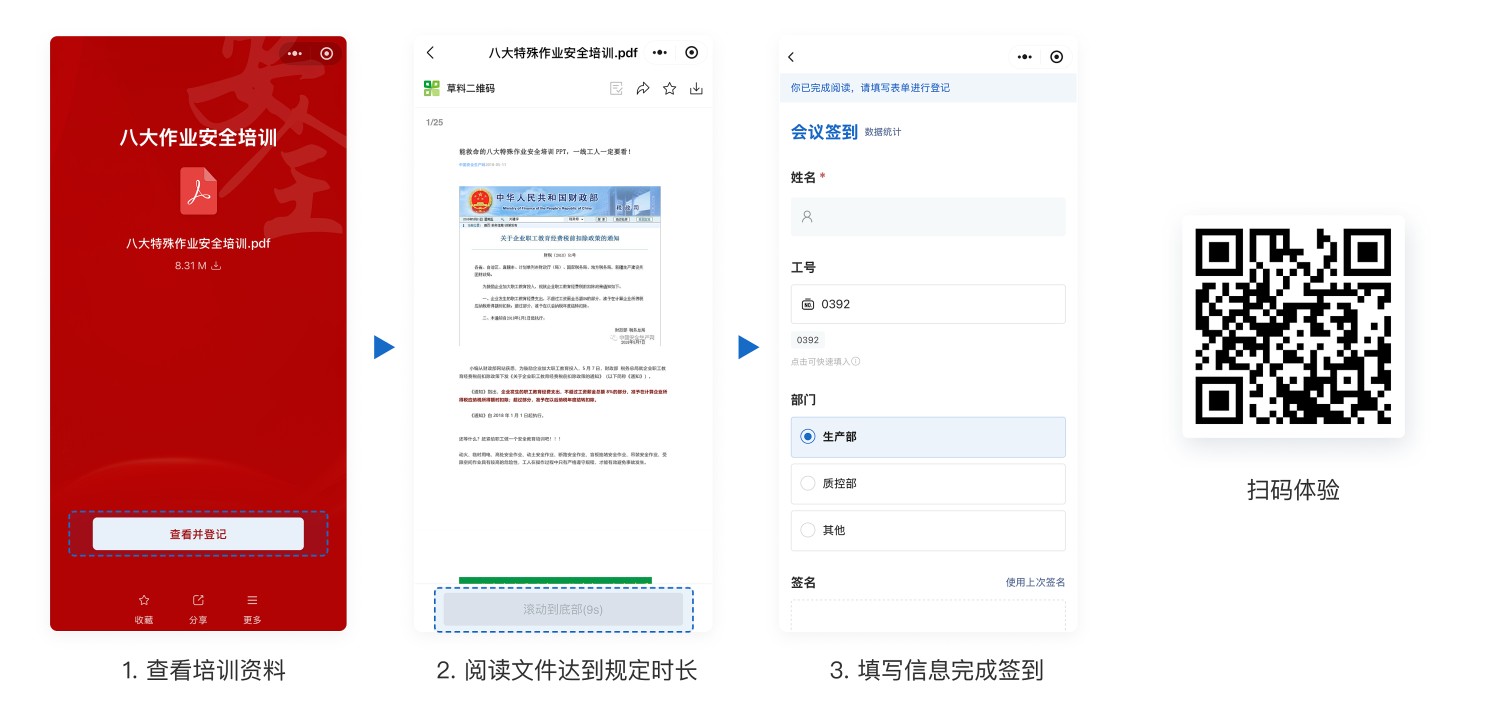
2. Require Viewing Learning Materials for a Specified Duration Before Allowing Check-in
5. Frequently Asked Questions
1. Can it support a large number of people scanning the QR code for check-in simultaneously?
Answer: Yes. The system is built on Alibaba Cloud's distributed architecture and can handle high concurrent access.
CaoLiao has provided stable and reliable services for major projects such as the Beijing Winter Olympics and the Zhejiang Provincial Government Office in Beijing, serving over 10 million users.
2. Do I need to install a client to use the check-in feature?
Answer: No installation is required. It supports direct scanning via WeChat and is compatible with multiple terminals like mobile phones and tablets.
3. How does CaoLiao ensure my data security?
Answer: As a professional SaaS product, CaoLiao prioritizes user data security and adheres to strict data security requirements.
It has passed certifications such as the Ministry of Public Security's Level 3 graded protection and Alibaba Cloud's security penetration tests, with its security capabilities recognized by the industry. View Detailed Data Security Description