Ventilator Management
Create unique QR codes for ECG monitors to facilitate daily usage registration, disinfection records, one-click repair requests, equipment department inspections, maintenance records, and access to operation manuals and relevant standards.
Basic Information
- Monthly Installations: 644
- Monthly Visits: 877
- Original Text: https://cli.im/template/detail/121463627
Case Label Images

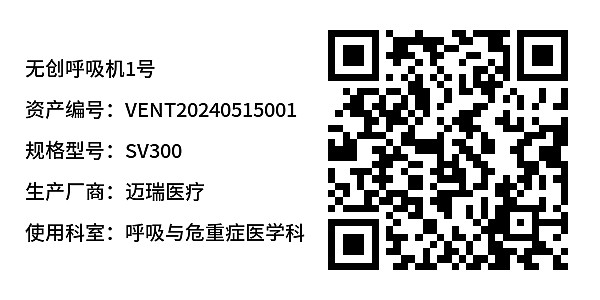



Usage Instructions
I. Applicable Scenarios and Industries
- Suitable for ventilator equipment management in various medical departments
- Complies with the requirements for equipment inspection and disinfection records stipulated in the "Medical Device Use Quality Supervision and Management Measures"
II. Core Features
1. Visualized Equipment Status
Real-time display of operational status (Normal/Abnormal) and disinfection status. Scan the code to view the latest equipment status; administrators can also check equipment status in the backend.
2. Digital Process Management
A single code enables usage registration, disinfection records, maintenance, etc., replacing paper records and ensuring traceability of operations.
3. Centralized Equipment Documentation Management
Upload operation manuals, troubleshooting guides, or related operation videos for convenient access to technical materials by medical staff at any time.
4. Rapid Bulk QR Codes Generation
Supports importing equipment parameters to generate QR codes in bulk, suitable for rapid deployment of multiple devices of the same model.
III. Usage Process
1. Prepare Equipment Information
- Organize basic data such as equipment name, serial number, model, etc.
- Prepare an Excel spreadsheet in the required format if bulk QR codes generation is needed.
2. Generate QR Codes
- Single QR code generation: Fill in the equipment information in the template.
- Bulk QR codes generation: Import the equipment parameters spreadsheet. View Tutorial
3. Posting and Management
- Download QR codes and print in bulk. View Tutorial
- Affix QR codes to prominent locations on the equipment.
- Medical staff scan the codes to complete usage registration, disinfection records, and other operations.
- Archive records and export them anytime. View Tutorial
IV. Frequently Asked Questions
1. How to Ensure the Authenticity of Registration Records?
Supports photo watermarks and location verification. Records cannot be modified after submission. Anti-Fraud Tutorial
2. How Long Are Historical Data Retained?
All data is stored permanently and can be viewed by department/time period.
Free, Basic, and Advanced version users can only export data from the last 180 days. Starting from the Flagship version, full dynamic data export is supported with no time range restrictions. View Pricing Plans