Store Fire Safety Inspection and Hazard Reporting
According to grid management requirements, generate exclusive QR codes for each store. Scanning the code allows viewing store information and conducting fire safety inspection registration.
Basic Information
- Monthly Installations: 1444
- Monthly Visits: 15785
- Original: https://cli.im/template/detail/121462992
Case Label Images





Usage Instructions
I. Problems Solved
Traditional store fire safety inspection methods face the following issues:
- Perfunctory Inspections: Inspectors might perform checks superficially, not adhering to the required frequency and standards.
- Missed Inspections: Some stores might be overlooked, failing to achieve comprehensive coverage.
- Delayed Feedback: Lack of effective communication channels between frontline staff and administrators leads to untimely problem reporting.
- Inconvenient Data Management: Inspection records cannot be queried in real-time, and paper records are easily lost.
Using this template enables:
- Standardized Inspection Process: Scan the QR code posted on-site, check items step-by-step, and upload photos to prevent perfunctory inspections.
- Rapid Response to Anomalies: Automatic notifications to administrators upon detecting anomalies during inspections, facilitating timely follow-up and resolution.
- Create Inspection Plans with Alerts: Administrators can monitor the completion status of inspection tasks and receive alerts before deadlines.
- Centralized Data Management: Inspection records are saved within the QR code and account backend, allowing administrators to view, trace, and export data anytime.
II. Template Function Description
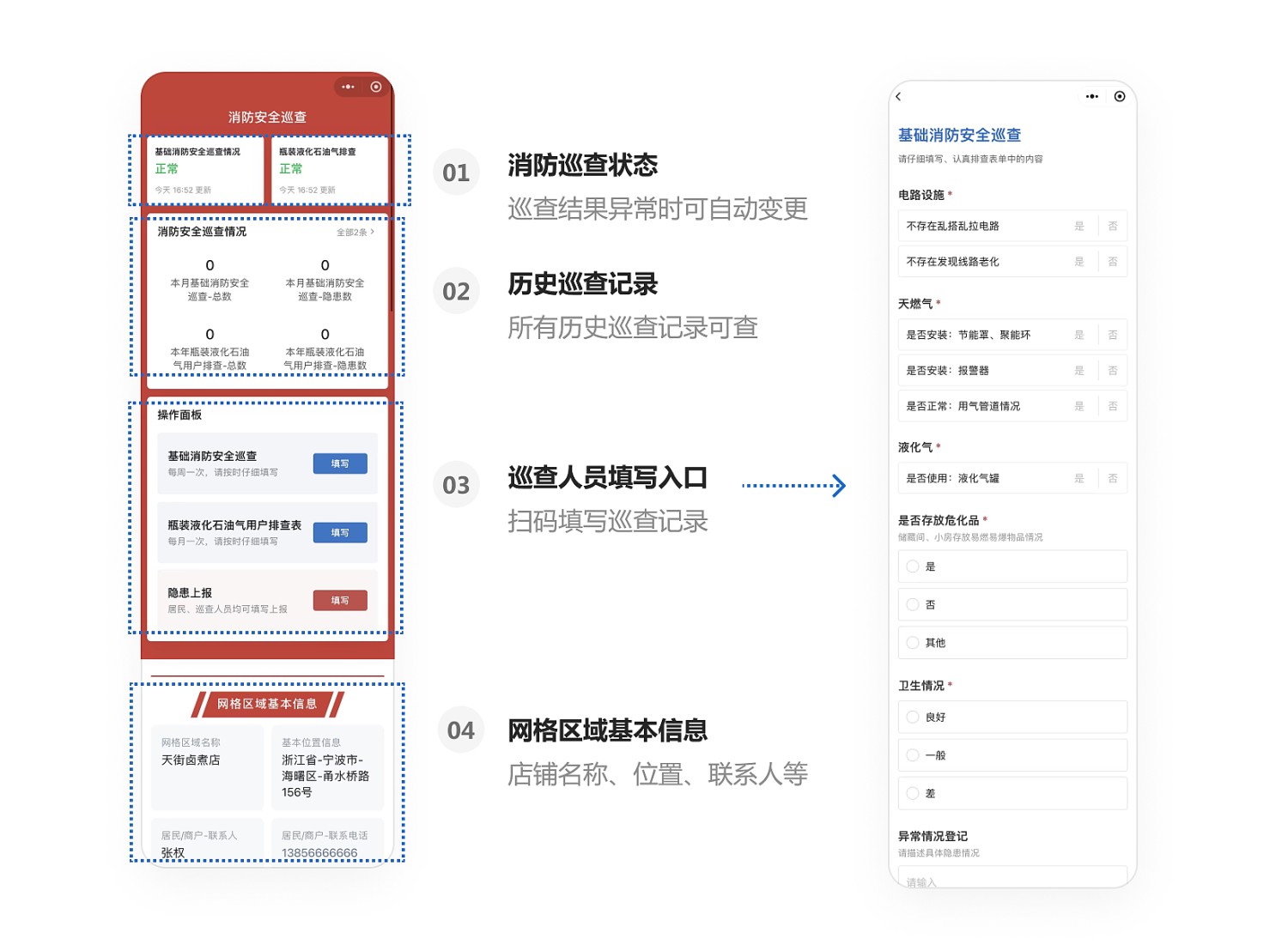
1. One Code per Store, Scan to Operate
- View Information: After scanning, inspectors can see basic store information, inspection requirements, etc.
- Online Operations: Directly change statuses, fill out inspection forms, and view historical inspection data on a mobile phone.
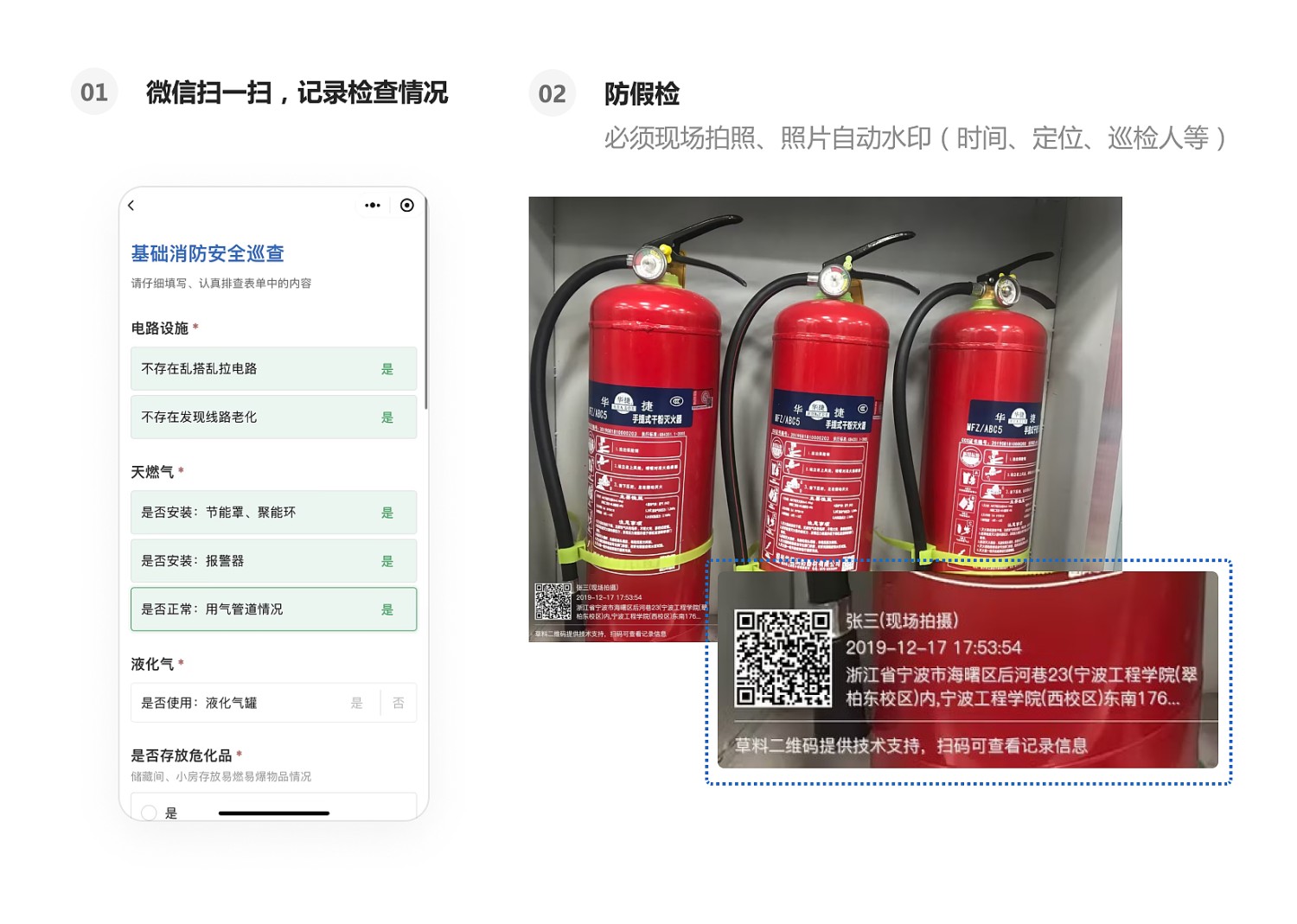
2. WeChat Scan to Fill, Standardized Record Keeping
- Standardized Inspections: Inspectors use WeChat to scan the code and check items according to the predefined inspection form.
- Anti-Fraud Mechanisms: The system supports features like on-site photo capture, photo watermarking, location tagging, and blockchain notarization to prevent false inspections.
- Data Display: Collected inspection data is displayed in real-time on the dynamic data panel for easy viewing, with configurable viewing permissions.
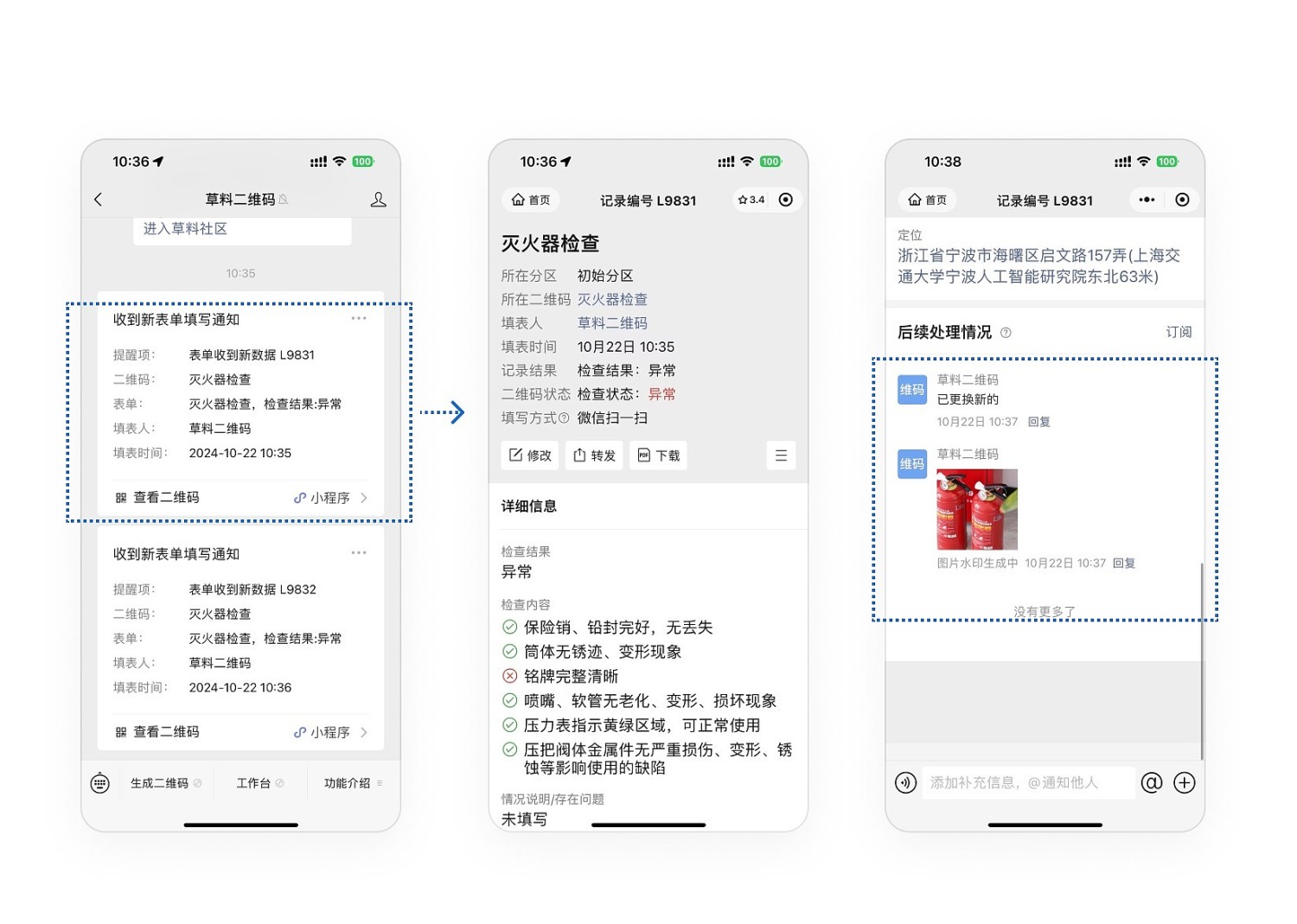
3. Automatic Administrator Alerts for Anomalies
- Anomaly Notifications: The system automatically notifies administrators via WeChat when anomalies are found during inspections.
- Timely Handling: Administrators can promptly follow up and handle issues based on the anomaly records.
4. Create Inspection Plans with Pre-Deadline Reminders
- Cyclical Plans: Create inspection plans based on cycles (e.g., monthly inspections).
- Progress Tracking: Administrators can view plan reports on their mobile devices to understand inspection completion status.
- Alert Functionality: WeChat reminders indicate which areas haven't been inspected as deadlines approach, facilitating staff assignment.

5. Data Management
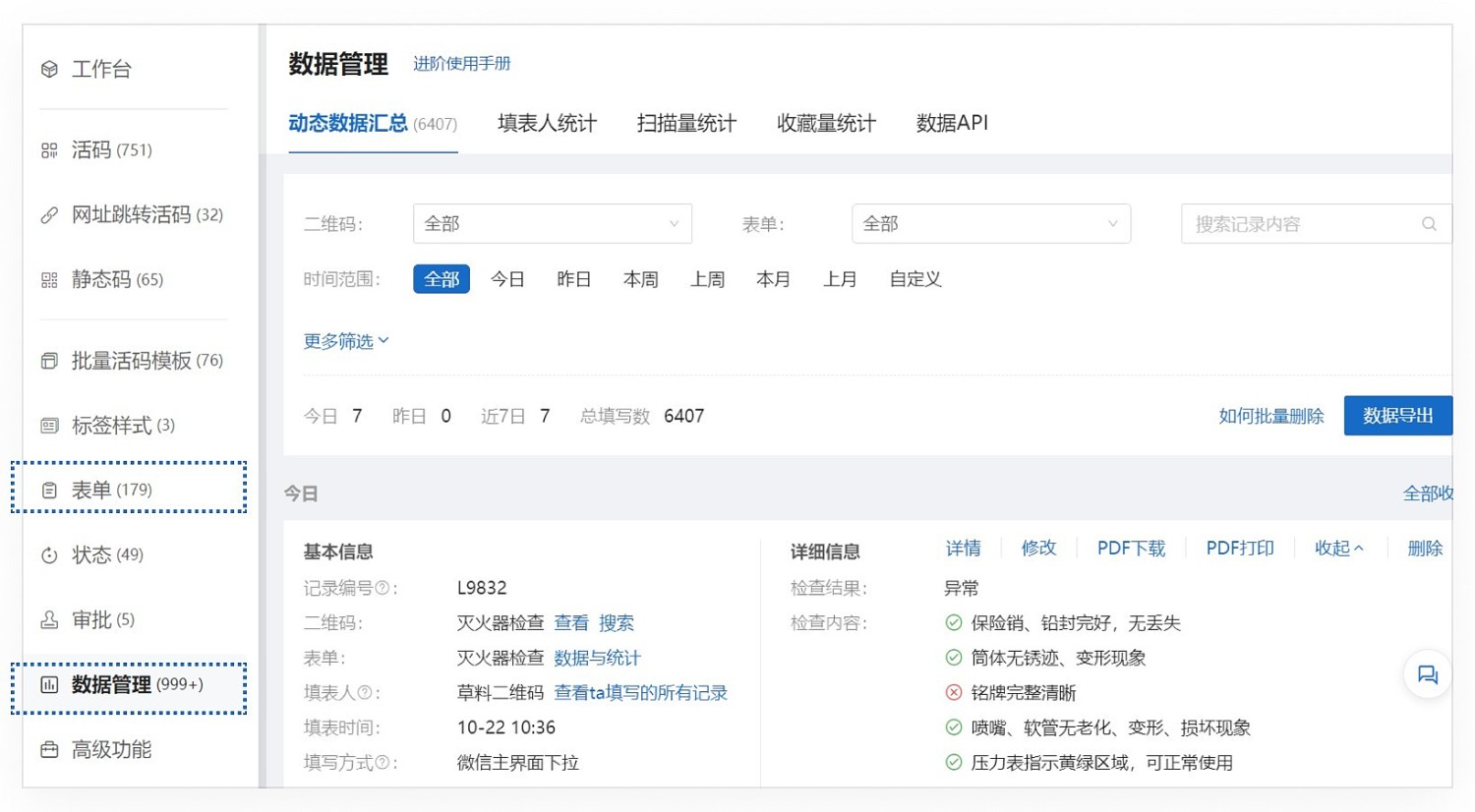
- Data Viewing: All submitted data is saved within the account. Administrators can track inspection status anytime via the mobile Mini Program or the desktop workbench. View Details
Desktop Workbench
Mobile Workbench
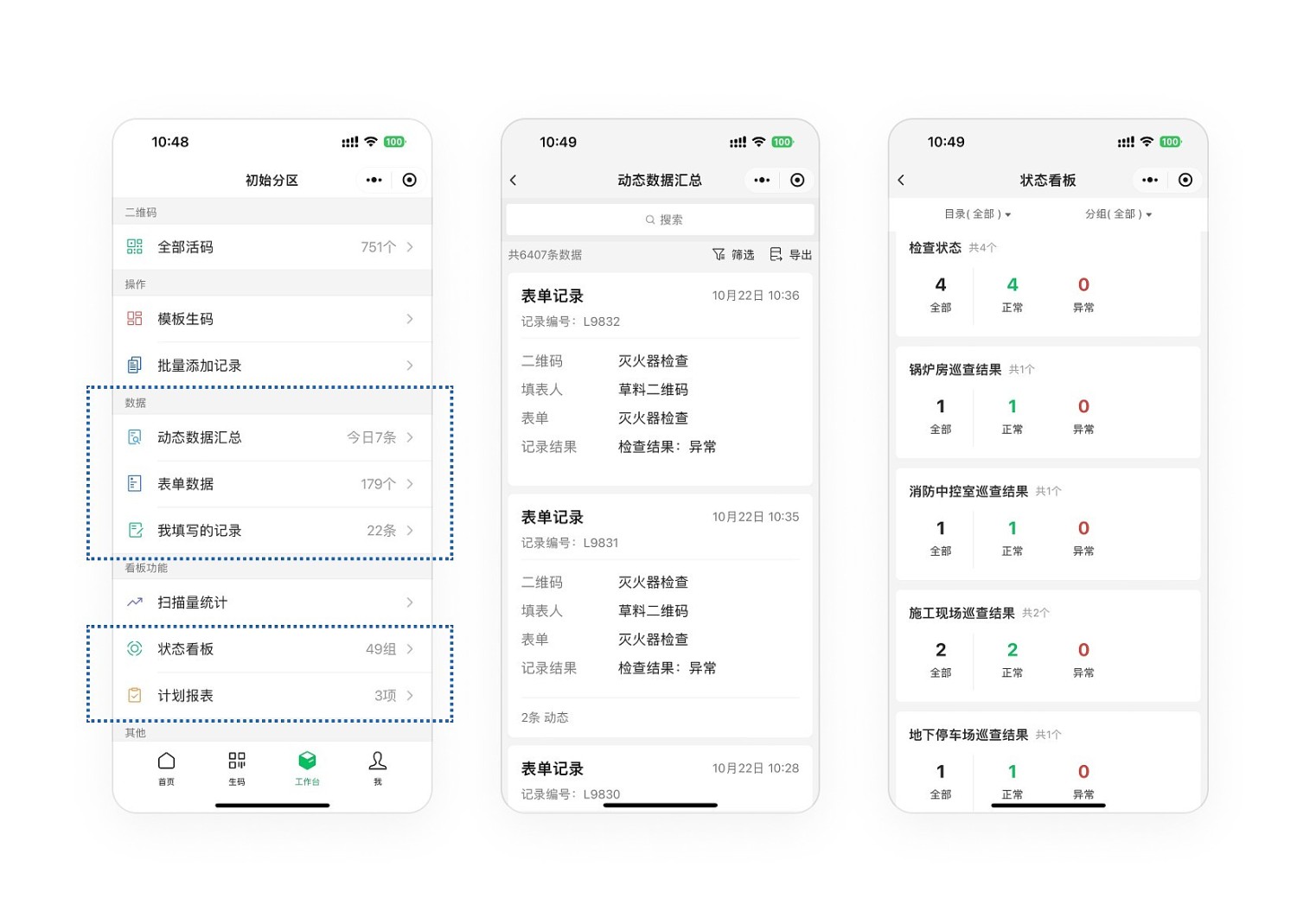
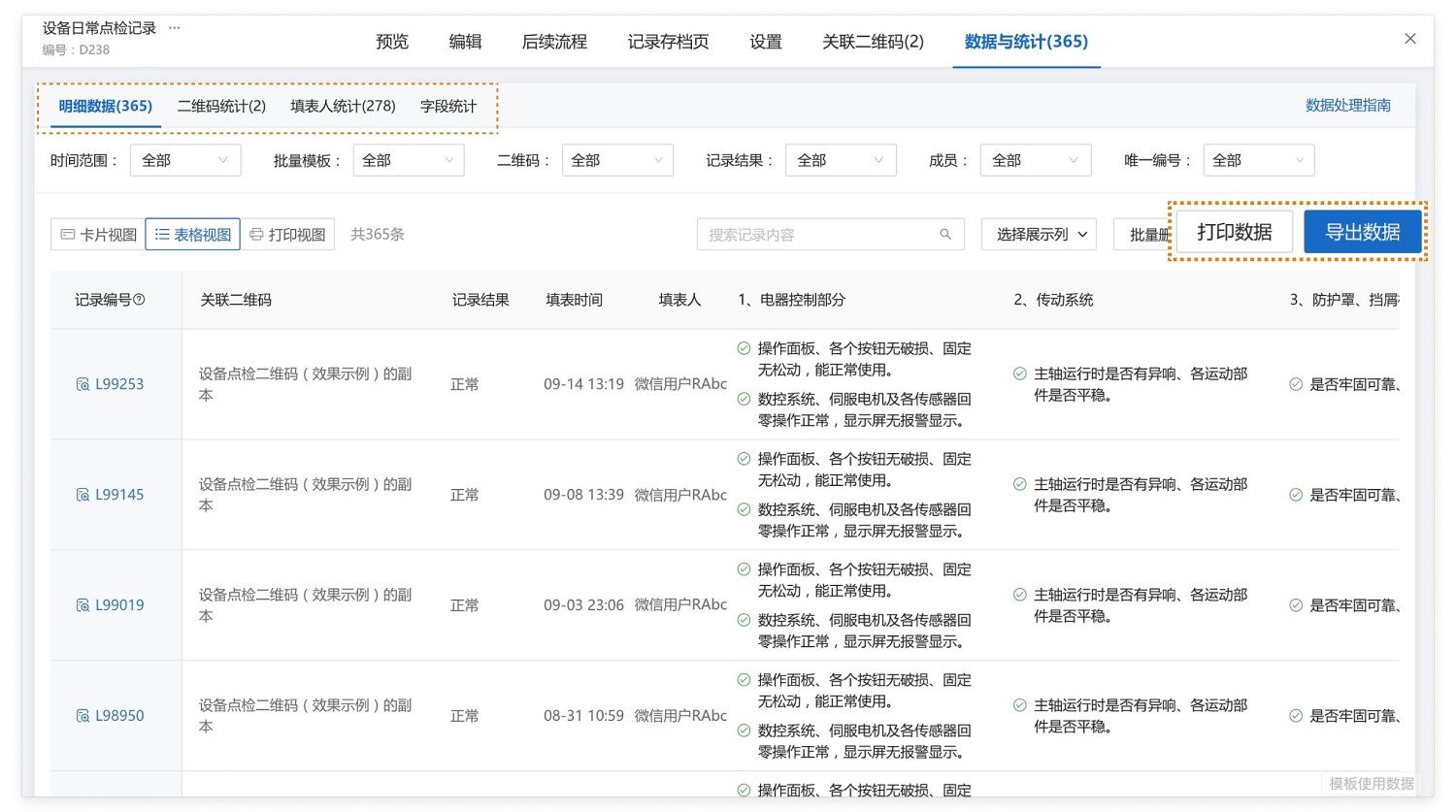
- Data Statistics and Export: View all detailed data collected by the form, with statistics available by QR code, submitter, field, etc. Supports exporting data to Excel files for secondary analysis and reporting. View Details
III. Creation Process
1. Bulk Generation, Reusable Anytime: Use this template to generate QR codes for all stores/residences in one batch. For future zoning adjustments, reuse this template in the backend for quick generation. The generated QR codes have all dynamic QR code functionalities (long-term validity, configurable viewing/modification permissions, etc.).
2. Content Modifiable Anytime: If other needs arise later (e.g., adding store maintenance registration and reporting), relevant components can be added directly based on this template without recreating the codes.
3. Modify QR Code Settings as Needed:
- Display store inspection status: Prominently show the store's fire safety inspection status, updating it in conjunction with form inspection records. View Instructions
- Scan to view historical data: Display detailed records of each fire inspection for the store, viewable and exportable, with support for custom data indicator display. View Instructions
4. QR Code Label Styles are Modifiable for Different Scenarios: Create simple and clear QR code styles for posting on various bulletin boards; for more aesthetic styles, choose from the design library. Bulk Set Labels