Work Badge
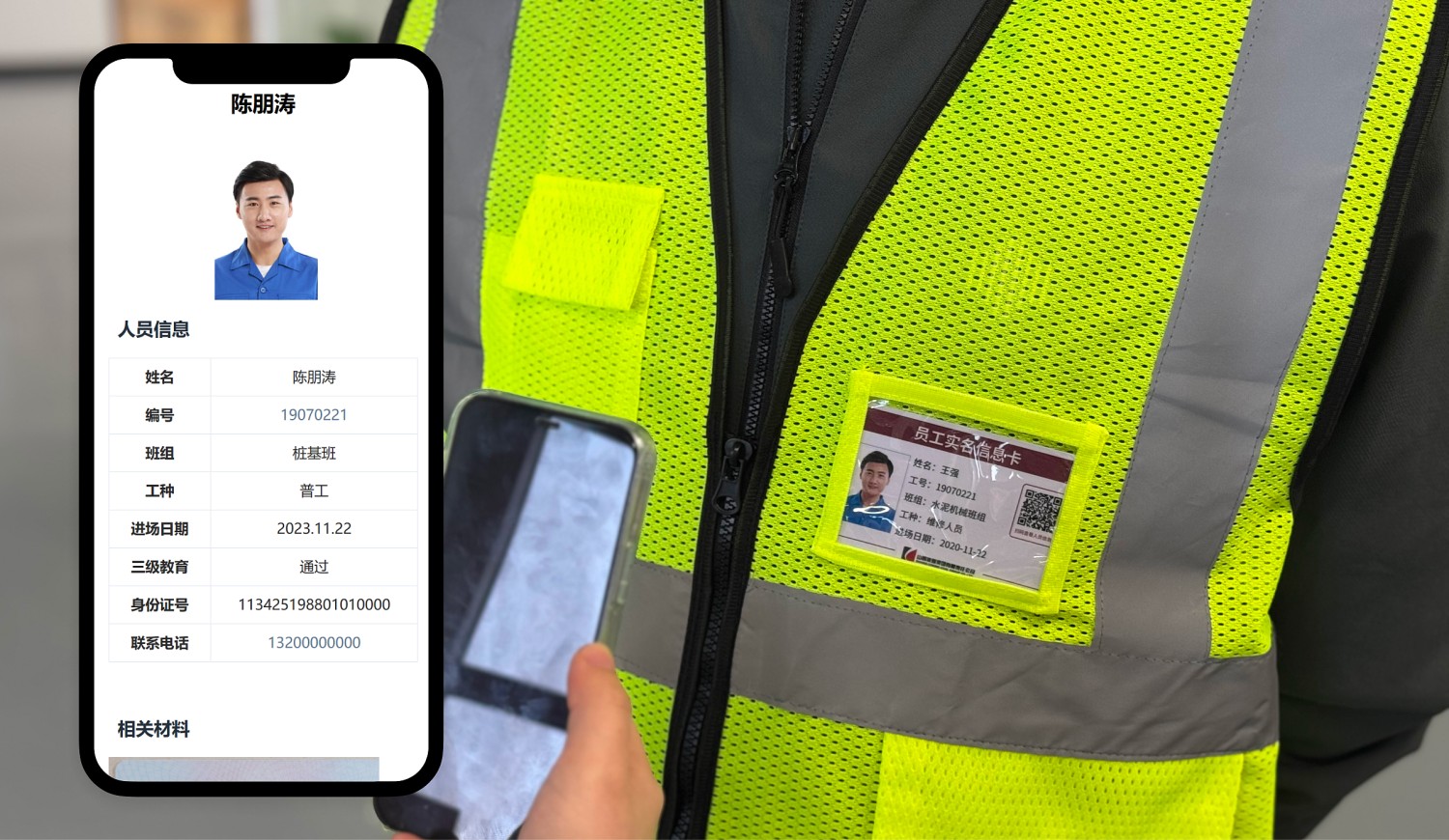
Create personnel information QR codes placed on work uniforms as badges, achieving one person, one code, one file, facilitating on-site personnel management.
Basic Information
- Monthly Installations: 2860
- Monthly Scans: 6096
- Original Article: https://cli.im/template/detail/121463514
Case Tag Image

Usage Instructions
1. QR Code Usage
Scan the QR code to view personnel's basic information, qualifications, safety training records, etc., helping quickly verify if employees are present at their posts and improving on-site supervision efficiency.
2. Core Value
- For Supervisory Units
Quick Verification: Scan codes to check employee information, avoiding manual searches through paper files, saving time, and improving management efficiency.
- For Project Teams
Easy Creation: Centrally manage employee information, support bulk QR codes generation, saving time and effort, especially suitable for large-scale projects, enhancing production efficiency.
Image Enhancement: Helps projects showcase a digital management image.
3. Implementation Guide
1. Collect Personnel Information
- Who Collects: Recommended that each team leader or subcontractor supervisor is responsible for collecting employees' basic information.
- Steps: The leading unit distributes forms to each supervisor, who then fills in the relevant information based on the employees' real-name system data.
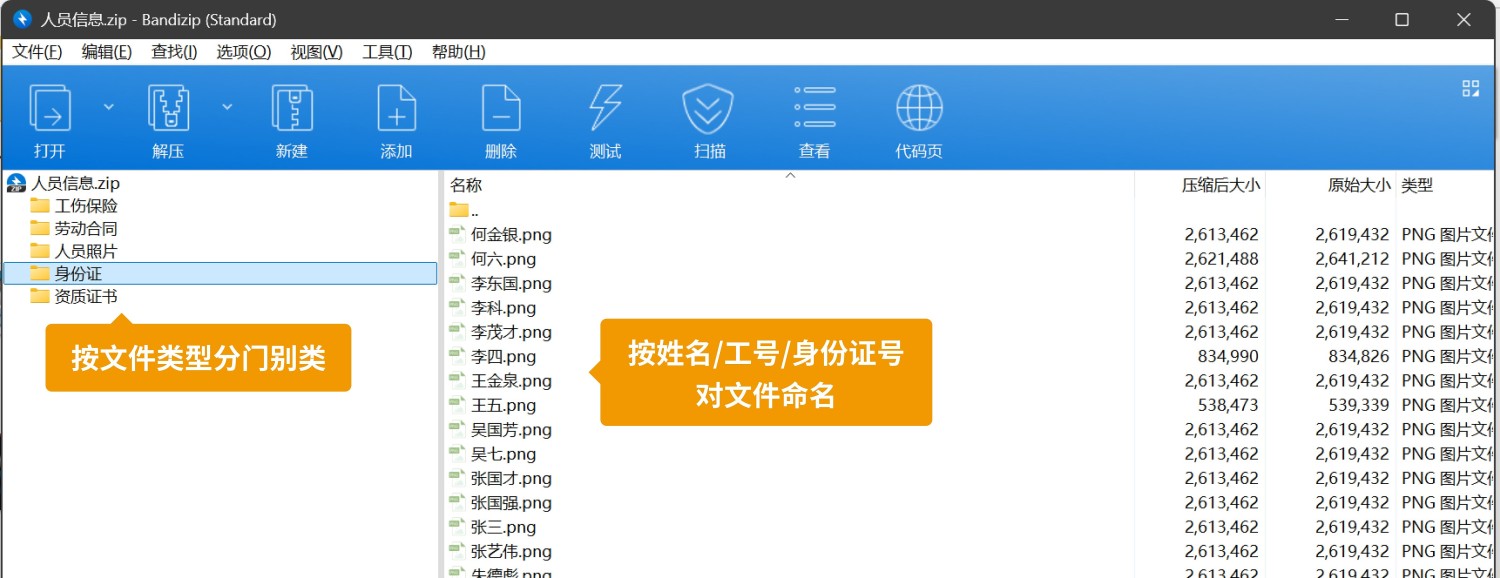
Collect Photos: Use a mobile phone to take employee photos. If inconvenient, use the portrait side of the ID card as a substitute. If qualification certificates need to be displayed, take screenshots from relevant websites.
- Tip: Organize each type of photo into a separate folder, naming the photos with the person's name, work number, or ID number for subsequent bulk uploads.
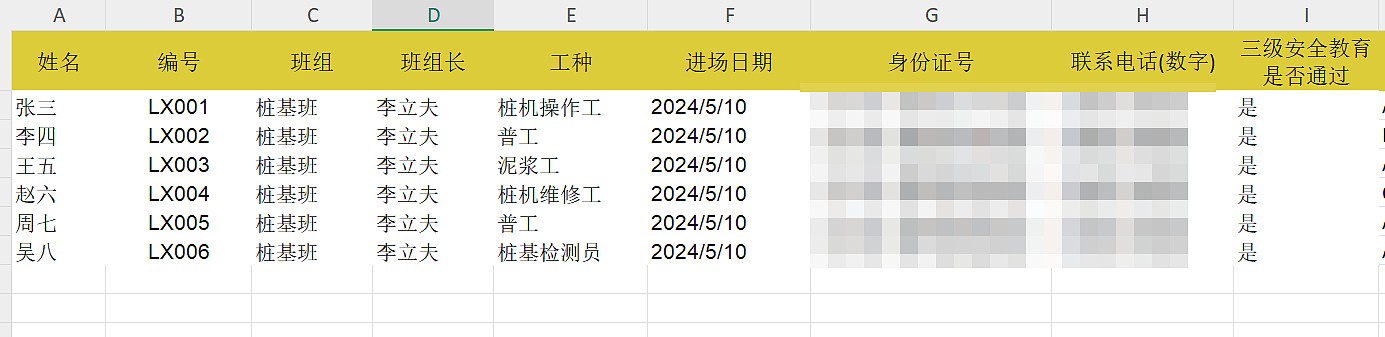
2. Modify Bulk Templates, Generate QR Codes in Bulk
- For a detailed tutorial, see: Personnel Information QR Code Creation Tutorial
3. Download and Print QR Codes
- Who Operates: Recommended that the general contractor or construction unit handles printing uniformly.
Tip: Users not managed by project (e.g., branches located in different places) can have the head office package the QR codes and send them to branches for their own printing and use.
- Steps: It is recommended to use CaoLiao's preset label beautification features before downloading and using. Tutorial: QR Code Label Layout and Printing. Alternatively, you can find a print shop or advertising company for layout and printing.
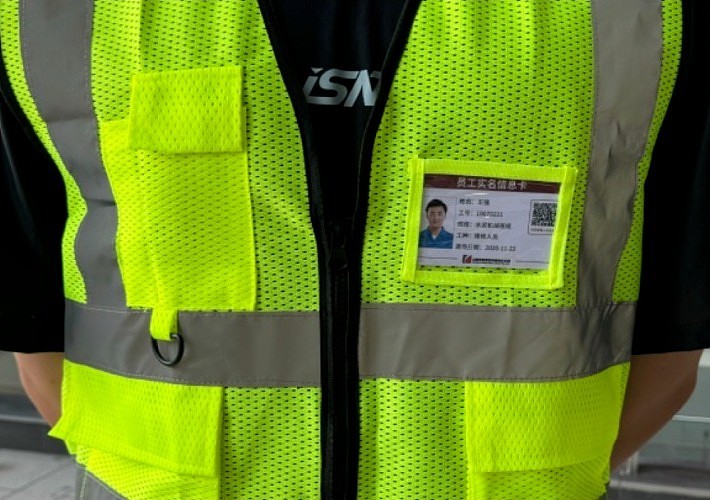
- Recommended Usage: Work Badge
Labels have a larger area and can carry more content, but work uniforms themselves are prone to dirt and wear, potentially requiring replacement.
Recommended materials: PVC Hard Card, Acrylic
4. QR Code Distribution and Usage
- Who Executes: The general contractor or construction unit distributes the printed QR code labels to each team leader or subcontractor supervisor for their respective posting and use.
- Operational Tip: Ensure QR codes are affixed in easily visible and scannable locations.
- Tip: It is recommended to scan the codes on-site to confirm the personnel information is correct. If information is incorrect, it can be reported to the administrator for modification. After modifying the information, the QR code pattern remains unchanged, no need for re-creation.
4. Advanced Usage
1. New Method for Collecting Personnel Information
During the personnel information collection phase, project teams with the capability can adopt the scan-to-fill-form method, where workers themselves scan a code to submit their information. Submitted information is automatically aggregated in the backend and can be exported in spreadsheet format for bulk QR codes generation.
Related Template: Laborer Entry Information Registration QR Code Template
2. QR Code Distribution for Temporary/Subsequent Entrants
Utilizing the feature of QR codes that allows generation first, modification later, during the initial centralized creation, you can pre-generate a batch of blank sub-codes reserved for subsequent entrants. When personnel arrive later, simply fill in the corresponding information into these QR codes for use.
Related Tutorials: Edit and Modify QR Codes, Edit Sub-codes on Mobile
3. Using QR Codes for Emergency Management
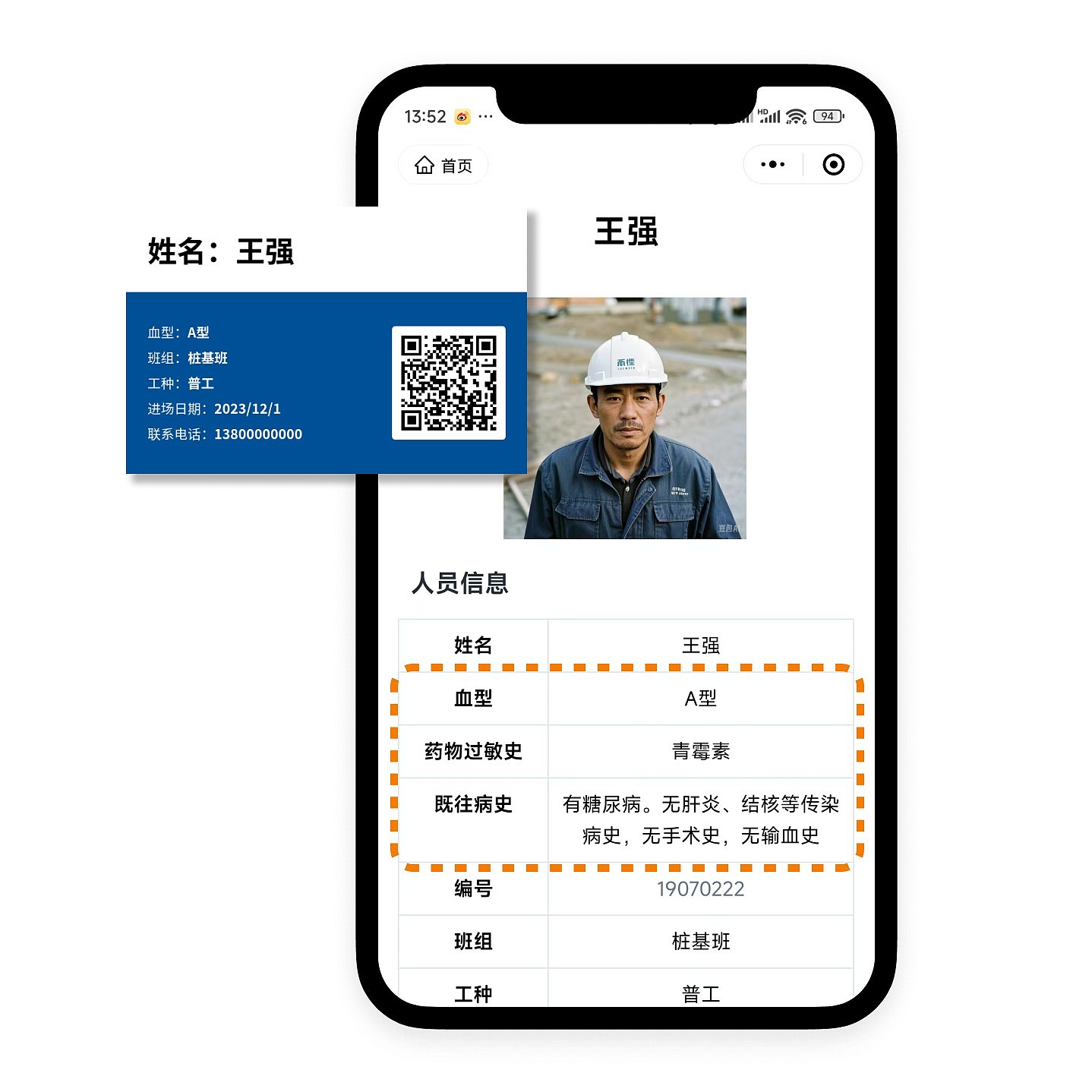
Include employee blood type, allergy information, medical history, etc., in the QR code to create an emergency information card. In case of emergencies, rescue personnel can scan the code to access the employee's basic health information, facilitating first aid treatment.
5. Frequently Asked Questions
1. Is the template free to use? What's the difference between the paid version and the free version?
All features of the template are free to use, with no restrictions on the number of codes generated or scan counts.
The paid version allows removal of the CaoLiao logo from QR codes and supports multi-administrator collaborative editing for code generation. View Details
2. Who handles the printing? Can CaoLiao print them?
After generating the QR codes, you can print them yourself, or use an advertising company or CaoLiao's printing services. View Details