Village Affairs Public Disclosure
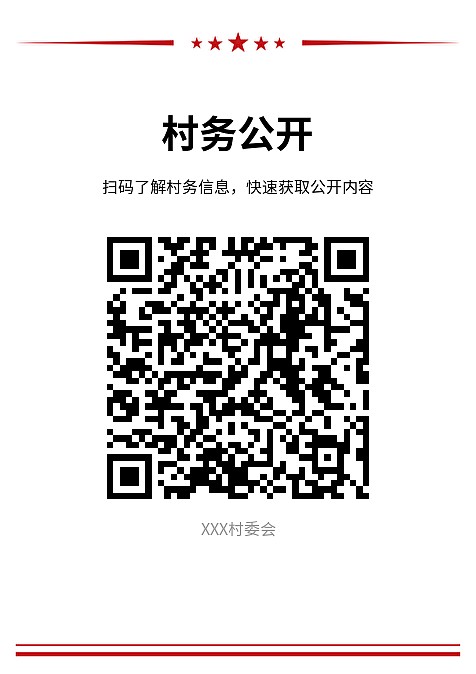
Create QR codes for village affairs public disclosure content, print them on bulletin boards and promotional materials, or embed them in WeChat Public Account menus for easy content distribution and ensuring public awareness. Residents can also scan the codes to provide feedback and participate in democratic supervision.
Basic Information
- Monthly Installations: 9233
- Monthly Visits: 9958
- Original Text: https://cli.im/template/detail/70129620
Case Label Image
Usage Instructions
Problems Solved
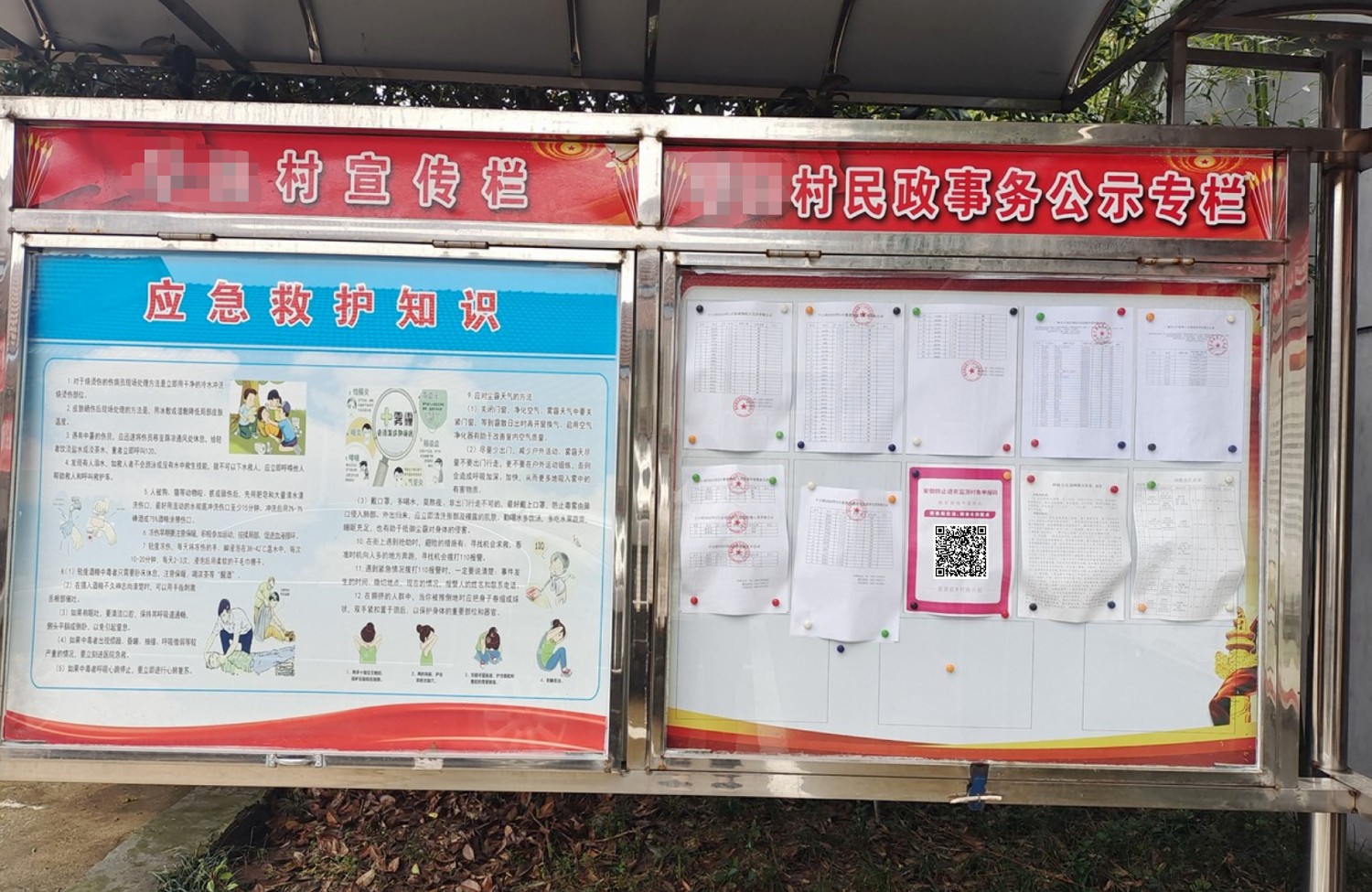
1. Improved Convenience: Traditional village affairs public disclosure is typically posted on physical bulletin boards, requiring villagers to visit the board each time they want to check information, which is highly inconvenient. By converting village affairs content into QR code pages, villagers can scan, save, and bookmark the page, enabling them to access village affairs information anytime, anywhere thereafter. This enhances the convenience of information access and the transparency of village management, while also strengthening villagers' ability to supervise village affairs.
2. Expanded Reach: Traditional bulletin boards have limited space. With the trend towards expanding public disclosure content, they can easily become overloaded. QR code pages have no word or length limits, effectively broadening the coverage of village affairs public disclosure and improving villagers' right to know and level of participation.
Application Scenarios
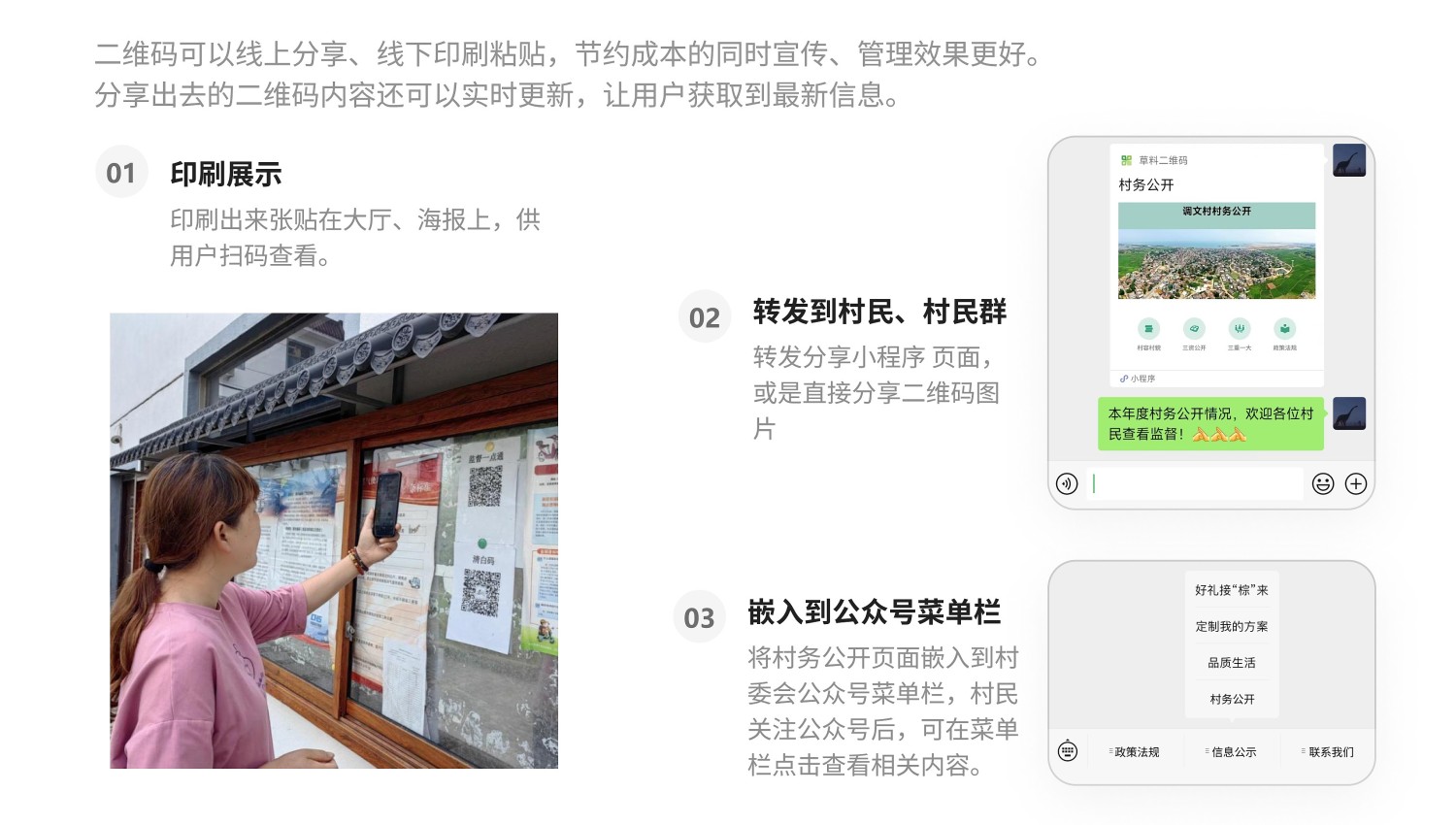
1. Posting on Village Affairs Bulletin Boards: Print and post the QR code on village affairs bulletin boards or other locations. Villagers can scan to view, making it convenient and fast.
2. Forwarding and Sharing: Village committee staff can directly forward the village affairs public disclosure page via WeChat to villagers or village groups. Villagers can open and browse directly within WeChat.
3. WeChat Public Account Section: If the village has a WeChat Public Account, the public disclosure page can also be embedded into the Public Account to enrich its promotional content.
Core Features
1. Extended Information: This template uses the Redirect Link feature to link detailed introduction pages (e.g., for village appearance, Three Resources disclosure) to the main template page. The main page serves as the village's online homepage. Villagers can click to view extended information and details, and return to the main page to continue viewing other content after reading.
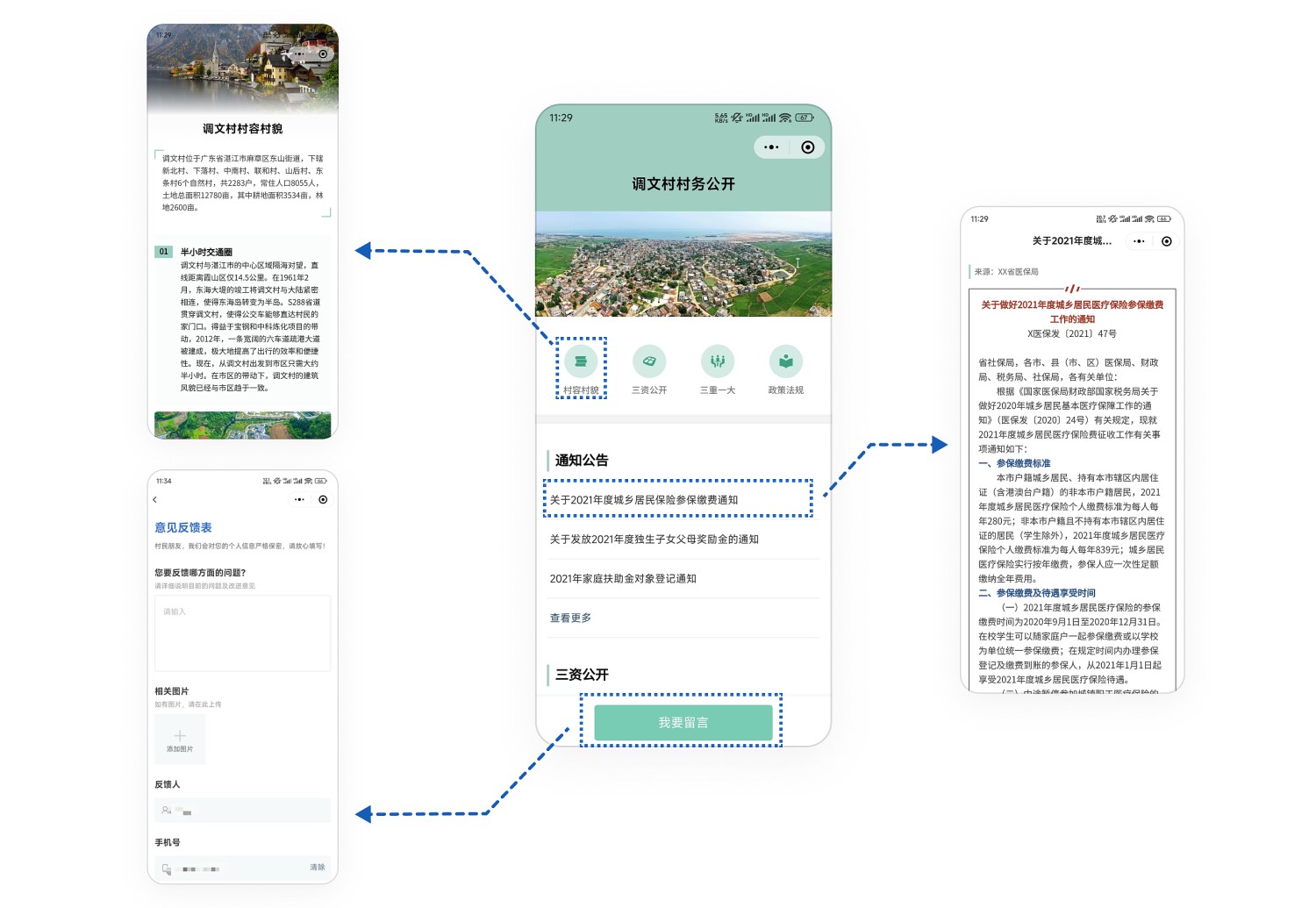
2. Easy Updates: When policies change or village situations evolve, there's no need for frequent printing and posting of paper materials. QR code content can be modified or replaced at any time, while the QR code pattern remains unchanged. This ensures the public always has access to the latest information and saves on village affairs costs.
3. Simple Creation: No professional technical skills are needed. Simply modify the template like using a PPT template to create an aesthetically pleasing QR code page.
Setup Process
- Step 1: Create extended introduction pages (e.g., for village appearance, Three Resources disclosure):
The template already includes links to content in the resource library for extended introductions. You can modify and use them directly. Click 【Modify Content】 to enter the resource library editing page.
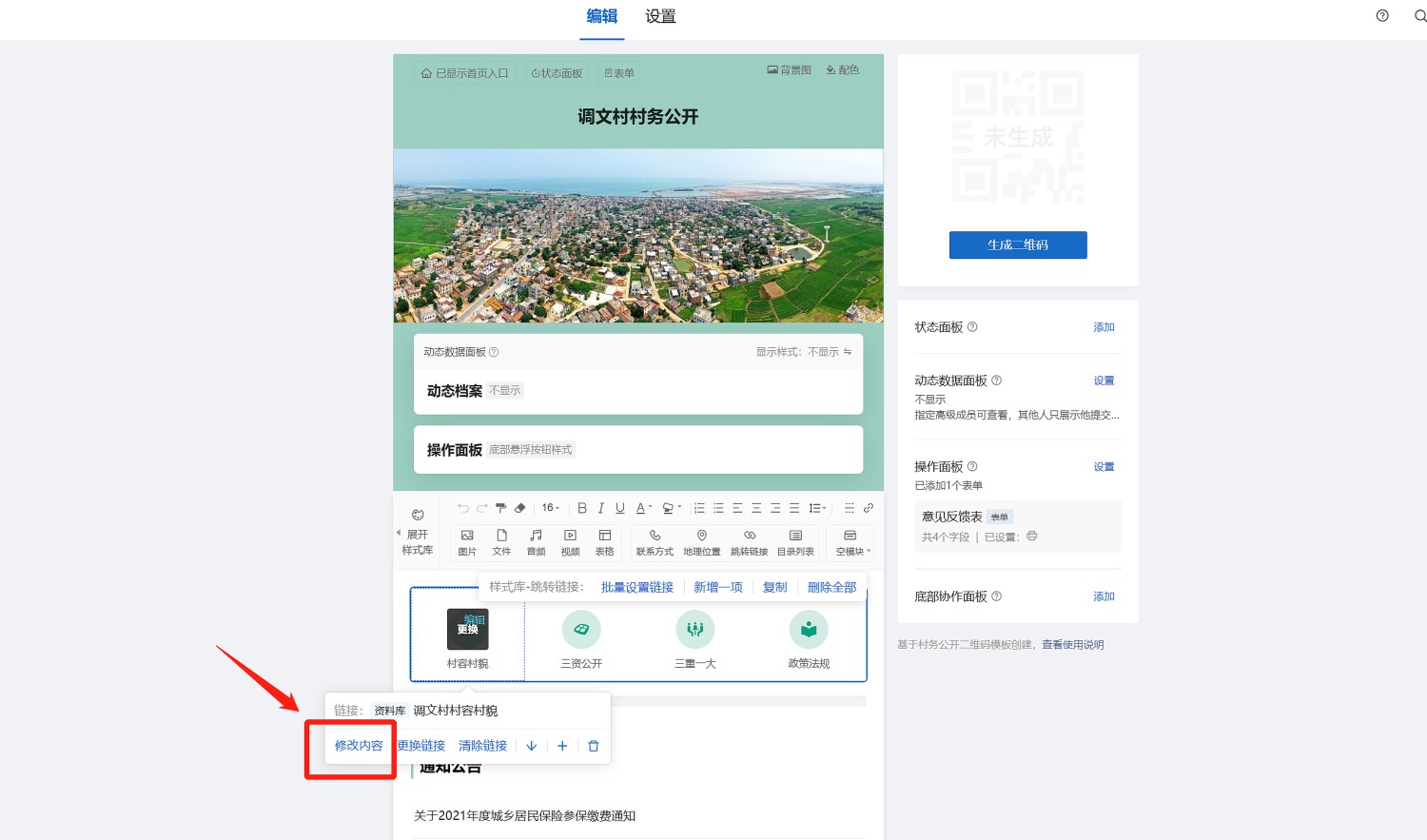
Modify the content of the resource library page according to your village's actual situation. After completion, click 【Save】 to generate the QR code page for the extended introduction. Then click 【Confirm and Exit Editing】 to return to the main template page.
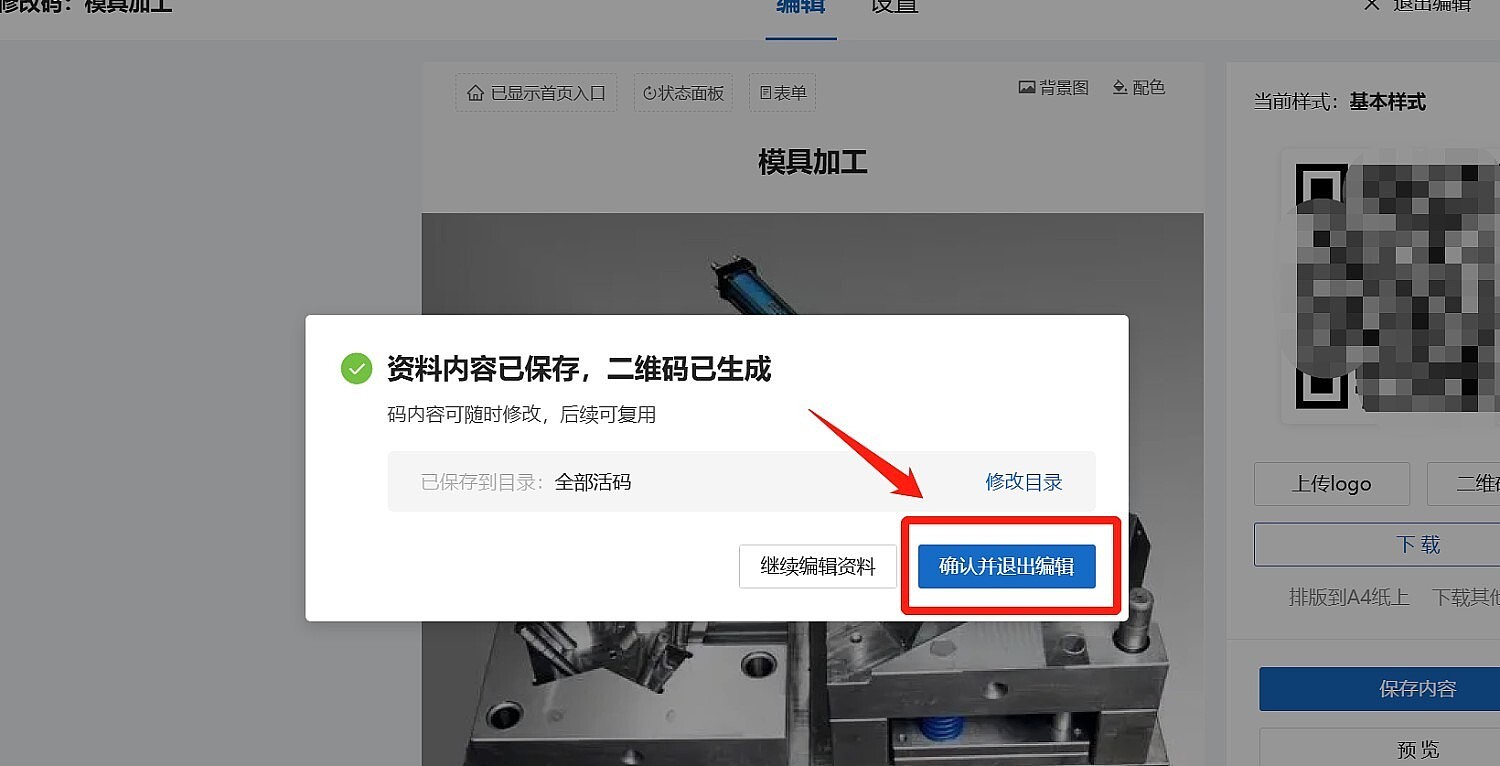
Use the same method to create other extended introduction pages as needed.
If you already have pre-made pages, you can also link them using Redirect Links.
*If extended introductions are not needed, you can simply remove the links.
- Step 2: Modify and create the main village affairs public disclosure page.
Change the template's content (like notices, Three Resources disclosure) to your village's own information. You don't have to strictly follow the template's sections; you can modify it to display any information you want, such as villager highlights, introductions to village committee members, etc.
After modifications are complete, click 【Generate QR Code】.
Usage Suggestions
- If printing on promotional materials like boards, you can download and print the QR code label and provide it to the board manufacturer.
- To send to villagers via WeChat, scan the finished QR code to open it, click the "···" in the top right corner, and select to forward it to villagers or village groups.
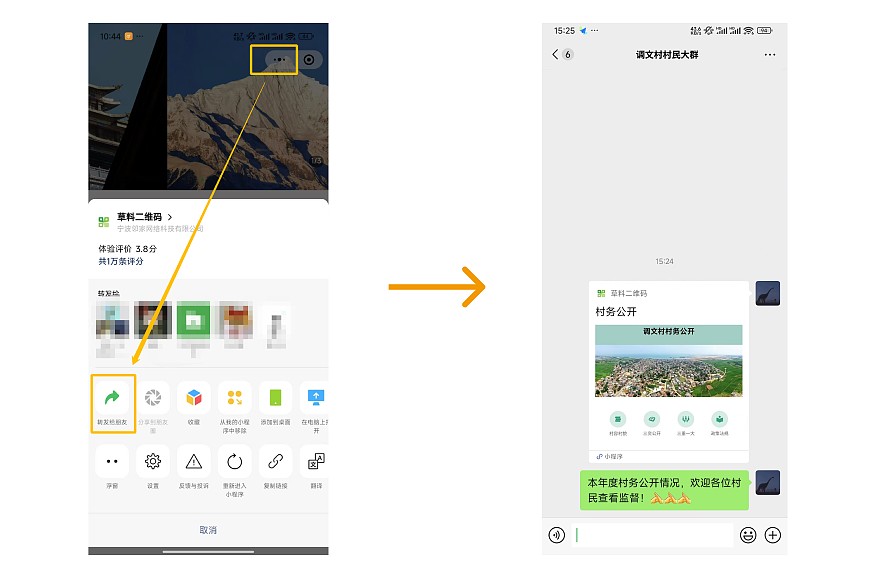
- If embedding into a WeChat Public Account section, refer to the tutorial: Embed into WeChat Public Account
Advanced Applications
This template can be used for free long-term.
If you purchase the CaoLiao QR Code Basic Edition, you can further remove the CaoLiao logo from the page and add promotional videos to introduction pages without playback limits.
Application Cases
Juancheng: Village Affairs Public Disclosure "On Code", Making Things Clear for the Public
Frequently Asked Questions
How long can the QR code be used after generation? Answer: QR codes generated by CaoLiao are valid long-term, with no limits on scan次数 or number of users. You can use them with confidence.
How to edit the QR code label style? Answer: After generating the QR code, you can use the QR Code Label Layout and Printing feature in the label style library to meet actual display needs.
If no suitable style is found in the label style library, can it be customized? Answer: Custom modification of label styles is currently not supported. The CaoLiao style library offers 100+ styles to choose from. If no suitable style is found, you can use other software for custom label layout.
Related Templates
Party Member Information Public Display: Create one code per Party member/cadre to be posted on display walls. Party members/cadres can scan to update their work reports; the QR code updates in real-time. The public and units can scan to view personal information and performance, enabling democratic evaluation.
Grid Staff Public Display: Create a QR code for each grid area to display corresponding grid personnel information, explain grid work content, and publish grid staff work summaries. A feedback entry can also be added to collect resident suggestions.
Service Guide: Create QR codes for service processes, notices, government affairs disclosure, etc., and post them on bulletin boards and promotional materials in service halls. This helps visitors understand relevant procedures clearly, avoiding multiple trips.
Seedling Tree Tags: Use QR codes to display tree names and attributes, and also show more popular science knowledge,不受实体铭牌版面限制.
Public Toilet Inspection: Place QR codes in public restrooms. After each cleaning, staff can scan the code to upload on-site photos. The operation is simple for cleaning personnel, and managers can uniformly view the on-site situation in the workbench.