Product Introduction
Original: https://cli.im/case/detail/1683
Zero Technical Barrier
More Aesthetically Pleasing Product Presentation
Use QR codes to showcase products and quickly enhance brand image
Repurpose existing materials without waste, convert them into QR codes for wider dissemination
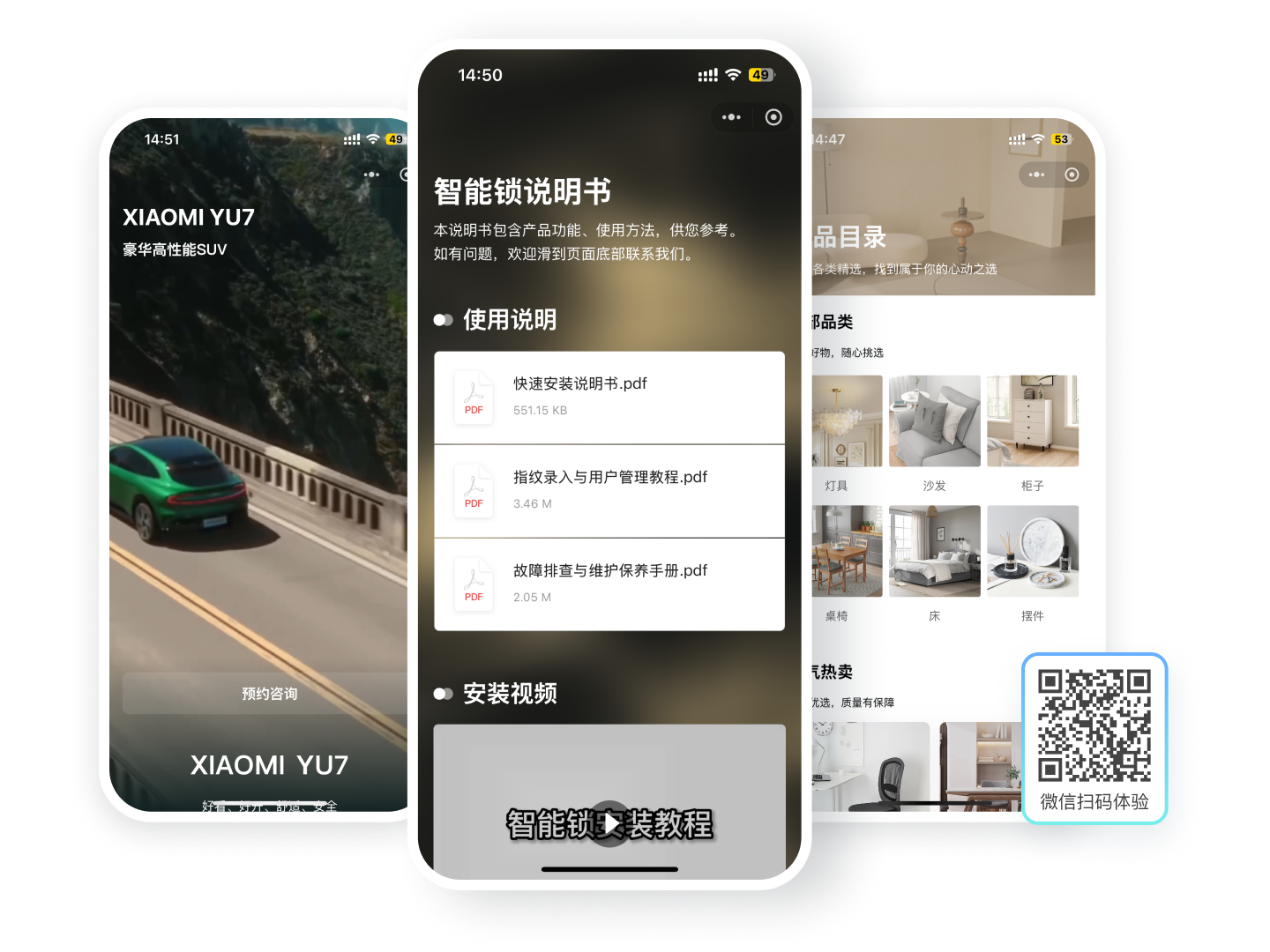
Suitable for Various Product Presentation Scenarios
We have compiled the following common scenarios into templates for preview and use
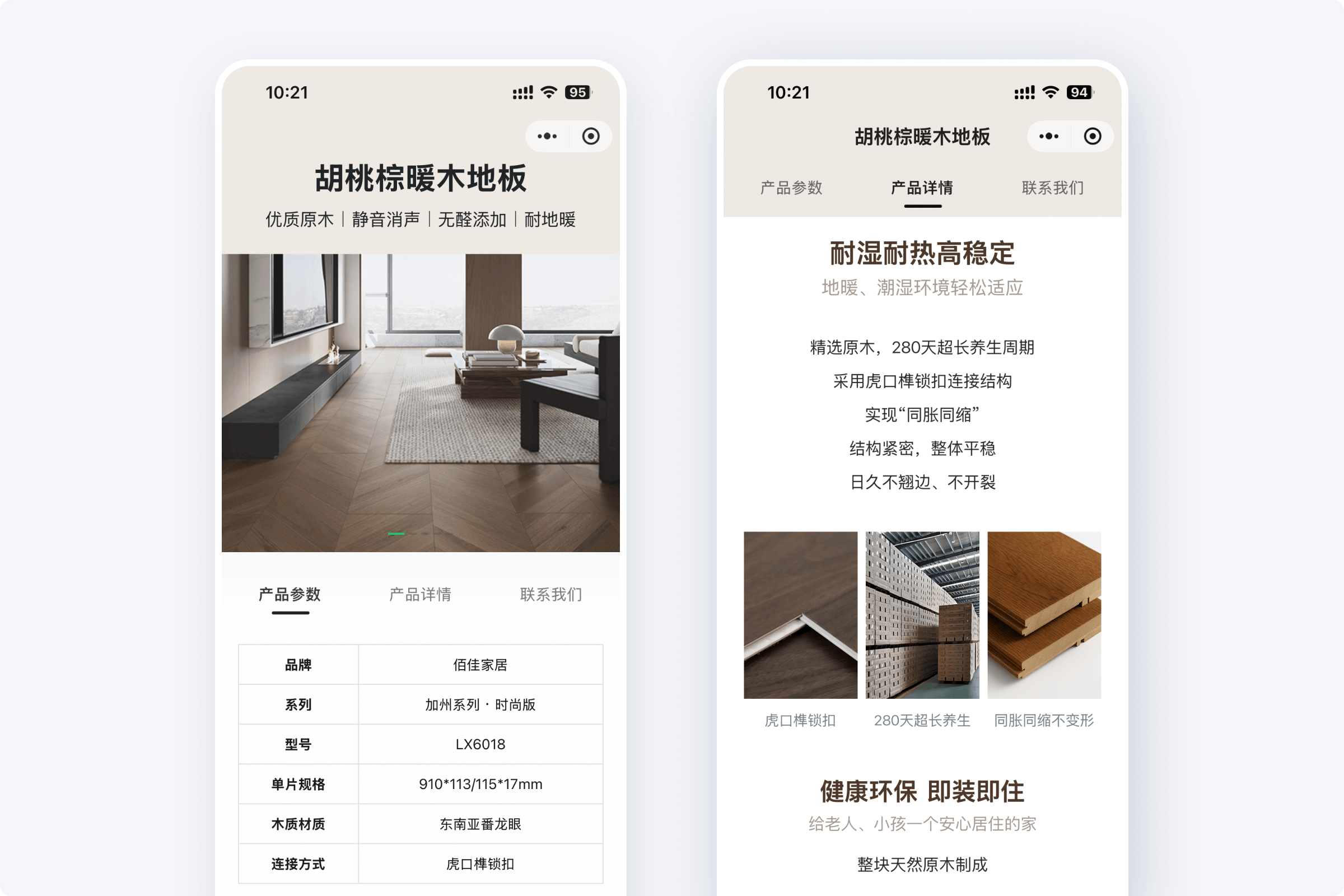
Product Introduction
Richly display product highlights and parameters
Catalog Brochure
Compile multiple products for easy filtering
Electronic Manual
Display instruction documents and operation videos
Inspection Report
Display inspection report files and photos
Traceability Information Display
Present origin and circulation details
Tea & Beverage Introduction
Display tea/beverage flavor profiles, craftsmanship, and brand
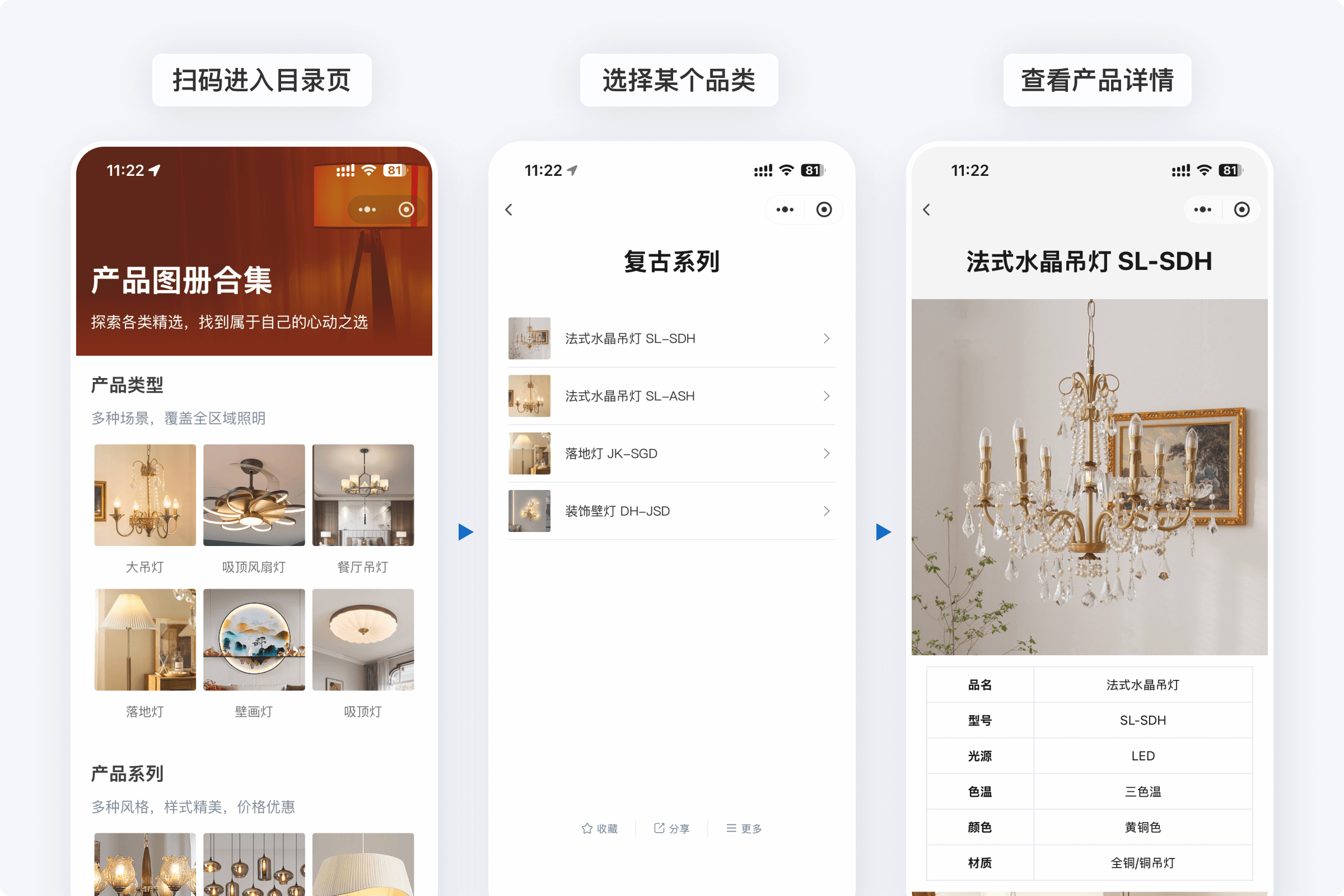
Lighting Electronic Catalog
Compile multiple lighting fixtures for customer selection
More Product Introductions
Display various types of products
Rich Content to Tell Your Product Story Well
Combine Multiple Content Types and Styles
Combine text, images, videos, and various styles to showcase product parameters and functional highlights
Page Navigation for Direct Access
Customers click navigation to jump directly to relevant content for a clearer structure
One-Click Purchase Redirection for Convenience
Supports redirection to other Mini Programs, web pages, etc., boosting conversion rates
Select Template to Generate Code
Content Updates Without Reprinting the Code
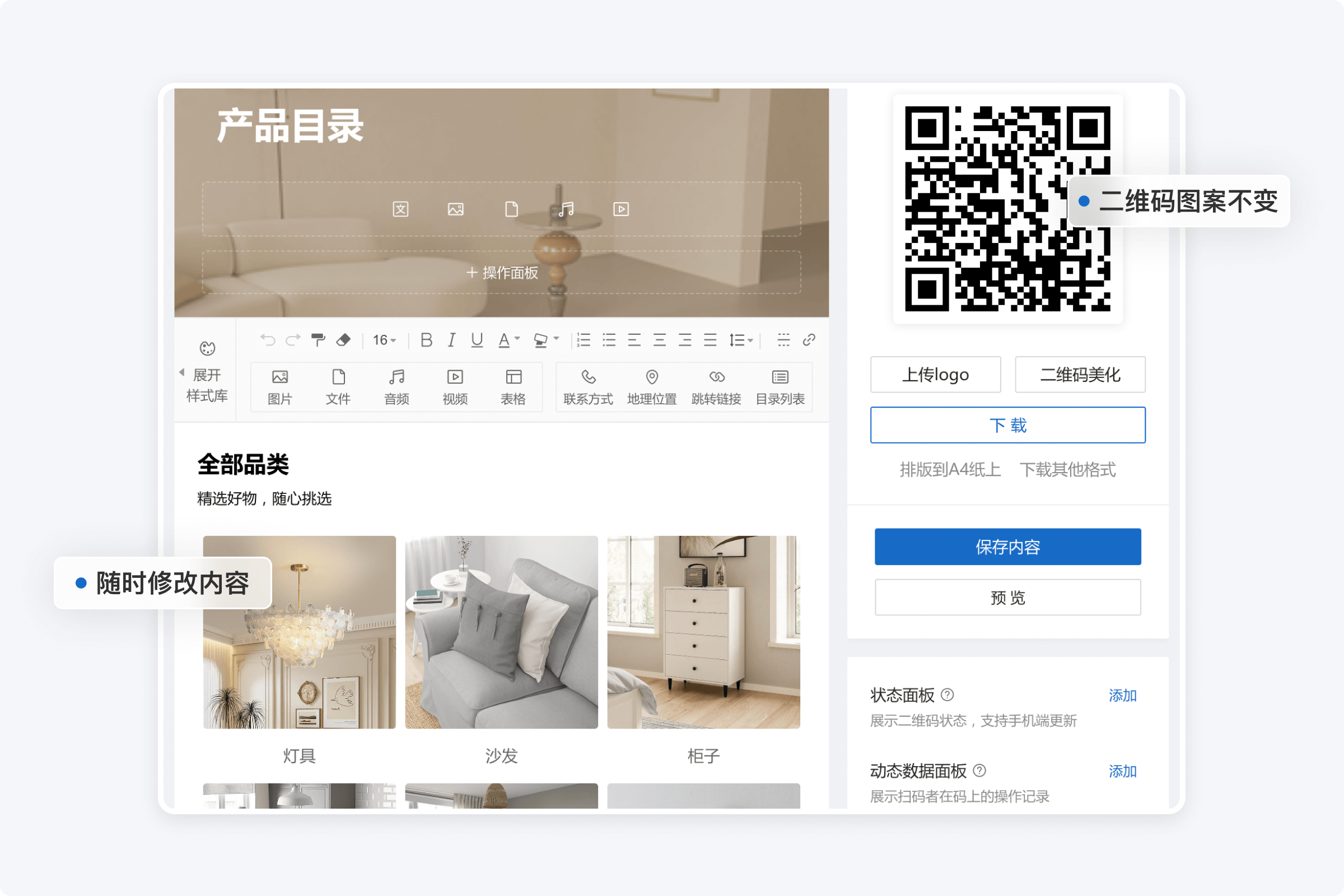
Edit Content Anytime
Update parameters and features directly in the workbench whenever needed
QR Code Remains Unchanged for Long-Term Use
Already distributed QR codes remain functional after content updates
Customers Always See the Latest Content When Scanning
Displays the most current content with each scan, eliminating the need for repeated notifications after every update
Select Template to Generate Code
One Code to Summarize for Easy Customer Selection
Product Catalog Display
Compile multiple products into a single QR code for convenient customer choice
Easy to Save and Share
Supports saving the Mini Program and sharing to social platforms like Moments
Select Template to Generate Code
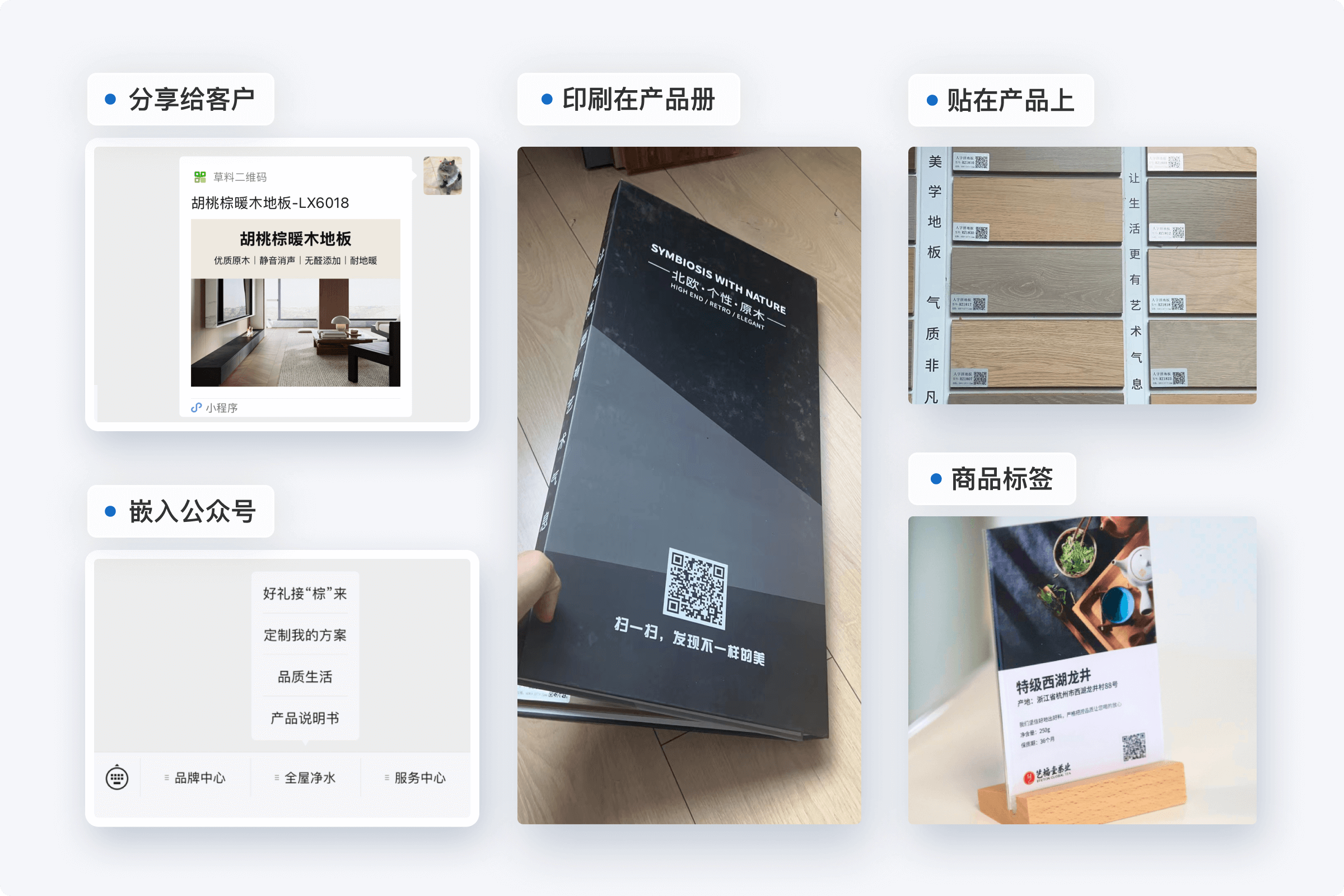
Convenient Dissemination Online and Offline
Print and Display to Save Costs
Replace extensive printed materials with QR codes, substituting traditional advertising
Forward and Share Anytime
Can be forwarded to WeChat groups, Moments, and other social platforms
Select Template to Generate Code
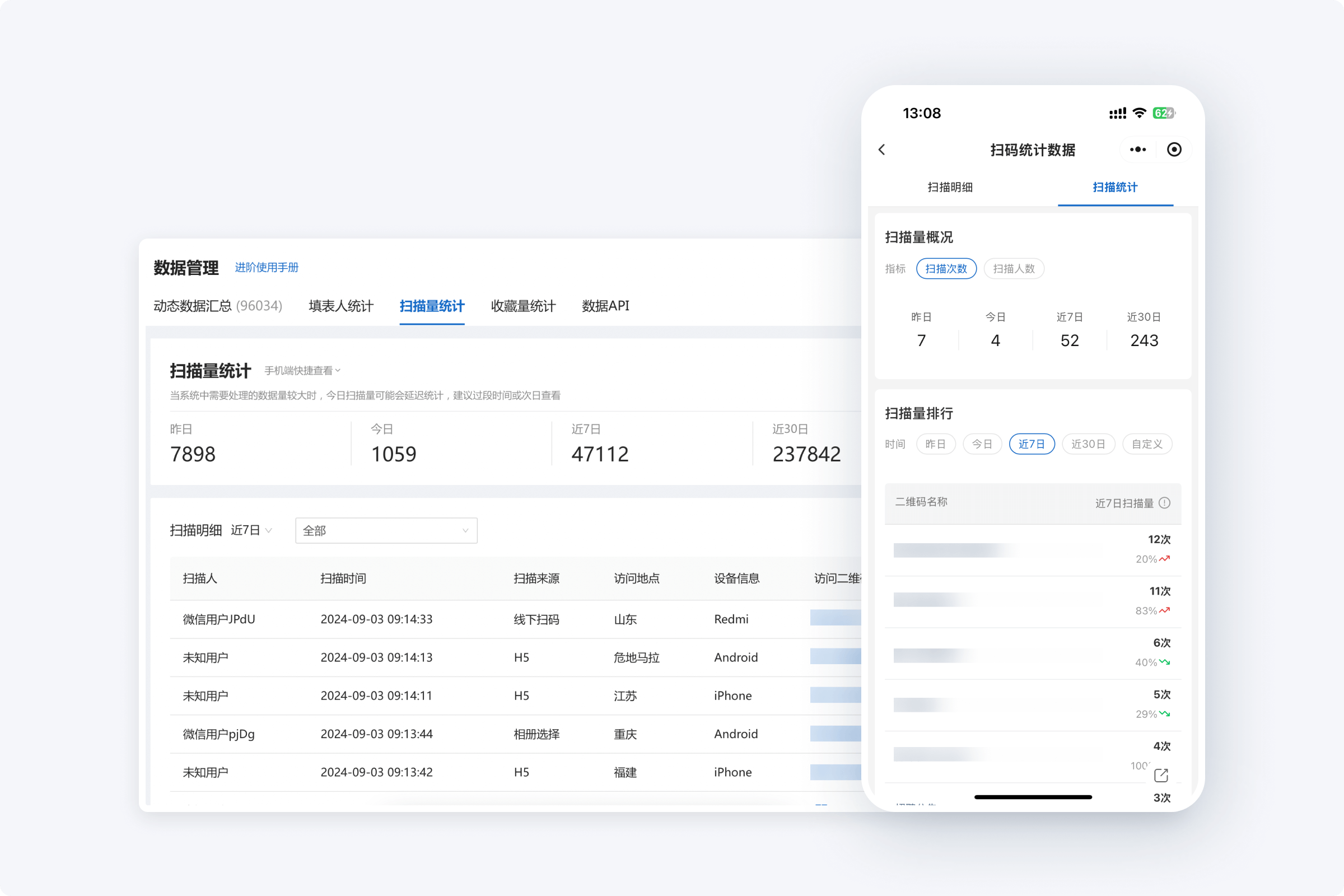
Record Everything That Interests Customers
Real-Time Scan Data
Track scan counts and unique scanners for all product QR codes
View and Export Scan Details
View and export details like user source and location for analysis
Accessible on Mobile and Desktop
View all scan data via the mobile Mini Program or desktop workbench
Select Template to Generate Code
Free Version Meets Basic Usage Needs
QR Codes are Long-Term Valid
Suitable for wide promotion, stable and scannable long-term
Unlimited Scan Counts
No upper limit on the number of scans for any QR code
Unlimited Code Generation
No restriction on the number of QR codes generated
Unlimited Text and Image Uploads
Unlimited storage space for images, files, etc.
Paid Upgrades Enrich Presentation Effects
Significantly Enhance Brand Image
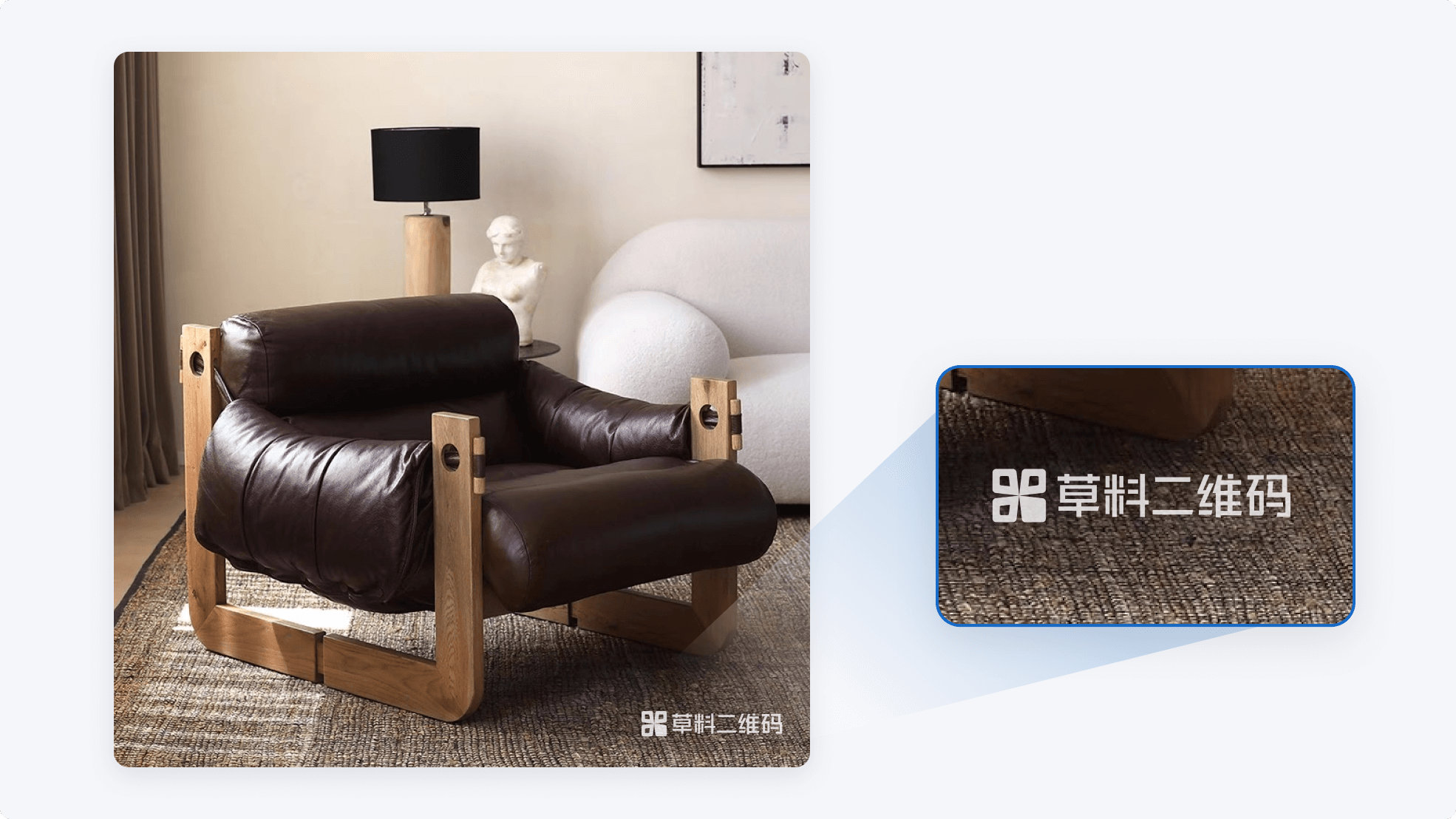
High-Definition Image and File Display
Remove the CaoLiao logo, restore HD quality, unrestricted video playback
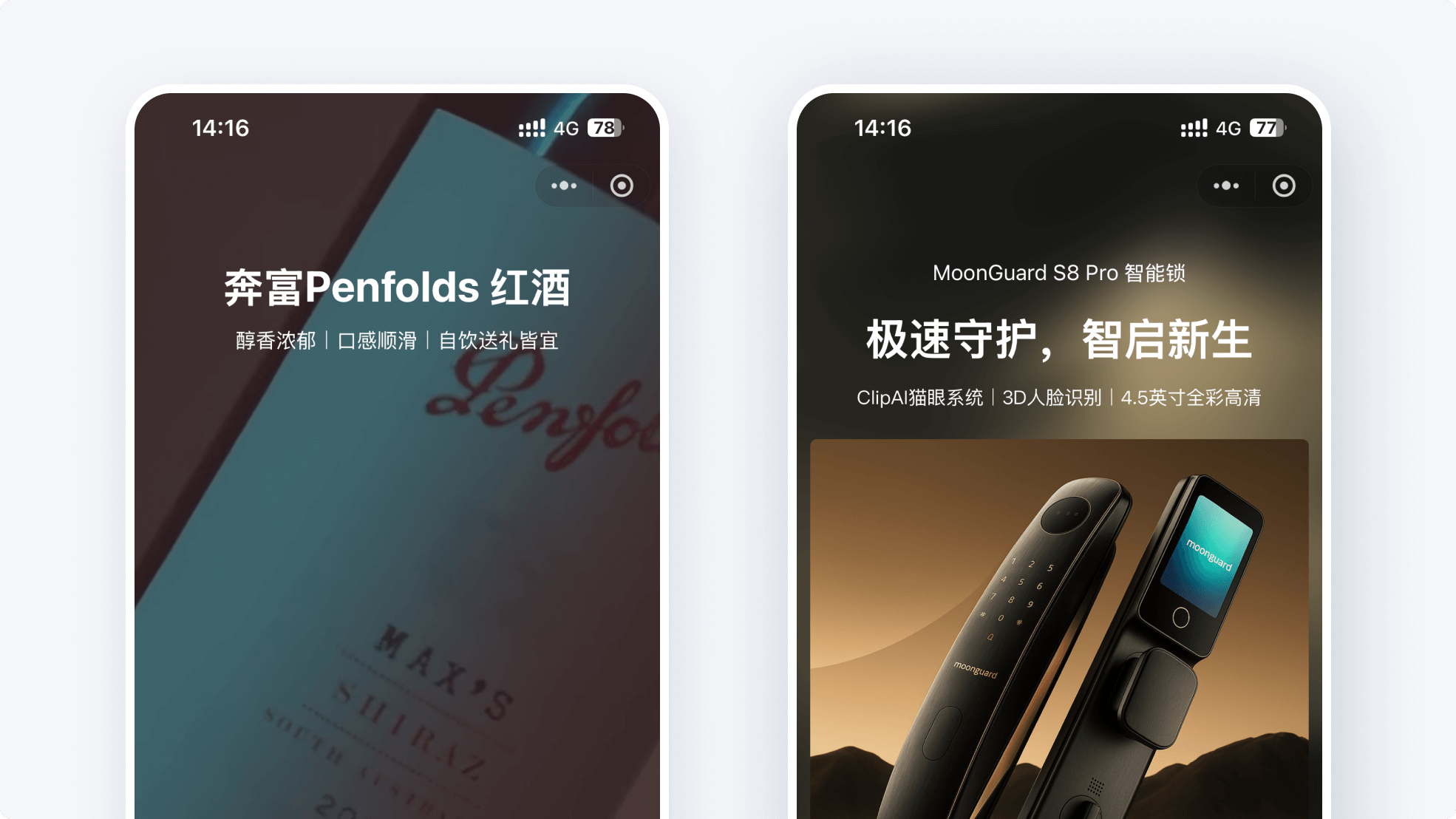
Multiple QR Code Background Options
Support video backgrounds, dynamic backgrounds, etc., for more refined visual effects
Brand-Exclusive WeChat Mini Program
Create a brand or enterprise-exclusive Mini Program; available as an add-on for paid versions
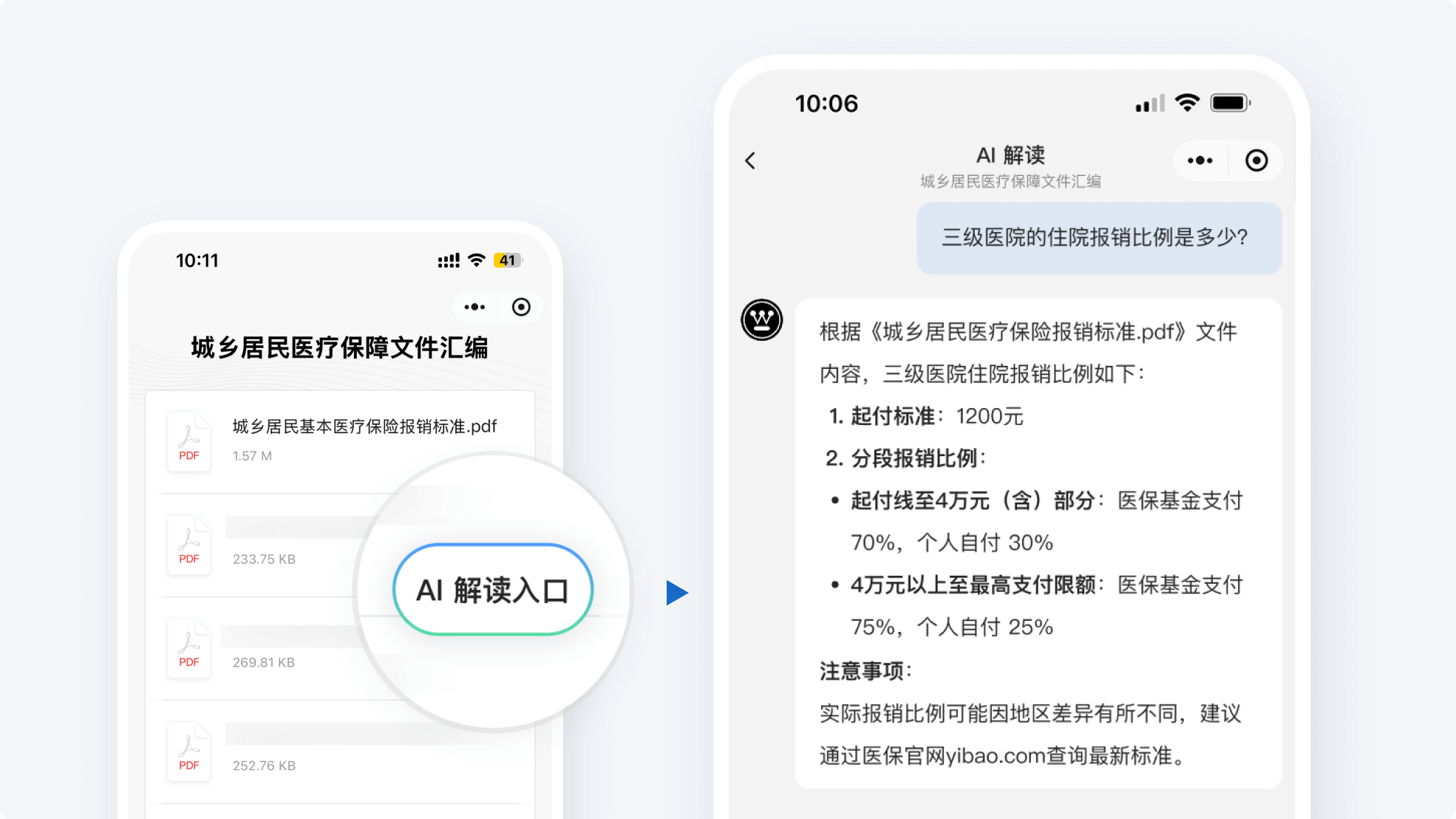
AI Interpretation
When QR code content is extensive, AI helps your users find information
Select a Template to Create Your Product QR Code
The following templates are based on real user practices, helping you quickly learn from industry peers and significantly reduce setup costs
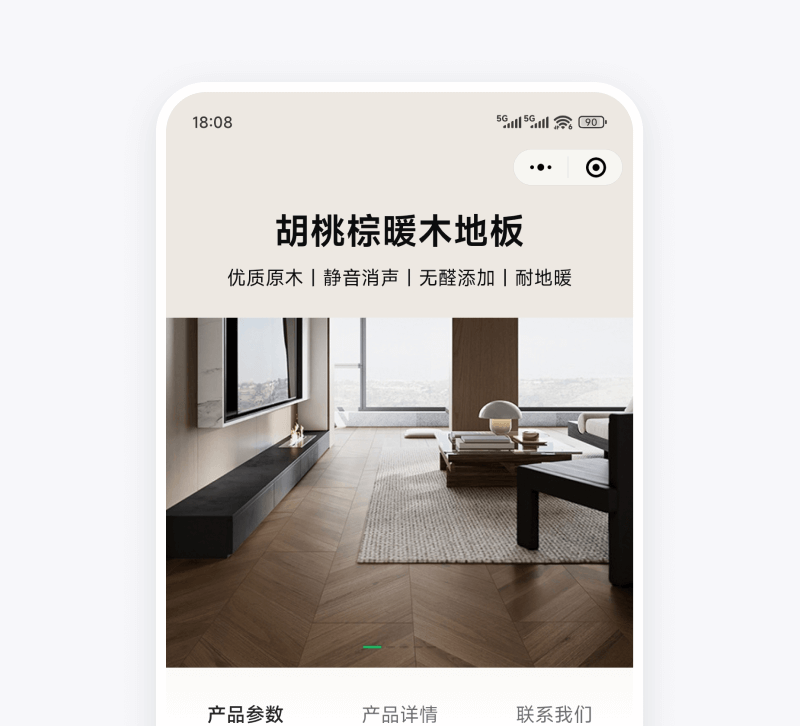
Product Detail Introduction
Display product introduction text, images, and videos; update QR code content anytime
Use this template
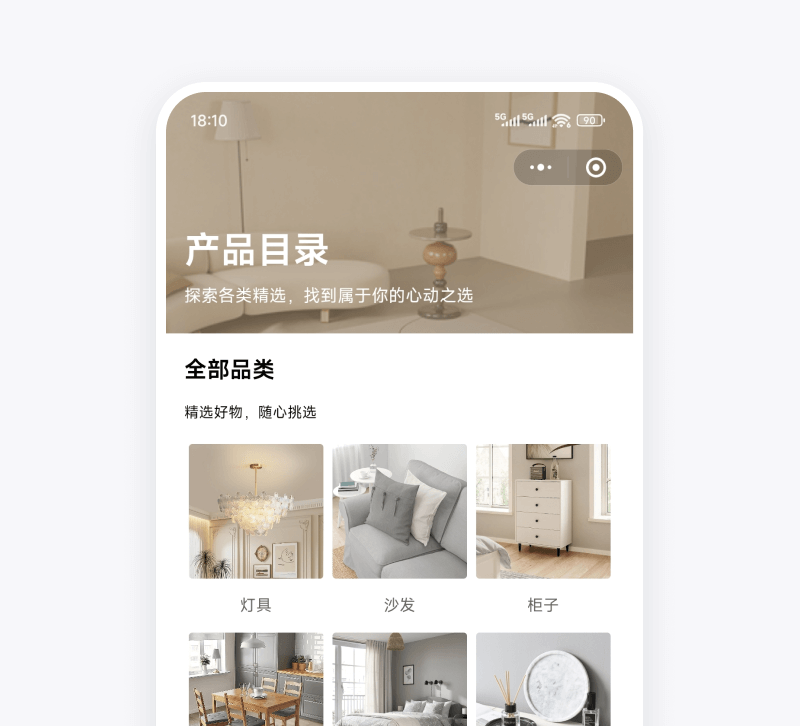
Product Catalog
Display products by category for customer selection; easily save and share
Use this template
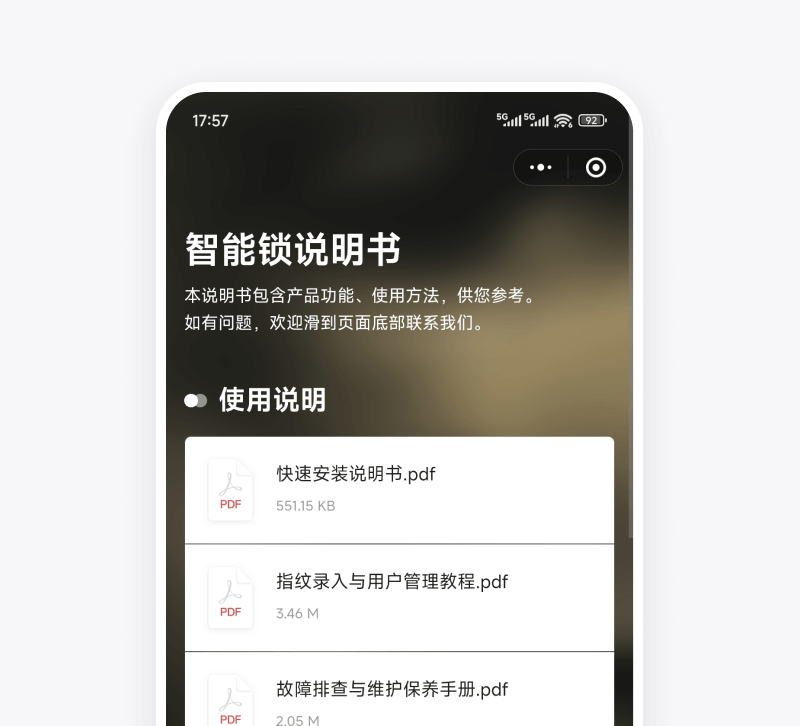
Electronic Manual
Display installation videos, manuals, etc.; attach to products for customers to scan and view
Use this template
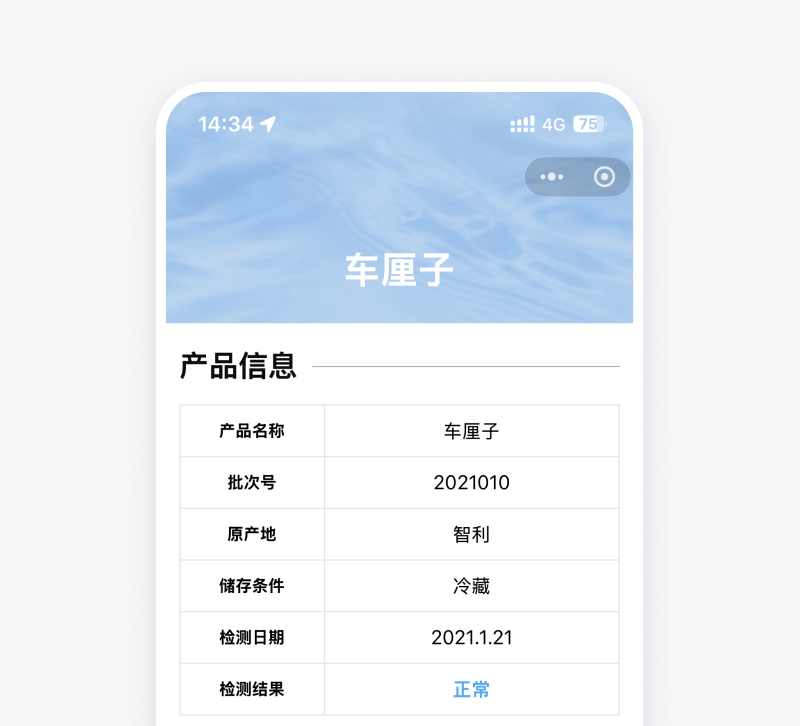
Inspection Report
Display inspection documents, photos, etc.; optionally enable blockchain notarization
Use this template