Personnel Work ID
Create QR code work IDs for employees, allowing instant verification of employee qualifications and ensuring compliance.
Basic Information
- Monthly installations: 24,737
- Monthly visits: 57,709
- Original: https://cli.im/template/detail/19261942
Case Label Images


Usage Instructions
1. Template Purpose
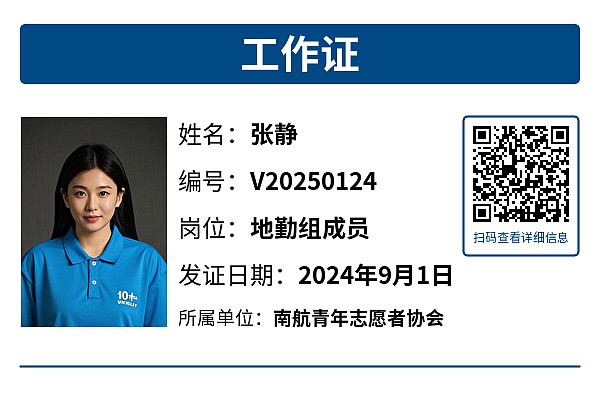
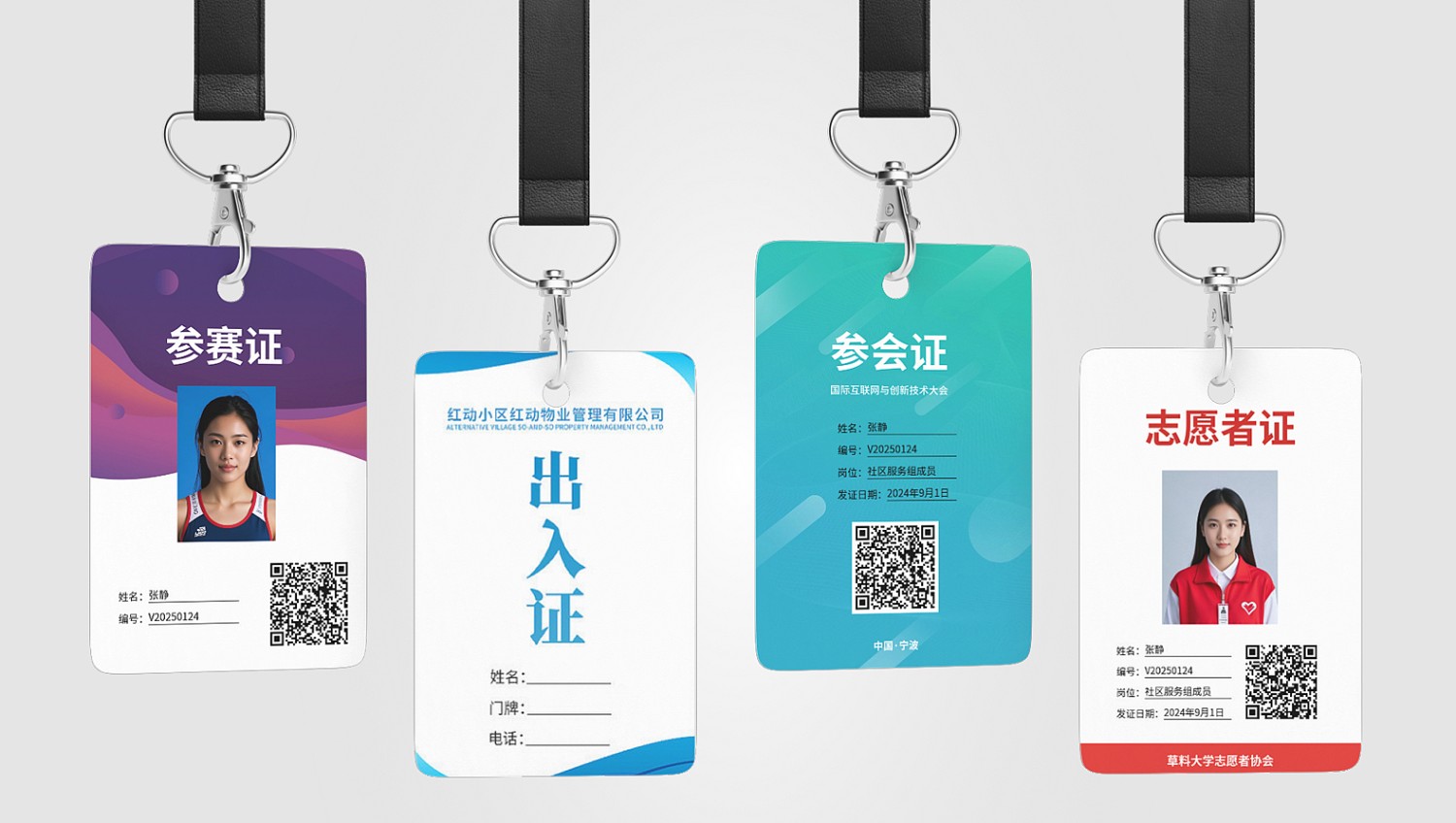
Using volunteer work IDs as an example, this template can be easily adapted to create QR codes for: personnel access passes, competition credentials, conference badges, rescue team IDs, media passes, guest passes, employee badges, etc.
- Identify Personnel: Scan the code to view additional basic information and qualifications, facilitating quick verification and enhancing credibility.
- Prevent Misuse: Only administrators can modify the QR code's activation status. When personnel leave or certificates expire, change the status from [Active] to [Inactive]. This retains original personnel information while preventing misuse of work IDs after departure. View Tutorial
2. Implementation Guide
Scenario Characteristics: Personnel information QR codes typically share the same content format and QR code style. Additionally, they generally follow a one-person-one-code approach, requiring the generation of a large number of QR codes.
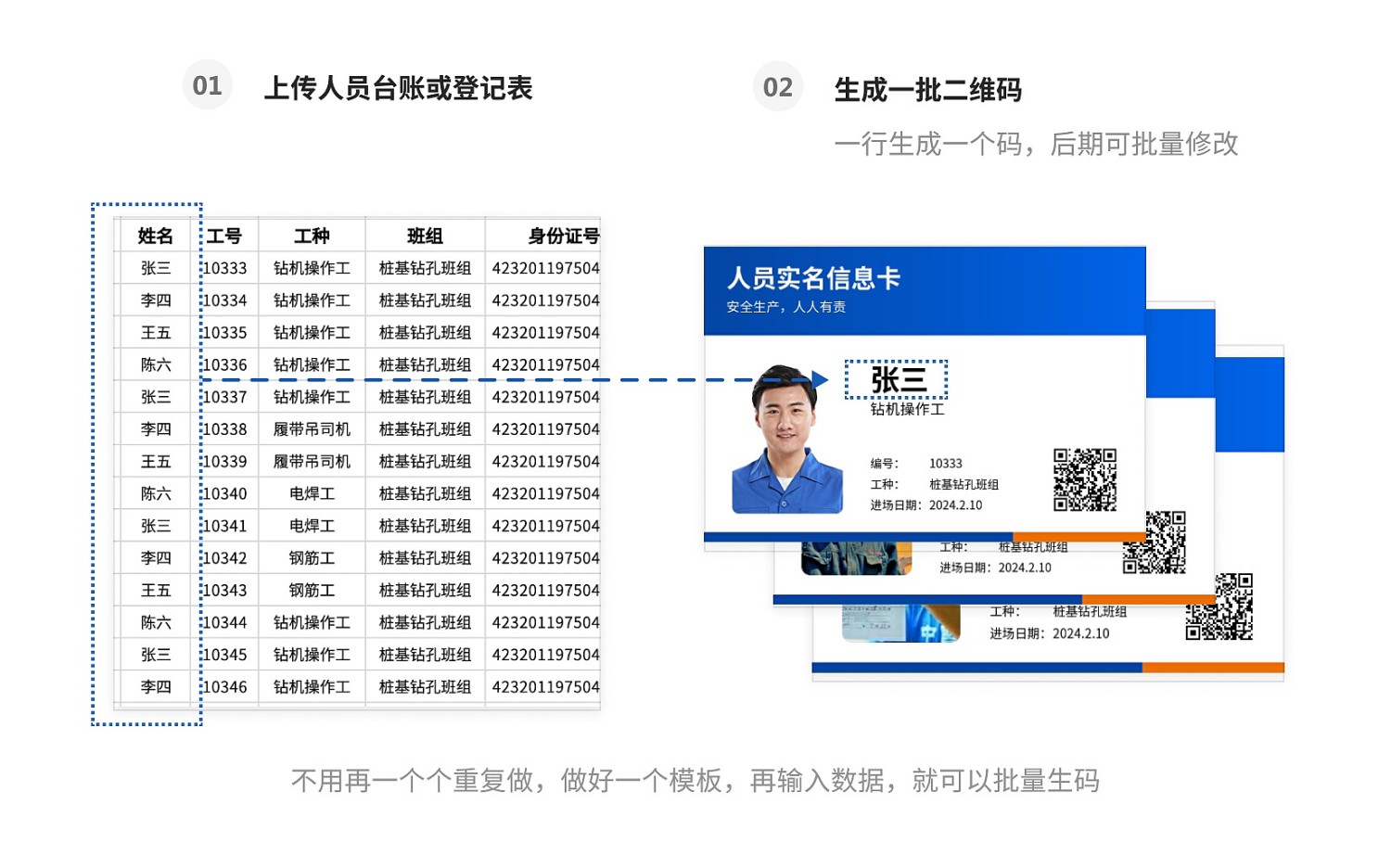
QR Code Generation Method: For smaller groups (e.g., under 10 people), individual code generation can be used for testing. For larger groups, we recommend using bulk QR codes generation. CaoLiao supports using bulk templates to generate multiple QR codes at once, saving time and eliminating the need for individual creation.
Step 1: Collect Personnel Information
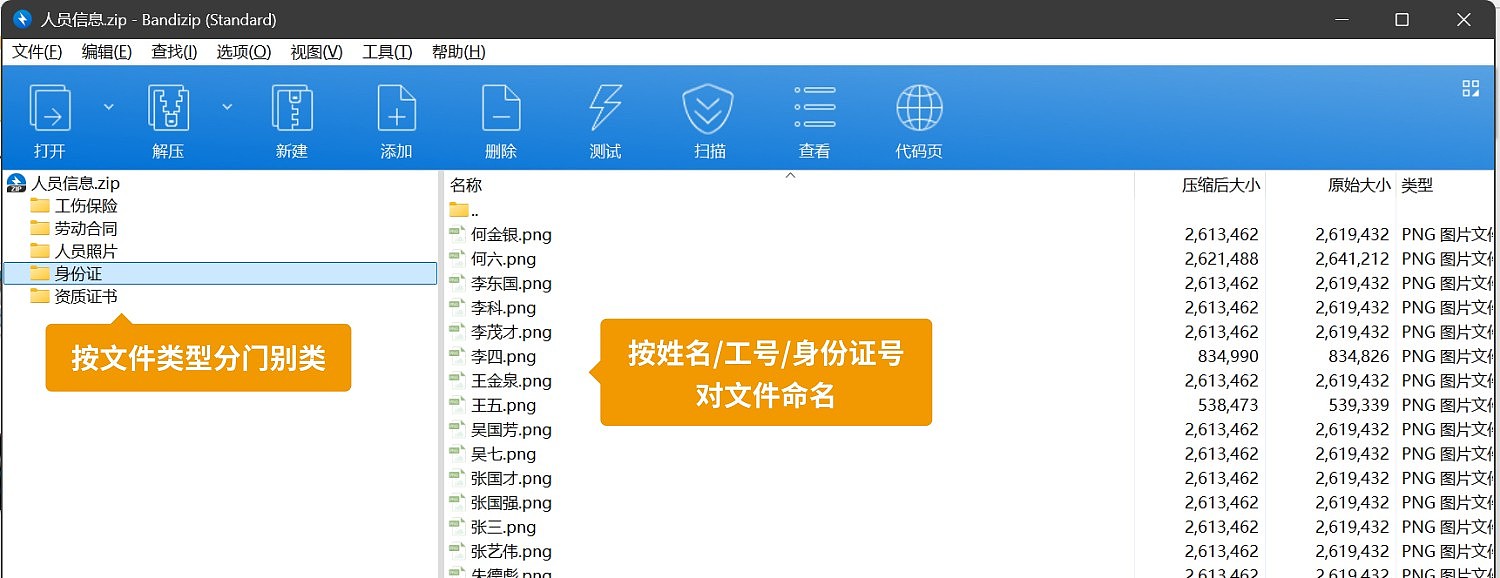
- Procedure: Determine the personnel information to be displayed, create an Excel spreadsheet, and collect relevant materials based on the spreadsheet. Classify various personnel photos (e.g., portrait photos, certificate photos) into folders.
- Tip: Create a separate folder for each type of photo. Name photo files using the person's name, ID number, or employee number for easier batch uploading later.
Step 2: Modify the Bulk Template and Generate QR Codes in Bulk
We provide a detailed tutorial for bulk QR code generation. Please refer to: Personnel Information QR Code Creation Tutorial
Step 3: Download and Print QR Codes
- Procedure: Use CaoLiao's pre-set labels for beautification before downloading and use (Tutorial: QR Code Label Layout and Printing), or arrange printing and layout with a local print shop or advertising company.
- Recommended Usage:
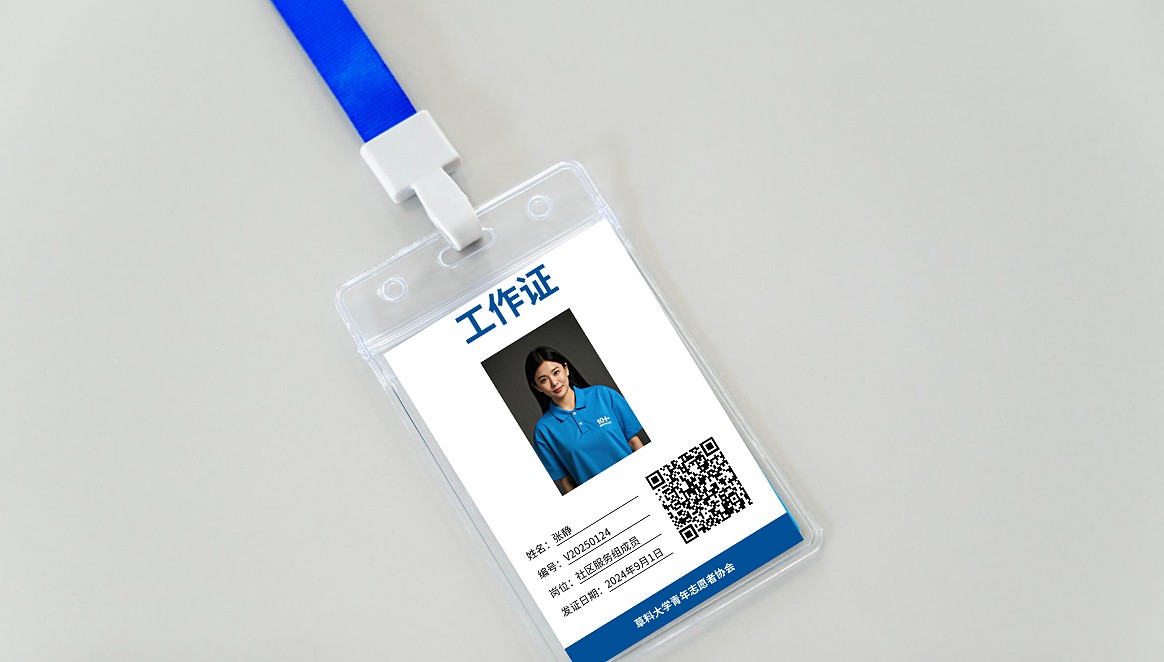
1) Lanyard-style Work Badges
Advantages: Easy to access, highly visible, strong adaptability. Suitable for situations requiring frequent presentation of credentials.
Disadvantages: Average comfort; may feel restrictive around the neck during prolonged wear.
2) Clip-style Work Badges
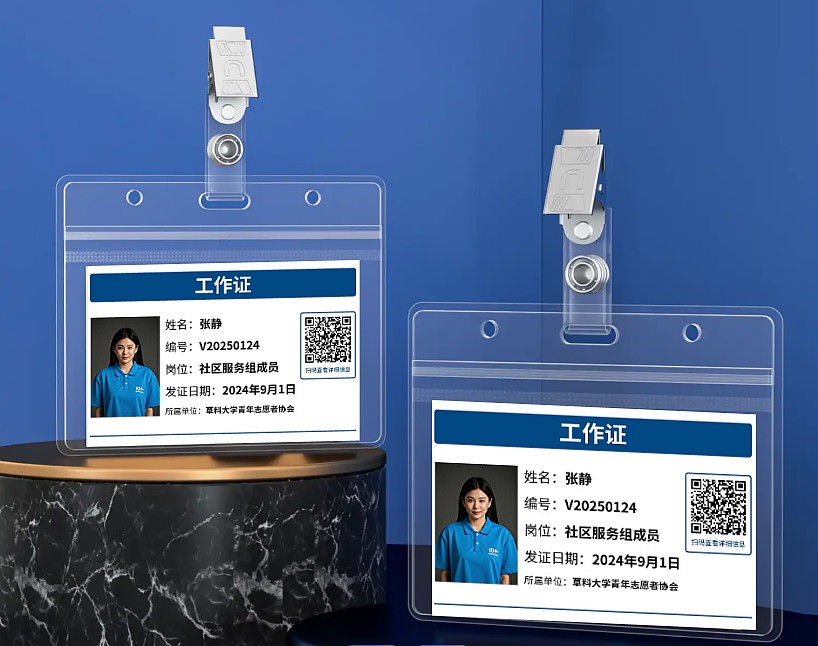
Advantages: Simple and aesthetically pleasing, lightweight and comfortable, no neck strain, adjustable position. Suitable for professional environments emphasizing image, pairs well with uniforms, maintaining overall neatness.
Disadvantages: Less convenient to access, requires manual removal for scanning or display. Clips can loosen easily, leading to loss. Cannot be used with collarless, casual attire.
QR Code Distribution and Usage
- Tip: Scan the codes on-site to verify personnel information accuracy. If information is incorrect, it can be modified. The QR code pattern remains unchanged after modification, eliminating the need for reprinting.
3. Advanced Usage
1. New Method for Collecting Personnel Information
Organizations with the capability can use QR code forms during the information collection phase. Employees scan the code to submit their own information. Submitted data is automatically aggregated in the backend and can be exported in table format for bulk QR code generation.
Related Template: Personnel Information Collection QR Code Template
2. Work ID for Promotional Purposes
Print multiple QR codes on the work ID for information display or collection. For example, codes for viewing conference details, submitting user feedback, etc.
Related Templates: Large Conference Event Registration QR Code Template, Market Survey QR Code Template, Feedback QR Code Template
3. QR Code Distribution for Temporary or Latecomer Personnel
Leveraging the modify-after-generation feature of QR codes, generate a batch of blank sub-codes in advance during the initial bulk creation phase. Reserve these for personnel joining later. When new personnel arrive, simply fill in the corresponding information in the reserved QR codes.
Related Tutorials: Edit and Modify QR Codes, Edit Sub-codes on Mobile
4. Frequently Asked Questions
1. Is the template free to use? What's the difference between the paid and free versions?
All template features are free to use, with no limits on the number of codes generated or scan counts.
The paid version removes the CaoLiao logo from QR codes and supports multi-administrator collaborative editing. View Details
2. Who handles printing? Can CaoLiao print them?
After generating the QR codes, you can print them yourself, use an advertising company, or utilize CaoLiao's printing services. View Details