Consumables Receiving Registration
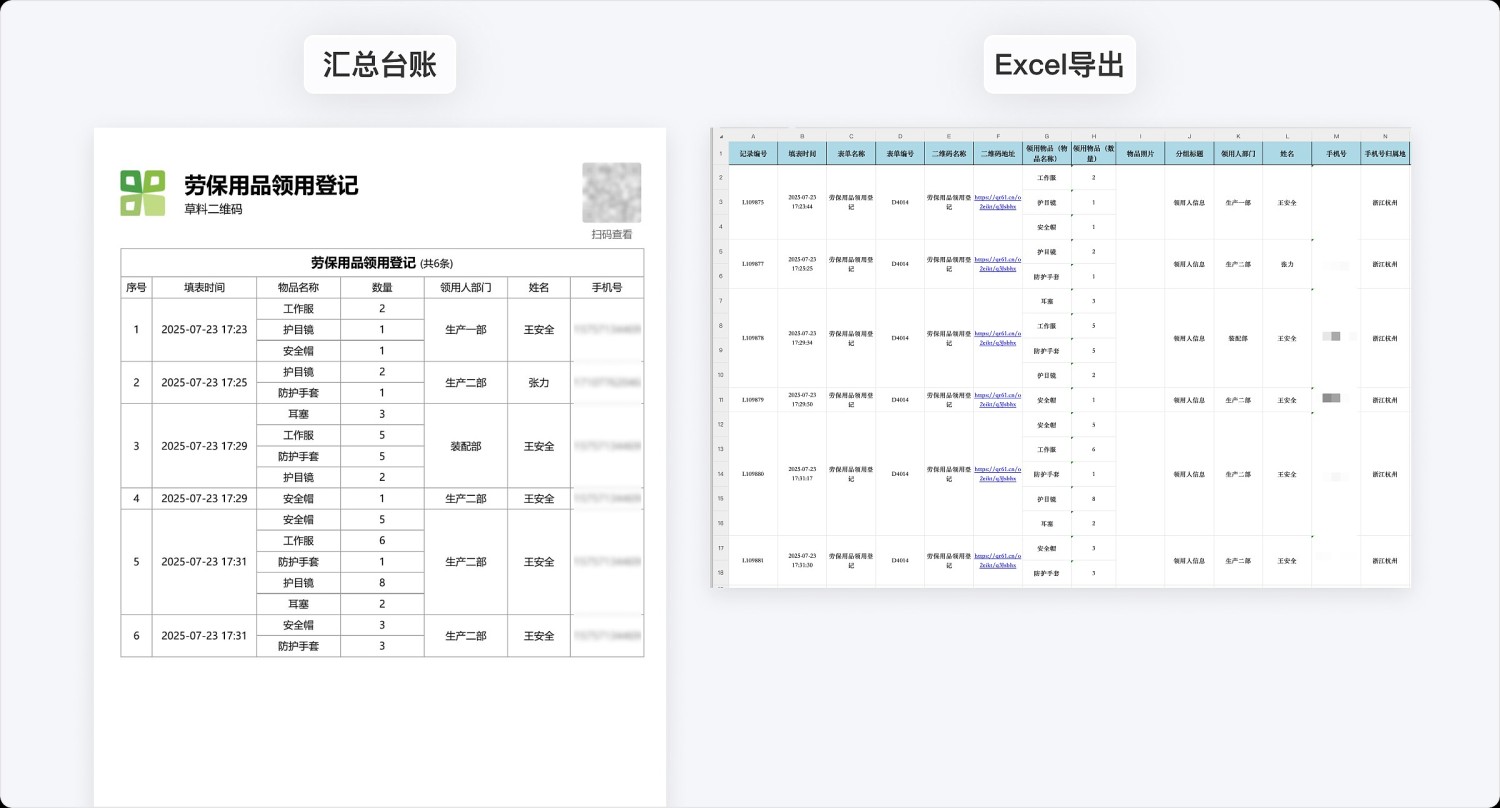
Using hospital department consumables receiving as an example, can be modified for use in other fields such as university laboratories, teaching aids, hotel cleaning, etc., for managing consumables receiving records. Received data can be printed on paper for summary or exported to Excel for usage statistics.
Basic Information
- Monthly Installations: 362
- Monthly Visits: 98
- Original Article: https://cli.im/template/detail/121463677
Case Tag Image

Instructions
1. Applicable Scenarios and Industries
This template is a general-purpose template for consumables receiving. Using medical department consumables receiving as an example, it can also be modified for common consumables in other industries and fields. Primarily used for:
- Medical Institutions: Suitable for consumables receiving registration in hospital departments, outpatient clinics, and other medical scenarios.
- Educational Institutions: Can be used for tracking the receipt of laboratory equipment, teaching aids, and other items.
For office supplies receiving templates, please visit: Office Supplies Receiving Registration Template
2. Core Features
2.1 Structured Receiving Registration
- Pre-set fields for consumable name and quantity entry ensure standardized and unified records.
- Automatically generates receiving records with timestamps, avoiding manual recording errors.
2.2 Data Visualization
- Dynamic data panel displays the latest receiving records in real-time.
- Presents consumable details clearly in table format, supporting filtering by recipient/time.
2.3 Multi-Format Export
- Supports exporting records to PDF format for paper-based records, facilitating signing and archiving.
- Excel export function can automatically summarize the total quantity received for each consumable.
3. Usage Process
- Generate the QR code and post it at the consumables storage location.
- Recipients scan the code to fill in the consumable name and quantity.
- Administrators regularly export data (weekly/monthly reports).
- Analyze consumable usage trends using Excel PivotTables.
Frequently Asked Questions
1. How to modify consumable categories?
Answer: Log in to the workbench on a computer, edit the form fields; you can add, remove, or modify the consumable name options.
2. How long are historical records saved?
Answer: Receiving history records are permanently saved under the account. The Advanced edition and below can export records from the last 180 days. The Enterprise edition and above support exporting records from any time period.
3. Can an approval process be set up?
Answer: Yes. The Basic edition and below only support single-level approval by the super administrator. The Advanced edition and above support multi-level approval functionality, allowing configuration of responsible person review steps.