Visitor Registration
Suitable for locations with frequent personnel flow such as factories, schools, and communities. Visitors can complete registration by scanning a QR code with WeChat. Administrators can view and export visitor records in real-time from the workbench.
Basic Information
- Monthly Installations: 48,930
- Monthly Visits: 130,692
- Original Text: https://cli.im/template/detail/38241419
Case Label Image

Instructions
1. Usage Effect
2. Usage Process
3. Core Features
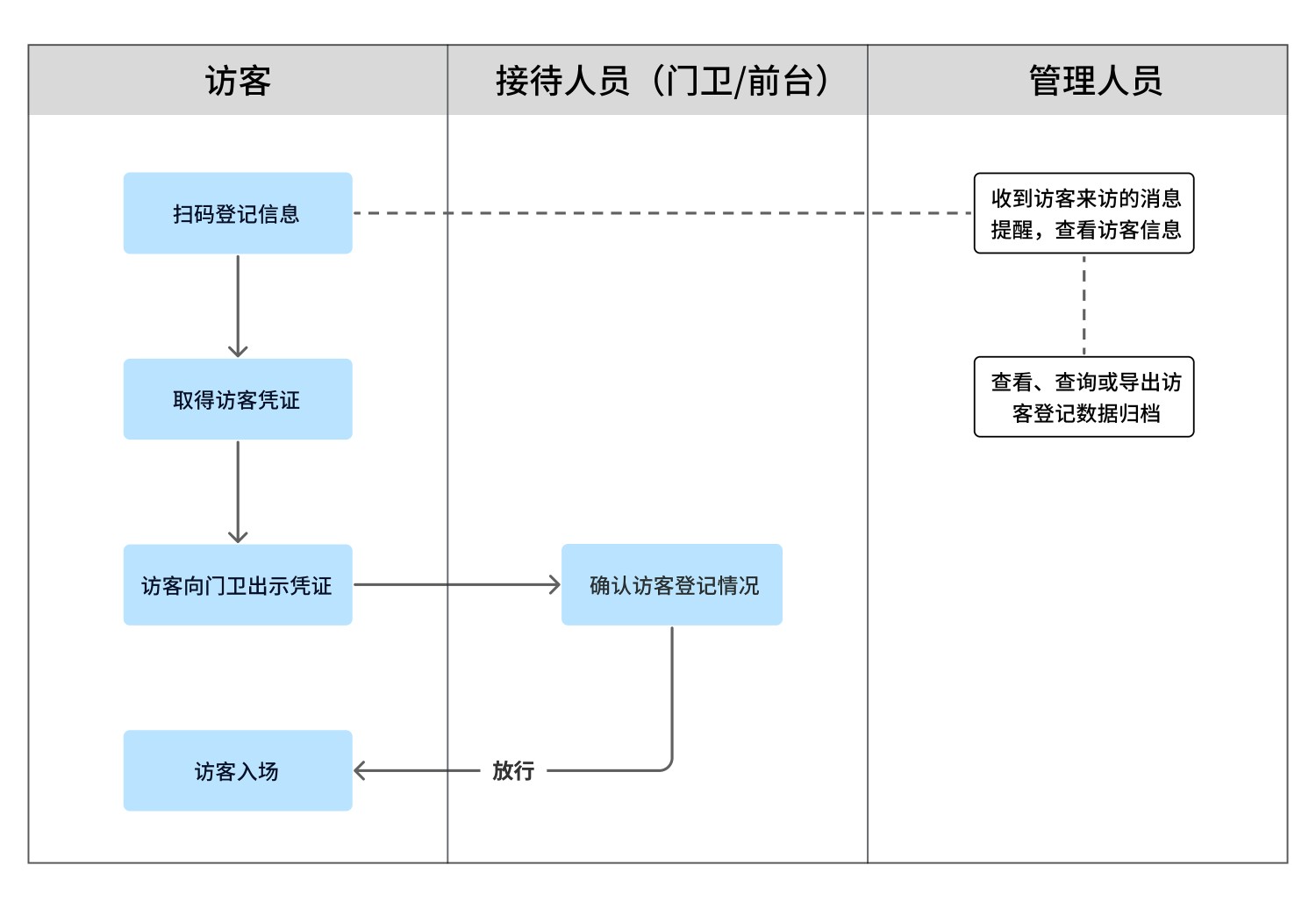
1. Self-Service Registration via QR Code Scan: Visitors register themselves by scanning a QR code with WeChat, sending real-time notifications to management personnel. Notifications Feature Introduction
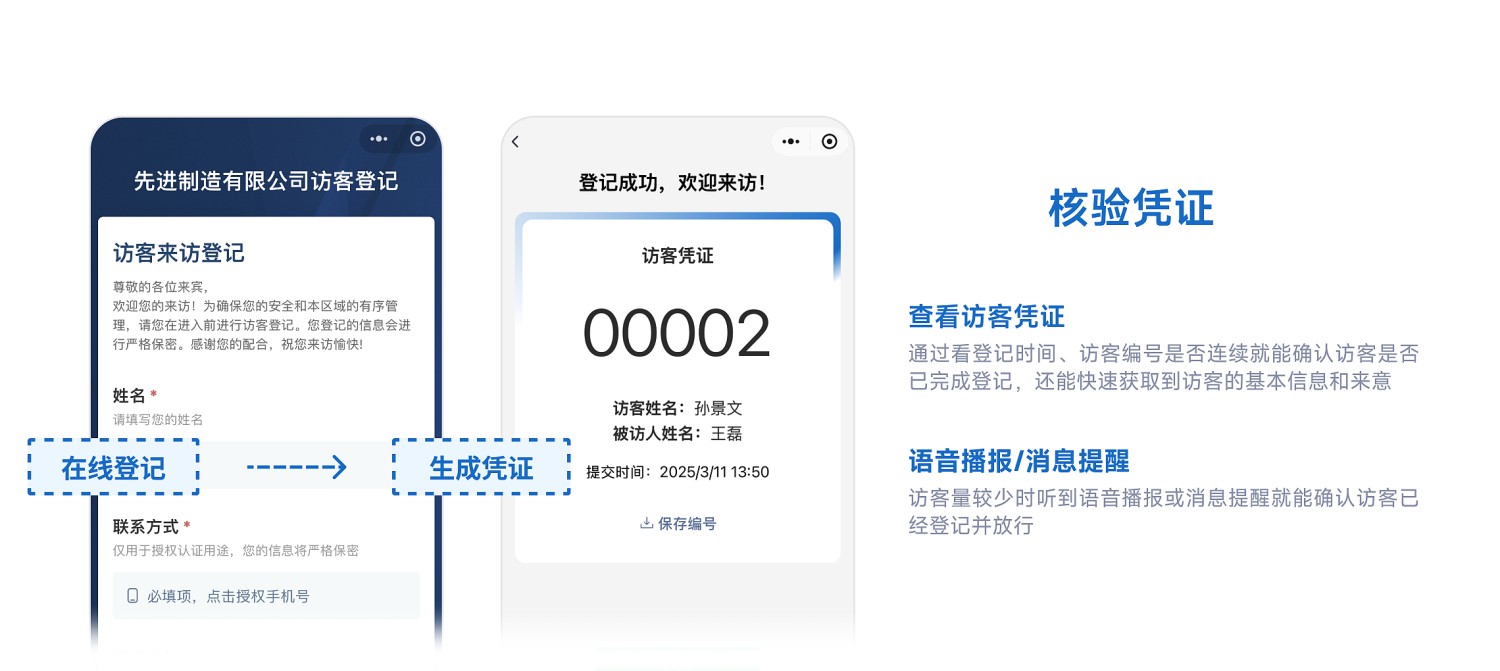
2. Efficient Verification and Access: After registration, an electronic pass containing name and ID number is automatically generated. Security guards can quickly verify and grant access by checking this pass.
3. Granular Permission Control: Assign operational permissions (e.g., registration/verification/data export) by functional module to ensure secure system operation. Members Feature Introduction
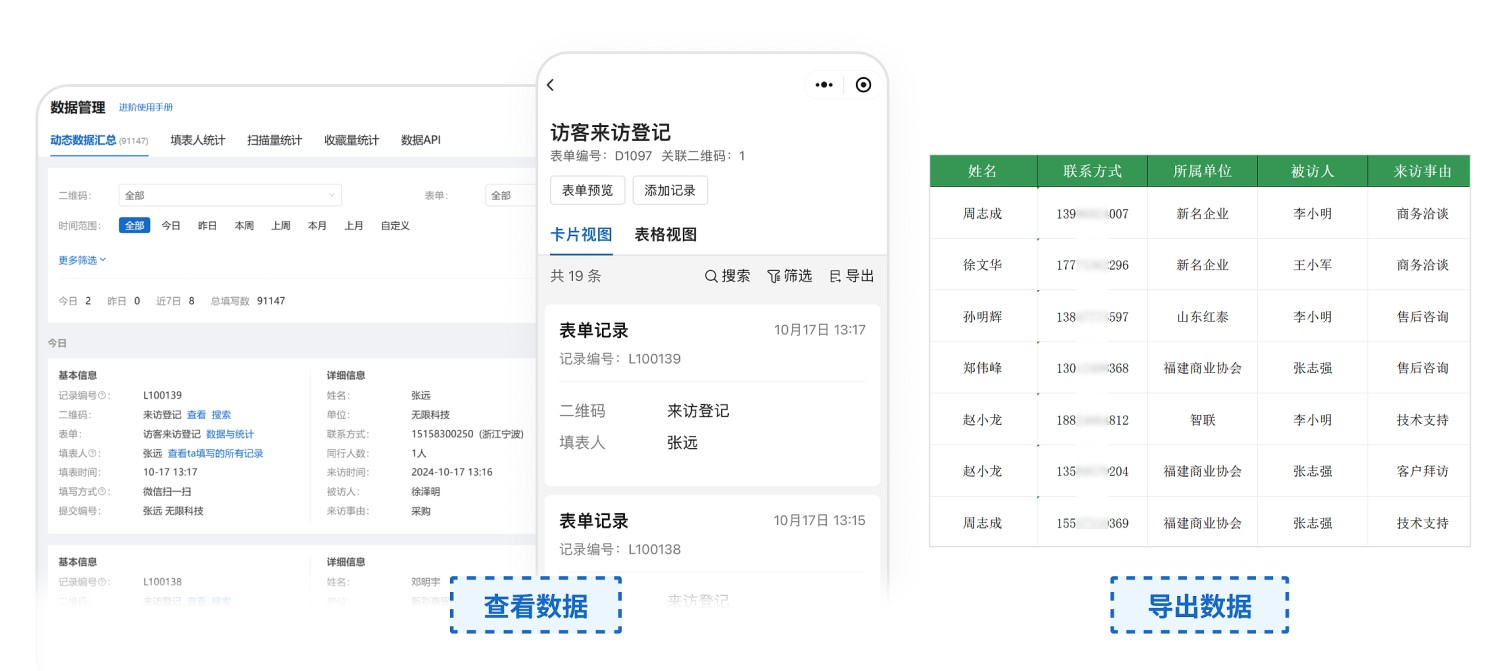
4. Long-term Data Storage and Export for Archiving: Visitor records are stored long-term, supporting multi-dimensional queries (e.g., by time/visit purpose) and one-click export for archiving. Data Management Feature Introduction
5. Data Visualization:
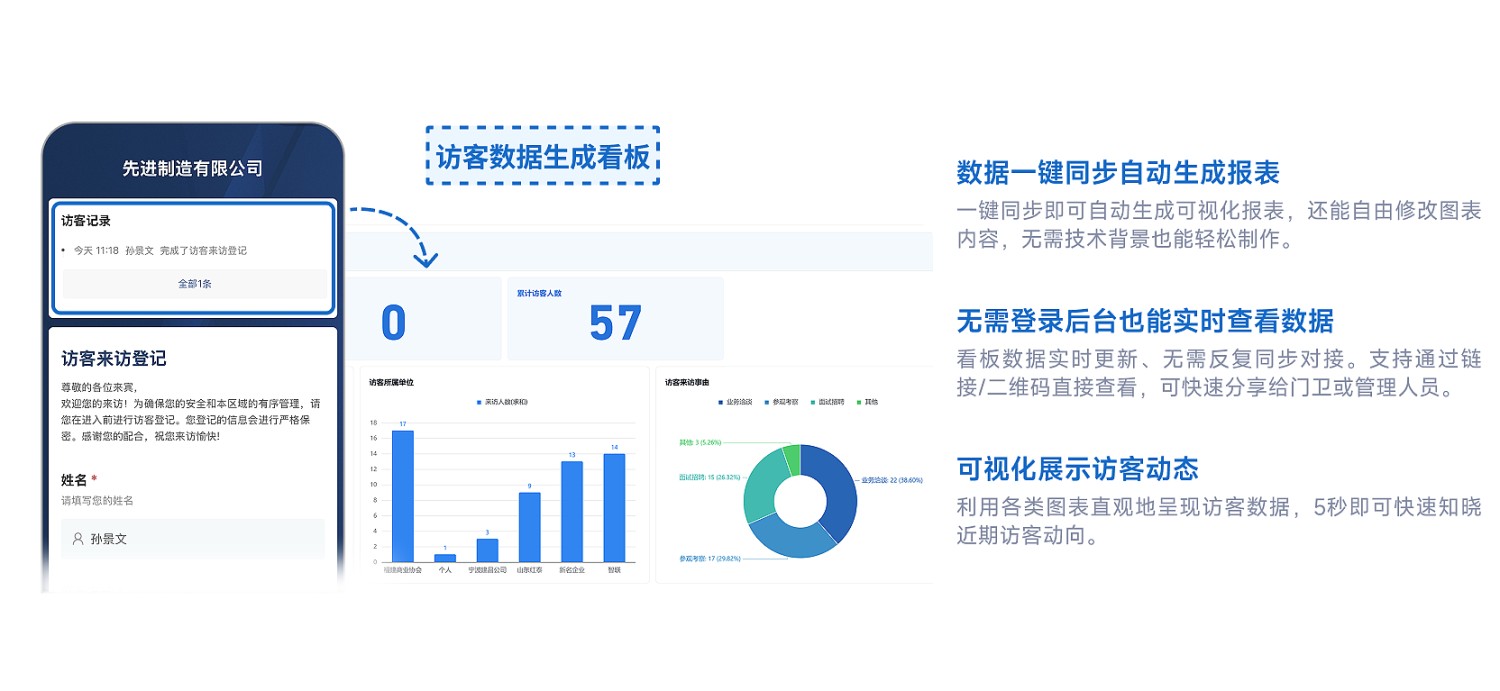
- Generate a visual dashboard with one click by integrating with Tencent Docs, providing a more intuitive display of visitor data; View Example Dashboard
- Newly added visitor records automatically sync to Tencent Docs, eliminating repetitive manual entry;
- Easily forward and share the dashboard with others for collaborative visitor data management. Data Integration with Tencent Docs Feature Introduction
4. Placing the Registration QR Code
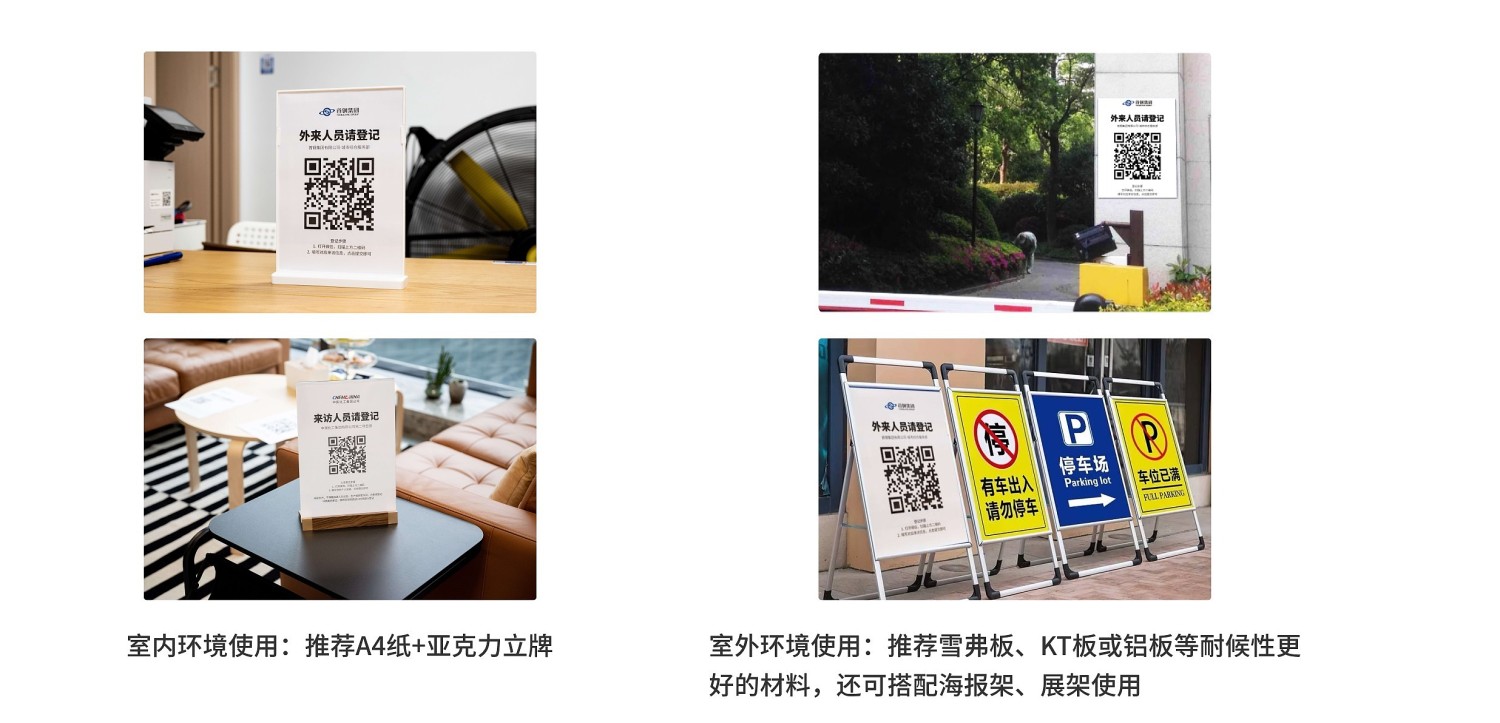
1. Indoor Placement (Reception Desk/Lobby)
Print the visitor QR code on A4 paper and pair it with an acrylic stand or plastic card sleeve for an aesthetically pleasing and durable setup.
2. Outdoor Placement (Security Booth/Gatehouse)
Print the code on A3 or larger signage materials (e.g., PVC foam board, aluminum composite panel) resistant to sun and rain;
Can also be used with a standing display frame for easy adjustment of placement.
3. Online Usage
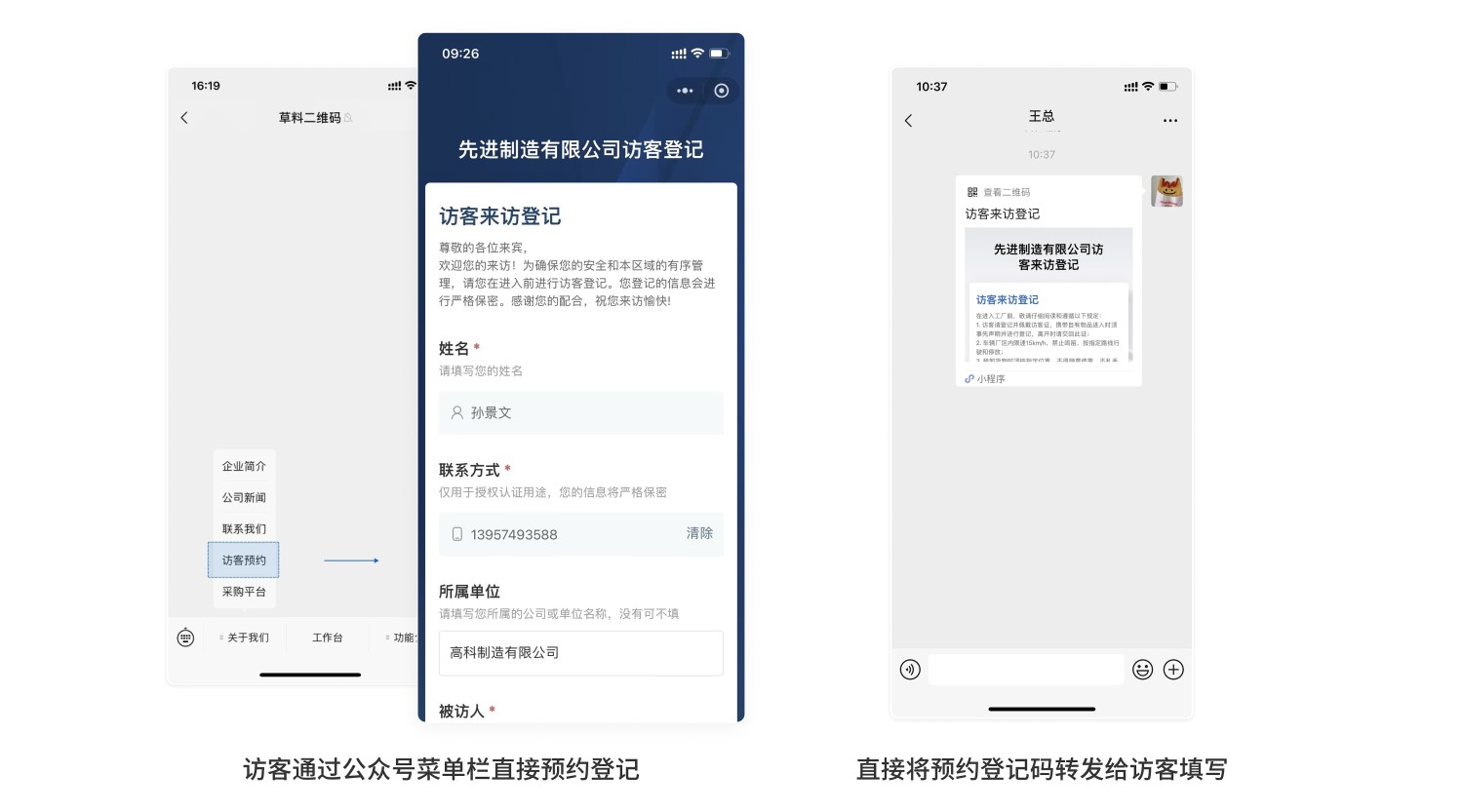
Embed the visitor QR code in your enterprise's WeChat Public Platform account, or directly send the QR code to visitors for pre-registration to save time. QR Code Embedding in WeChat Public Platform Tutorial
5. Frequently Asked Questions
1. Is there a complete user manual available?
Answer: Yes. We provide user manuals tailored for management departments as well as for frontline reception staff like security guards and receptionists. These can be downloaded and used directly.
Download here: Visitor QR Code User Guide
2. How much does it cost to set up such a system?
Answer: Free version: Unlimited QR code scans for registration, long-term data storage, meeting daily registration needs;
Advanced version (¥1280/year): Adds features like partition management, multi-user collaboration, and data review, suitable for scenarios with multiple management roles or departmental collaboration;
Flagship version (¥2680/year): Supports more review instances, provides complete records and original image storage functionality, suitable for larger, more complex enterprises and organizations with high security and compliance requirements.
Detailed purchasing advice can be found here: Version Selection Advice
3. How does CaoLiao ensure my data security?
Answer: User data security is our top priority. CaoLiao has passed the Ministry of Public Security's Level 3 Cybersecurity Classification Protection certification and Alibaba Cloud security penetration tests, with security capabilities recognized by the industry.
Since 2012, we have provided stable and reliable services to over 10 million users and numerous large projects including the Beijing Winter Olympics and the Zhejiang Provincial Government Office in Beijing. We will continue to strengthen security measures to ensure your data is always strictly protected. View Detailed Data Security Explanation