Area Inspection QR Codes
Original: https://cli.im/case/detail/1690
Place QR code labels at designated points. Inspectors scan the codes upon arrival to record inspection details. Abnormal situations can be reported and notified immediately for prompt rectification. The system is simple to set up and quick to deploy, allowing frontline staff to build and use it independently. It is particularly suitable for scenarios such as hazard reporting, patrols and rounds, maintenance request registration.
Problems Solved
Traditional inspection methods face the following issues:
- Delayed Repairs: Discovered issues cannot be reported quickly, leading to unresolved hazards.
- Paper Forms Easily Lost: Inspection records are difficult to preserve, and data is hard to consolidate and analyze effectively.
- Inefficient Information Feedback: Abnormal situations cannot be communicated swiftly to relevant responsible personnel, impacting resolution efficiency.
To address these problems, an Area Inspection QR Code System can be built on the CaoLiao platform. By combining various functional modules, it enables features like scanning codes to record inspections, reporting hazards and rectification information, and providing timely feedback on issues, thereby enhancing the efficiency and standardization of inspection management.
Core Features
1. Scan to Record Results, Flexible Point Deployment
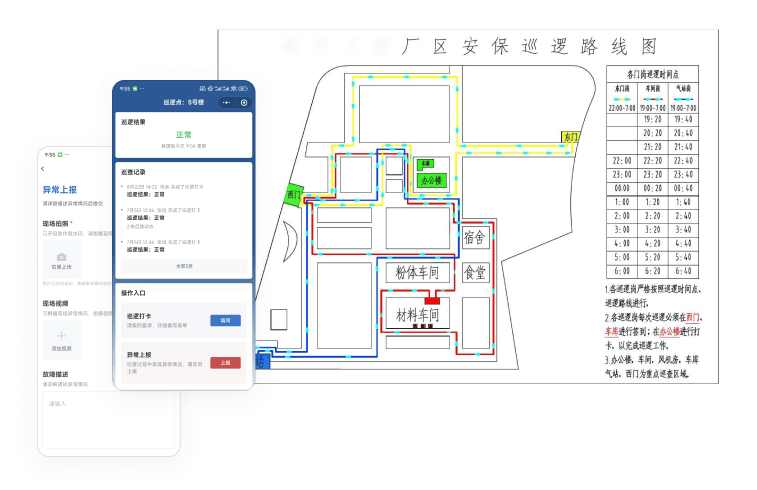
- Simple Operation: Inspectors use WeChat to scan the code and fill out the inspection results step-by-step according to the form. Supports on-site photos, voice, and video descriptions—no additional equipment needed, lowering the barrier to use.
- Deploy as Needed, Adjust Flexibly: Place QR codes where checks are required. Scanning the code allows viewing point information and recording inspection status. Inspection routes and points can be adjusted based on actual needs for high adaptability.
2. Immediate Reporting of Abnormalities, Internal Division of Labor and Collaboration
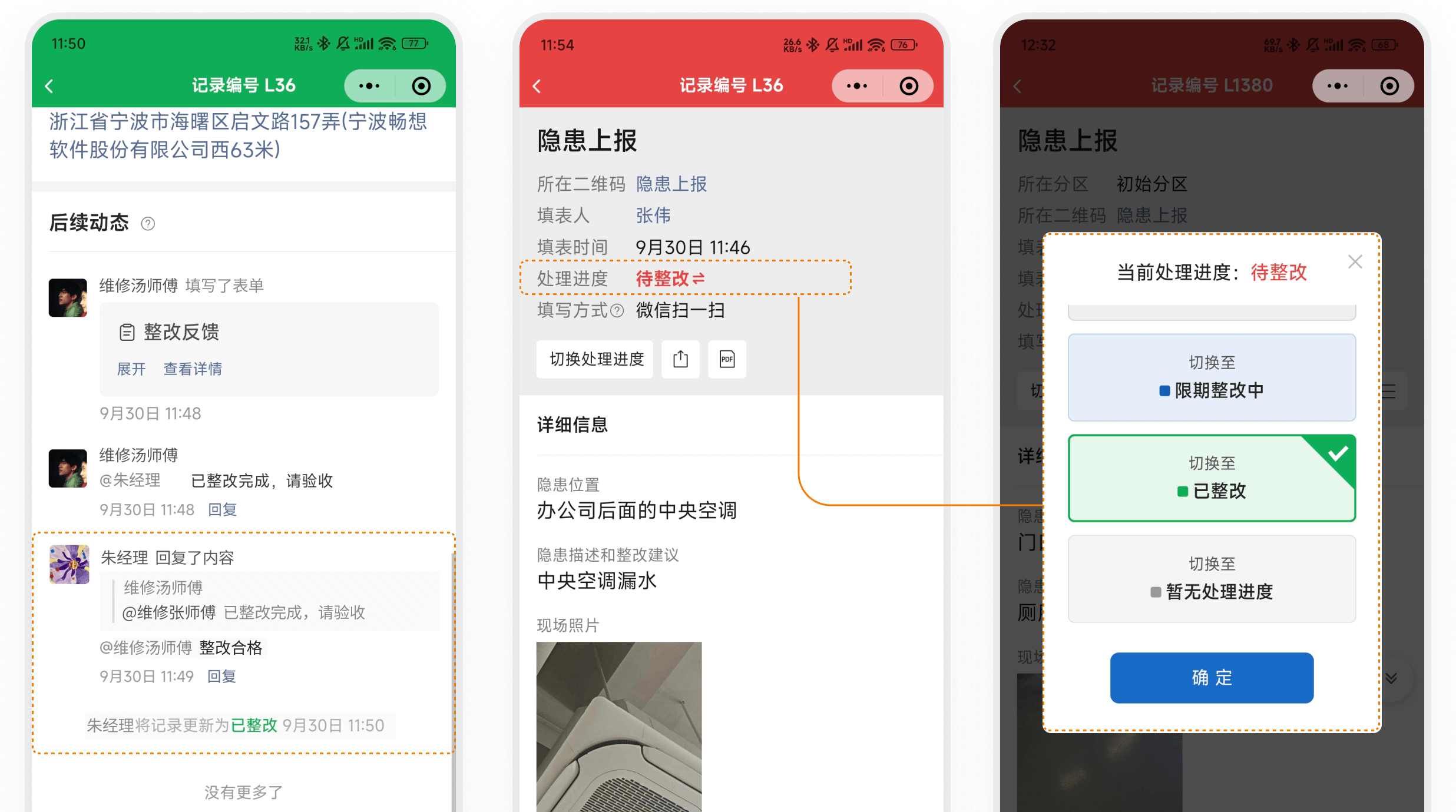
- Immediate Reporting, Automatic Notifications: If abnormalities are found on-site, inspectors can scan the code to report immediately. The system automatically notifies the relevant responsible person(s), facilitating division of labor and collaboration.
- Follow-up Handling, Clear Division of Labor: Maintenance personnel can be manually reminded to track progress, and mark the status as resolved after completion. Administrators can assign internal members to be responsible for inspection and rectification tasks in different areas, improving work efficiency. View Notifications and Collaboration Features
3. Multiple Anti-Fraud Methods Ensure Inspection Authenticity
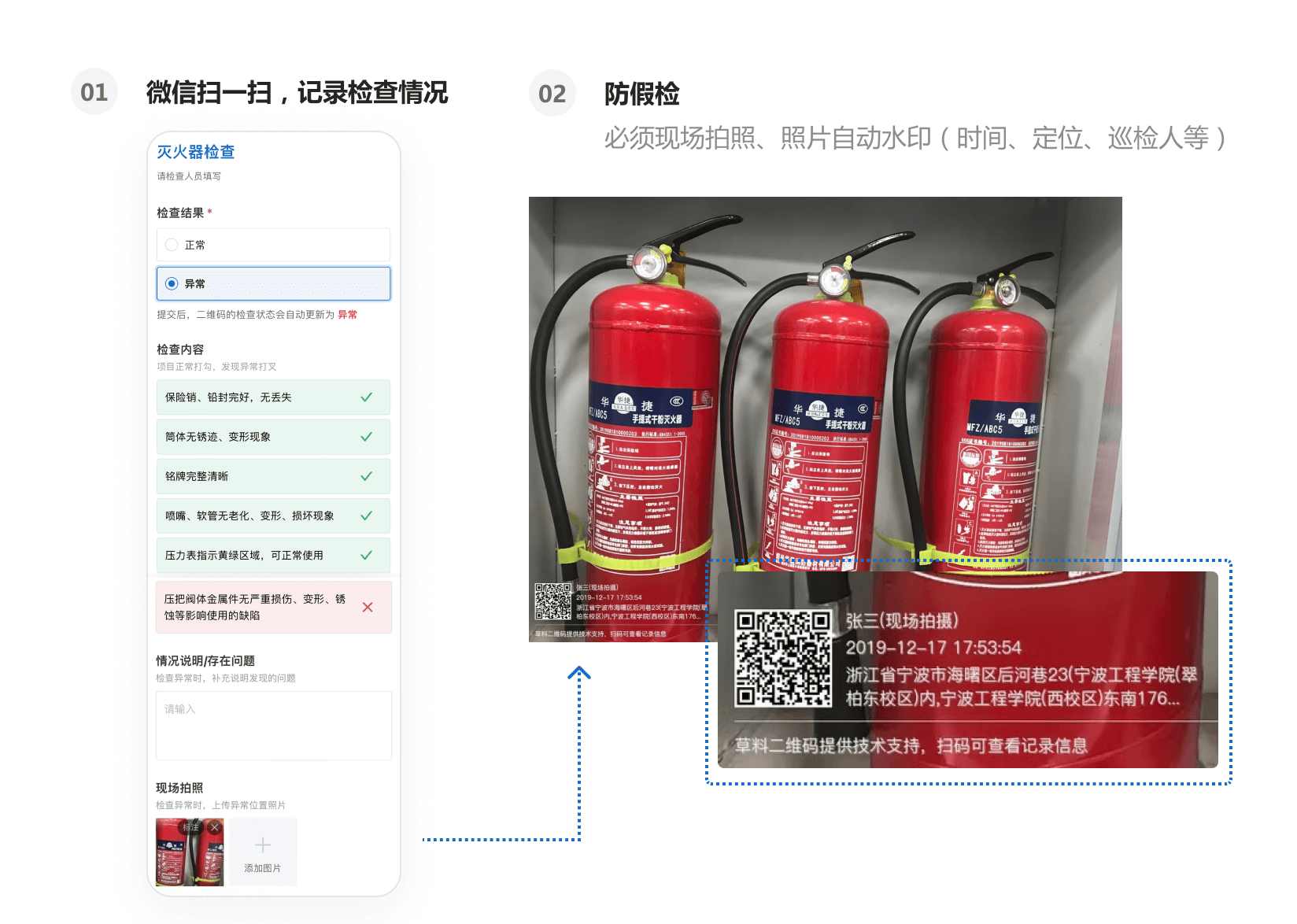
- Geolocation Restrictions: Ensure inspections are conducted at specified locations, preventing false reports.
- On-site Photos: Can be set to require photos taken on the spot, disallowing uploads from the gallery, ensuring the authenticity of visual materials.
- Photo Watermarks: Automatically add watermark information such as time, location, and inspector's name to enhance data credibility. View Anti-Fraud Features
4. Centralized Management of Various Items, Convenient Navigation
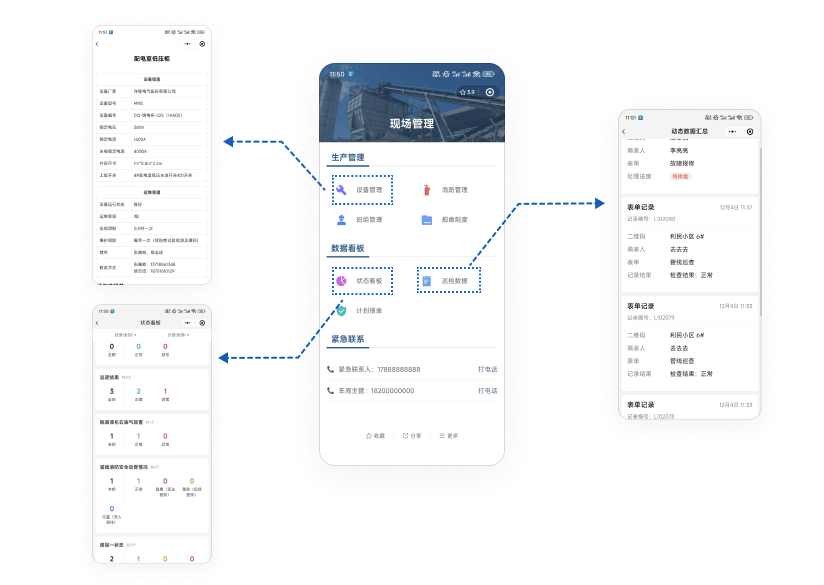
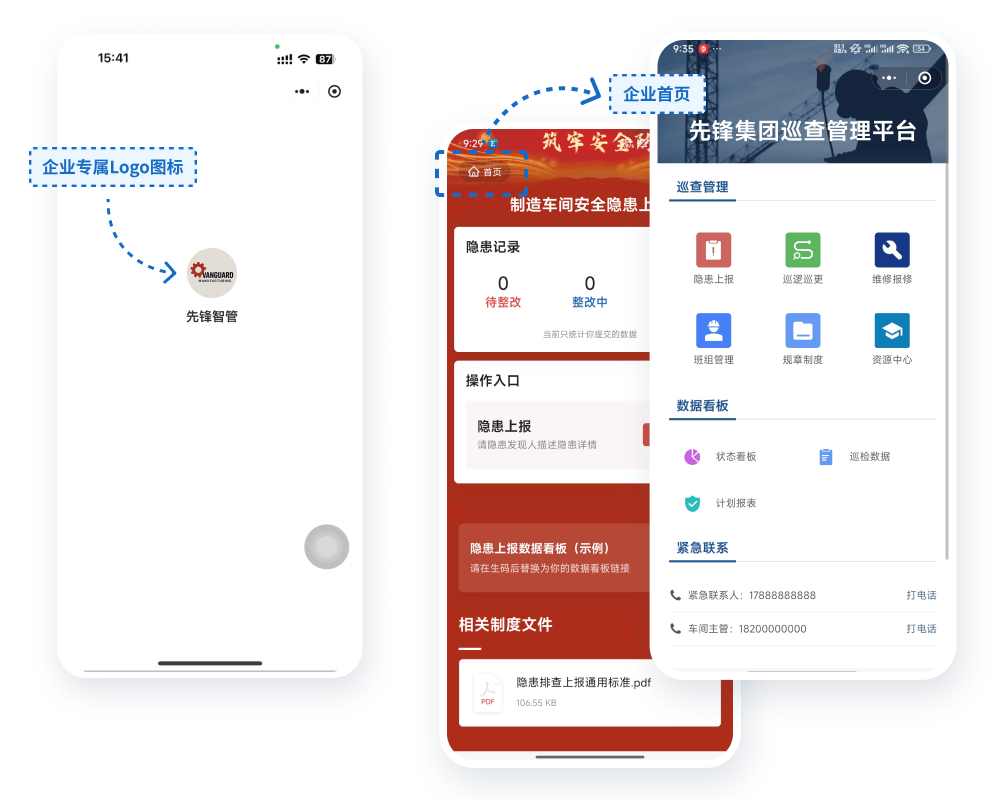
- Consolidated Management: QR codes, directories, status dashboards, etc., under the same account can be assembled on a summary page for navigation, similar to an app homepage, facilitating unified management.
- Convenient Navigation: Each module can link to subordinate pages, enhancing the user experience and making it easy to quickly find and access desired functions. View Summary Page Feature
5. Data Consolidation and Analysis
- Data Security: Inspection data access can be restricted to specific personnel, strictly controlling data permissions and ensuring security. View Tutorial
- Data Export: Inspection data can be exported to Excel or PDF files for easy archiving and sharing, supporting custom PDF export formats.
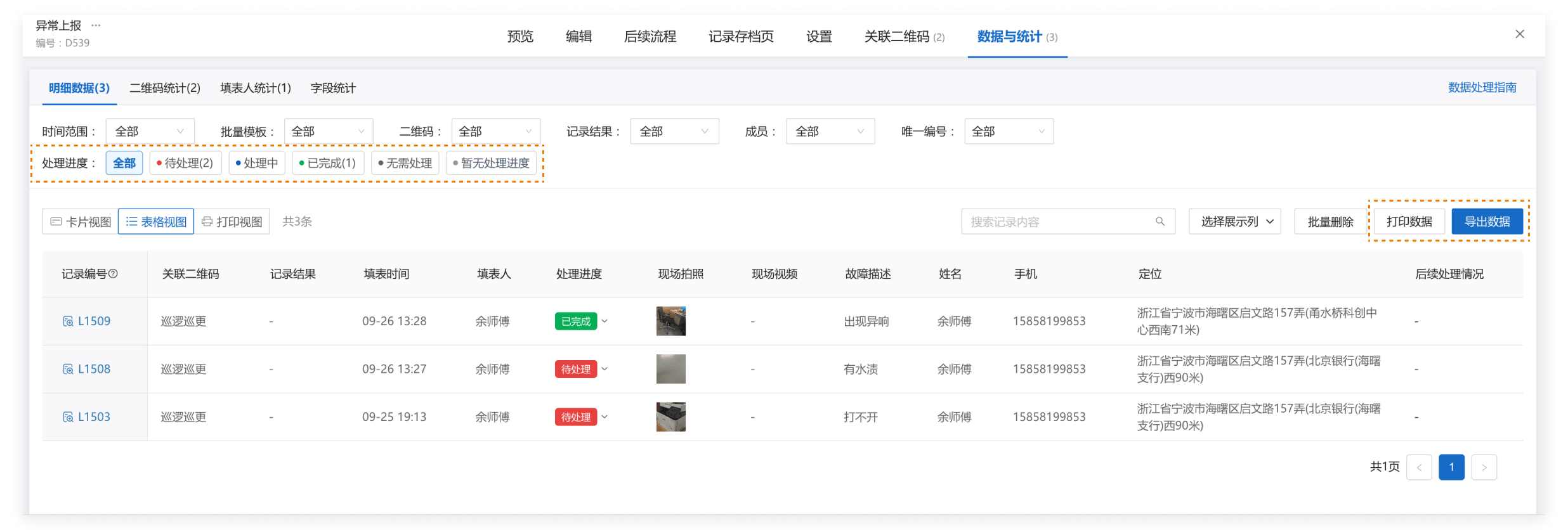
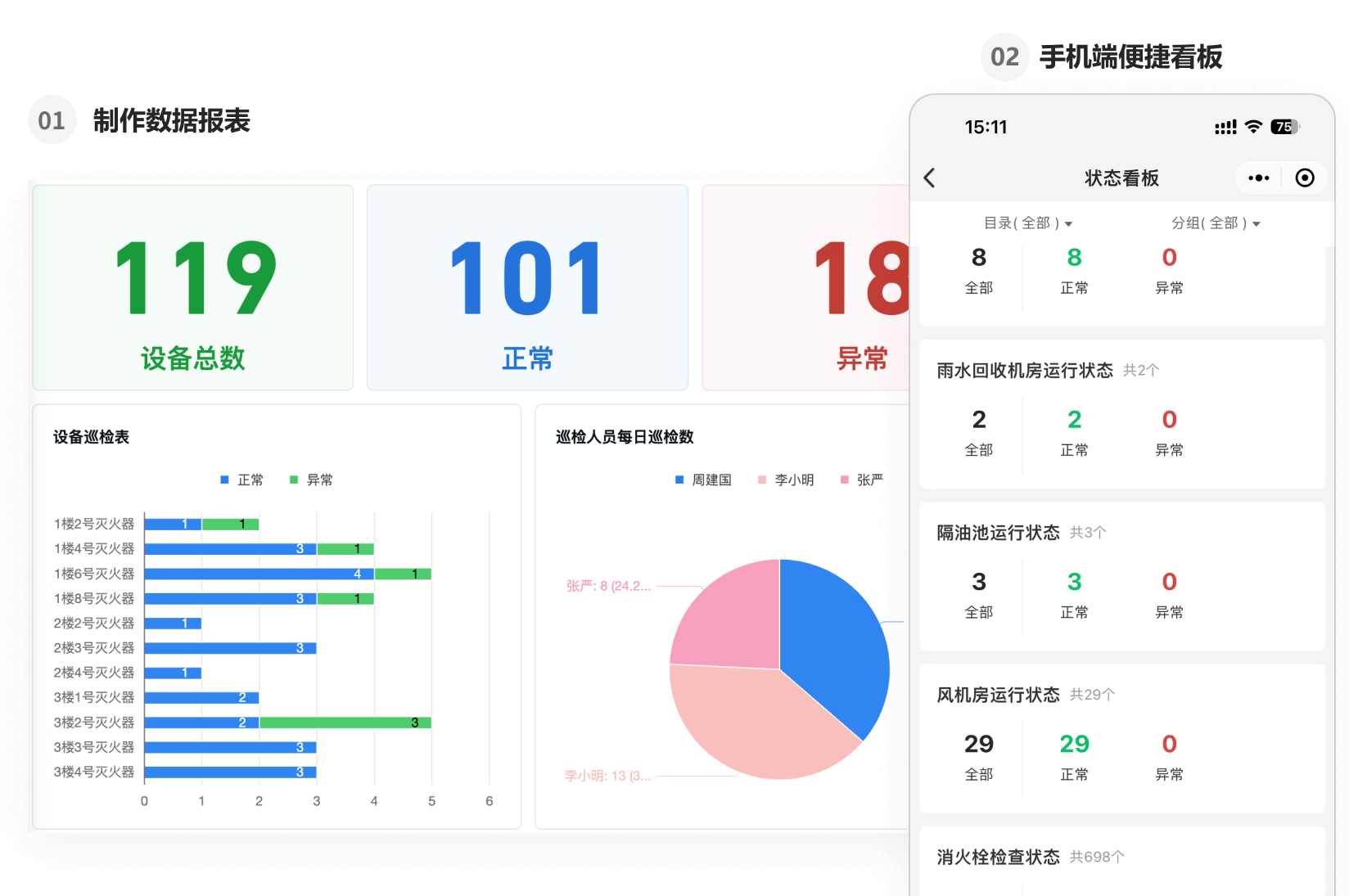
- Data Analysis: Connect to BI tools via Data API to meet data analysis and reporting needs, deeply挖掘 data value. View Data Push Feature
Free Version vs. Paid Version
Free Version
Can complete the basic process of using QR codes for area inspections, with unlimited QR codes, unlimited inspection records, and unlimited number of scanners.
Paid Version
For formal implementation, the paid version helps achieve better implementation results, including but not limited to:
1. Refined Collaboration Management
- Assign Area Responsible Persons: Starting from the Advanced edition, supports assigning responsible persons to areas by floor, zone, or other dimensions. Responsible persons can only manage areas within their scope, clarifying authority and responsibility while reducing the burden on super administrators.
- Remind Designated Personnel of Inspection Results: Starting from the Advanced edition, inspection results support sending notifications to designated personnel, instead of notifying only the super administrator. This can be used to instantly alert designated rectification team members when hazards or defects are detected. Super administrators can view results as needed without being overwhelmed by excessive messages.
- Define Operation Permissions: Starting from the Advanced edition, different permissions can be assigned to different operations on area QR codes based on personnel type. For example, setting permissions so that only managers can view inspection result data, ensuring the privacy of inspection records.
2. Batch Download of On-site Photos
- For users with management requirements needing to export inspection records for physical archiving, records can be filtered by time, area, etc., and exported in batches. Starting from the Flagship edition, all on-site photos can also be downloaded in a single batch package.
3. Complete Enterprise-Exclusive System
- Paid version users can additionally purchase an Exclusive WeChat Mini Program. Combined with features like a custom login page and partition homepages, this allows building an enterprise homepage to showcase the company image, easily completing the setup of a full enterprise-exclusive inspection system.
We Recommend:
- Free Trial: Start by creating QR codes for free to try out the basic scanning inspection process.
- Pay According to Needs: Subsequently, based on your company's specific management requirements for hazards, patrols, etc. (e.g., "Is an independent Mini Program needed?", "Is team-based collaborative management required?"), choose the suitable paid version. View Pricing Plans
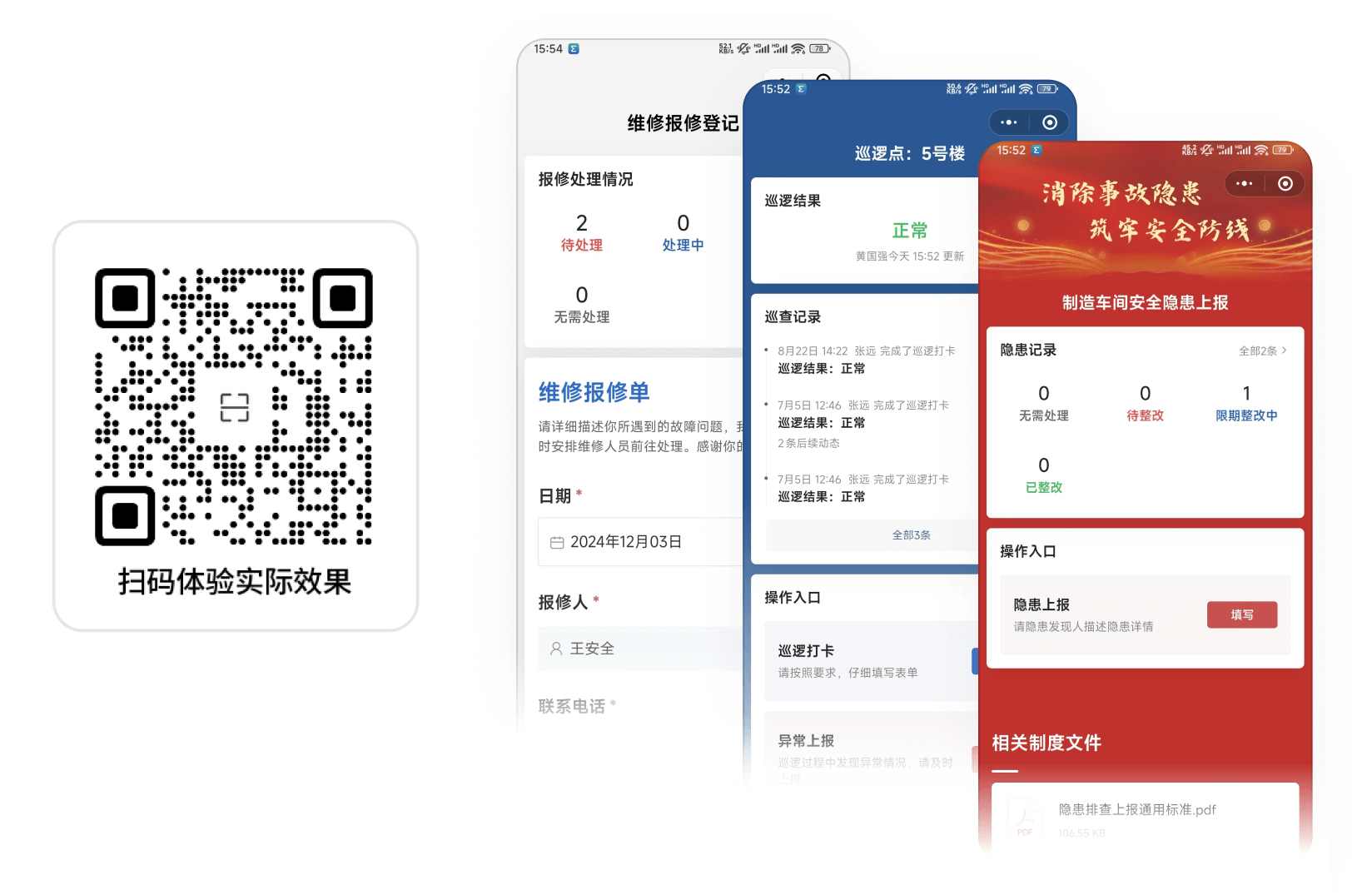
Scan to Experience
We have selected a batch of codes actually used by users as examples. You can scan them to experience and freely fill in inspection data:
Peer Success Stories
1. Shanghai Zitai Property - Huisheng Center Project The project lead independently built an information system to grasp on-site operational status. View Details
2. Pingquan City Urban Management and Comprehensive Law Enforcement Bureau Learn from Pingquan's experience to build a local gas industry safety production information management platform. View Details
3. Ningbo Jiangbei District Municipal Maintenance Center Upgraded municipal manholes with QR code nameplates for precise reporting of loss or damage issues to relevant departments. View Details
Frequently Asked Questions
1. Can I set this up myself without an IT department?
- Absolutely. The CaoLiao platform is designed specifically for frontline managers. No programming or coding knowledge is required. Users simply drag and drop the needed functional modules and adjust settings according to their needs to complete the setup. Anyone can use it.
2. Will my patrol and inspection records be saved permanently?
- Yes, data is saved permanently. You can view the inspection status anytime in the workbench.
3. Do frontline inspectors need to install any specific Apps?
- No, they only need to use WeChat to scan the codes. No special training is required either.
4. How do I start creating?
- Click below, select a template suitable for area inspections, modify the template content and configurations according to your actual needs, save it, and the QR code will be generated.
Start Building
The following templates are derived from real user practices, helping you quickly leverage peer experience and significantly reduce setup costs.
[
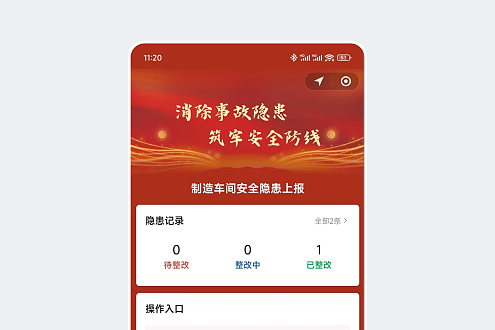
Hazard Reporting
Scan code to report hazard information, track rectification process
Use Template](https://cli.im/template/detail/4111148 "Hazard Reporting")[
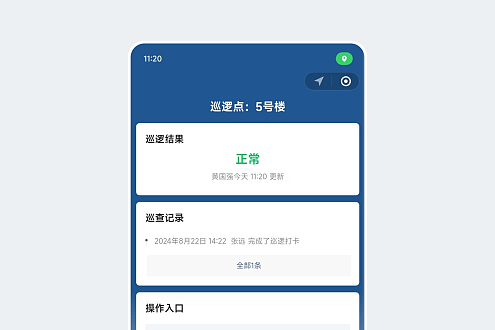
Patrols and Rounds
Fixed-point patrols, managers can monitor patrol progress and abnormalities anytime
Use Template](https://cli.im/template/detail/2675632 "Patrols and Rounds")[
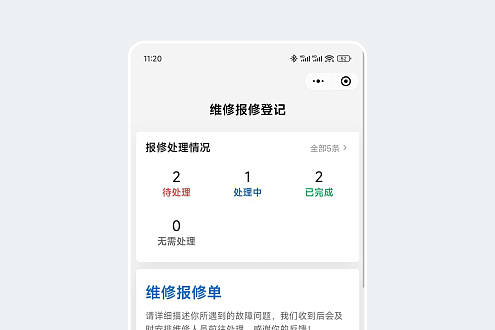
Maintenance Request Registration
Scan code to report issues, real-time notifications to maintenance personnel
Use Template](https://cli.im/template/detail/121463053 "Maintenance Request Registration")