How Do Small and Medium-Sized Enterprises Choose Fixed Asset Inventory Tools? Analysis of 5 Solutions with Pros and Cons
Original: https://cli.im/article/detail/2401
For small and medium-sized manufacturing enterprises, fixed asset inventory is often regarded as "optional" work—until issues like mismatched accounts and records, idle equipment, and duplicate purchases emerge, highlighting its importance. But how should asset inventory actually be done? How should tools be selected? Should companies stick with Excel, or move to PDAs, QR codes, or even RFID?
This article, based on the actual situation in manufacturing, outlines the pros and cons of current mainstream inventory tools and analyzes their respective application scenarios to help small and medium-sized enterprises choose the most suitable solution.
1. Why Perform Asset Inventory?
Manufacturing enterprises often have numerous and varied types of equipment. If ledger information is not updated regularly, it’s easy to end up with assets that "exist in name only"—recorded in the books but long lost or scrapped on the shop floor. A more practical issue is that many enterprises only begin inventory counts after encountering problems like "unable to locate equipment" or "not knowing who is responsible." By then, establishing systems and processes becomes more costly.
Regular fixed asset inventory not only ensures more accurate financial data but also:
- Reduces equipment idle rates;
- Avoids duplicate purchases;
- Improves asset utilization efficiency;
- Supports subsequent equipment maintenance and disposal processes.
Therefore, inventory is not just about financial compliance; it’s also a crucial means of reducing operational risks.
2. Five Common Types of Tools on the Market and Their Applicable Scenarios
1. Excel Spreadsheets: Lowest Cost, but Most Error-Prone
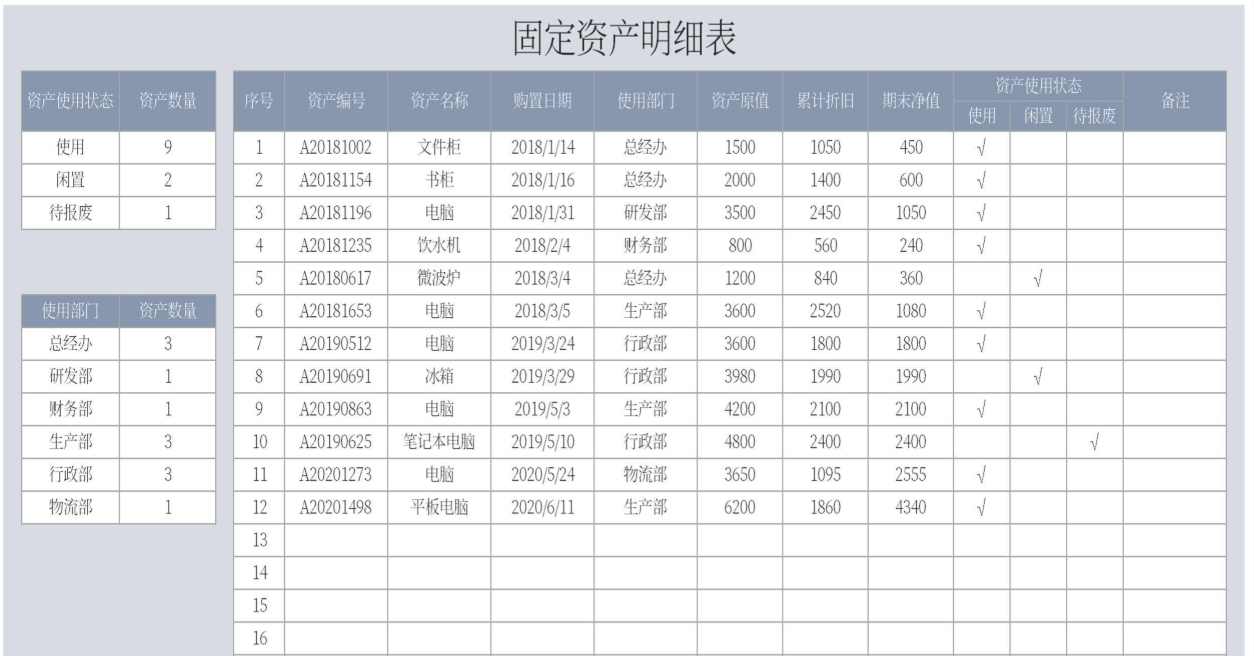
This is the most basic and common approach, especially in enterprises with few assets and small teams. During inventory, asset lists are printed out, manually checked off, and later entered into a system or handed over to finance for updates.
Typical tools: Microsoft Excel, WPS Spreadsheets, paper registration forms
If the total number of assets is within one or two hundred, this method is generally manageable. However, once it exceeds 500 items, the efficiency and accuracy of Excel-based inventory drop rapidly, with frequent occurrences of missed entries, duplicates, and inconsistent statuses. Moreover, this method heavily relies on the executor; changing personnel requires retraining.
2. ERP Systems: Powerful Features, but High Cost
If an enterprise has already implemented an ERP system and activated its fixed asset module, it can indeed leverage the system for a more complete inventory process. The system automatically generates asset lists, employees perform checks based on assigned tasks, and the ledger is automatically updated after inventory completion.
Typical software: Kingdee EAS, Yonyou U8, SAP ECC/FICO
The advantages of such solutions include standardized data structures and strong integration with finance, enabling seamless processes like depreciation, transfers, and disposals. However, the drawbacks are evident: high system deployment and maintenance costs, long implementation cycles, high customization requirements, and significant investment for small and medium-sized enterprises. Additionally, they lack flexibility; once processes change, adjustments are difficult. SMEs often find the costs prohibitive.
3. PDA Handheld Terminals: Efficiency Boost, but High Hardware Investment
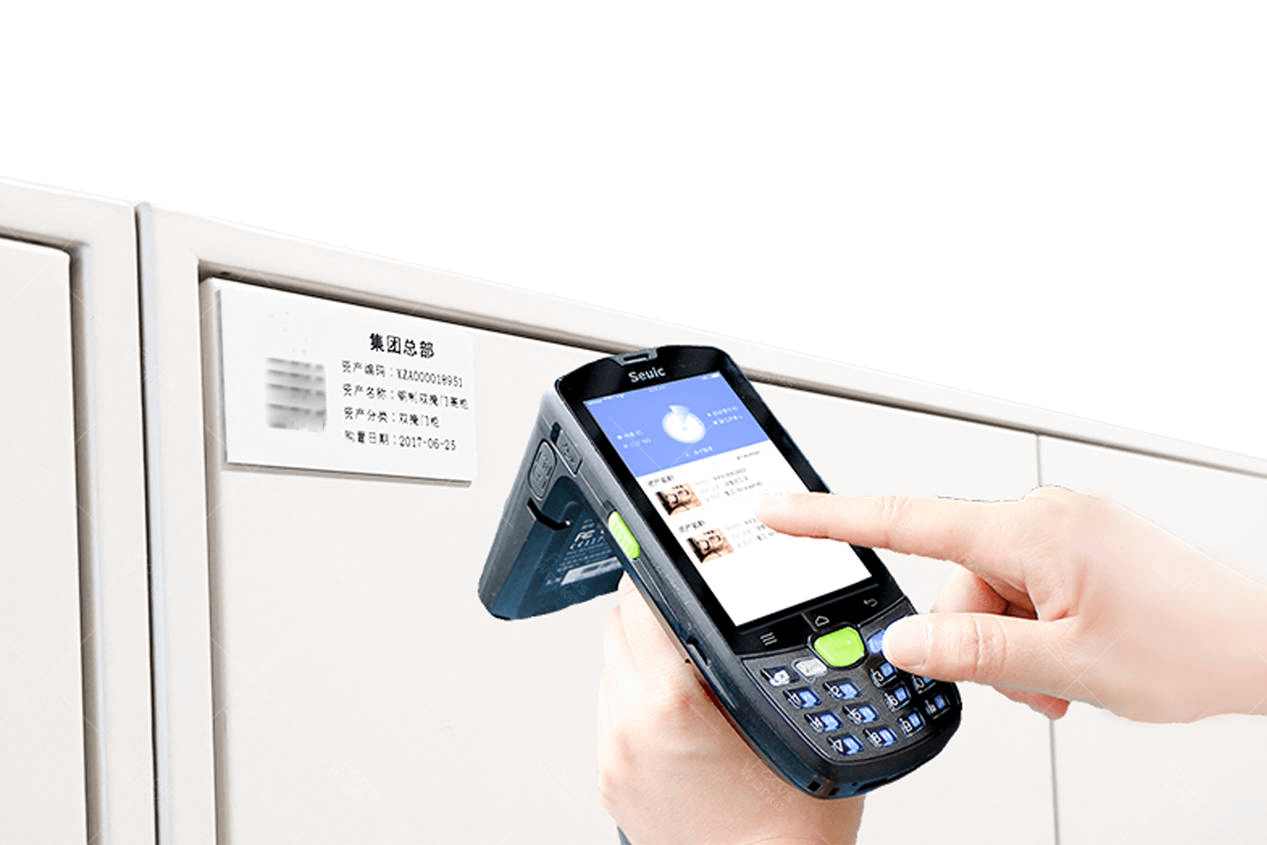
PDA is a small handheld device with barcode scanning capabilities, already common in many large factories. Asset information is pre-loaded into the system, and during inventory, PDAs are used to scan codes one by one, quickly completing information comparison and status updates.
Typical solutions: PDA devices paired with Kingdee Cloud Inventory, Digiwin MES, Zhibang International Asset Management Module, etc.
Its advantages are high efficiency and relatively standardized operations, especially suitable for mobile inventory and multi-area collaborative work. However, for SMEs, the issues are: PDA devices themselves are not cheap, maintenance costs are high, devices are prone to damage, and employees require additional training. Overall, the investment is substantial.

4. RFID: Batch Reading and Writing, but Most Expensive
The benefit of RFID is that it "doesn’t require scanning." It uses readers to identify tags on assets from a distance, capable of recognizing multiple assets at once, making it suitable for asset-dense areas like warehouses, tool rooms, and production lines.
Typical solutions: Zebra RFID Systems, HawkTech RFID Platform, Putie Tech RFID Inventory Systems
Its efficiency far surpasses manual methods, but there are clear barriers: RFID tags are expensive, readers are even more costly, and metals and liquids can interfere with signal recognition, requiring specialized deployment and debugging. Valuable for large and medium-sized enterprises with high automation levels, it is less practical for resource-limited small and medium factories.
5. QR Codes: Lightweight Implementation, Flexible and Scalable
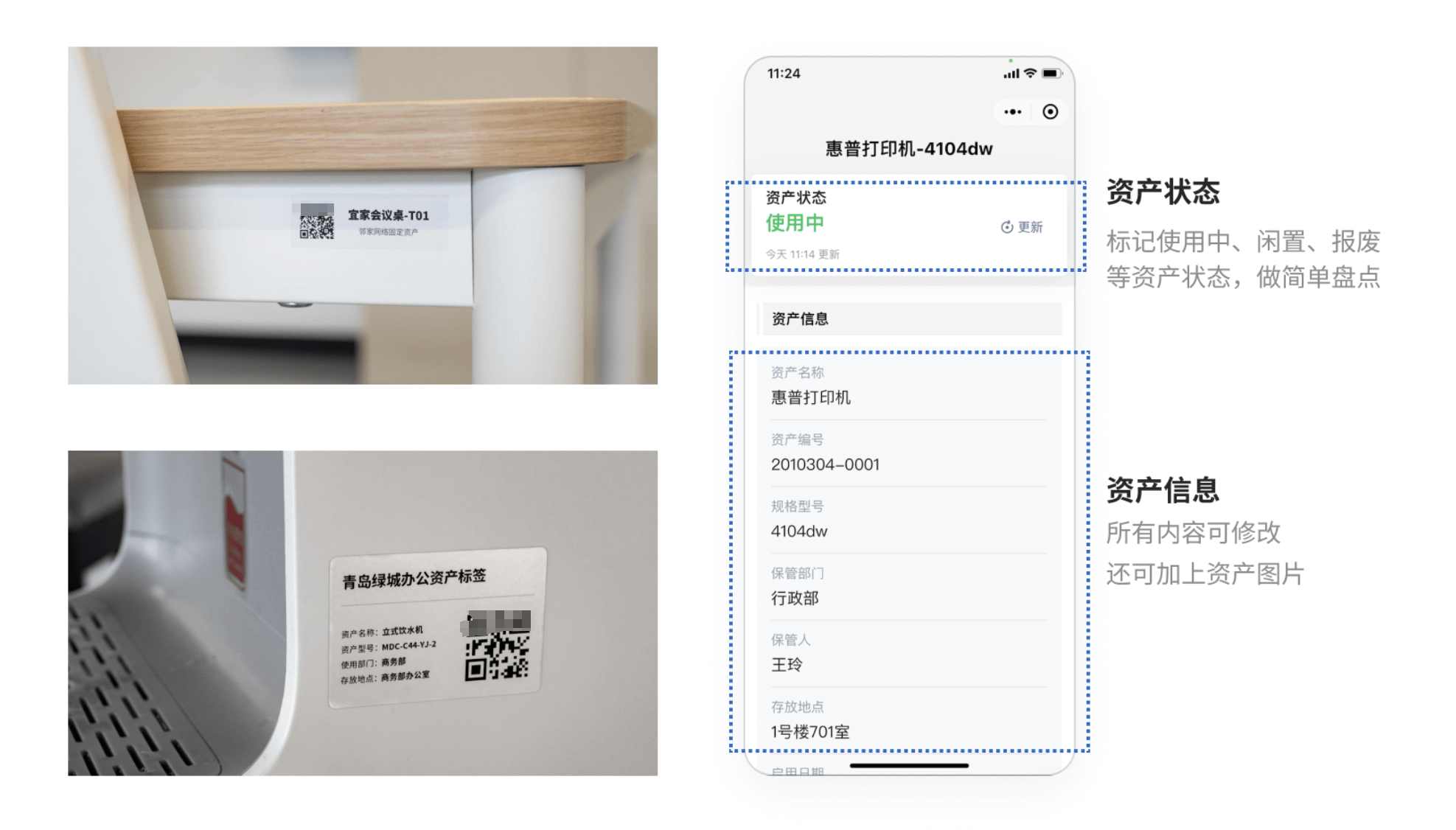
QR code-based methods have become increasingly popular in recent years, especially with the emergence of products like CaoLiao QR Code, enabling "do-it-yourself" inventory processes. Employees use their phones to scan codes, with each asset bound to a code, allowing online updates of status, responsible persons, and usage records, while the management backend automatically logs the entire process.
Typical software: CaoLiao QR Code
Platforms like CaoLiao QR Code support bulk import of asset information, generating "one code per item," eliminating the need for specialized equipment, and using WeChat for scanning, registration, and inventory operations. Compared to solutions requiring significant hardware investment (PDA scanners, RFID readers, etc.), the cost advantage is clear. Furthermore, users can design their own forms, adding functional entries like "repair requests," "usage status," and "maintenance records" as needed, offering great flexibility.
Its advantages are very clear: no specialized hardware needed, no development required, basic functions are free, and even the paid version costs only a few hundred to a thousand yuan per year—far lower than other solutions. It is especially suitable for enterprises needing quick deployment with asset counts between 100 and 1,000 items. Compared to traditional methods, tasks that used to take one or two days can be completed in minutes.
3. How to Choose the Right Tool
Regardless of which solution you plan to choose, it’s advisable not to roll it out on a large scale initially. Start with a pilot in a small workshop or production line—test whether it can be operational within a week, whether employees accept it, and whether the data is usable. A trial will reveal all.
If your company has a relatively small number of assets and a small team, QR code-based solutions (like CaoLiao QR Code) are often the "most stable starting point with the lowest cost." Unlike ERP systems, which are tied to finance, or RFID, which can require investments of hundreds of thousands, such solutions can typically be deployed within one day, delivering quick results. PDA, ERP modules, or RFID require allocation of time for system integration and training.
When business grows and management needs become more complex, it’s not too late to consider upgrading.