Personnel Information Registration
Suitable for collecting information from various personnel such as employees, students, residents, and visitors. Using QR codes instead of paper forms improves the efficiency of information collection. The collected information can be viewed and exported, enabling more efficient management of various personnel data.
Basic Information
- Monthly Installations: 7572
- Monthly Visits: 6967
- Original Text: https://cli.im/template/detail/121463467
Case Tag Image

Usage Instructions
I. Core Value
1. More Efficient Information Collection
QR codes replace paper registration forms, simplifying the information registration and management process, thereby improving the efficiency of information collection.
2. More Convenient Information Management
Collected information is automatically categorized and summarized in the backend, allowing real-time viewing and statistics of registration status.
3. Enhanced Information Security
Only authorized managers can access the collected personnel information, ensuring data security.
II. Usage Process
1. Generate Personnel Information Registration QR Code
Click [Use Now] to create a QR code. Modify the registration form content according to the required information to be collected.
You can also set restrictions such as the number of registrations allowed and the permissible registration time period. Tutorial on Setting Filling Restrictions
2. Distribute the Personnel Information Registration QR Code
Download the QR code label and choose an appropriate distribution method:
Online Distribution
Share the QR code via group chats, or embed it in WeChat Official Account menus or articles. Tutorial on Embedding QR Codes in Official Accounts
Offline Distribution
Print the QR code on posters or promotional materials for display.
3. Personnel Information Management
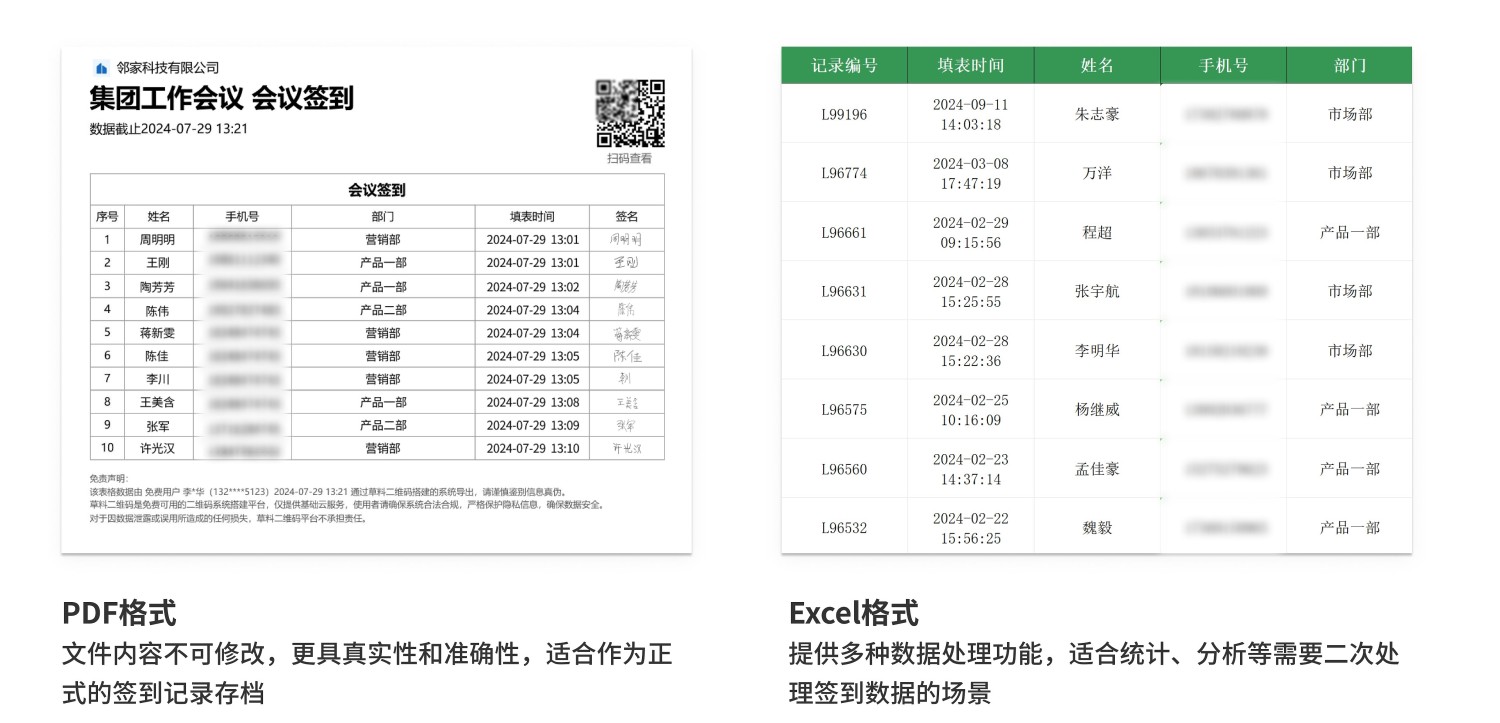
View and Export Summary Data
Administrators can centrally view and query the collected personnel information in the backend. It also supports exporting summary files in different formats. Data Summary Statistics Feature
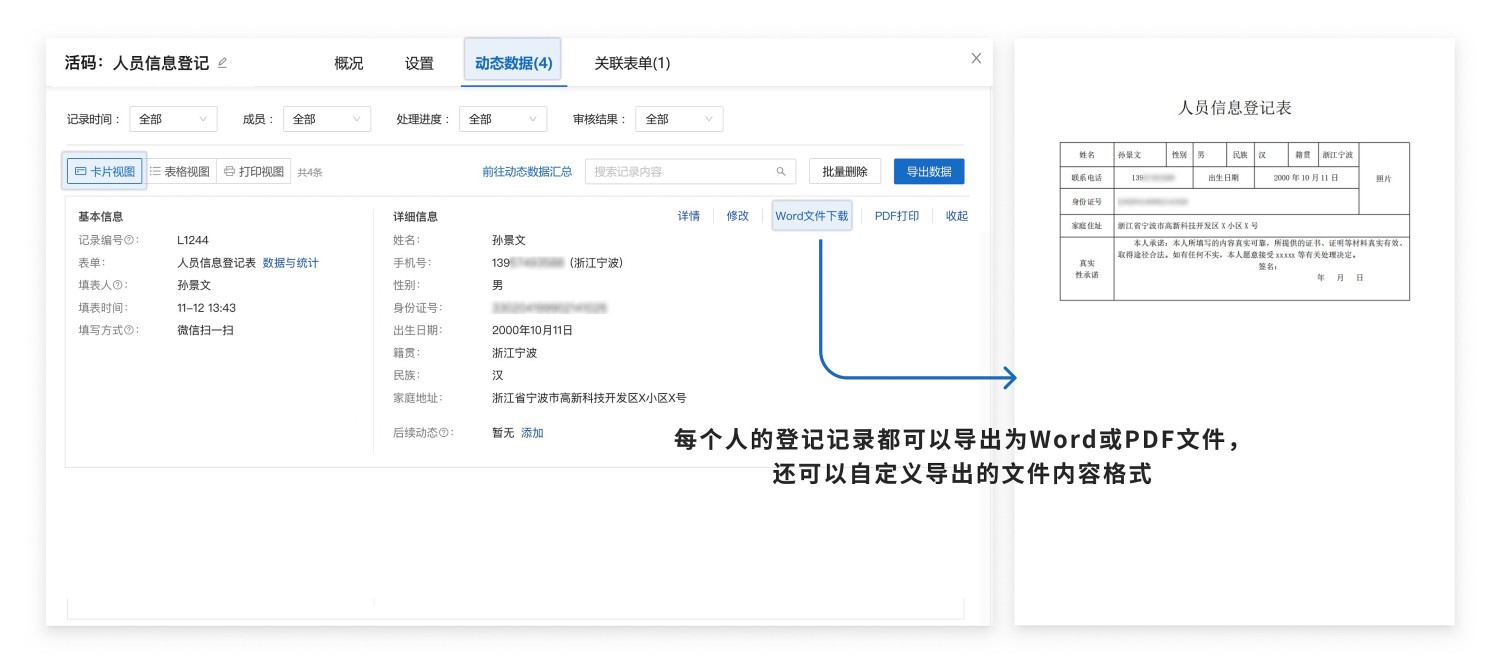
Export Single Record Data
You can also set the export format for individual data records based on management and archiving needs. Single Record Data Export Format Settings
III. Frequently Asked Questions
1. Is it free to use? What are the differences between the paid and free versions?
Answer: It can be used for free indefinitely.
The free version has no limits on the number of people or times for registration, data is stored long-term, and it meets basic usage needs.
If you require multi-user collaboration management, data review, or more advanced data export features, it is recommended to purchase the paid version.
Detailed selection advice can be found here: Version Selection Advice
2. Is data stored securely in CaoLiao?
Answer: CaoLiao has implemented strict measures to ensure user data security. View Data Security Related Materials